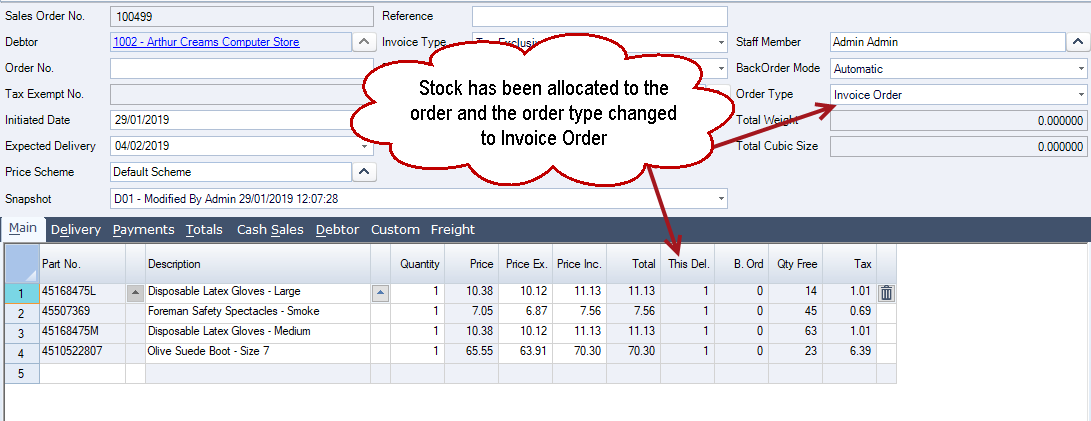
Forward orders are used in Jiwa when a customer order needs to be recorded now but delivered at a future date.
Forward orders behave differently to standard invoice orders. When a sales order is marked as a forward order,
-
stock is not allocated to the order,
-
backorder records are not created, and
-
the order cannot be processed directly to an invoice.
This article explains how to create forward orders and how to use the Jiwa Forward Order Processing utility to convert forward orders into invoice orders when they are ready to be processed.
Creating Forward Orders
Create a new sales order as normal ensuring that the Order Type is set to Forward Order.
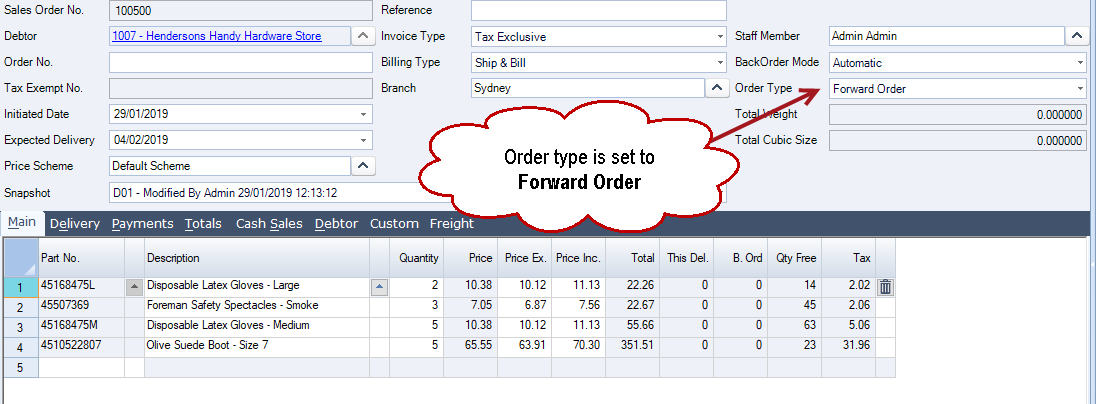
Forward Order Processing
Stock can be allocated to Forward Orders in bulk using the Forward Order Processing utility in Jiwa. This utility changes the order type from Forward Order to Invoice Order and allocates stock on the orders that have been selected in the grid.
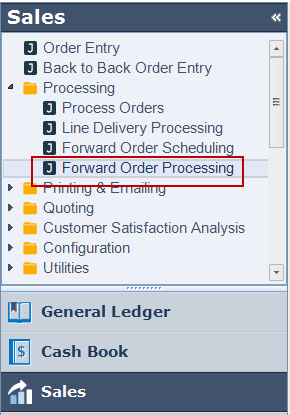
From your Jiwa menu select Sales | Processing | Forward Order Processing
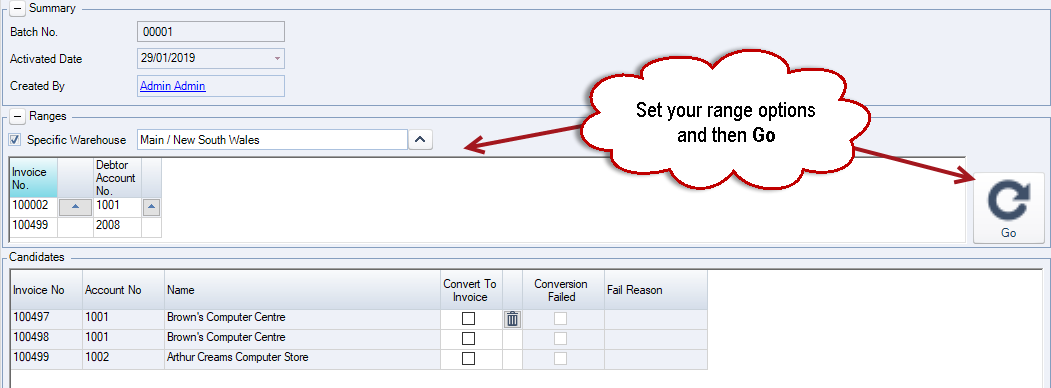
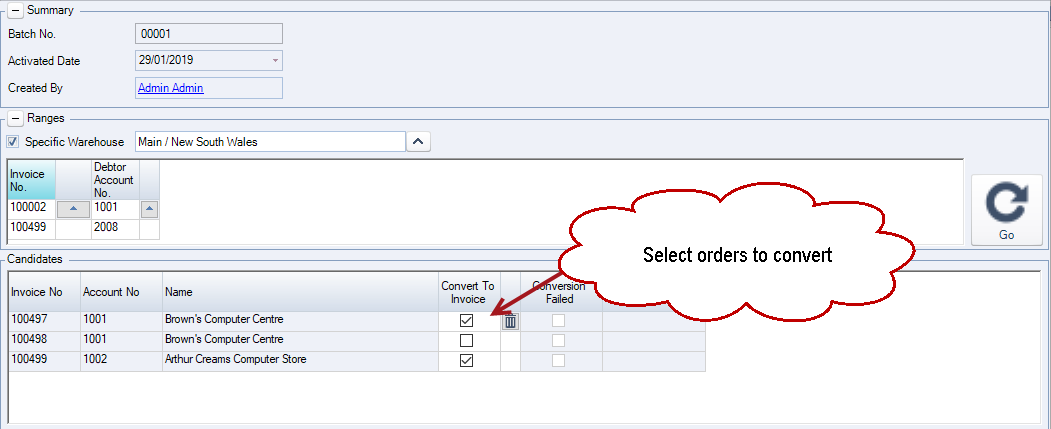
Set your required range options and then click on the Go button.
This will load the Candidates grid with all Forward Orders that meet your set range options.
Select Save from the menu ribbon to create your processing batch.
Select the Forward Orders you want to process by ticking on the Convert To Invoice check box and then Save.
From the menu ribbon select Activate to process your orders.
If there are issues with the conversion an details of the failure are displayed in the Fail Reason field.
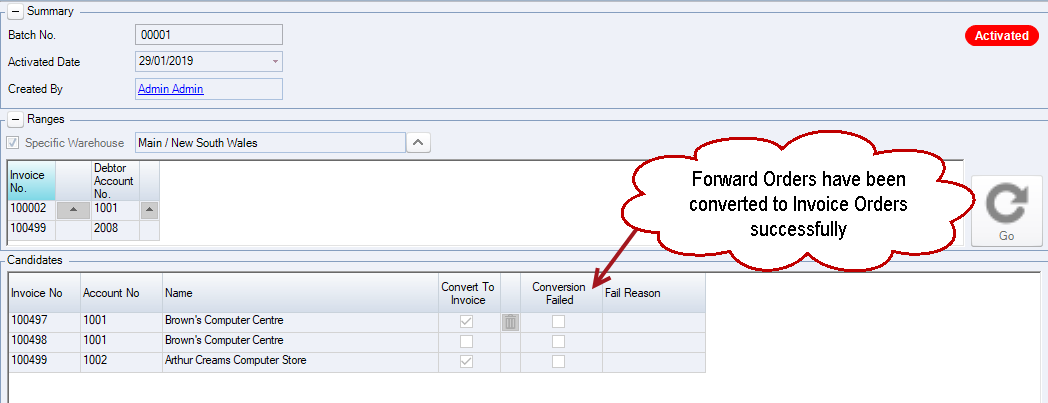
Your sales order can now be processed to invoice.