
Active Orders and Invoice Orders are two sales order types in Jiwa that control how an order behaves before it is invoiced. The main differences are when backorder records are created and how the order can be processed.
With an Invoice Order, backorder records are created when the order is processed.
With an Active Order, backorder records are created when the order is saved.
|
Area |
Invoice Order |
Active Order |
|---|---|---|
|
Backorder timing |
Backorder records are created when the order is processed. |
Backorder records are created when the order is saved. |
|
Processing |
Can be processed from Sales Order Entry or in bulk using the Process Orders function. |
By default, processed from Sales Order Entry. |
|
Batch processing |
Included in the standard Process Orders function. |
Not included in the standard Process Orders function, unless the process has been modified. |
|
Multiple Deliveries before invoicing |
Not supported against the original order snapshot. |
Allows multiple deliveries against the original sales order snapshot before invoicing. |
|
Main benefit |
Supports standard fulfilment and efficient batch processing. |
Provides earlier visibility of backordered quantities. |
|
Main consideration |
Backorders are not created until processing. |
Backorders are created earlier, but standard batch processing may not apply. |
Need to batch process Active Orders?
By default, Active Orders can only be processed from the Sales Order Entry form.
If your business process requires that your Active Orders are batch processed, please contact Opal Logic on 1300 456 725 or send an email to support@opallogic.com.au to discuss your requirements.
Active Orders
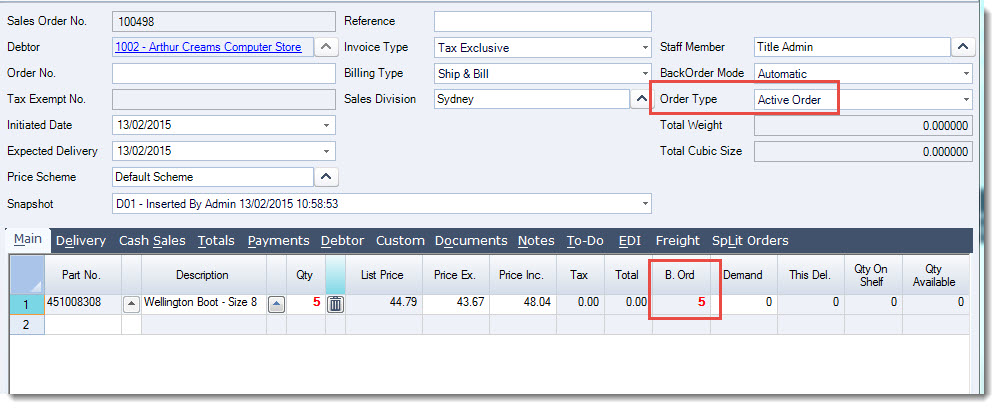
When an ACTIVE order is saved a backorder record is created immediately.
The advantage to this is that the order is still open for editing until such time as it is processed.
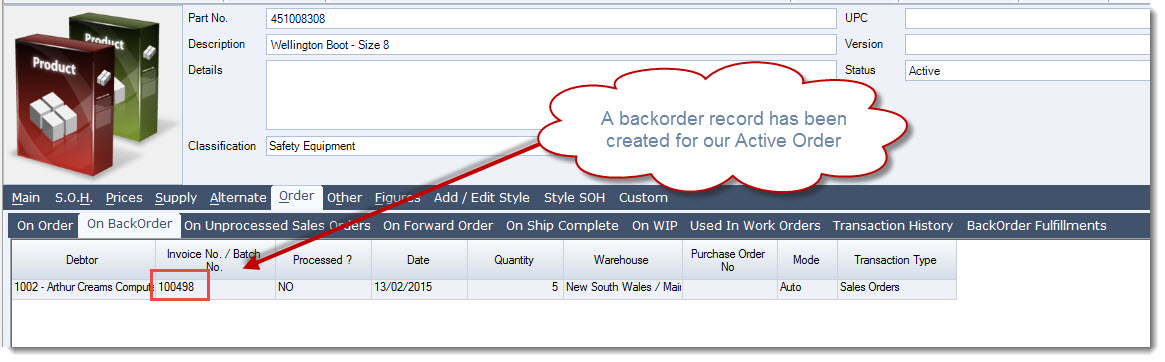
Reviewing the Inventory Maintenance form we can see the backorder record on the Order | On BackOrder tab
The backorders on Active orders can also be released from the forms;
-
Process Backorders, and
-
Manual Backorder Release
Processing Active Orders
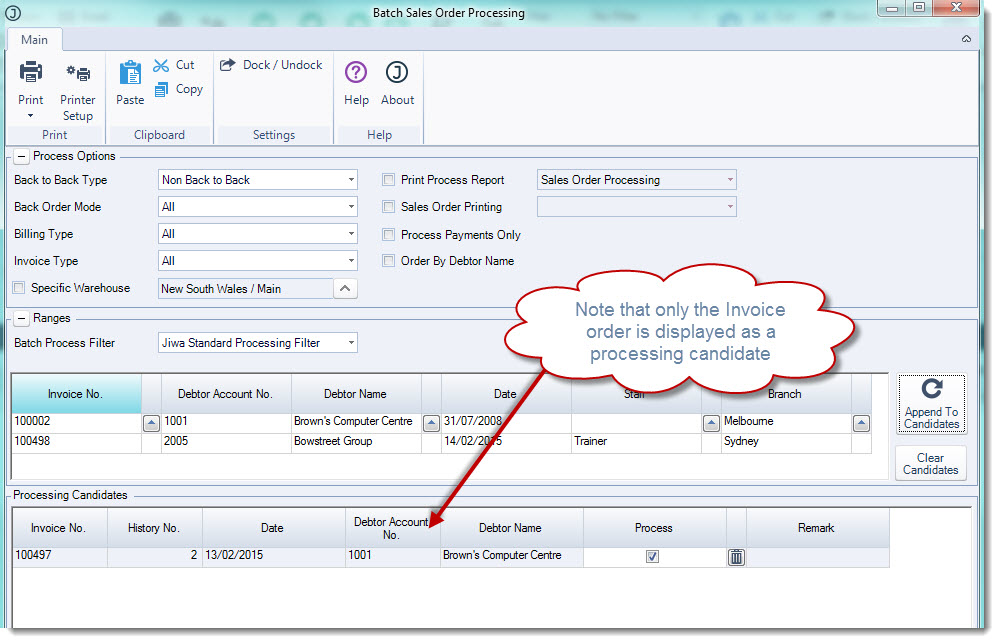
ACTIVE orders can only be processed from the Sales Order Entry form.
Active orders will not appear for processing in the Batch Sales Order Processing form.
Invoice Orders
When an INVOICE order is saved a backorder record is not created immediately.
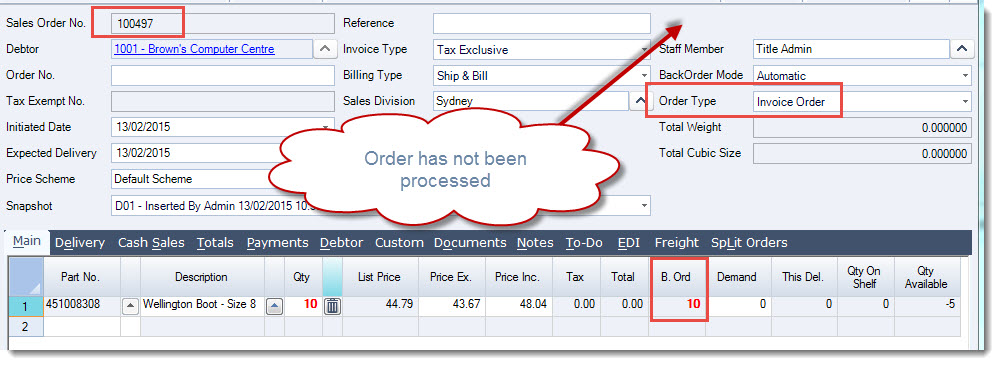
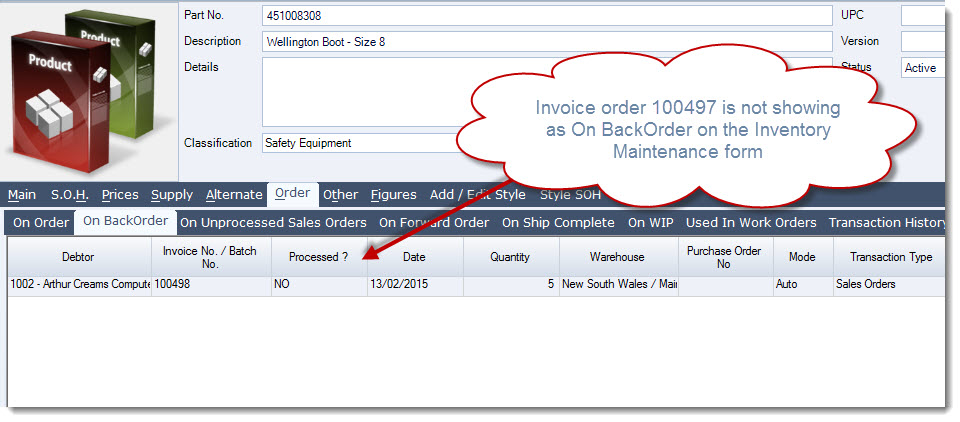
Reviewing the Inventory Maintenance form we can see that the backorder record has not been created and therefore the order is not displaying on the Order | On BackOrder tab.
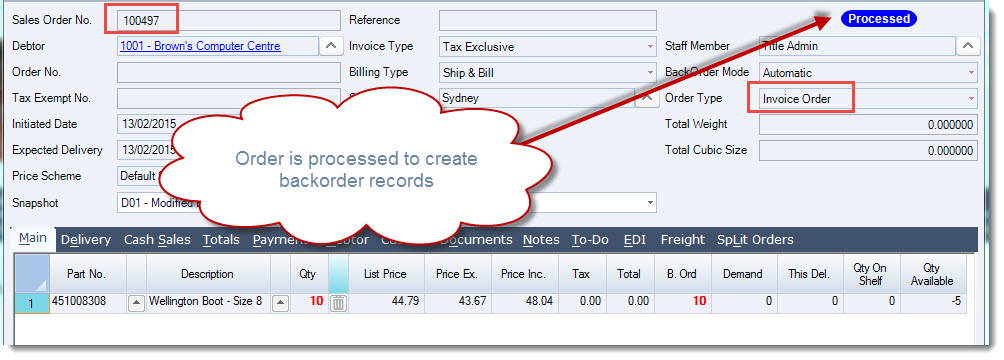
It is only when the INVOICE order is processed that the backorder record is created, the order is then locked from further editing.
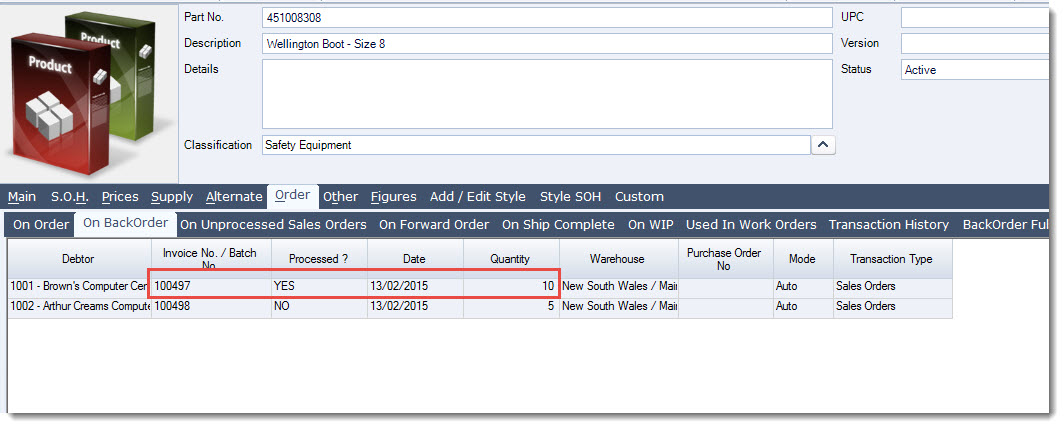
Looking at the Inventory record we can now see that the backorder record has been created and it is at this point that the backorders can be released from the forms;
-
Process Backorders, and
-
Manual Backorder Release
Video walkthrough