In this article we will be looking at the differences between Active Sales Orders and Invoice Sales Orders in Jiwa.
Key Differences
|
|
ACTIVE Order |
INVOICE Order |
|
BackOrders |
Backorder records are created when the sales order is Saved |
Backorder records are created when the sales order is Processed |
|
Processing |
Orders can only be processed to an invoice from the Sales Order Entry form |
Orders can be processed to an invoice from both the Sales Order Entry form and the *Process Orders form |
* If required the stored procedure that is used by the Process Orders form can be customised to pick up Active Orders also. Please discuss your requirements with your Jiwa Consultant.
Active Orders
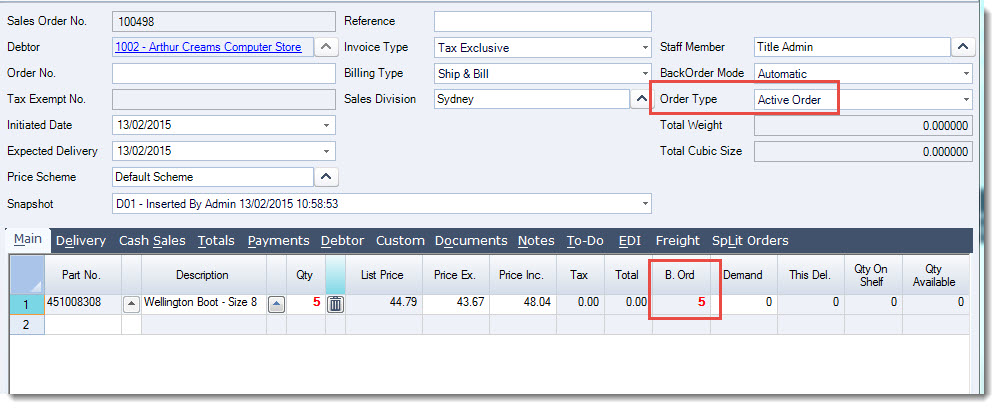
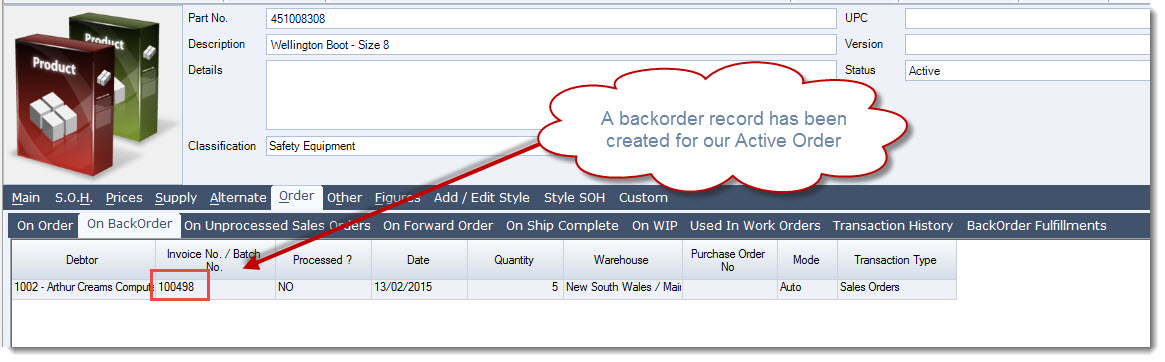
When an ACTIVE order is saved a backorder record is created immediately.
The advantage to this is that the order is still open for editing until such time as it is processed.
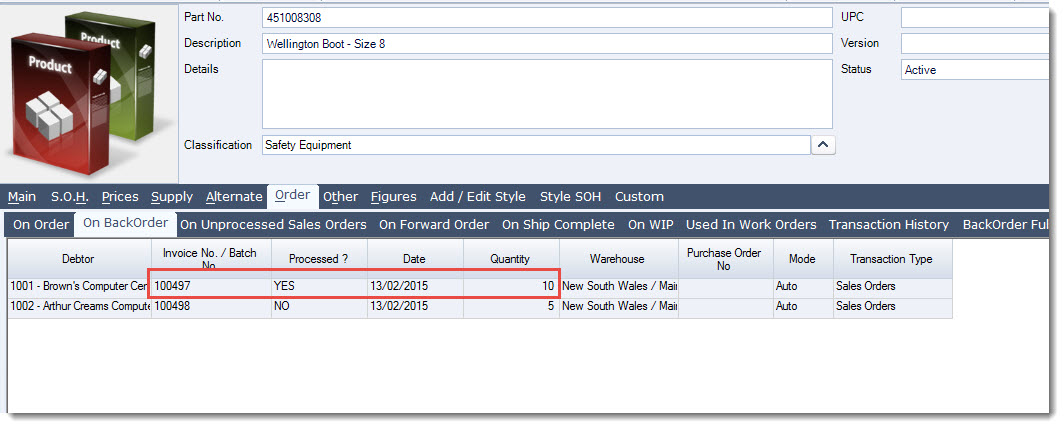
Reviewing the Inventory Maintenance form we can see the backorder record on the Order | On BackOrder tab
The backorders on Active orders can also be released from the forms;
-
Process Back Orders, and
-
Manual Back Order Release
Processing Active Orders
ACTIVE orders can only be processed from the Sales Order Entry form.
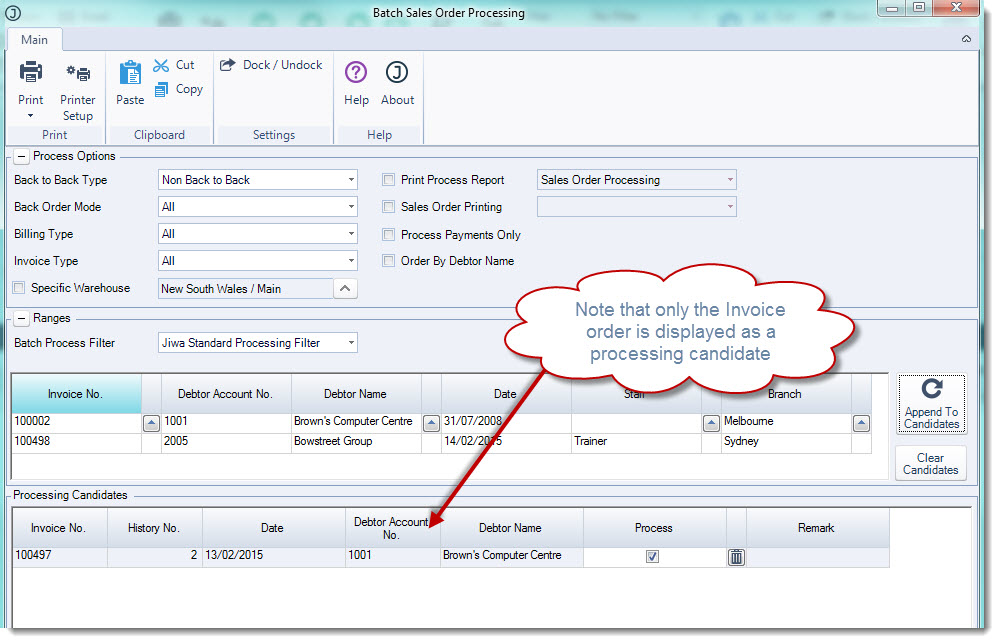
Active orders will not appear for processing in the Batch Sales Order Processing form.
Invoice Orders
When an INVOICE order is saved a backorder record is not created immediately.
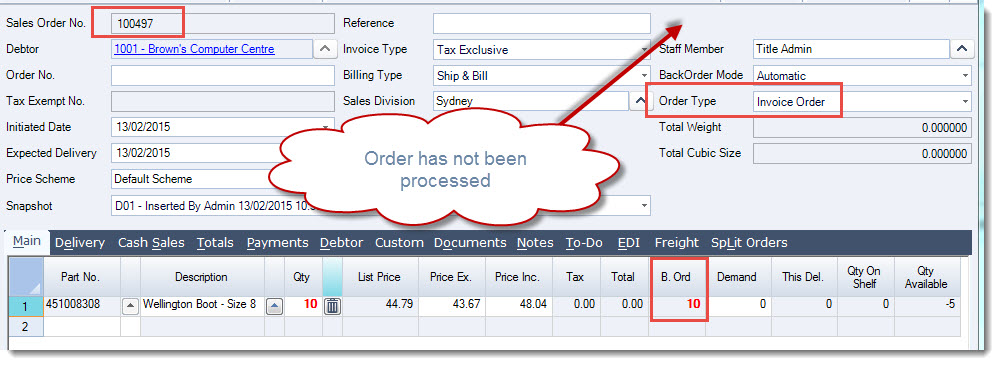
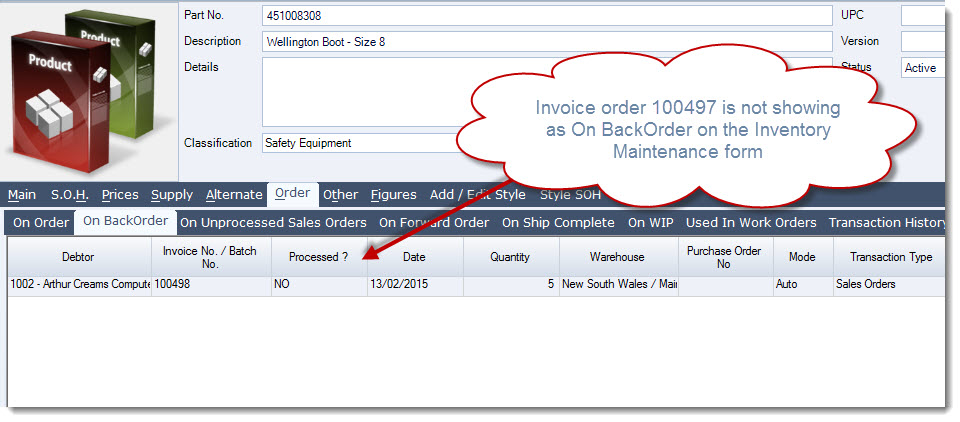
Reviewing the Inventory Maintenance form we can see that the backorder record has not been created and therefore the order is not displaying on the Order | On BackOrder tab.
It is only when the INVOICE order is processed that the backorder record is created, the order is then locked from further editing.
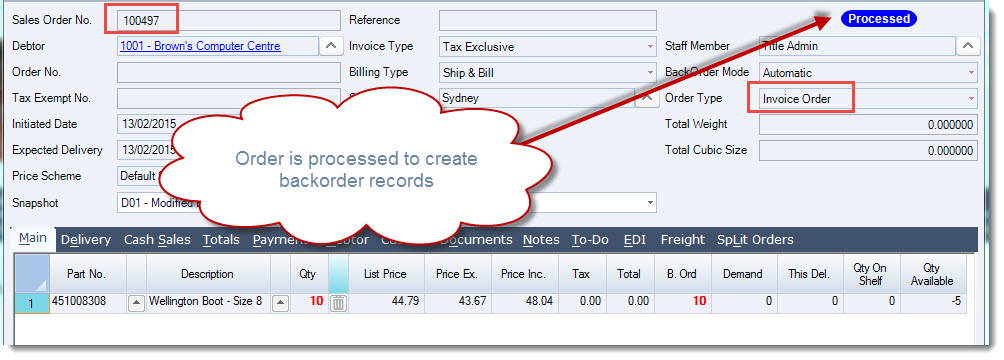
Looking at the Inventory record we can now see that the backorder record has been created and it is at this point that the backorders can be released from the forms;
-
Process Back Orders, and
-
Manual Back Order Release