
This article will take you though the process of generating sales orders from purchase orders also referred to as B2B (Back to Back) orders in Jiwa.
Before commencing it is important to note that stock received via the B2B process is allocated to the originating sales order and cannot be un-allocated or released from the originating sales order.
To release or un-allocate stock from a B2B sales order the order must be cancelled before that stock can be allocated to other non B2B orders.
For details on cancelling sales orders please refer to our article Jiwa Sales Orders - Cancelling an Order.
Creating B2B Sales Orders
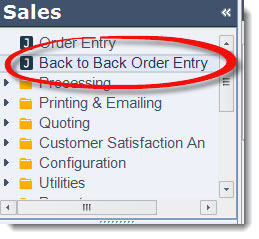
From the Sales menu select Back to Back Order Entry
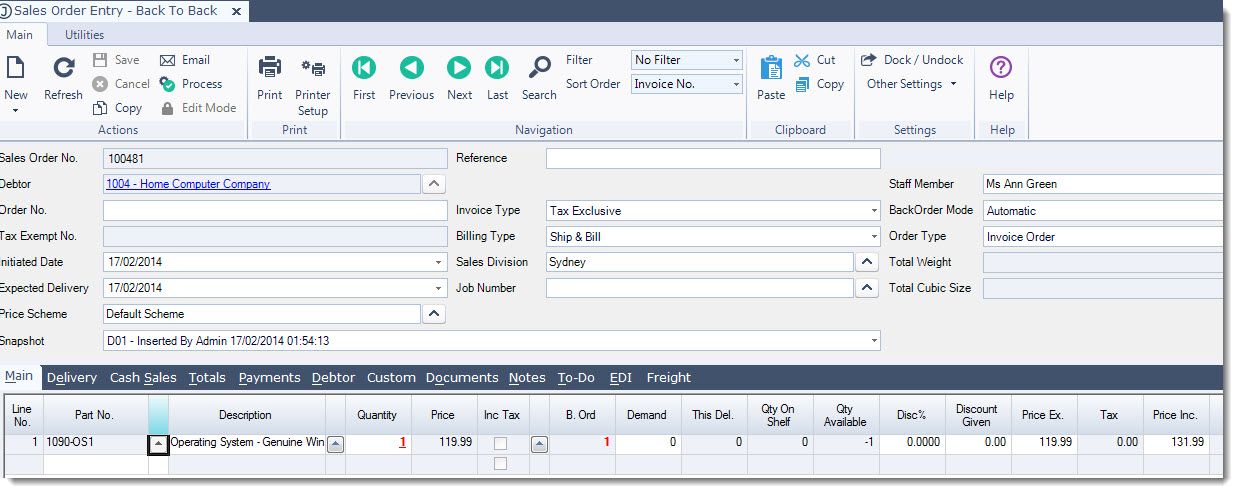
Create your sales order as normal and Save
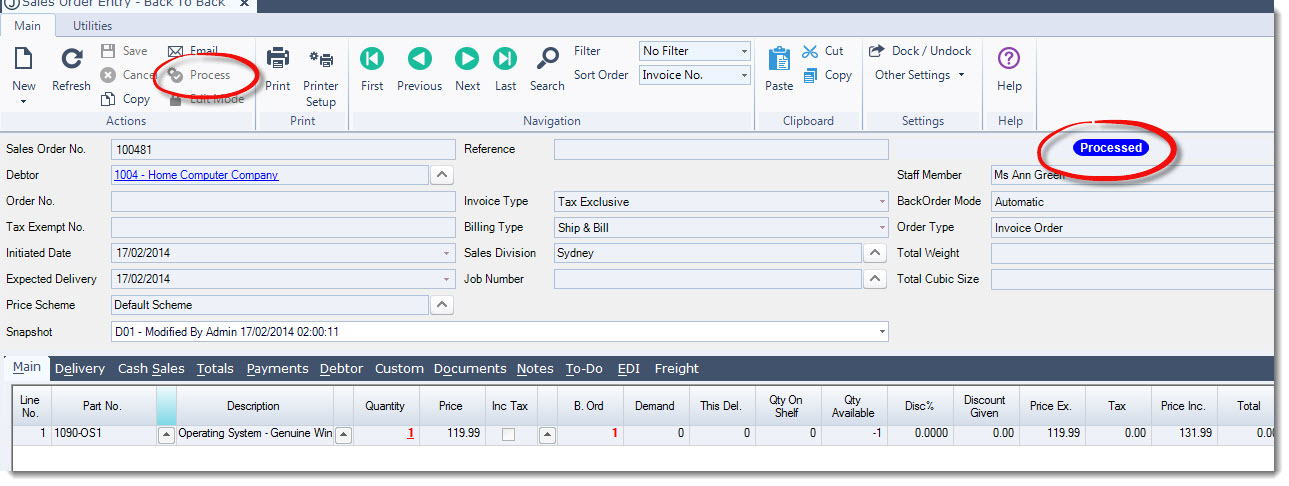
Process the sales order. You will not be able to generate a purchase order/(s) if the sales order does not have a status of Processed
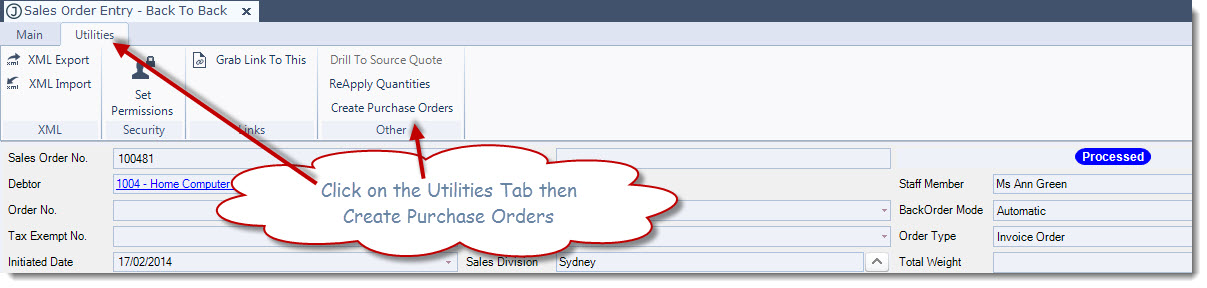
Click on the Utilities tab then Create Purchase Orders to generate the required purchase orders.
In Jiwa6 you will need to select Record | Utilities | Create Purchase Orders
Back to back purchase orders will be created for the items on the purchase order on the default supplier/(s) for the items being ordered.
The supplier can be changed before the purchase order is first saved
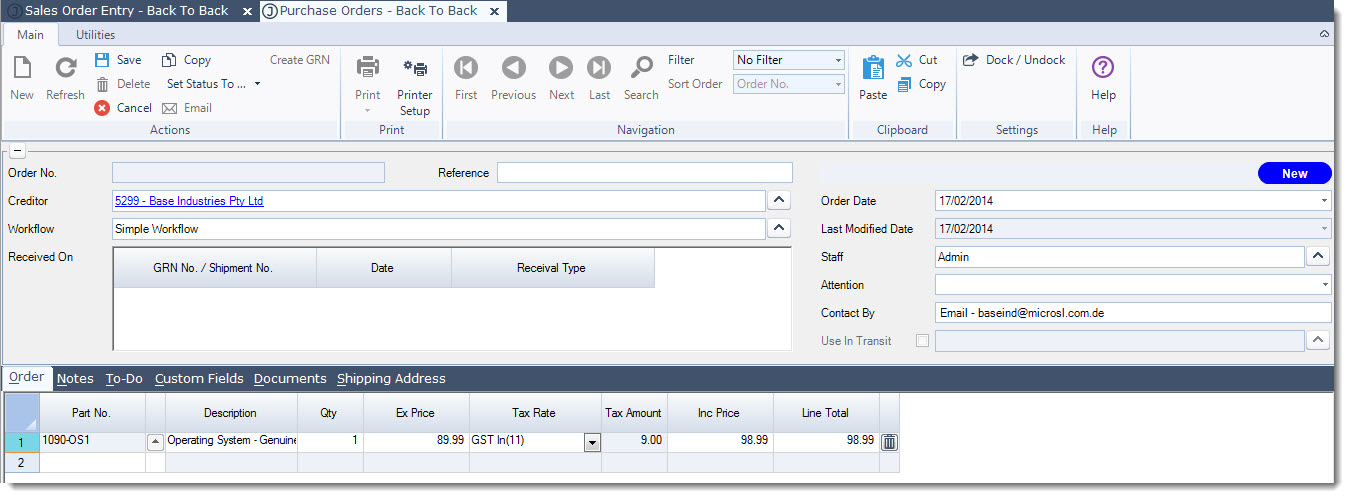
Make any necessary changes required to the purchase order then Save and send to the supplier.
Repeat the steps for each purchase order that is created.
Allocating Stock to B2B Sales Orders
Once stock has been received in for the back to back purchase orders, stock is allocated to the originating sales orders through Process Back Orders.
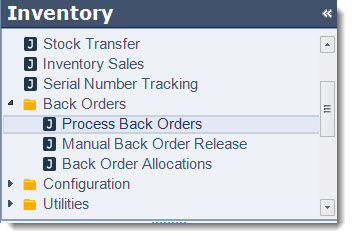
Select Inventory | Back Orders | Process Back Orders
In Jiwa6 you will need to select Sales Order Entry | Back Orders | Process Back Orders
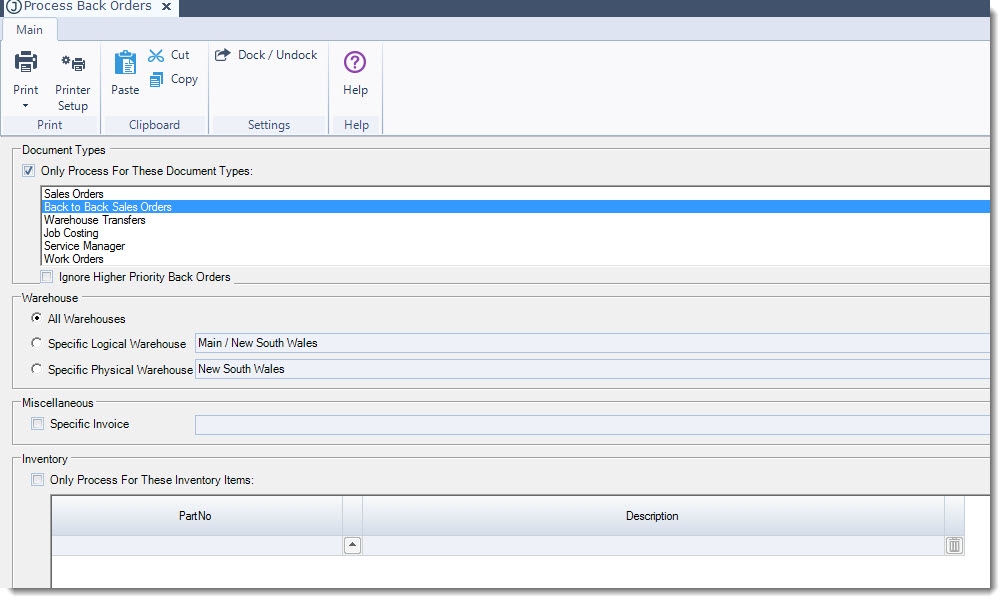
Select to process Back to Back Sales Orders then Select Process
Once stock has been allocated to the Back to Back Sales Orders the orders can then be processed as normal.