We’re currently updating our website to a new platform. We’re still operating as usual, but some pages may be under construction. Thank you for your patience.
Jiwa Training Centre

Creating Template Jobs

In this article we look at how to create template jobs in Job Costing and how these can be used when creating new jobs in Jiwa 7.

Before proceeding we recommend that you have reviewed the following articles;


Job Templates

Job templates are useful where you have similar jobs and you want to make sure that cost centres & stages and even budgets are setup consistently across similar jobs.

Multiple templates can be created for different job types.

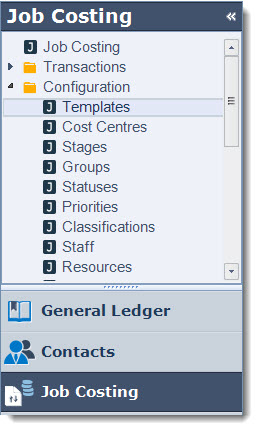
From the menu select Job Costing | Configuration | Templates
https://austlinkwebresources.s3.amazonaws.com/www.jiwatraining.com.au/articles/Jiwa-JC-Creating-Template-Jobs/2016-08-11_13-55-35.jpg

From the menu ribbon select New

https://austlinkwebresources.s3.amazonaws.com/www.jiwatraining.com.au/articles/Jiwa-JC-Creating-Template-Jobs/2016-08-11_13-56-49.jpg

Add your template name in the Description field

Set the default Status for all new jobs

https://austlinkwebresources.s3.amazonaws.com/www.jiwatraining.com.au/articles/Jiwa-JC-Creating-Template-Jobs/2016-08-11_14-06-15.jpg


Main Tab

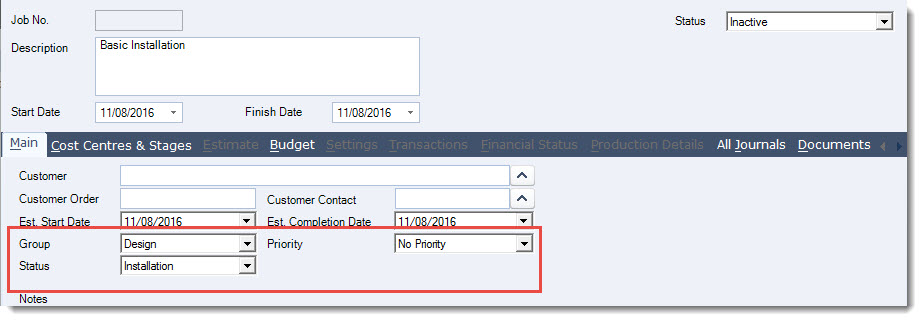
Set your defaults on the Main tab as required

  • Group

  • Status

  • Priority

https://austlinkwebresources.s3.amazonaws.com/www.jiwatraining.com.au/articles/Jiwa-JC-Creating-Template-Jobs/2016-08-11_14-09-47.jpg


Cost Centres & Stages

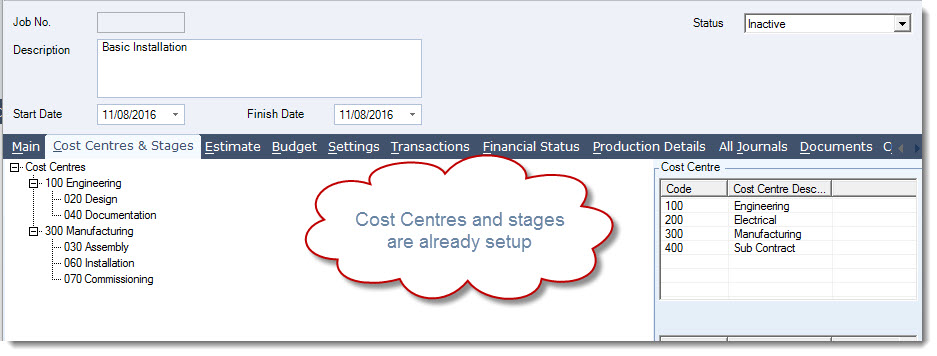
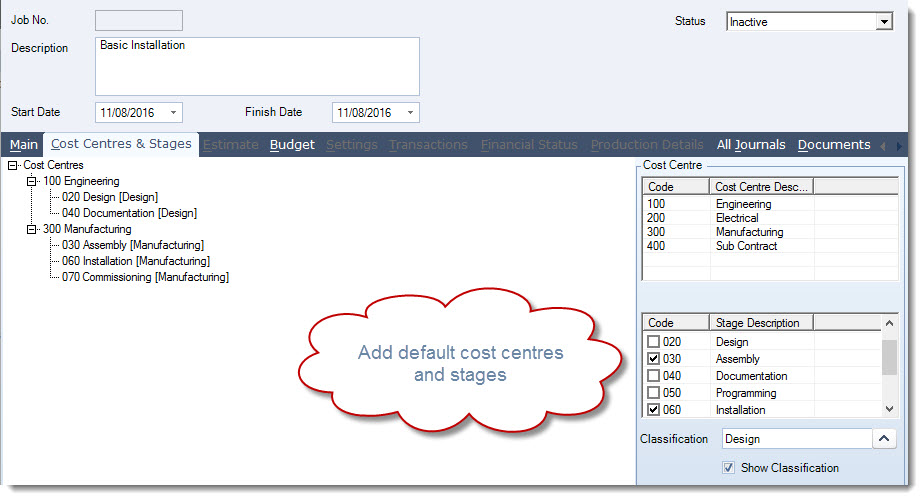
Add your default Cost Centres and Stages making sure that your classifications are assigned correctly.
https://austlinkwebresources.s3.amazonaws.com/www.jiwatraining.com.au/articles/Jiwa-JC-Creating-Template-Jobs/2016-08-11_14-12-18.jpg


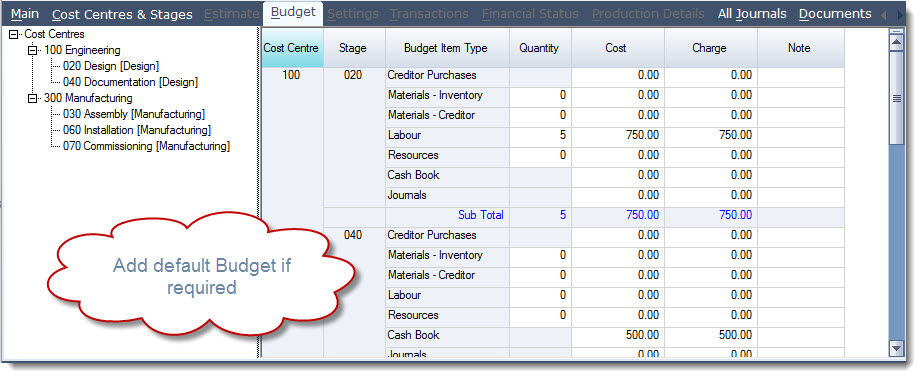
Budget

If applicable add a default Budget to your template
https://austlinkwebresources.s3.amazonaws.com/www.jiwatraining.com.au/articles/Jiwa-JC-Creating-Template-Jobs/2016-08-11_14-16-32.jpg

  Save your changes    

Creating New Jobs from Templates

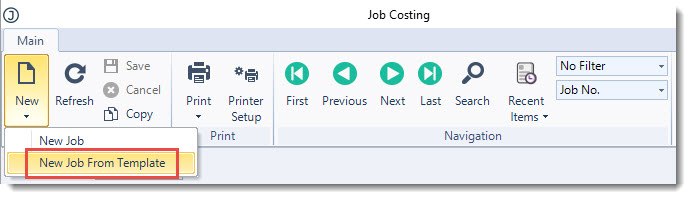
To create a new job using a template from the menu ribbon in the Job Costing form select New | New Job from Template
https://austlinkwebresources.s3.amazonaws.com/www.jiwatraining.com.au/articles/Jiwa-JC-Creating-Template-Jobs/2016-08-11_14-17-53.jpg

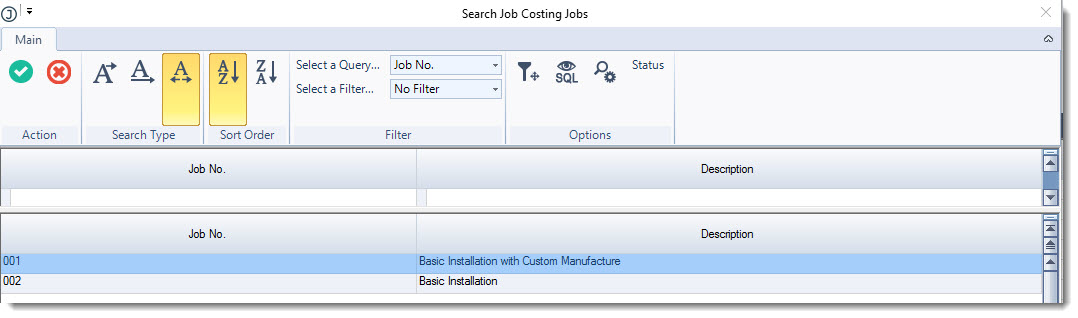
Select your template job from the search form then press Select & Close
https://austlinkwebresources.s3.amazonaws.com/www.jiwatraining.com.au/articles/Jiwa-JC-Creating-Template-Jobs/2016-08-11_14-20-48.jpg

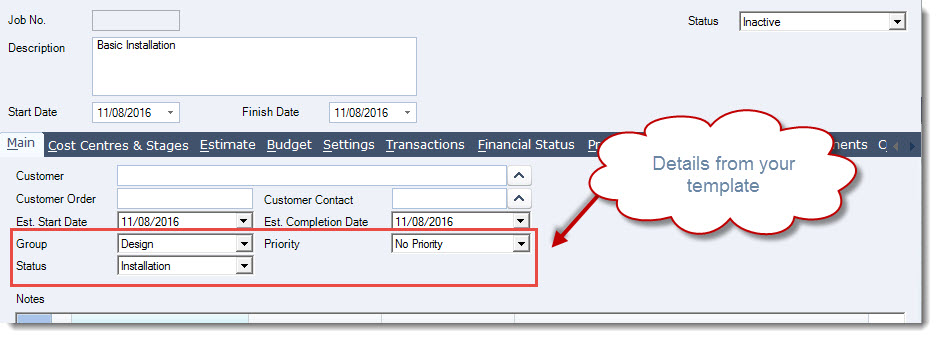
The template settings are brought into your new job.

Complete the setup of your new job.
https://austlinkwebresources.s3.amazonaws.com/www.jiwatraining.com.au/articles/Jiwa-JC-Creating-Template-Jobs/2016-08-11_14-22-46.jpg


https://austlinkwebresources.s3.amazonaws.com/www.jiwatraining.com.au/articles/Jiwa-JC-Creating-Template-Jobs/2016-08-11_14-23-47.jpg


This video is best seen on the full screen. Just click on the icon at the bottom right of the video (see image below). To exit full screen just press escape
VideoFullScreen.jpg