There are three(3) types of work orders in Jiwa, in this article we look at Reversal Work Orders.
Before proceeding with this article we recommend that you have a basic understanding of the manufacturing process in Jiwa and you have reviewed the following articles;
Overview
Work order reversals are used when a work order has been processed incorrectly and needs to be reversed or the original work order production quantity was more than was actually produced.
This work order type can also be used to reverse disassembly work orders.
Reversing Work Orders
From the menu select Manufacturing | Work Order

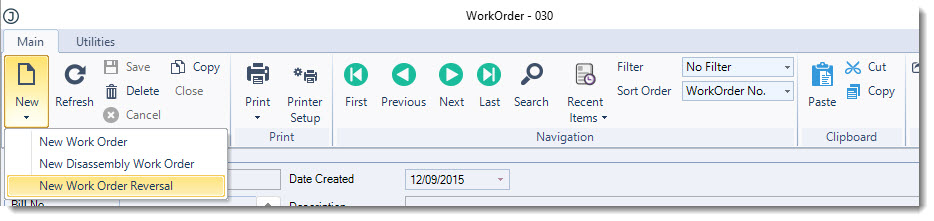
From the menu ribbon select New | New Work Order Reversal
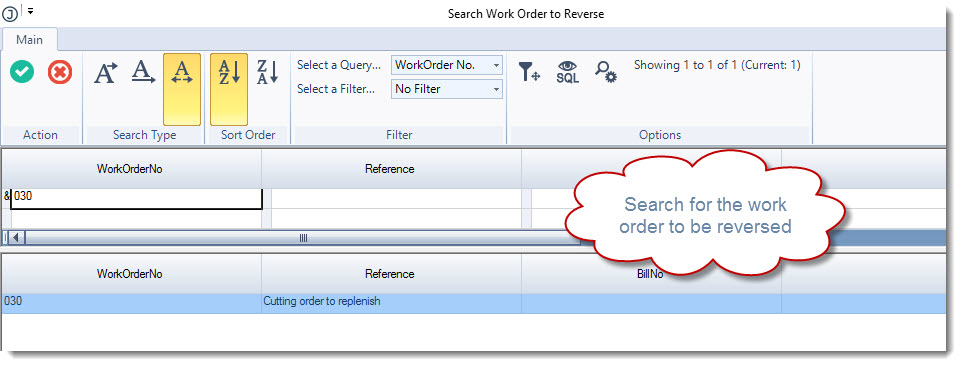
In the Search Work Order to Reverse popup select the work order to be reversed
Load the work order into the form
From the menu ribbon select Save
Confirm the details of the work order to be reversed to ensure you have selected the correct work order
To complete the reversal select Close from the menu ribbon or change the status to Closed
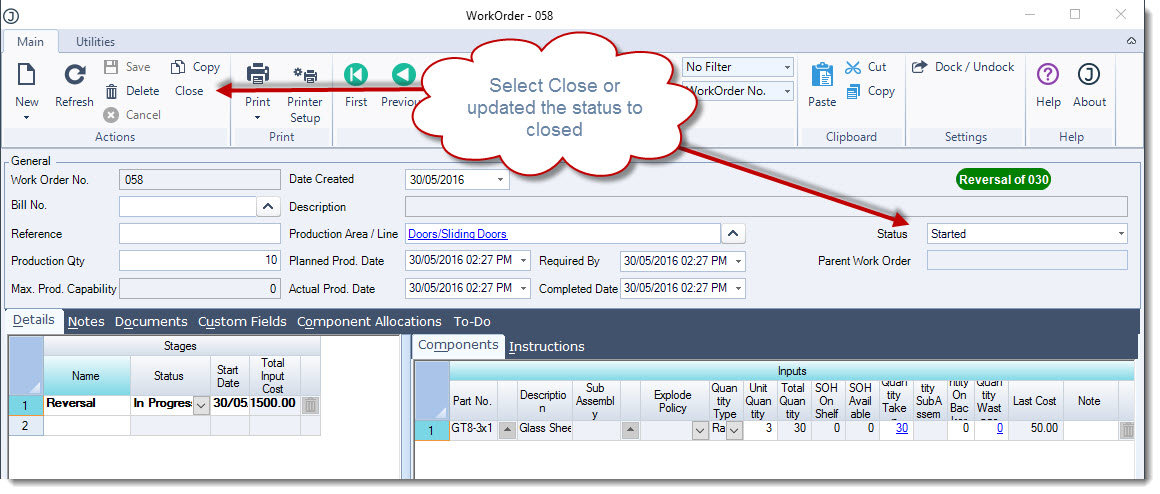
The work order status is updated to Closed
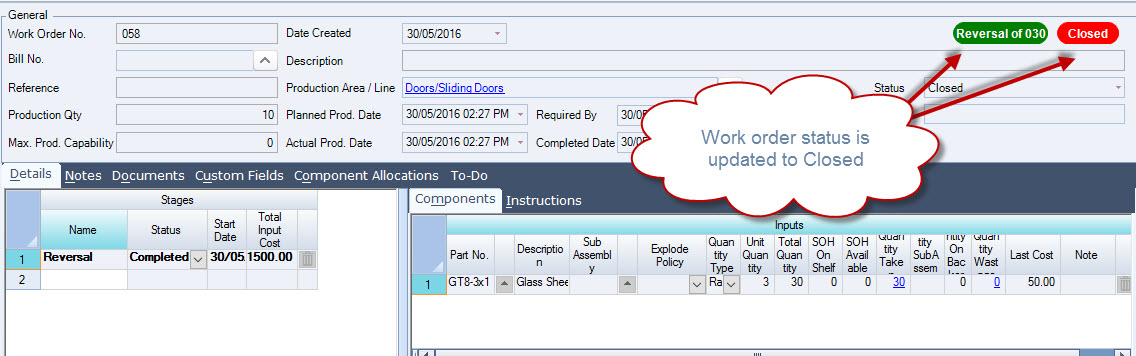
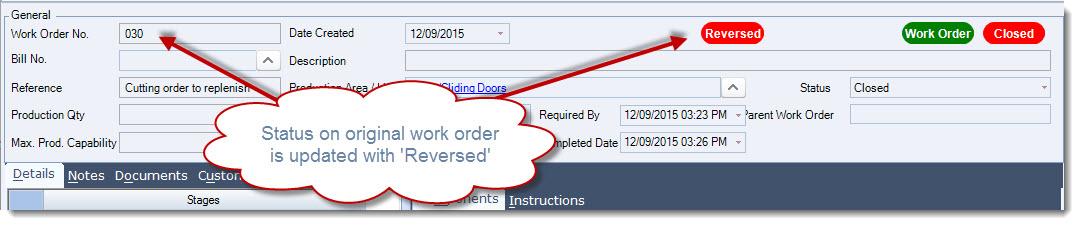
The status on the original work order is also updated.