The Jiwa Manufacturing Module is a fairly comprehensive system but at it's most basic can be used simply as a Bill of Materials and Works Order facility.
The advanced features are optional and would most likely only be used by organisations who run a larger and more complicated manufacturing facility.
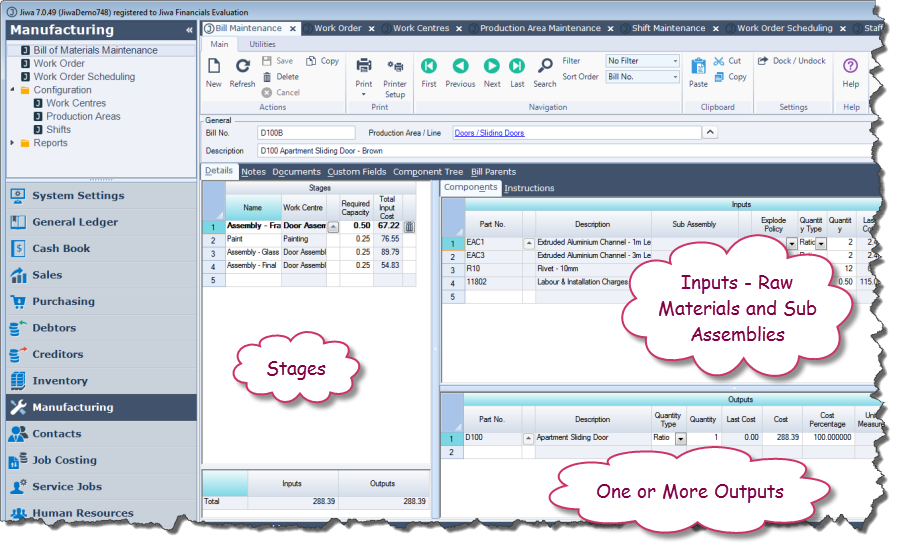
The Bill of Materials facility has unlimited levels which means a bill can contain one or more sub assemblies which in turn can contain more sub assemblies This is the Bill of Materials Screen.
In this mode it is showing the stages, inputs (raw materials and sub assemblies) and outputs (finished Goods).
Each stage is performed within a work centre and is associated with one or more raw materials / sub assemblies.. Stages are optional and would not be used for a simple build.
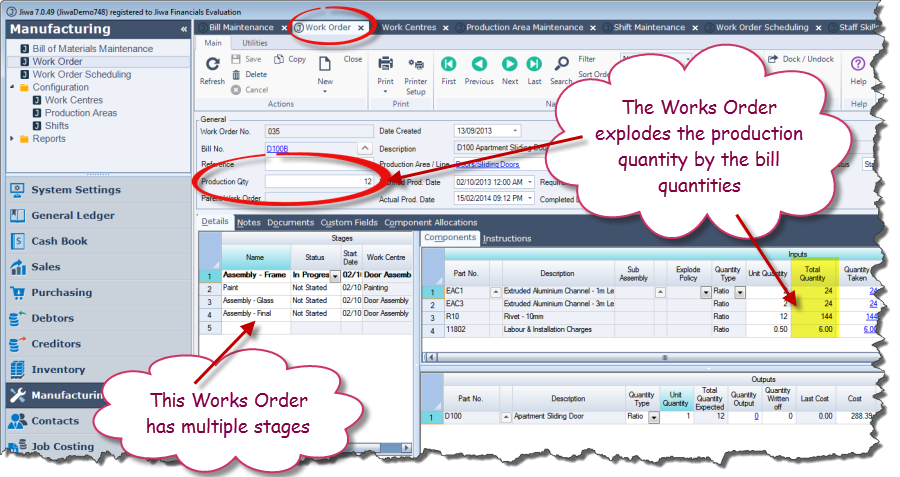
The Works Order explodes the production quantity by the bill quantities.
A works order has multiple statuses (e.g. "not started", "in progress", "on hold", "finished", etc)
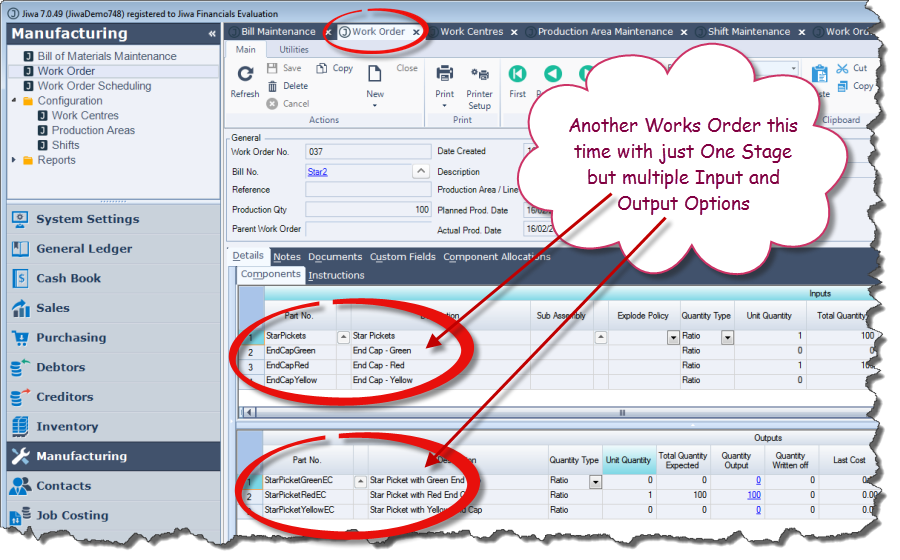
Bills and works orders also have the ability to have multiple input options and multiple outputs.
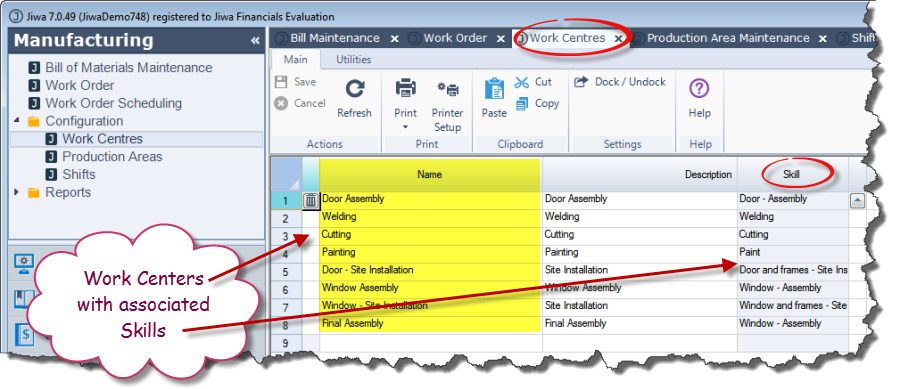
You can define Work Centres with associated skill requirements
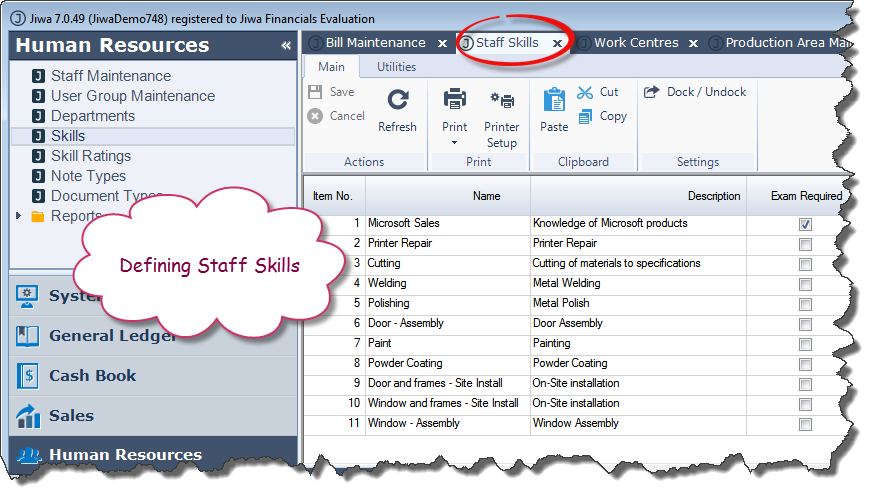
Skills are defined within the Human Resources area.
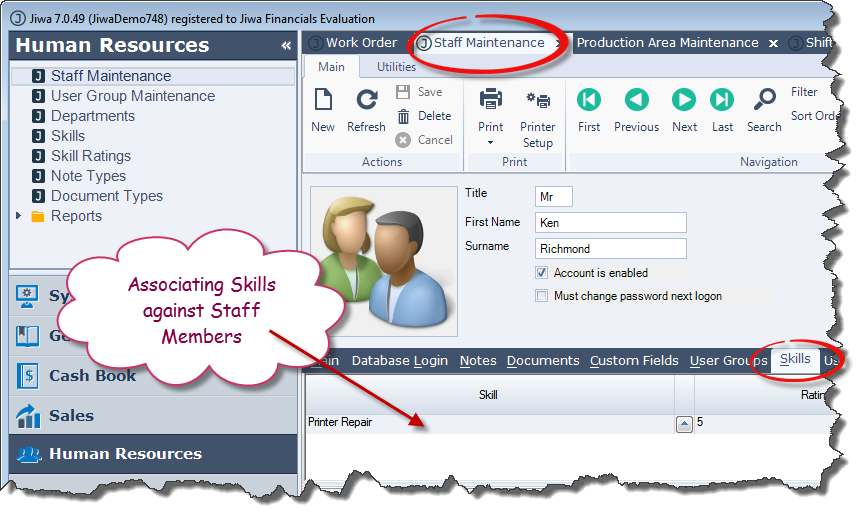
Each employee can have one or more skills associated with them.
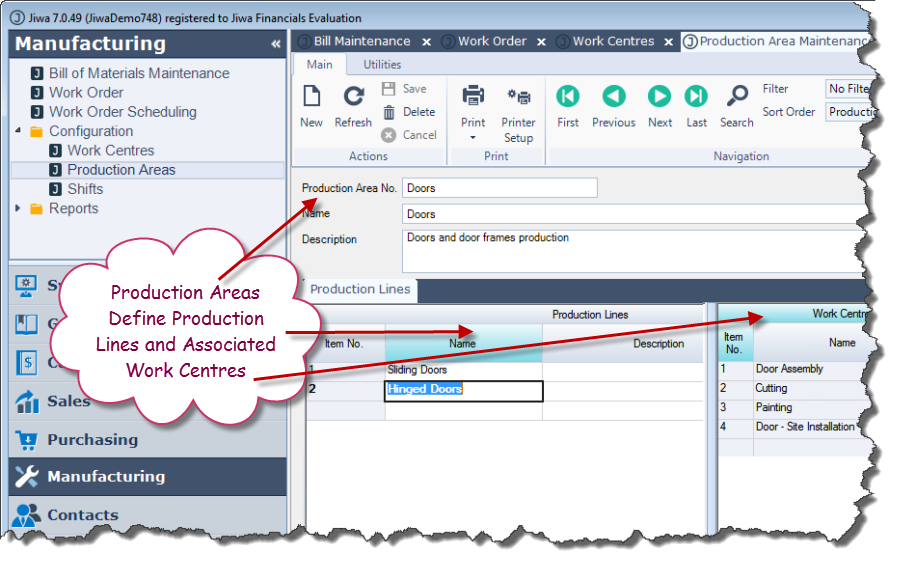
Production areas define Production Lines and their associated work centres.
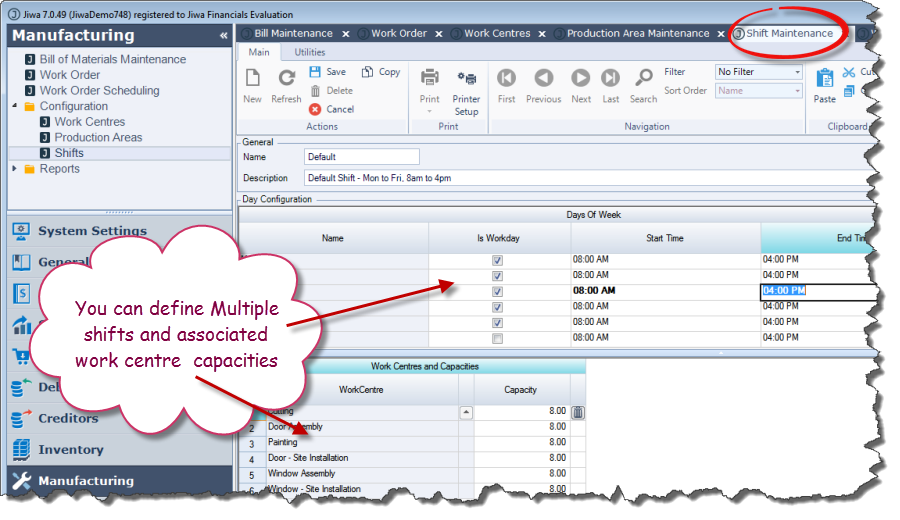
You can define one or more shifts and also define the capacity that shift has within each work centre.
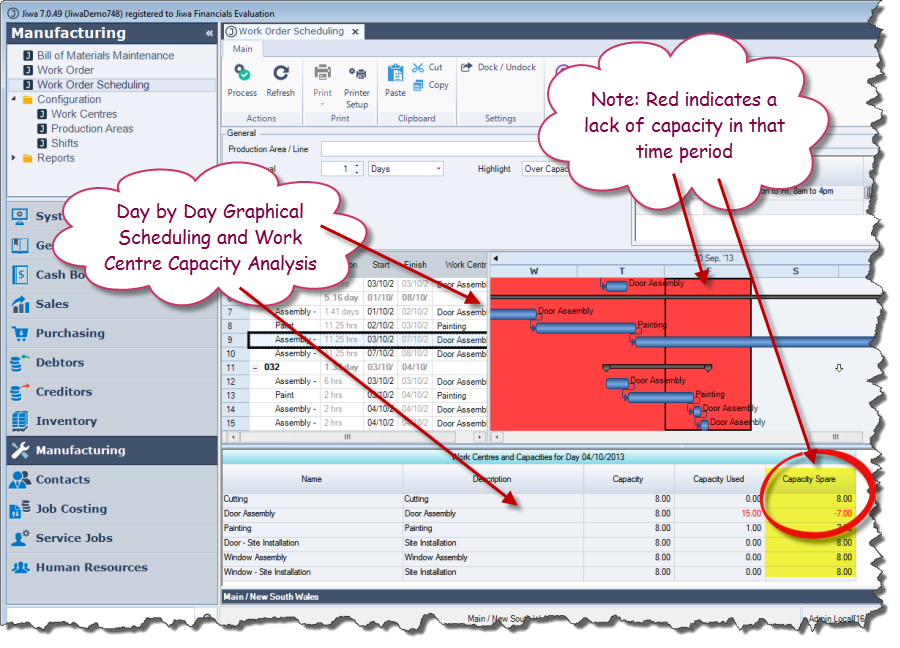
The system has a comprehensive scheduling facility with a colour coded Gantt chart of all works orders.
The system tracks each day and works out the capacity on each work centre.
When a work centre has more work scheduled that it is able to handle, it highlights that day in red and also shows you the corresponding work center capacity below