In this article we look at how direct and indirect costs such as labour and factory costs can be added to the total manufacturing cost of a product. We also look at the journal entries that are created during this process.
Before proceeding with this article we recommend that you,
-
Have discussed your requirements with your Accountant,
-
Have a clear understanding of what costs are to be recovered and on what basis,
-
Have an understanding of the manufacturing process in Jiwa, and
-
Have reviewed the following articles;
Overview
The total manufacturing cost of a finished product is not always just the cost of the component parts that are used in the manufacturing process, the total cost can also include direct and overhead expenses such as;
-
Direct labour costs,
-
Indirect labour costs,
-
Facility maintenance expenses,
-
Insurances
Before you start to add these recoveries to your manufacturing process we recommend that you consider the following. We also highly recommend that you discuss recoveries with your Accountant in particular the following points as these will have an impact on how you account for your recoveries in Jiwa;
-
What costs need to be recovered,
-
How is your recovery rate calculated,
-
On what basis are these costs recovered (fixed or ratio),
-
What new inventory classifications if any are required,
-
What new stock items if any are required, and
-
How are recoveries to appear in the P&L
Stock Items
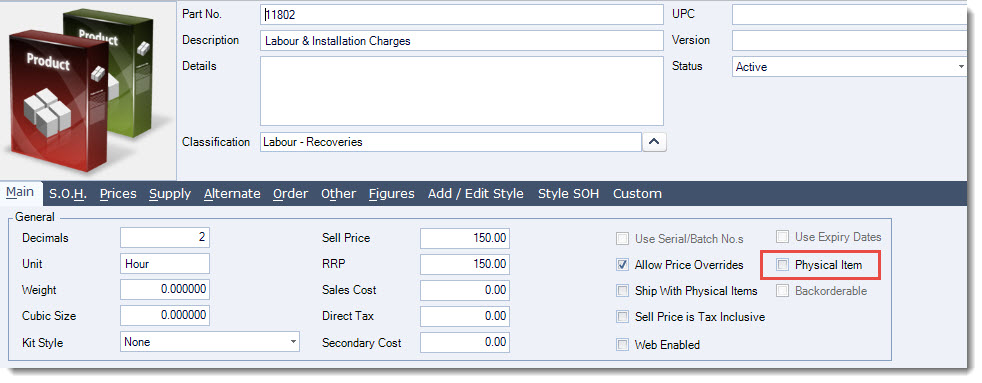
Non physical stock items need to be created for each type of cost to be recovered. The key points to take note of are; The Physical Item check box is unchecked indicating that this item is a non-physical item
On the Prices tab you have set the Last Cost. This is the cost that will be used in the manufacturing process and should represent the cost you want to recover per unit or production batch.

On the Other | Ledgers tab the Inventory Value control account is set to your recovery account. It is recommended that Inventory Classifications are set-up for each type of recovery to eliminate the need to change the control account on each inventory item.
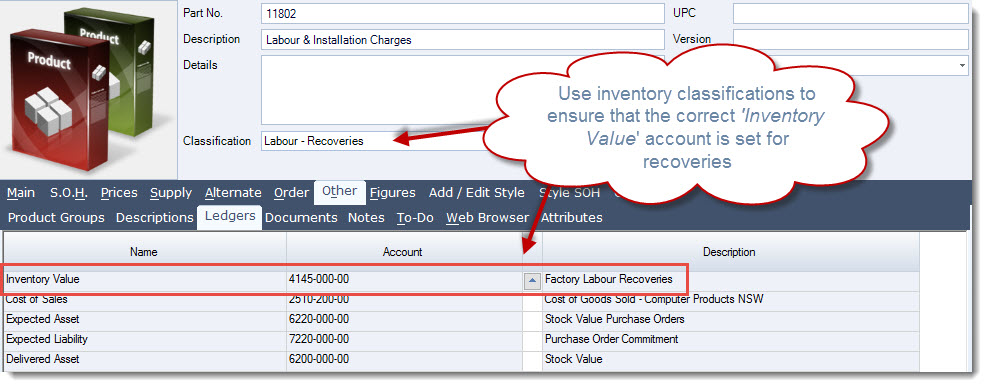
NOTE: It is recommended that both the Inventory Value and Cost of Sales accounts are set to the required recovery account.
Bill of Materials
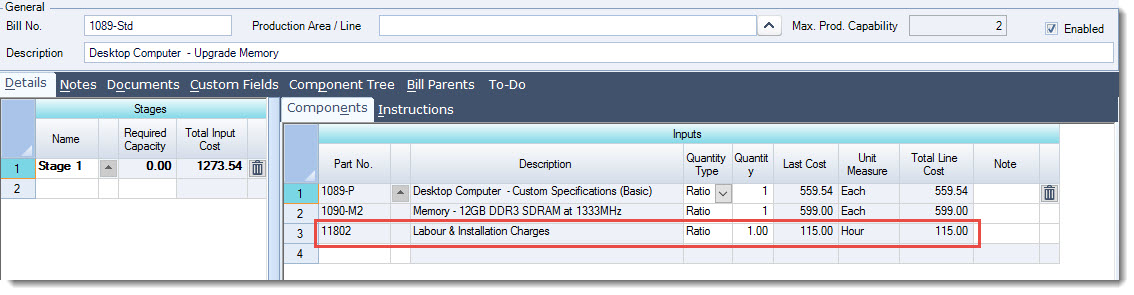
Add your recoveries as an input item to your Bill of Material, use the Quantity Type to control how these costs are taken up when the work order is created.
-
Ratio - Adjusts the quantity of the input item based on the quantity being manufactured
-
Fixed - Quantity to be used of the input item is fixed regardless of the quantity being manufactured
Work Orders
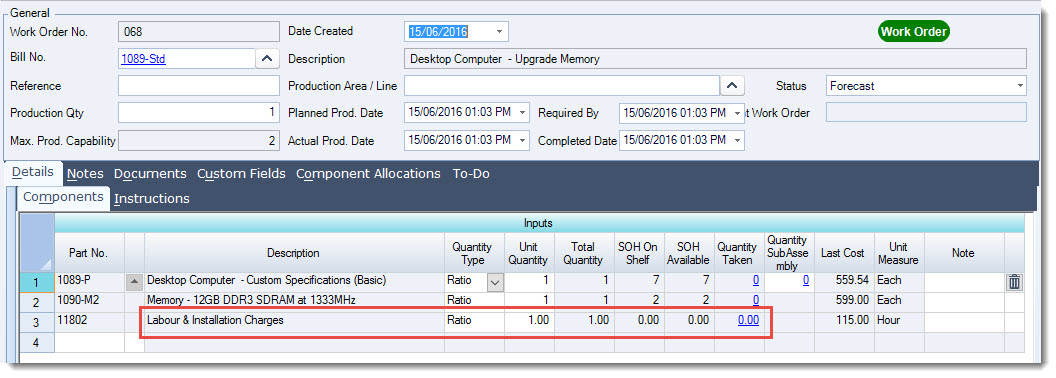
Stock is not moved to Work in Progress when the work order is created and the status is either Forecast or Not Started
Work Order Started
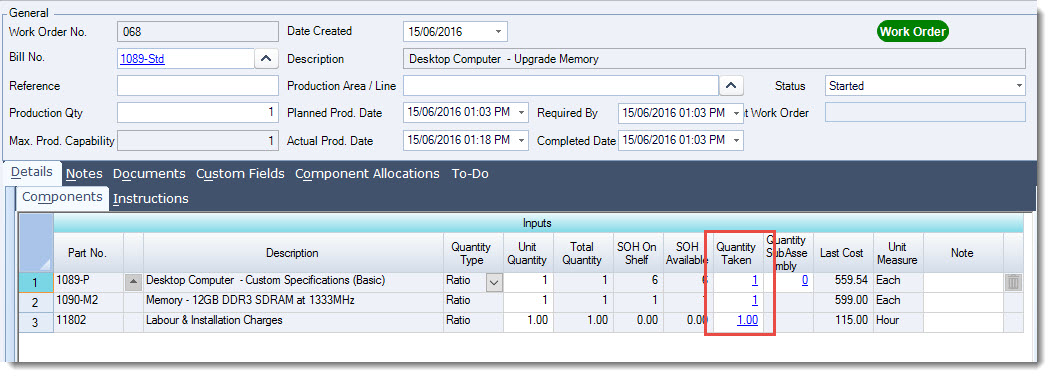
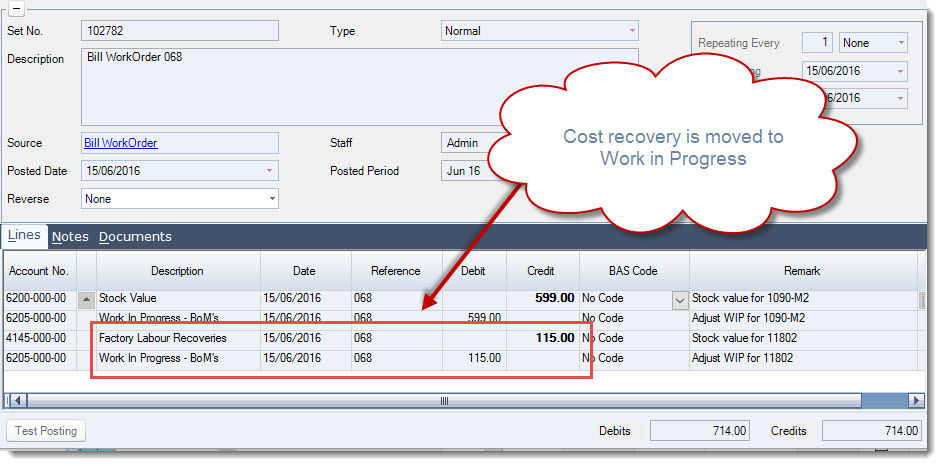
When the work order status is set to Started stock and cost recoveries are moved into Work in Progress
The following journal set is created in the General Ledger
Work Order Completed
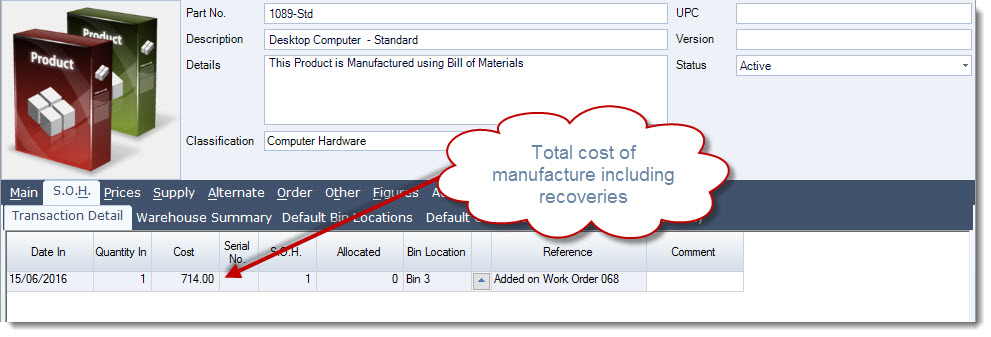
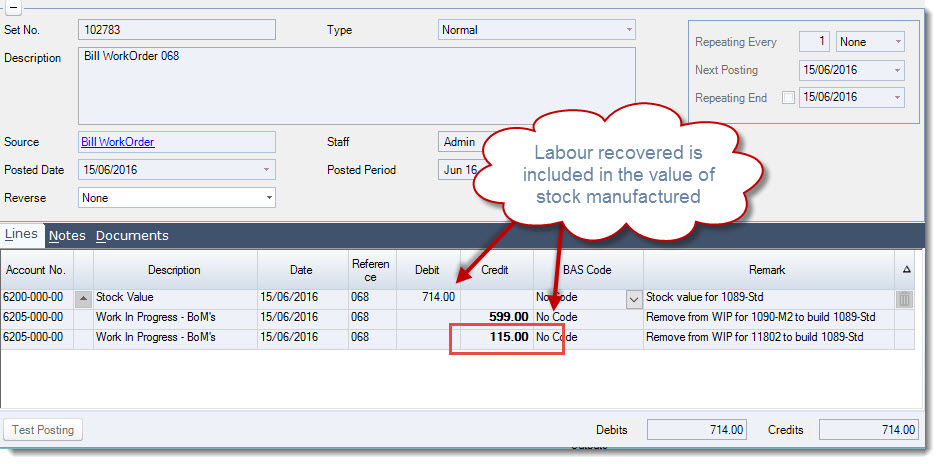
When the work order is completed and the status changed to Closed, work in progress is cleared and your stock ledger is updated with the quantity and total manufacturing cost.
The journal set created moves the total manufacturing cost out of work in progress and into your stock value account in the Balance Sheet.
This video is best seen on the full screen. Just click on the icon at the bottom right of the video (see image below). To exit full screen just press escape