If you need to find the version of Jiwa installed on your computer you need to do the following:
-
Open control panel (search for Control Panel or run control.exe)
-
Select Program and Features
-
Find Jiwa in the list of installed programs. You will be able to see the product version here.
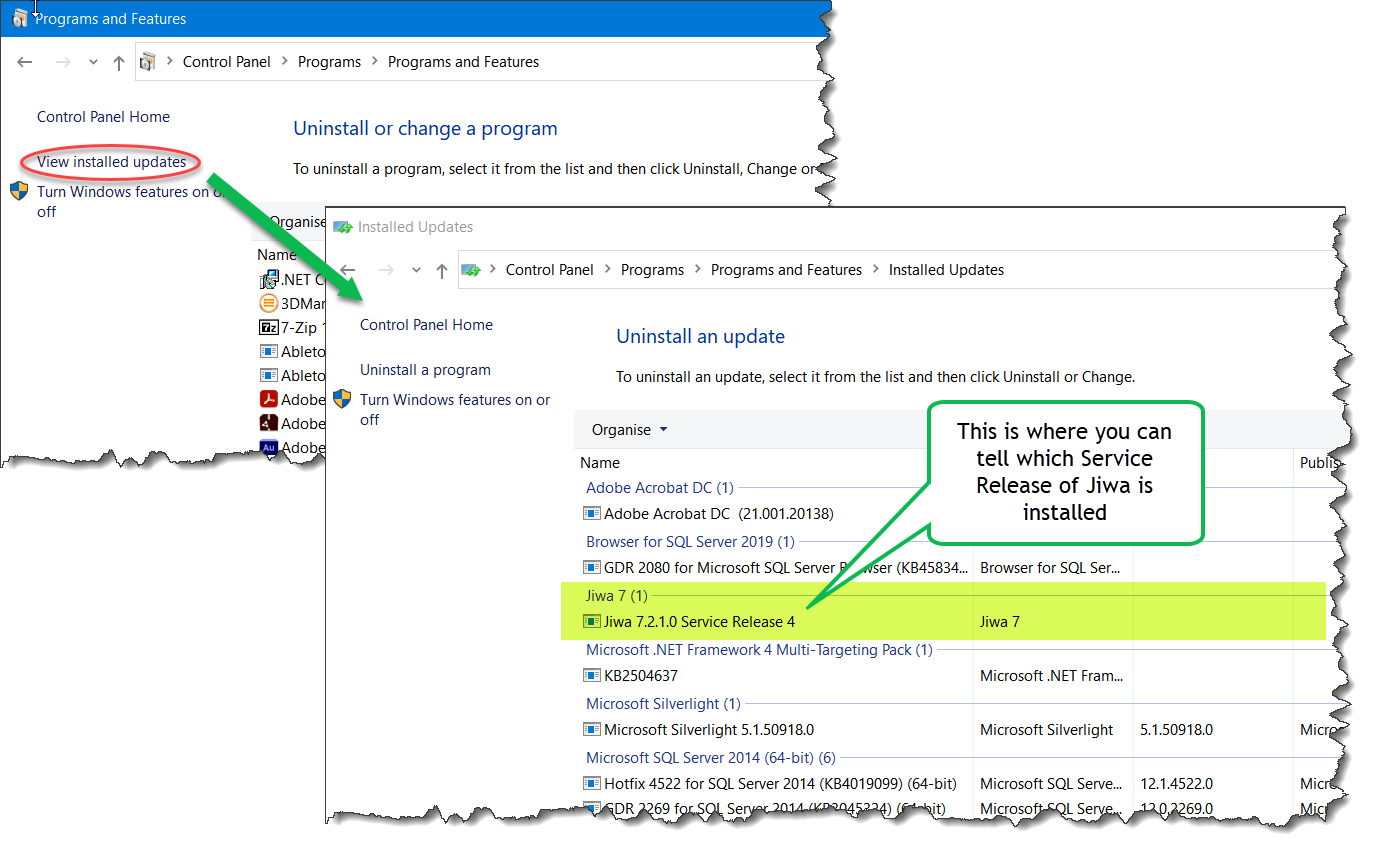
To see the Service Release version installed do the following:
-
1. From Control Panel - Programs and Features - Select View Installed Updates
-
If a service release has been installed you will find it in the list displayed.