
Here are the step by step instructions on how to add a new license key to register your copy of Jiwa.
The license key you will receive is coded in such a manner that it is tied to your company name. It also has the number of registered users attached to it as well as the expiry date.
Once you have your new license key you will need to open up Jiwa (as an administrator) and then select System / System Maintenance from the Jiwa Menu.

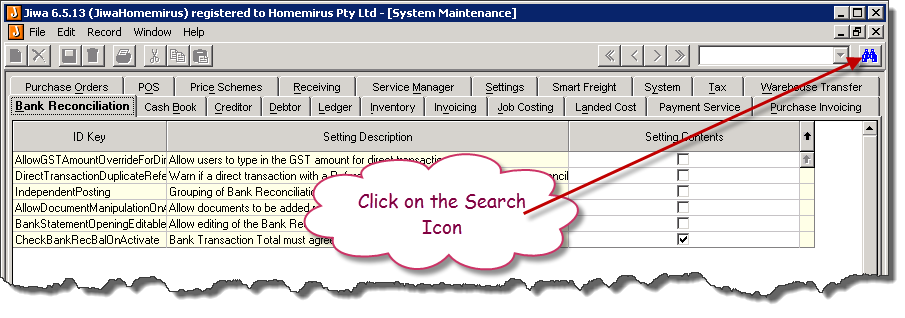
Click on the Search Icon in the top right of the screen.
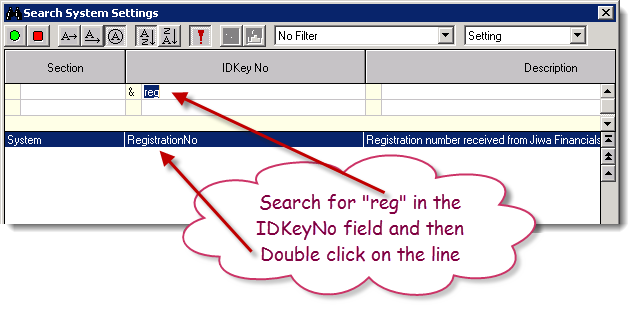
The following screen will open up.
In the IDKey No field enter in "reg" without the quotes. We are searching for the RegistrationNo field
Double click on the line that it finds
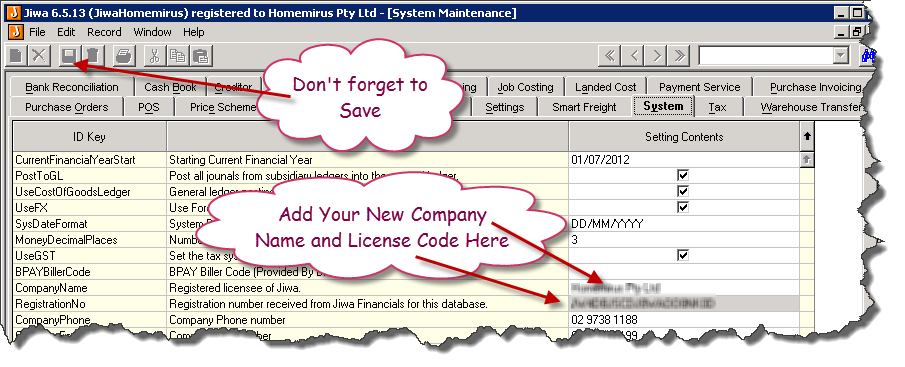
Enter in your new license number. Also enter in the company name if it has changed
Don't forget to save your changes
Close Jiwa Re Open Jiwa and select Help / About
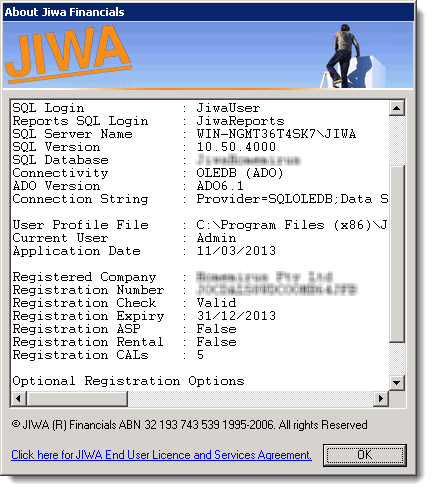
Make sure that the "Registration CALs" field shows up the correct number of licenses and that the "Registration Check" is Valid