
ASPluris scanner software may need to be upgraded when a new version is released or when changes are required to maintain compatibility with Jiwa and the ASPluris environment.
This article explains how to upgrade the ASPluris software on a supported scanner or mobile terminal to the latest approved version.
Opal Logic will advise when an upgrade is required and can assist with version planning, scanner preparation, and implementation to help ensure the update is completed smoothly.
Start ASPluris on the scanner
From the login menu click on the Options icon
Select About.
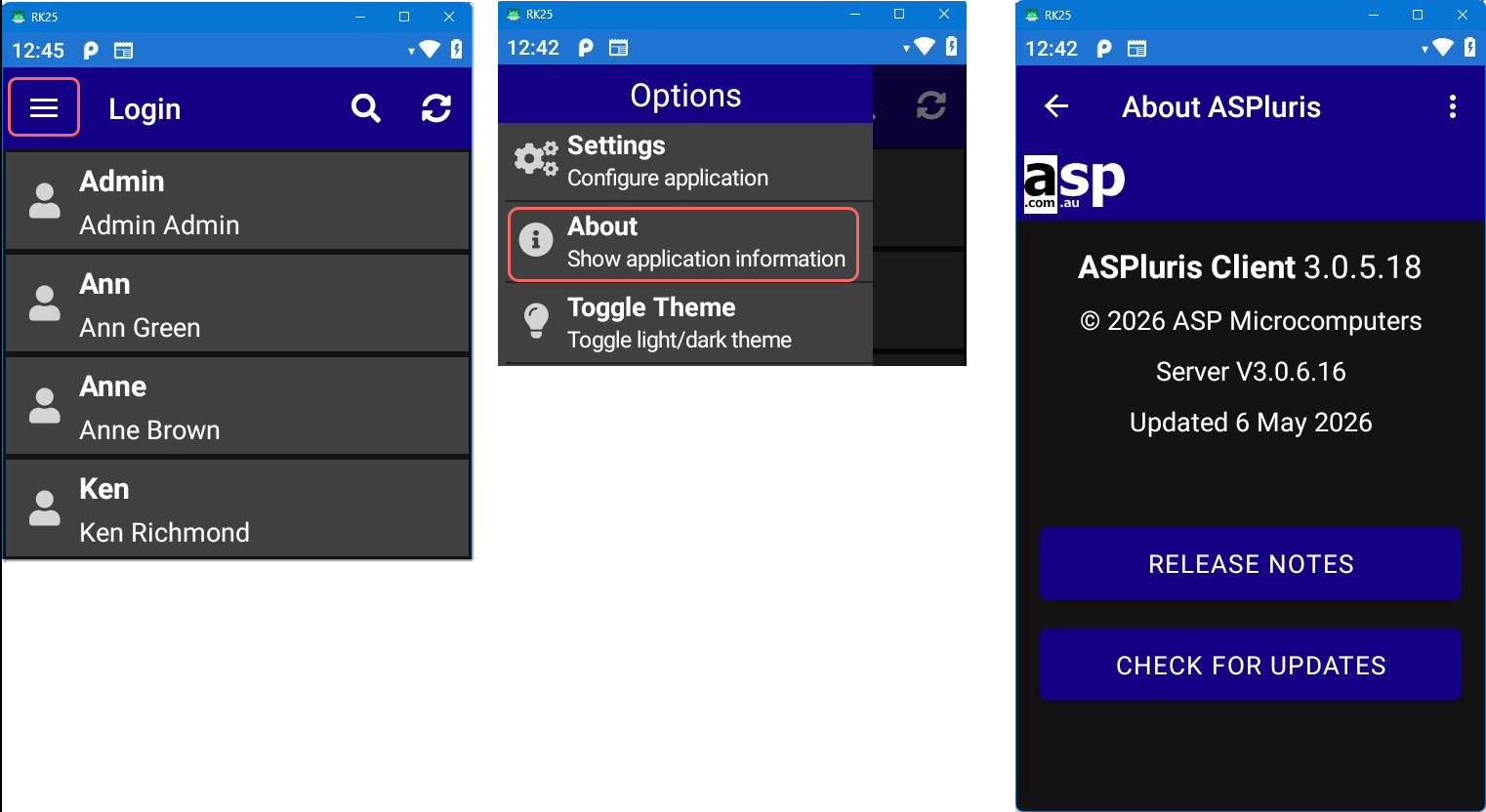
Then press the CHECK FOR UPDATES button.
Following the prompts to complete you scanner update to the lastest version.
Scanner Version
Your Opal Logic consultant will confirm the version your scanner should be updated to
Once your scanner has been updated you will need to clear the scanner cache.
Return to the Options menu.
This time select the Settings option.
Press the CLEAR CACHE button.
Select CONFIRM to proceed.
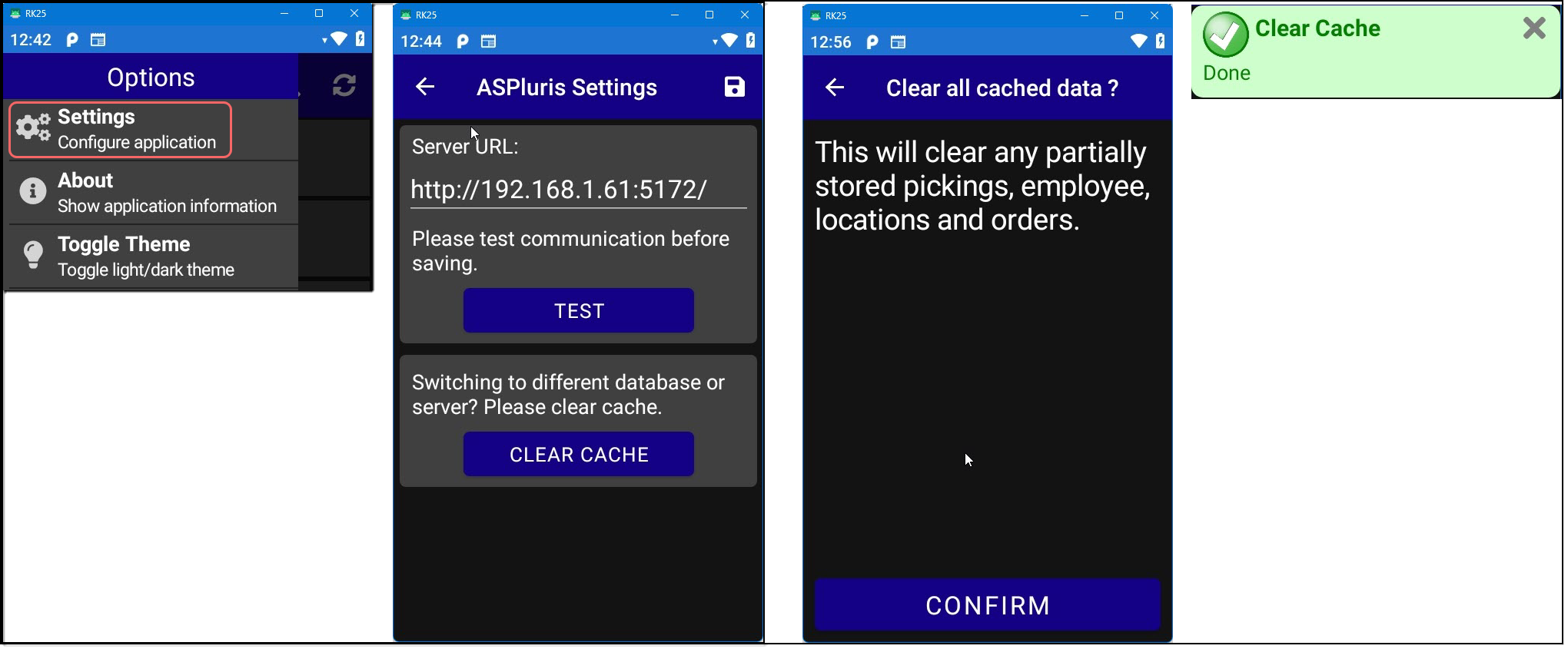
Once the scanner cache has been cleared return to the login screen and press the Refresh icon to reload users.