Using totes or pick baskets provides a clear separation between the picking and packing stages of warehouse order fulfilment. The picker collects the required stock into an assigned tote or basket, which is then passed to the packing station. The packer checks the contents against the sales order before packing the stock for delivery.
This two-stage process provides an additional accuracy check, helping to identify missing, incorrect or excess items before an order is dispatched. This article explains how to configure Jiwa and ASPluris to support this workflow.
Force Inventory Selection
In this example the Jiwa setting ForceInventorySelection has been unticked.
Jiwa Warehouse Setup
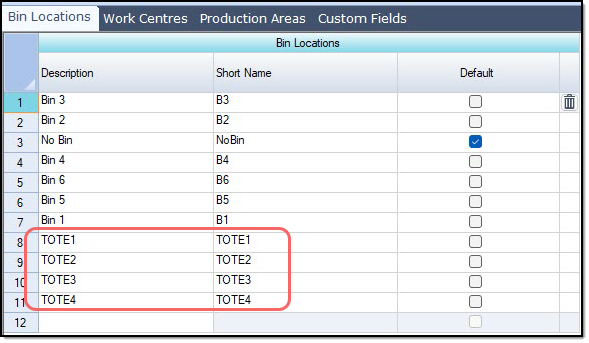
In Jiwa setup your tote or baskets as bin locations in the required warehouse.
Go to Inventory > Configuration > Warehouse Maintenance.
Select the required Physical warehouse.
Select the required Logical warehouse.
Add the tote or basket numbers on the Bin Locations tab.
ASPluris Location Configuration
Log into the ASPluris service.
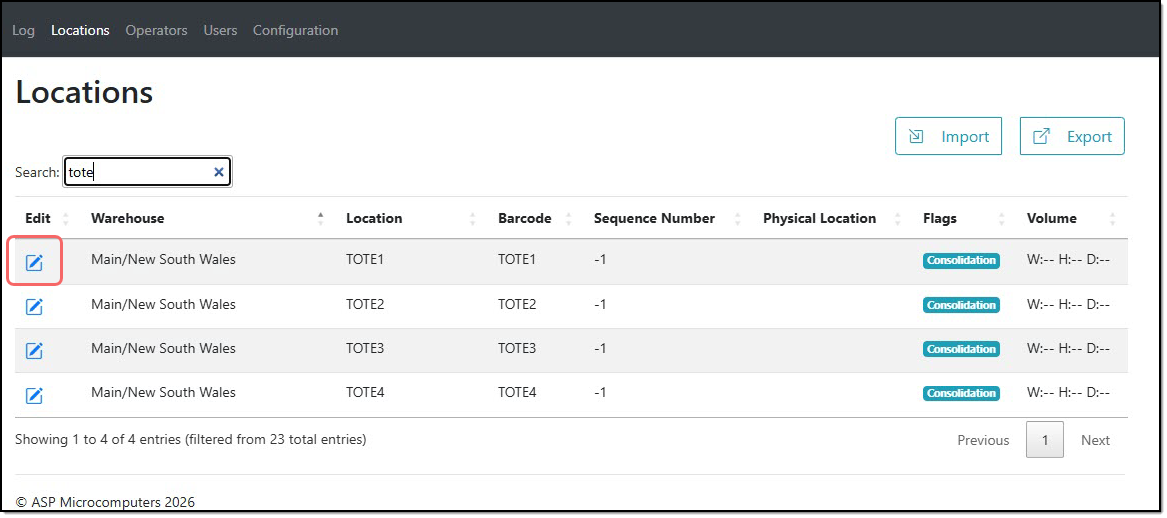
Search for your tote or basket locations using the search field.
Press the Edit icon against the location to edit the details.
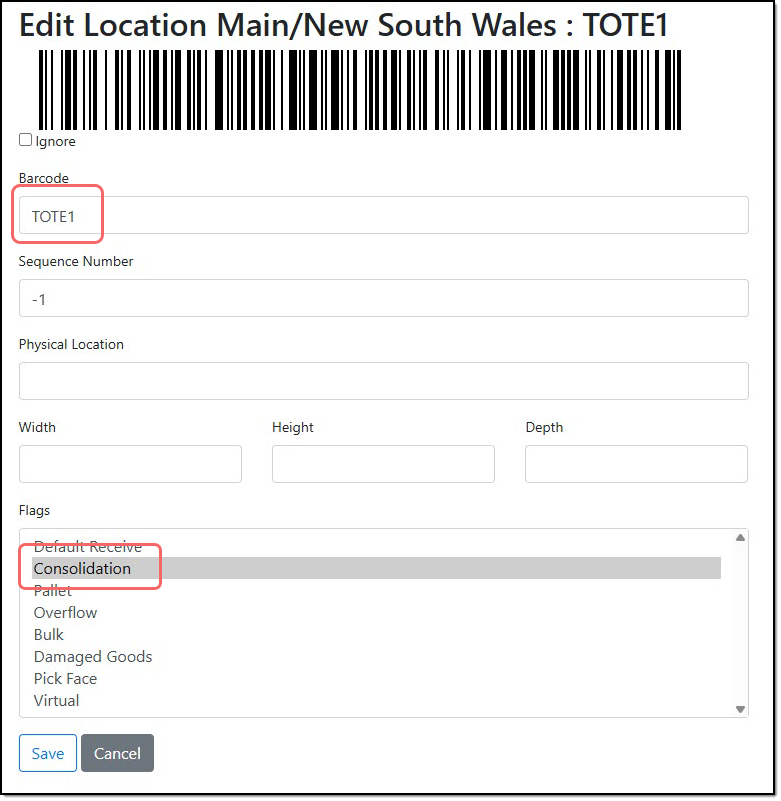
Enter in the location barcode.
Flag the location as Consolidation.
Save your changes.
Repeat this process for each tote or basket location.