In this article we will look at how exported XML files can be opened in Excel.
It is important to understand that Jiwa uses UTF-16 encoding for XML files this is because UTF-16 supports other languages like Chinese and Japanese characters.
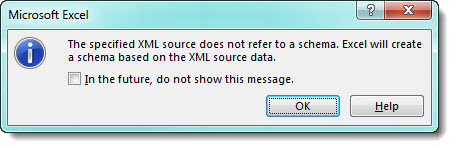
Microsoft Excel on the other only supports UTF-8 for XML files so the following error is encountered when attempting to open Jiwa XML files are in Excel.
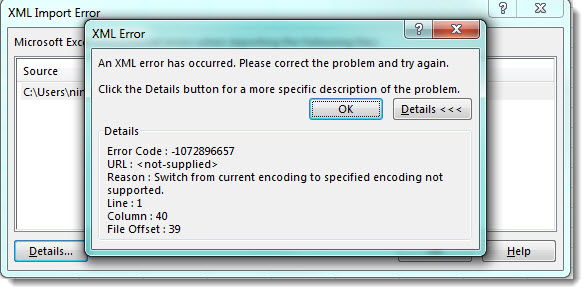
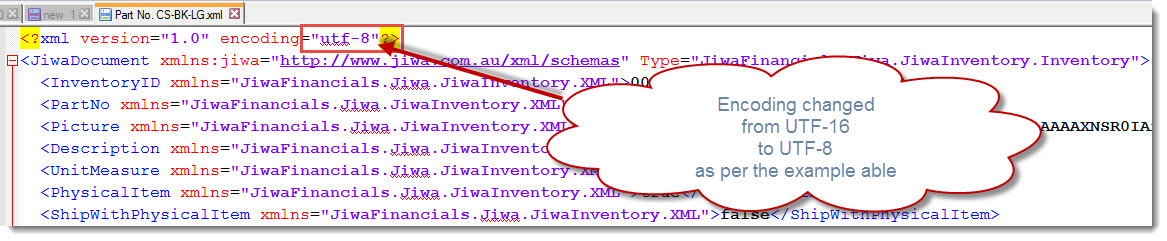
To resolve this XML import error the encoding reference must be changed in the Jiwa XML file. This can be done either using either a text or XML editor.
When opening the XML file the encoding will be set to UTF-16 change this to UTF-8 as per the example below.
Opening Jiwa XML file in Excel
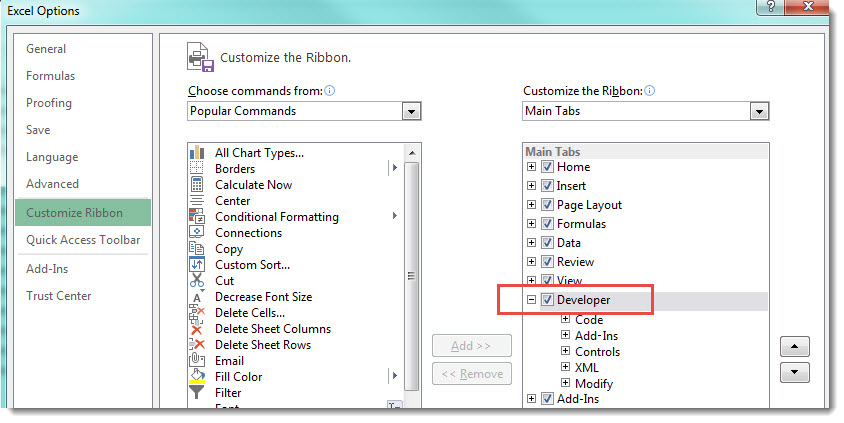
Before an XML file can be opened in Excel the Developer menu needs to be enabled.
To enable the Developer menu in go to File | Options | Customise Ribbon
Tick the Developer menu option
The file can then either by opened as an XML table or and XML Source Task Pane
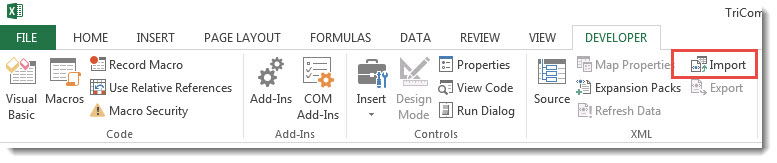
In Excel from the menu ribbon select Developer | XML | Import
Then let Excel create the schema based on the XML source data.
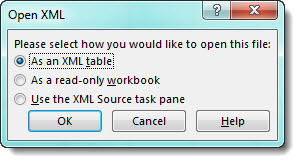
Alternatively, you can select to open the file in Excel using File | Open this will then give you the following options.