
We’re currently updating our website to a new platform. We’re still operating as usual, but some pages may be under construction. Thank you for your patience.
Jiwa Training Centre

Transferring Stock - All From a Location

In this article we look at how to transfer All Items from one bin location to another bin location in a warehouse using ASPluris.

Transfer Stock

From the Main Menu select Transfer

https://austlinkwebresources.s3.amazonaws.com/www.jiwatraining.com.au/articles/ASPluris-Transferring-Stock-All/2020-04-01_13-18-31.png


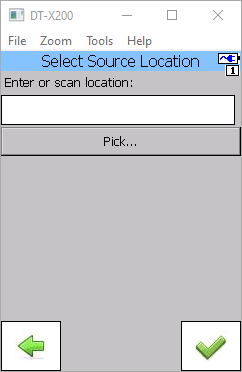
Scan the Bin Location barcode you want to move stock out of.

If your bin locations are not barcoded then click on the Pick button to select your bin location.
https://austlinkwebresources.s3.amazonaws.com/www.jiwatraining.com.au/articles/ASPluris-Transferring-Stock-All/2020-04-01_13-20-07.png


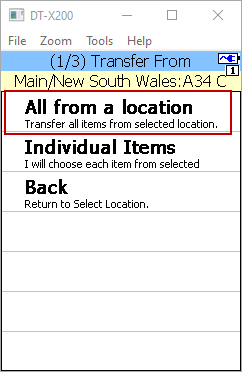
To transfer all the items from the selected bin location select the All from a location option from the menu.
https://austlinkwebresources.s3.amazonaws.com/www.jiwatraining.com.au/articles/ASPluris-Transferring-Stock-All/2020-04-01_13-22-25.png