We’re currently updating our website to a new platform. We’re still operating as usual, but some pages may be under construction. Thank you for your patience.
Jiwa Training Centre

Adjusting Stock

In this article we look at how to adjust stock using ASPluris.

Stock Adjustments In

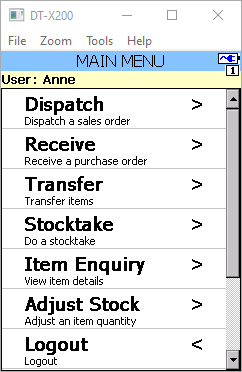
From the Main Menu select Adjust Stock
https://austlinkwebresources.s3.amazonaws.com/www.jiwatraining.com.au/articles/ASPluris-Adjusting-Stock/24-12-2019%201-42-08%20PM.png

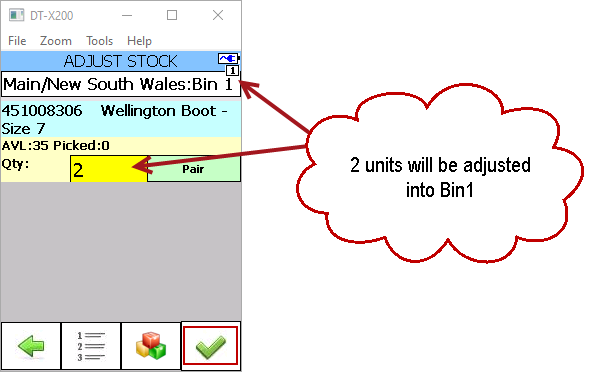
Scan the barcode of the item you want to adjust in

If you have bin tracking enabled then scan the bin location you want to place the item in.

Enter the number of units you want to adjust in, when complete press the tick icon.
https://austlinkwebresources.s3.amazonaws.com/www.jiwatraining.com.au/articles/ASPluris-Adjusting-Stock/24-12-2019%201-45-26%20PM.png

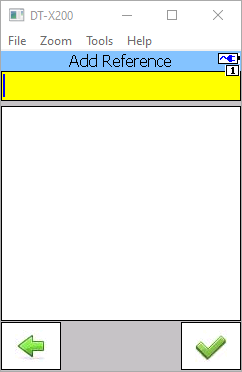
If required add a reference at the following prompt

Note: The reference can be either enforced or option, this setting is controlled through the ASPluris configuration module.
https://austlinkwebresources.s3.amazonaws.com/www.jiwatraining.com.au/articles/ASPluris-Adjusting-Stock/24-12-2019%201-48-54%20PM.png

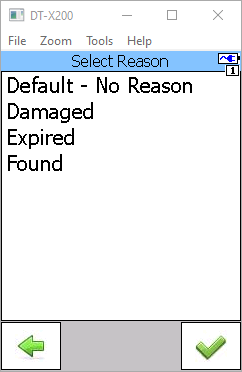
Select an adjustment reason code and press the tick button
https://austlinkwebresources.s3.amazonaws.com/www.jiwatraining.com.au/articles/ASPluris-Adjusting-Stock/24-12-2019%201-49-56%20PM.png

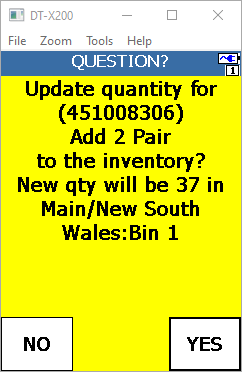
Confirm you adjustment quantity

https://austlinkwebresources.s3.amazonaws.com/www.jiwatraining.com.au/articles/ASPluris-Adjusting-Stock/24-12-2019%201-50-44%20PM.png


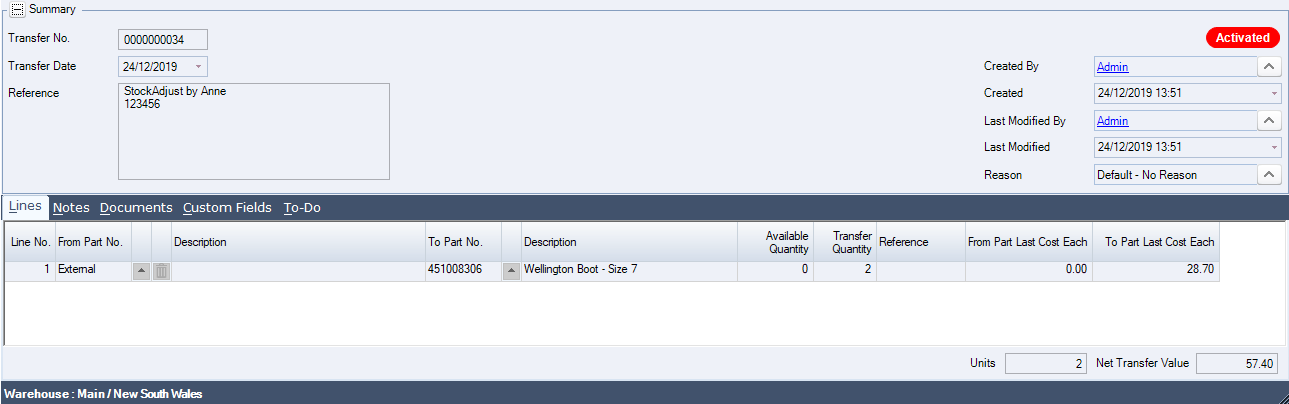
In Jiwa a new stock transfer has been created and activated to record the adjustment in.
https://austlinkwebresources.s3.amazonaws.com/www.jiwatraining.com.au/articles/ASPluris-Adjusting-Stock/24-12-2019%201-51-54%20PM.png


Stock Adjustment Out

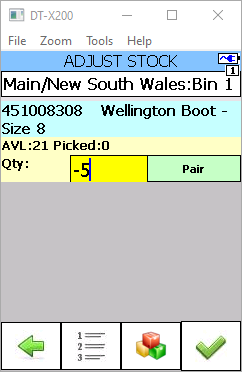
Stock adjustments out are created in the same way as stock adjustments in with the exception that when you enter in the quantity to adjust out you enter in a negative value.

Use the F4 function key on the keypad to enter in a negative sign (-)
https://austlinkwebresources.s3.amazonaws.com/www.jiwatraining.com.au/articles/ASPluris-Adjusting-Stock/24-12-2019%201-54-49%20PM.png

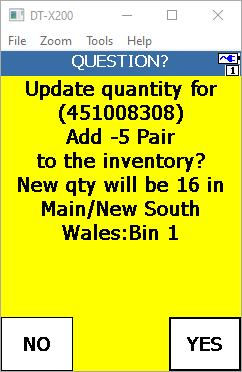
Complete and confirm the adjustment

https://austlinkwebresources.s3.amazonaws.com/www.jiwatraining.com.au/articles/ASPluris-Adjusting-Stock/24-12-2019%201-55-34%20PM.png


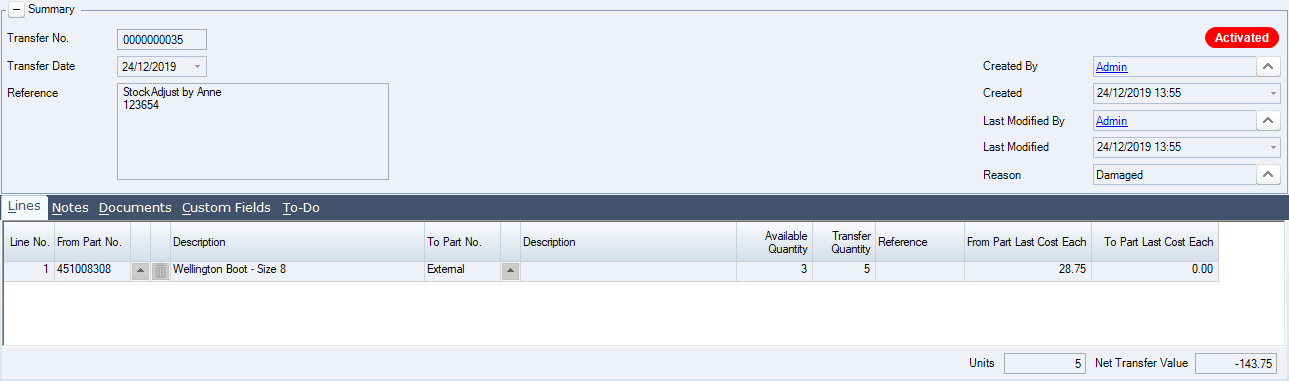
A stock transfer is created and activated in Jiwa to record the adjustment out.
https://austlinkwebresources.s3.amazonaws.com/www.jiwatraining.com.au/articles/ASPluris-Adjusting-Stock/24-12-2019%201-56-49%20PM.png