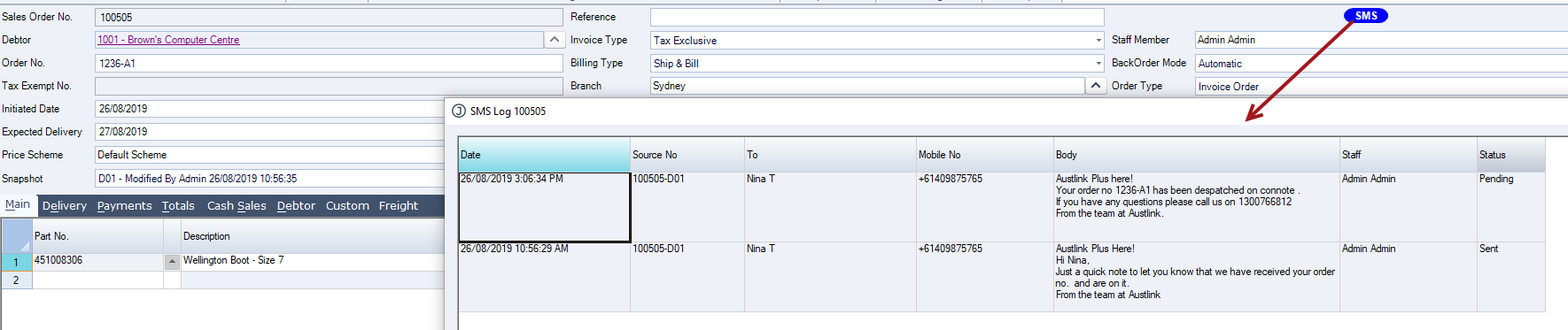
Ad hoc SMS alerts are used to send one-off SMS messages from supported Jiwa forms.
This article explains how to send an ad hoc SMS message from the Sales Quote Entry and Sales Order Entry forms. Ad hoc messages can be used where a user needs to send a specific update, reminder, or message to a customer without relying on an automatic SMS trigger.
Before sending an ad hoc SMS alert, check that the correct mobile number is available and that the message details are accurate.
Templates
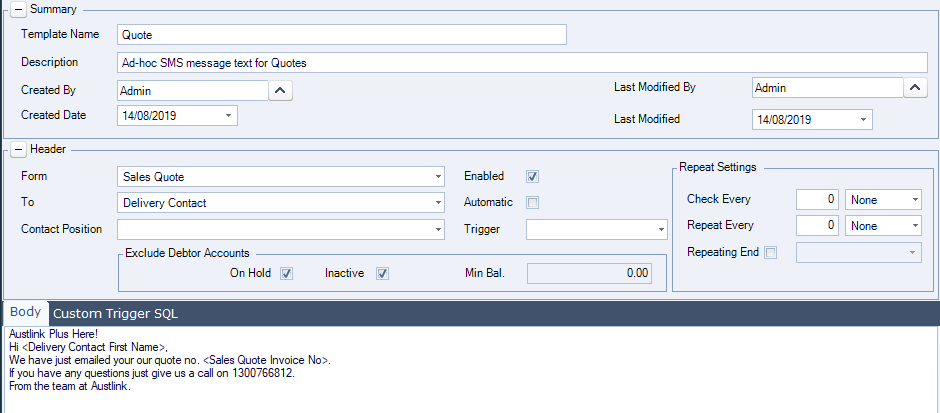
Templates are created for not only automatic messages but also adhoc messages that can be triggered from the Quote and Sales Order entry forms.
Following is an example of a Quote SMS template that has been created.
Note that the Automatic flag has been un-checked on this template as this will not be an automatic message that goes out.
Sales Quote Entry Form
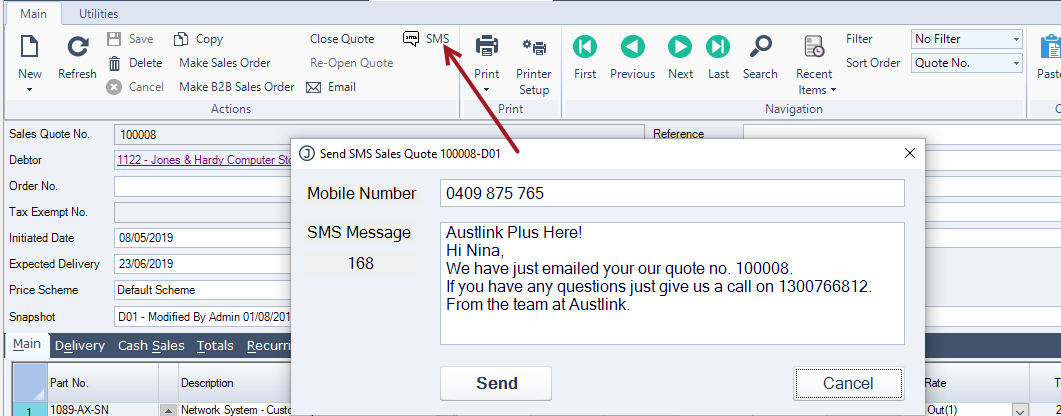
A new SMS button is available on the menu ribbon.
When users click on the SMS button the SMS Message popup is displayed.
Details displayed on the message are taken from the SMS template but can be overridden by the user as required.
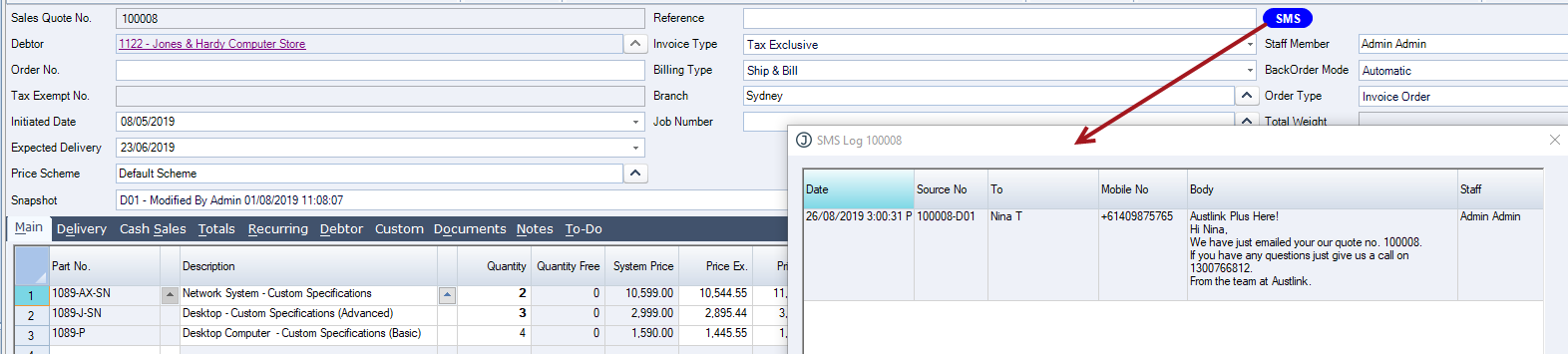
When the message is sent an SMS badge is displayed on the Quote
Double left mouse click on the badge to open the SMS logo popup
Sales Order Entry Form
As with Quotes an SMS button has been added to the menu ribbon on the sales order entry form.
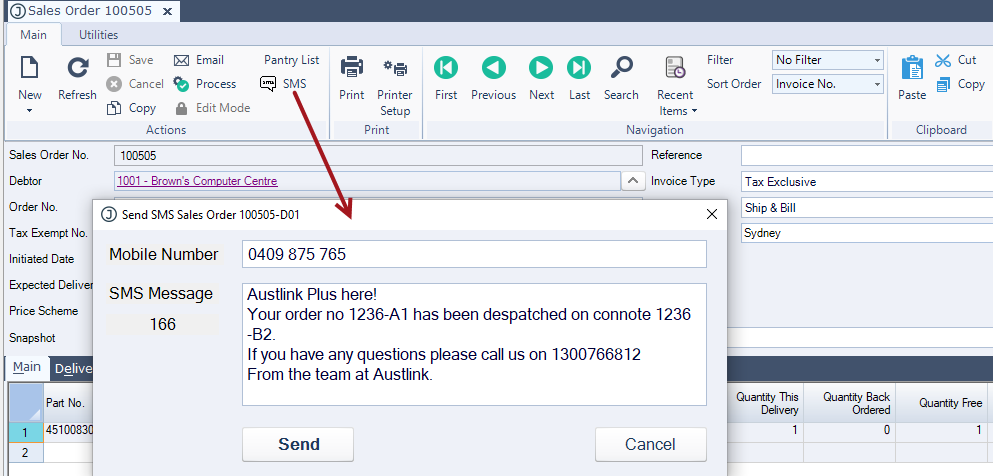
When the message is sent an SMS badge is displayed on the Sales Order
Double left click to view the SMS log