SMS Alerts is a custom plugin that has been development by Opal Logic which adds SMS messaging functionality to Jiwa version 7.2.1.
SMS messages can be sent out automatically for example on the processing of a Sales Order or on an ad-hoc basis by staff.
Messages can also be setup to go out on a recurring cycle for example if you want to send out overdue account reminders once a week. A message will initially go out when the account has overdue invoices and then once a week until the invoices have been settled.
This article provides an overview of the new module, refer to our other articles for full details on SMS alerts.
If you have any questions or a specific requirement that is currently not met by this module please give us a call on 1300 456 725 to discuss your needs.
Standard Triggers
The following table details the forms and triggers that are currently available for SMS alerts.
|
Form |
Triggers |
|
Debtor Maintenance |
Credit limit exceeded
|
|
Sales Order Entry |
On save
|
|
Sales Quote Entry |
Ad-hoc |
SMS Templates
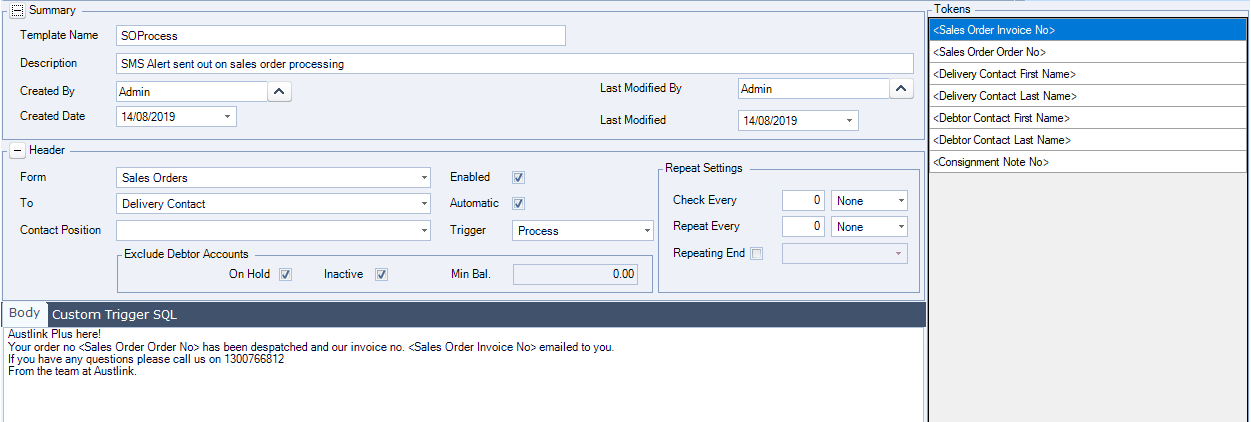
Unlimited SMS templates can be created through the new SMS Template form.
The form has been designed so that users can easily create their own message templates.
Recurring Messages
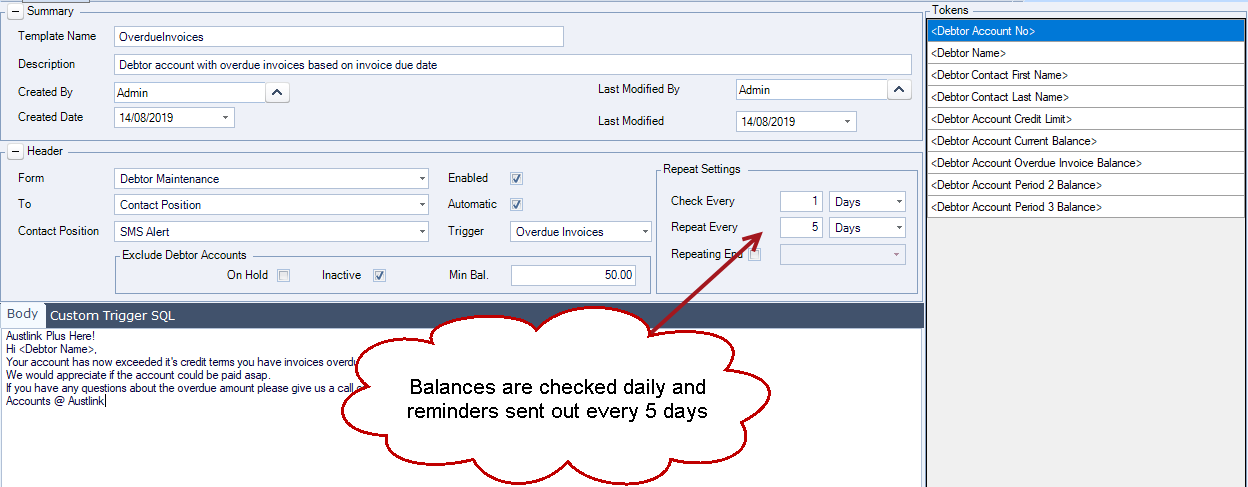
Using the Repeat settings on the SMS template, messages can be setup so that they continue to be sent out on a recurring basis. This is useful for example on overdue accounts, an initial message is sent when invoices become overdue and then customers continue to receive a message until the invoices have been settled.
In the example below a reminder is setup to go out every 5 days.
Custom Triggers
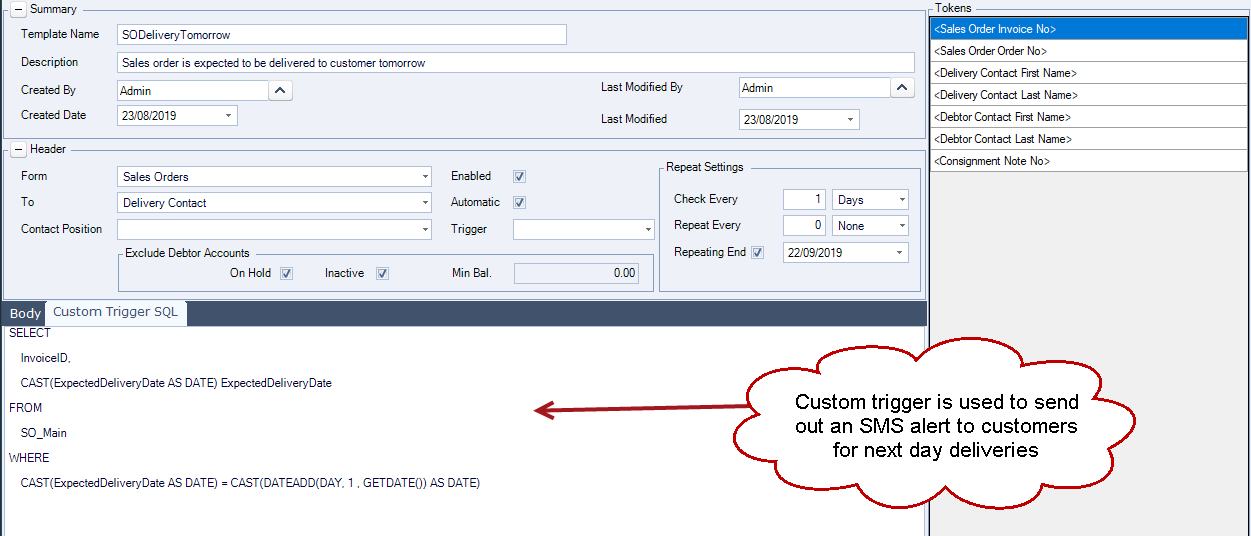
If our standard triggers do not meet a requirement custom SQL triggers can be created and added to the Custom Trigger SQL.
For example you may want to send out a welcome SMS to new customers, or notify all your customers of an upcoming event you will be holding.
In this example we are sending out a notification to customers the day before their delivery is due.
Ad Hoc Messages
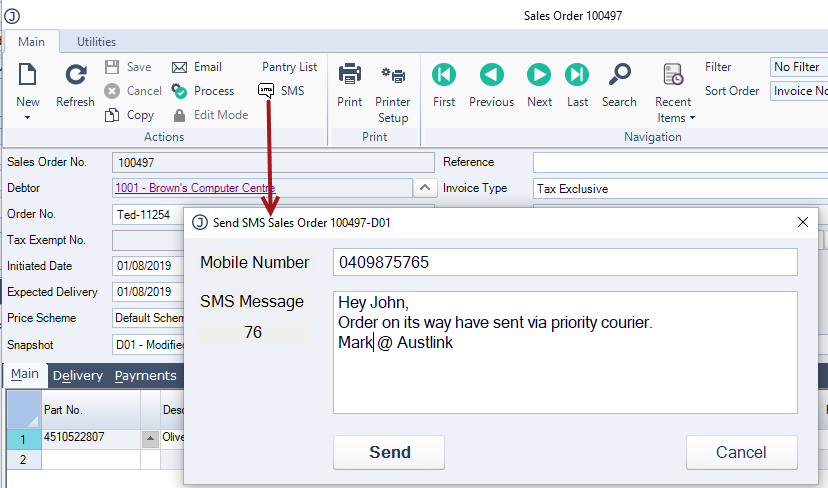
SMS messages can be sent on an ad-hoc basis by clicking the SMS button that has been added to the menu ribbon on both the Sales Order and Quote entry forms.
Users can override the mobile number and message as required.
Messages Captured
All SMS messages sent from Jiwa are captured and can be viewed by clicking on the SMS badge which is available on the Sales Order and Quote forms.

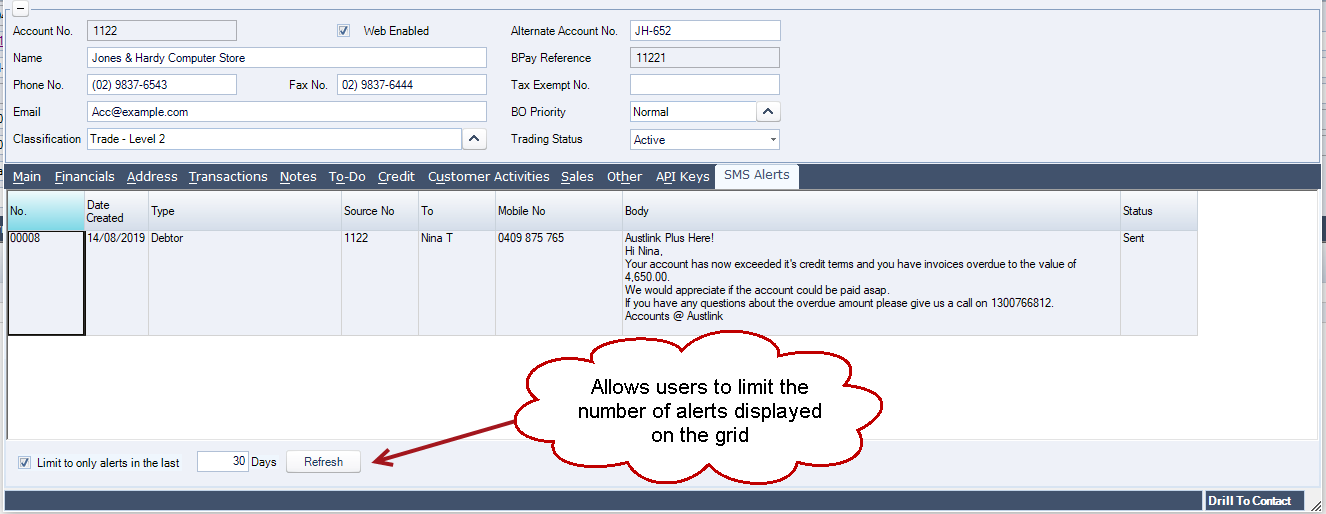
A new SMS Alerts tab has also been added to the Debtor Maintenance form enabling users to see all messages sent to a specific customer.