In this article we will be looking at how to cancel customer back orders on processed sales orders in Jiwa.
To cancel an order and/or back orders on an unprocessed sales order please refer to our article Jiwa Sales Orders - Cancelling an Order
Lets have a look at our customers back orders by viewing back order information from the Debtor Maintenance form.
Load your required customer into the Debtor Maintenance form
Click on the Customer Activities tab and select the Back Orders sub tab
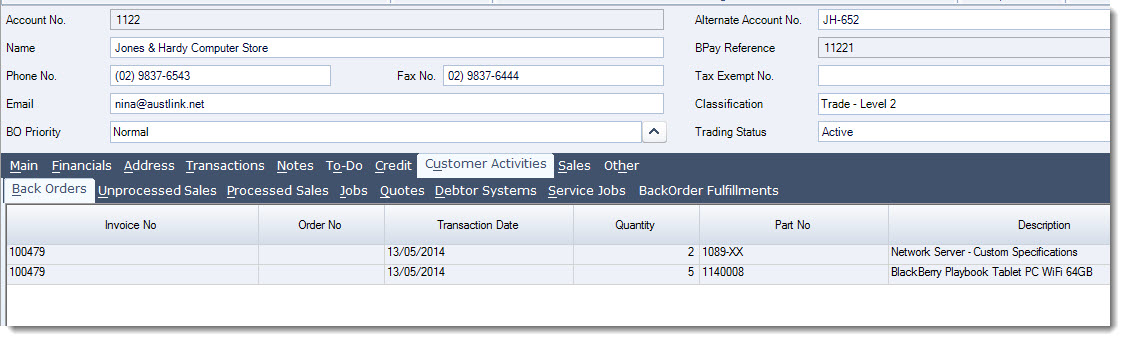
From this tab you will see all the back orders for the selected customer
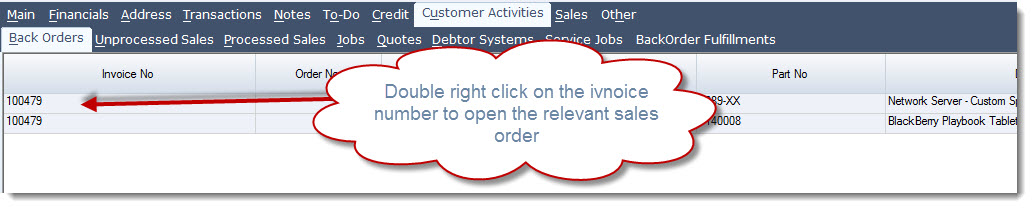
Double right click on the Invoice No that the back order items are listed on
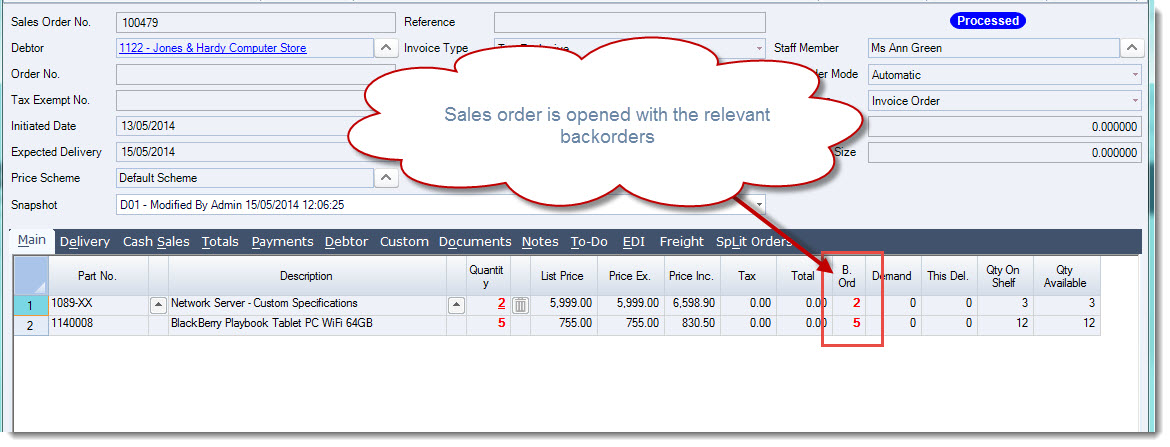
The processed sales order is opened
The back orders are cancelled by using a new snapshot
From the menu ribbon select New | New Snapshot
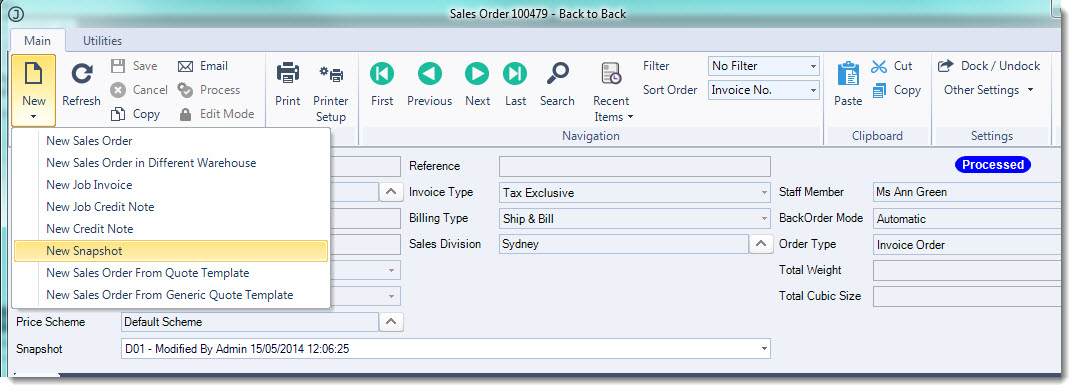
This will create a new snapshot and make available the Demand field
Enter in the quantities that need to be cancelled in the Demand field
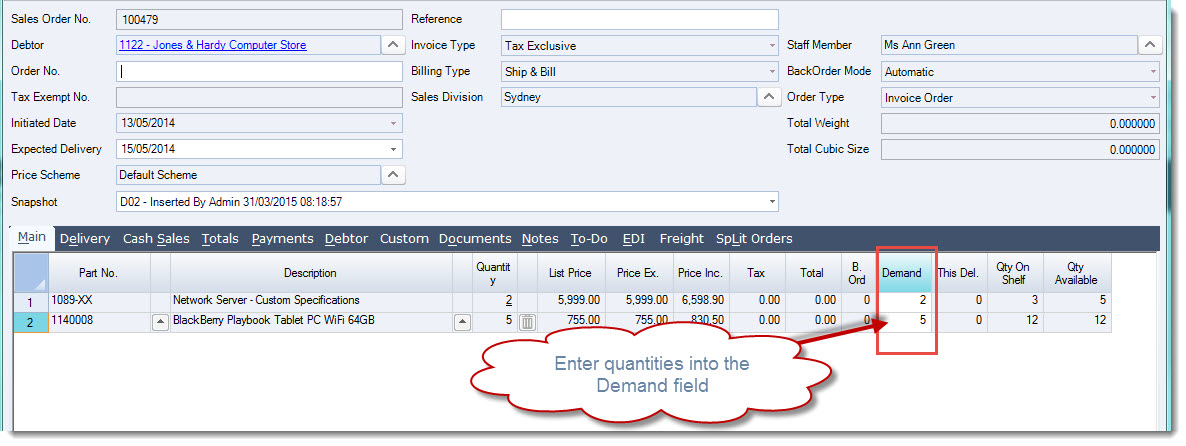
From the menu ribbon select Save and then Process to close the order
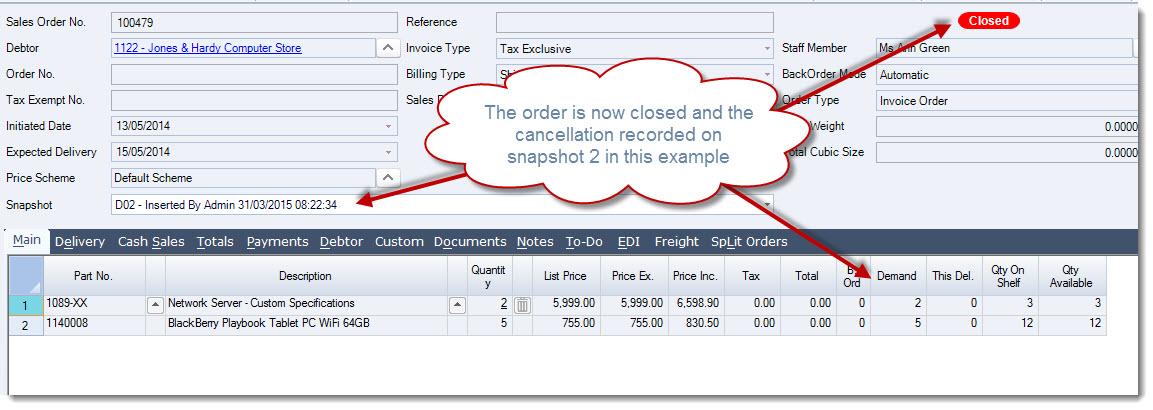
The order is closed and the cancelled back orders recorded against the relevant snapshot