
In this article we take a look at the Cash Book receipt batches that are automatically created when a payment is processed through the POS form.
System Settings
The following standard Jiwa system settings control how receipts are added to a Cash Book Receipts batch when processed through the POS form.
|
Field |
Description |
|
BatchGrouping |
This setting determines how cash book receipt batches are created when a sales order is processed.
The options available are; - No grouping - Group within Warehouse - Group within Branch |
|
UsePaymentTypeBankAccounts |
When this flag is enabled the the bank account assigned to the payment type will be used in determining how a payment is added to a cash book receipt batch. When disabled Jiwa will use the bank control account from Debtor Maintenance. |
Cash Book Receipt Batch
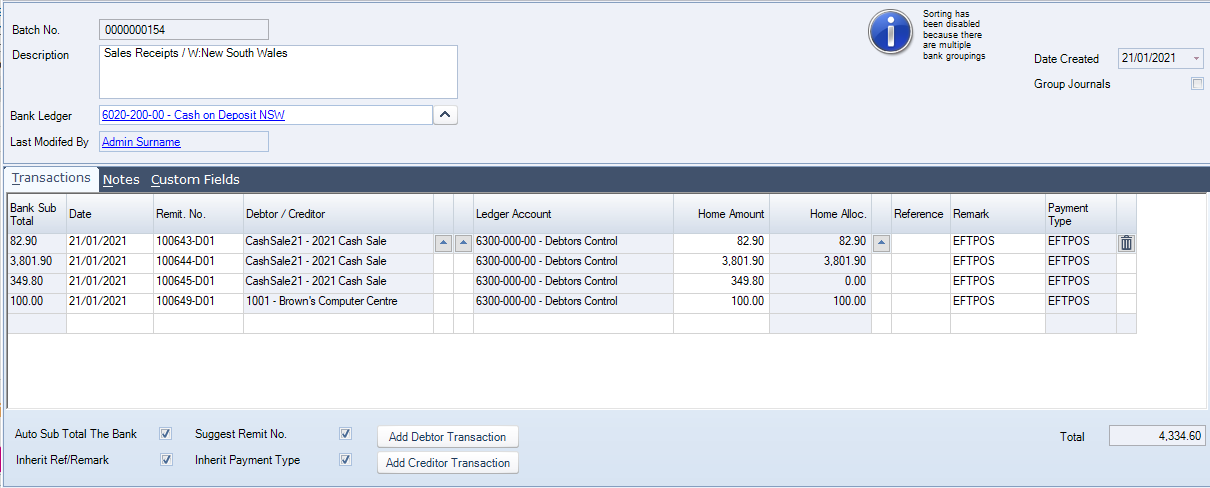
When a payment is processed through the POS form it is added to the applicable cashbook receipt batch.
Payments are allocated to the applicable invoice, however deposits on special orders and Debtor account payments are not allocated.
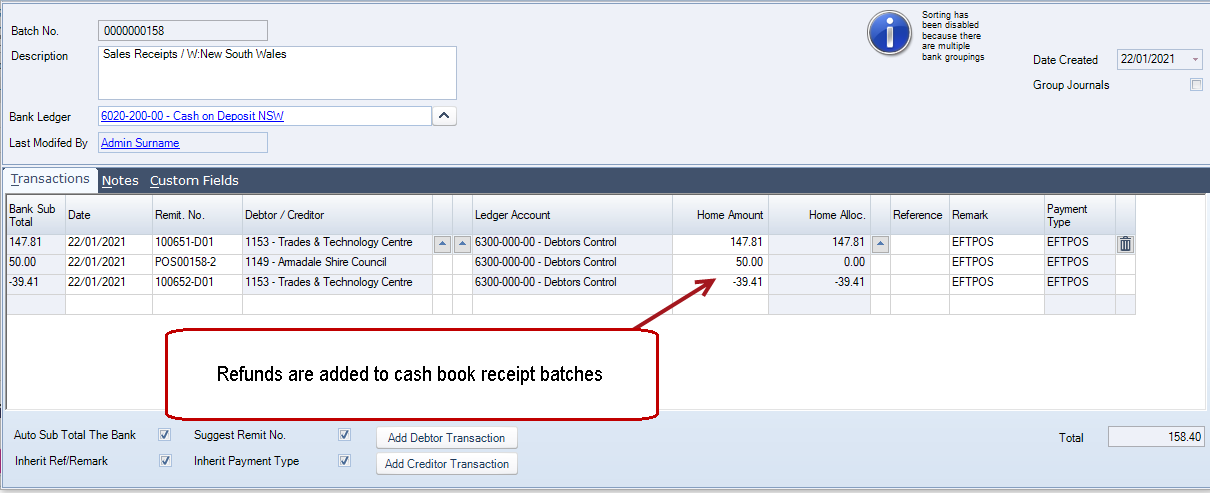
In the case of refunds, the standard Jiwa process of adding refunds to a cash book payment batch has been interrupted and refunds through POS are added to the cash book receipts batch to assist in the reconciliation of daily takings.
Once your cash book receipt batch has been reconciled it can be activated.