
Warehouse Purchase Orders are used to initiate a structured warehouse stock transfer process in Jiwa. This allows stock to be requested from another warehouse before it is transferred and received into the destination warehouse.
This article explains how to use a Warehouse Purchase Order to start the warehouse transfer process.
Before continuing, we recommend reviewing the article on transferring stock via the In-Transit location, as this process builds on those steps.
Overview
Using a Warehouse Purchase Order to initiate the warehouse transfer process ensures that the full process is contained within Jiwa.
This also eliminates any keying errors by the sending warehouse as the Warehouse Purchase Order when committed will generate a Warehouse Transfer Outwards Request in the sending warehouse.

Warehouse Purchase Order
The requesting warehouse raises a warehouse purchase order
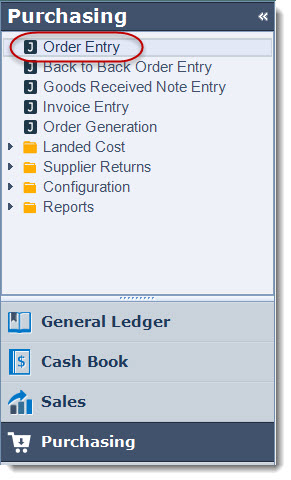
From the menu select Purchasing | Order Entry
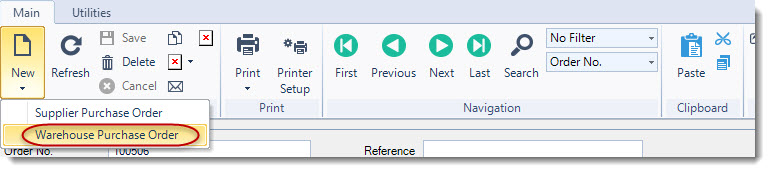
From the menu ribbon select New | New Warehouse Purchase Order
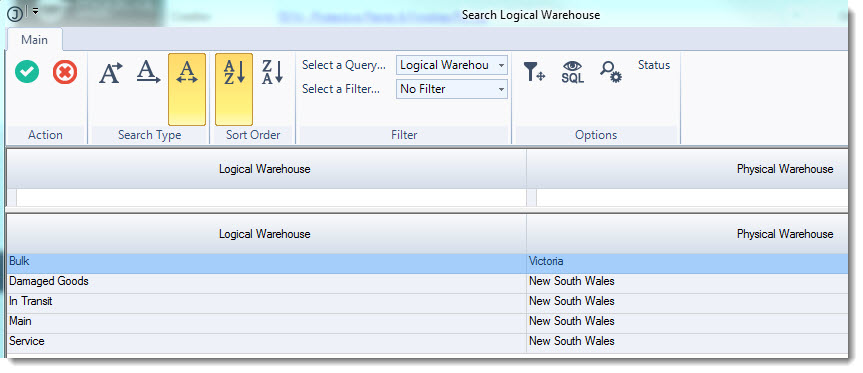
From the Logical Warehouse search screen select the warehouse that the stock is being requested from.
Add a reference if required in the reference field
Tick the Use In Transit check box and select your In-Transit location
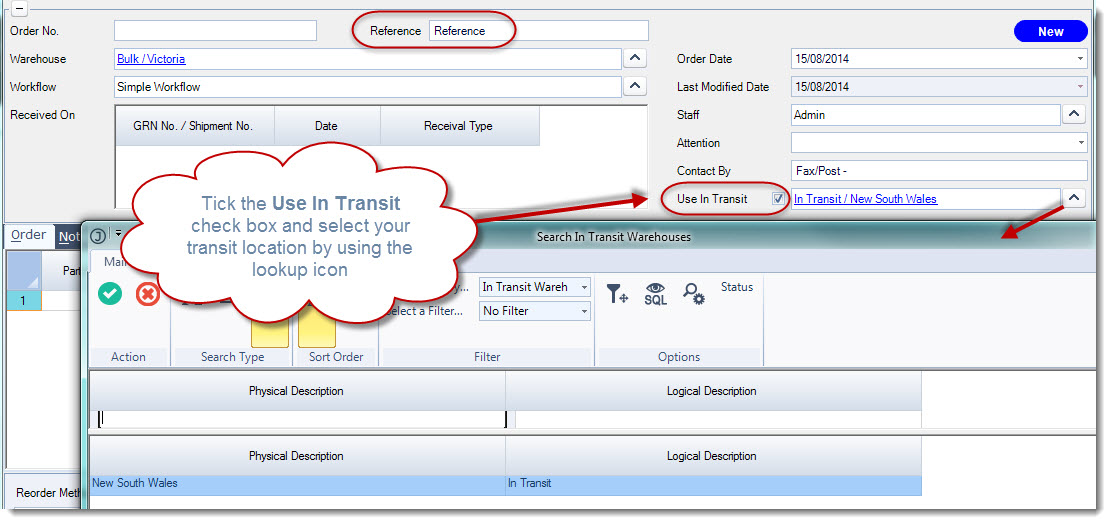
In the Order tab enter in the items required
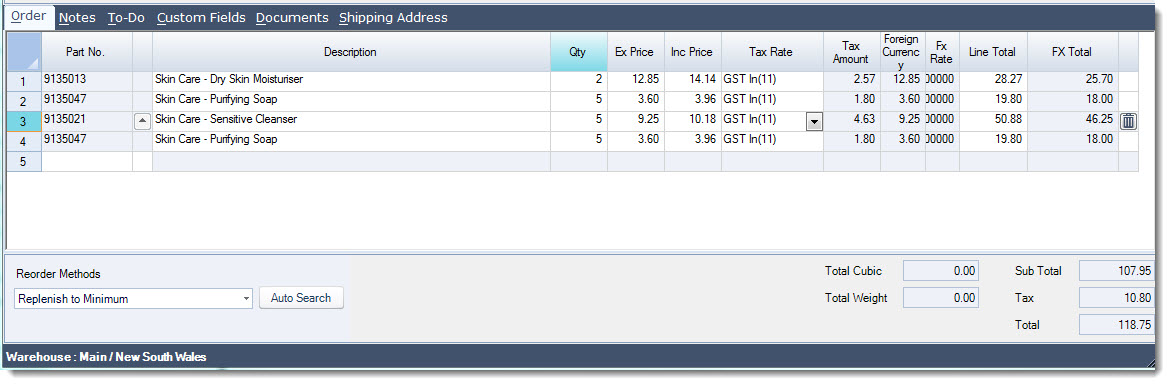
Save your Warehouse Purchase Order
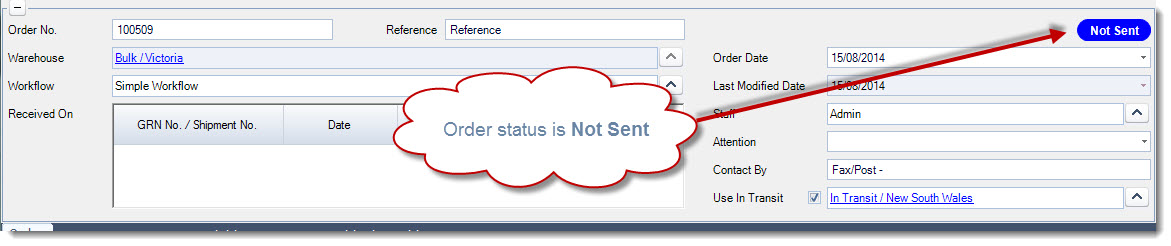
The order status is Not Sent
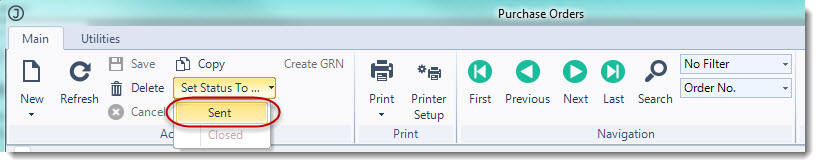
Set your order status to Sent
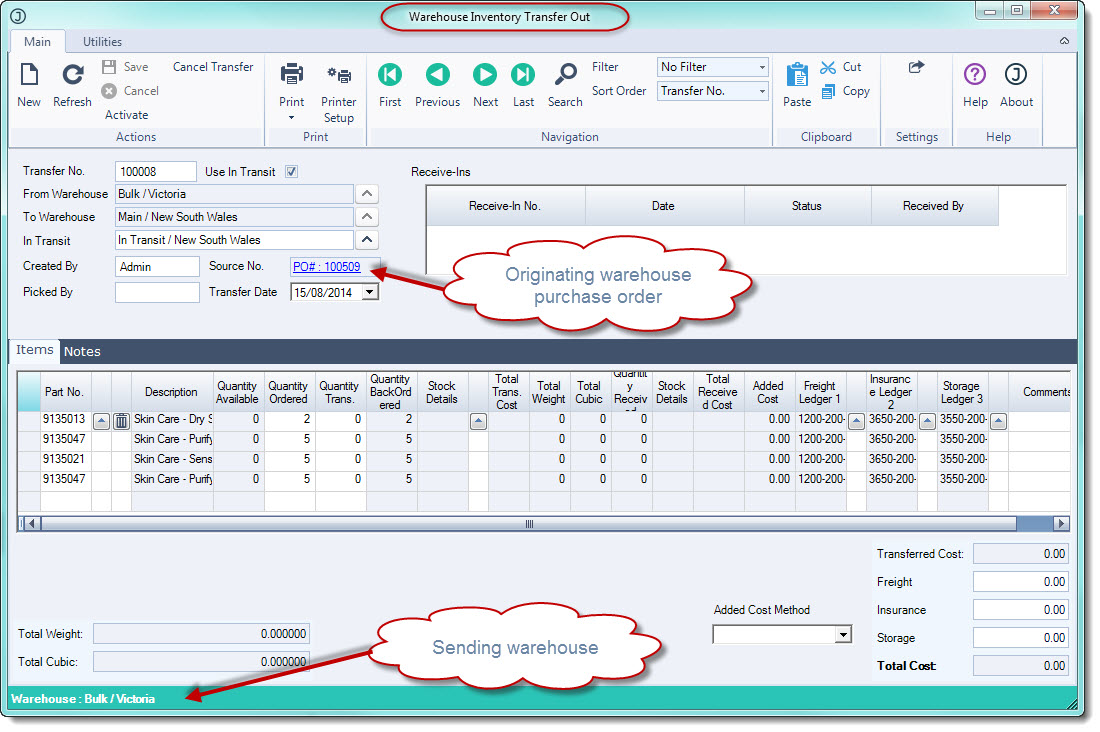
Once your Warehouse purchase order status is set to Sent a Warehouse Transfer Outwards request is automatically generated in the sending warehouse.
The request is also link to the originating purchase order.
Please refer to the article Jiwa Inventory - Warehouse Transfers (via In-Transit) for instructions on how to complete your transfer out and receiving the stock in the receiving location.