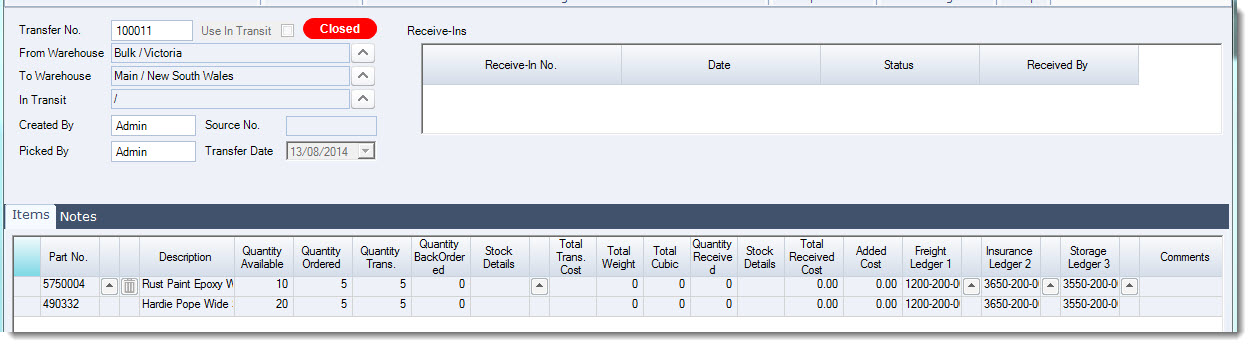
Immediate warehouse transfers are used when stock needs to be moved directly from one warehouse to another in Jiwa.
This article explains how to process an immediate warehouse transfer, including selecting the source and destination warehouses, adding the stock items to be transferred, and completing the transfer so that inventory quantities are updated.
Immediate Warehouse Transfers
Before starting your new transfer ensure that you are logged into the warehouse that is sending out the stock.

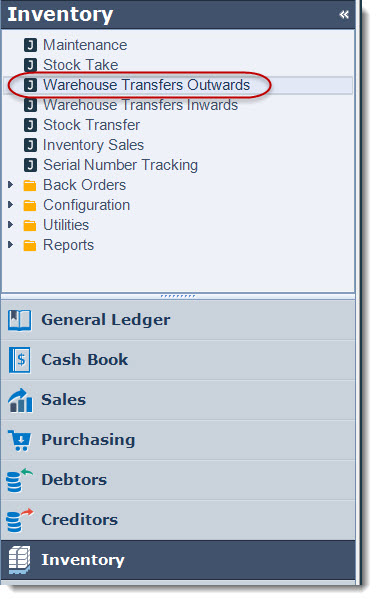
Select Inventory | Warehouse Transfers Outwards
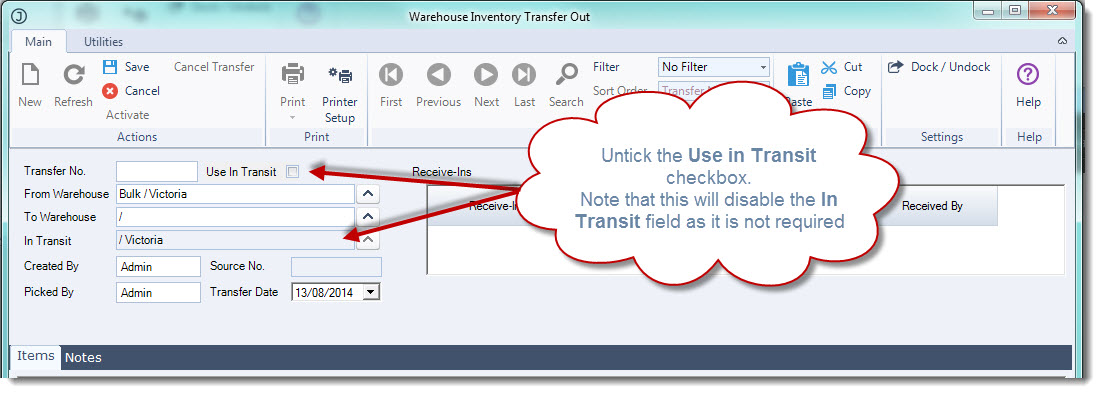
From the menu ribbon select New

Untick the Use in Transit check box - this will indicate that the stock is to be transferred immediately to the receiving warehouse.
The From Location will default to the warehouse you are currently connected to
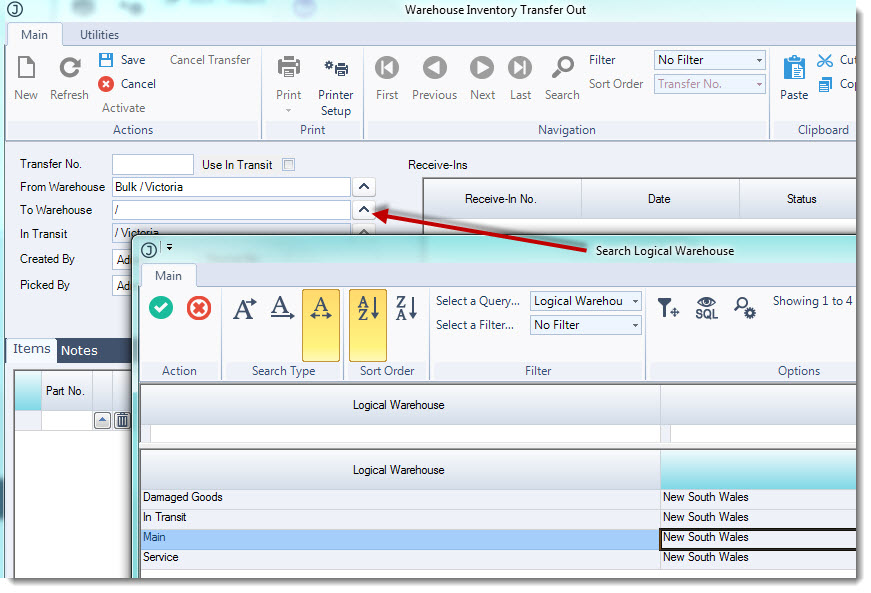
Select the To Warehouse location by clicking on the lookup icon and selecting your receiving location.
In the Items tab select the parts that you want transfer out
Enter in the ordered quantities in the Quantity Ordered field
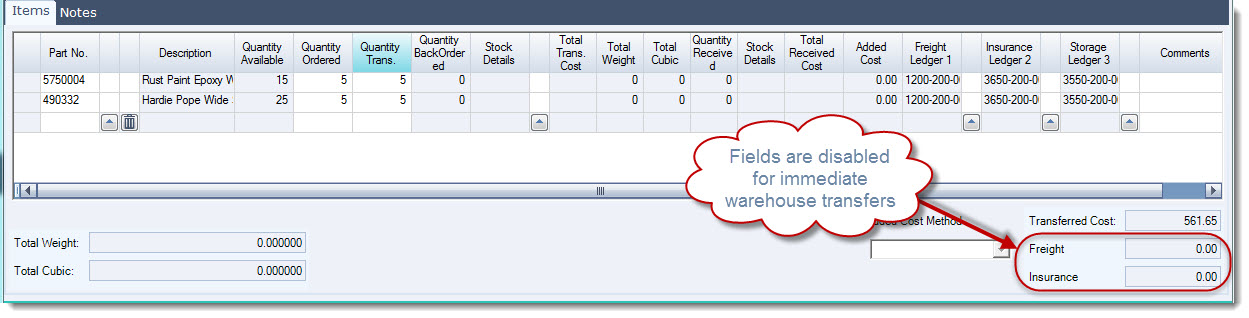
In the Quantity Trans field enter in the quantities transferred.

NOTE: Freight/courier costs cannot be added to immediate transfers. If you require costs to be added on to your warehouse transfer you will need to process a warehouse transfer that uses the in-transit location please refer to article Jiwa Inventory - Warehouse Transfers (via In-Transit) for further details.
You will notice that the Freight and Insurance fields are disabled for immediate transfers
Save your transfer
Activate your transfer for the stock to be transferred immediately to the To Warehouse location
Once activated your warehouse transfer will have a status of Closed