
Stock Adjustments Out are used to reduce inventory quantities in Jiwa when stock needs to be removed or corrected outside of the standard sales or warehouse transfer process.
This article explains how to process a stock adjustment out using the Stock Transfer form in Jiwa.
Writing Off Stock
This process can be used instead of initiating a stock-take to write stock off that has been lost or simply damaged.
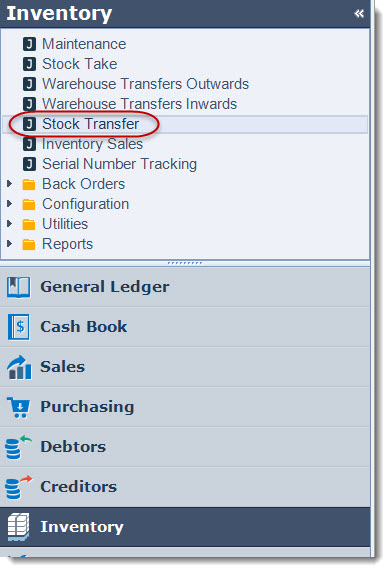
From the main menu select Inventory | Stock Transfer
Ensure you are working in the correct Warehouse before creating a new stock transfer, the warehouse cannot be changed when you have selected NEW
Select the New icon to create a new transfer (adjustment)

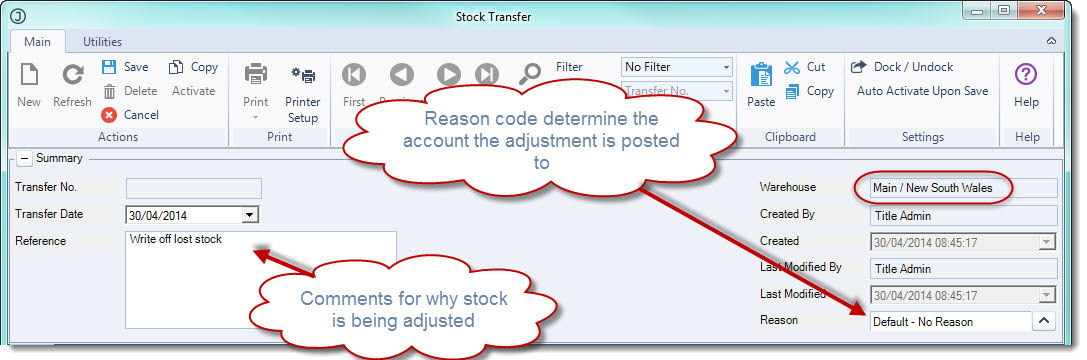
In the Reference field enter in details of why you are doing the transfer
Confirm the warehouse the transfer is being processed against
Select a Reason code for the transfer. The reason code will drive the GL posting account that the adjustment is posted to, so you may have a reason code such as Damaged Stock and/or Lost Stock
In the From Part No. field select the inventory part number that you want to write-off
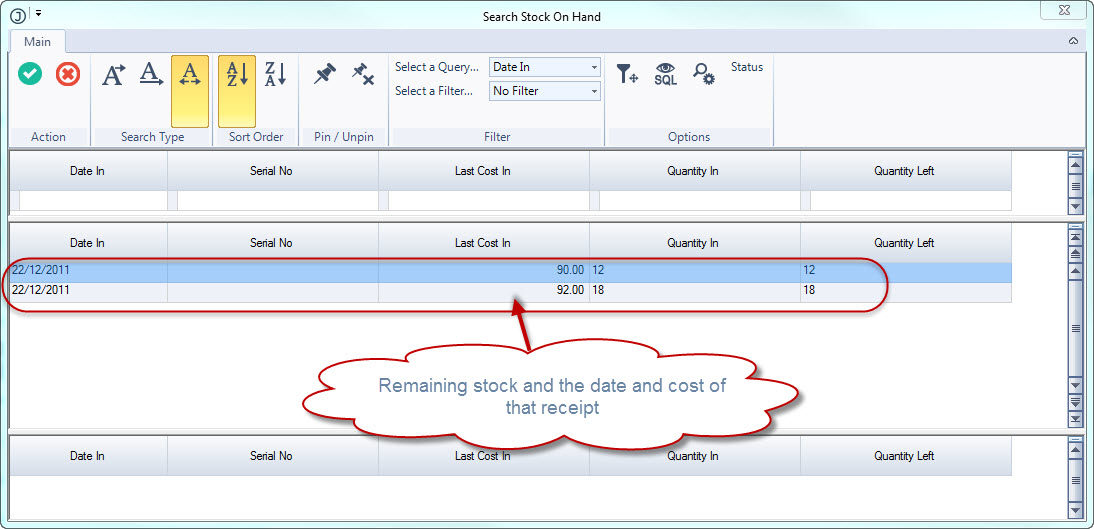
When you have selected your part the Search Stock on Hand screen will appear.
This screen provides you with a listing of remaining stock by date received and the cost the stock was received in at on that date.
As Jiwa works on a first in first out (FIFO) method of stock allocation it is recommended that you select the oldest receipt available.
However if you are writing off stock that is related to a specific receipt then select that receipt.
In the Transfer Quantity field enter in the quantity that you are writing off
Leave the To Part No. field as External this is telling Jiwa that you want to write off the stock
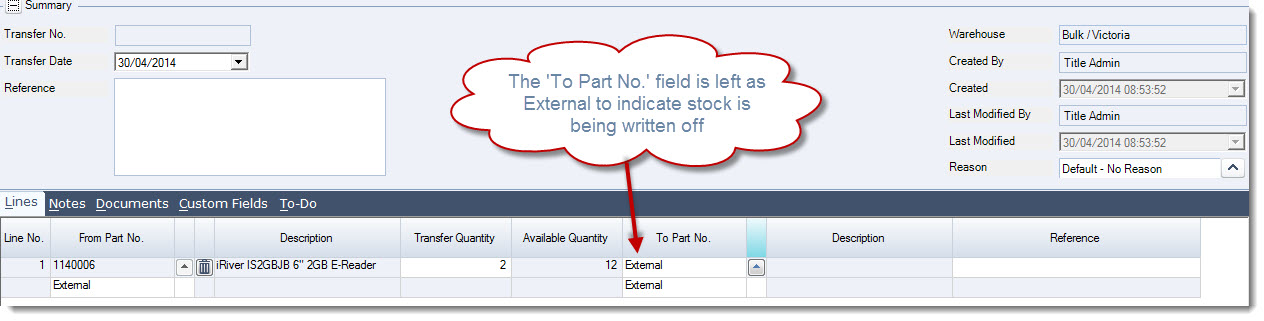
Continue to add other parts that need to be written off
Save your transaction
Activate to complete the stock adjustment and update your stock on hand