The Jiwa Import From Excel utility allows inventory selling prices and default supplier cost price to be updated from an Excel file.
This article explains how to prepare and import pricing updates into Jiwa. This process is useful when applying bulk price changes, updating supplier cost information, or maintaining pricing across multiple inventory items.
Before using this feature it is highly recommended that you test your import file in your Test or Training database before attempting to complete the update in your live system
Preparing Your Import File
Before importing our updates we need to first prepare our import file.
Your file only needs to include the part number and the price you want to update.
In the example below the default supplier cost will be updated however the current cost has been included in the file for comparison purposes only, the current cost will not be imported.
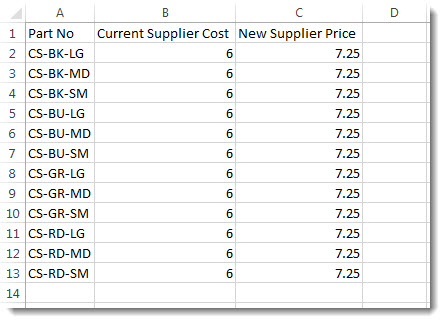
Save your file.
Importing Cost Price Updates
Select Inventory > Utilities > Price Updates > Import from Excel
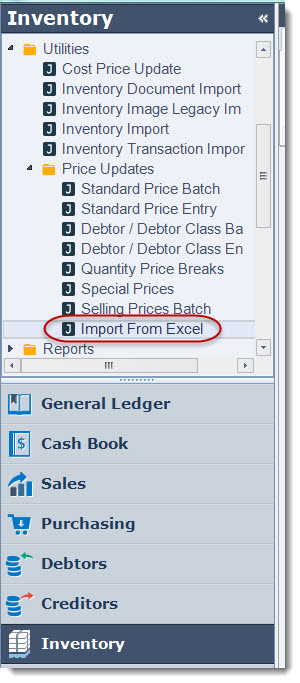
Select your required ranges, in this example Clothing products will be updated.

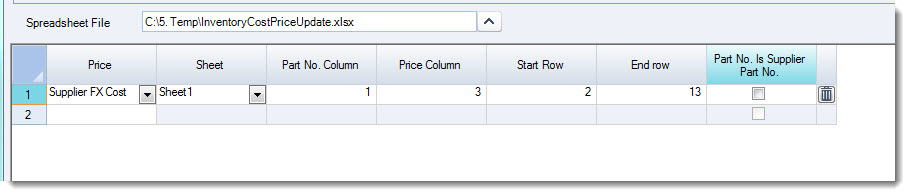
Select the spreadsheet you want to use for the update.
Use the icon next to the Spreadsheet File field to browse to your file.

Set your required import fields
|
Field |
Description |
|
Price |
Select the price to be updated Note: If updating your supplier cost price then select the option Supplier FX Cost. Only the cost for the default supplier and warehouse will be updated. |
|
Sheet |
Specify the sheet from the file to be used |
|
Part No. Column |
Specify the column number in the sheet that contains the part number |
|
Price Column |
Specify the column number in the sheet that contains the price column to use |
|
Start Row |
Specify the first row to the import sheet to start at |
|
End Row |
Specify the last row in the import sheet to end at |
|
Part No. Is Supplier Part No. |
When ticked indicates that the part number contained the part number field is the supplier part number |
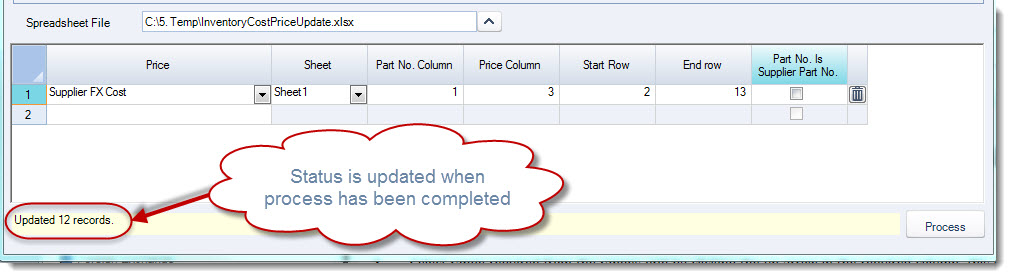
When you are ready select Process to complete you update.
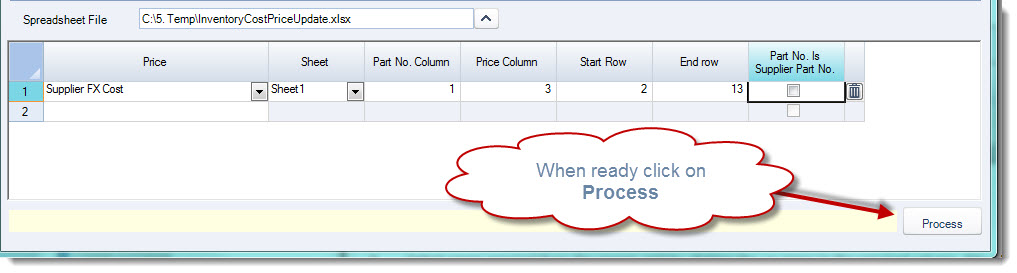
The process status bar will be updated when the update has been completed.