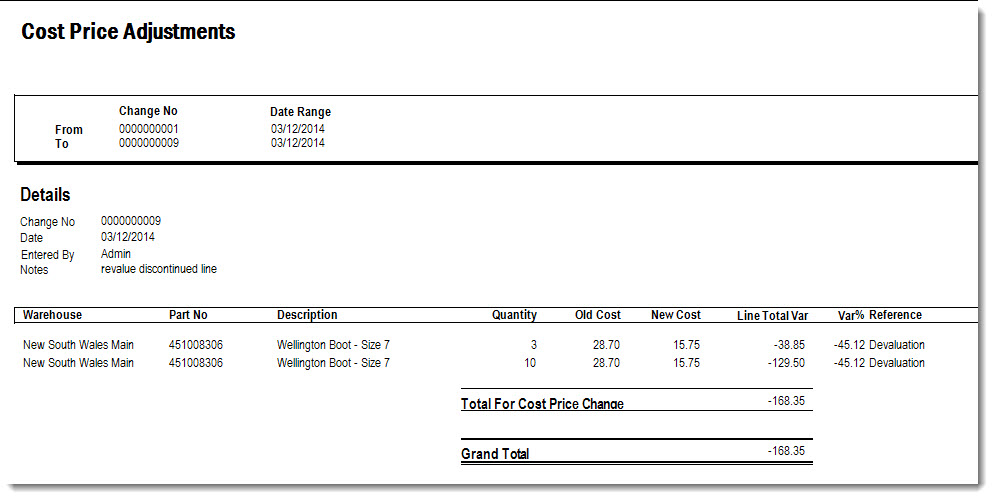
Cost price adjustments are used to revalue inventory items in Jiwa when the recorded cost price needs to be updated or corrected.
This article explains how to revalue inventory lines using the Cost Price Update form.
Cost price updates can affect both inventory valuation and the General Ledger, so this process should only be completed when the impact of the change is understood.
From the main menu select Inventory > Utilities > Cost Price Update

From the menu ribbon select New

In the Notes section add comments as to why you are completing the cost price update.

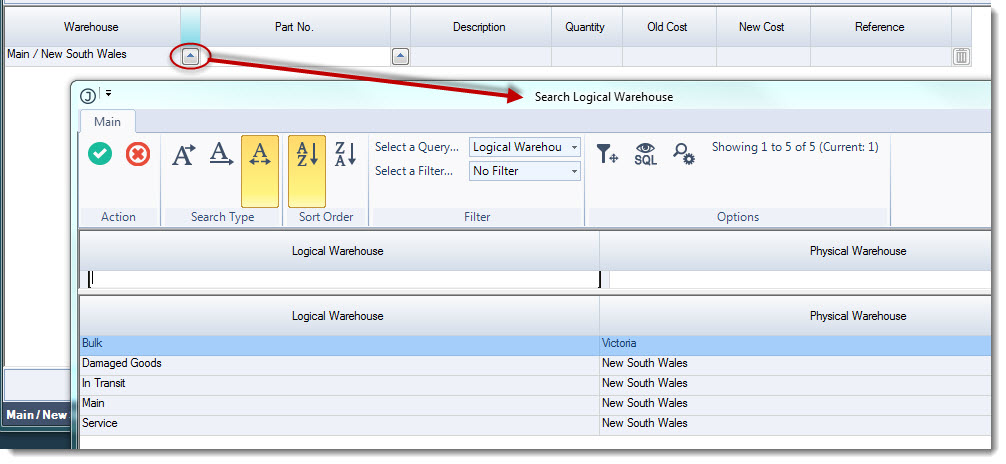
In the grid section of the form select the warehouse that the stock is being revalued for.
Clicking on the lookup icon next to the warehouse field will open the Logical Warehouse search form.
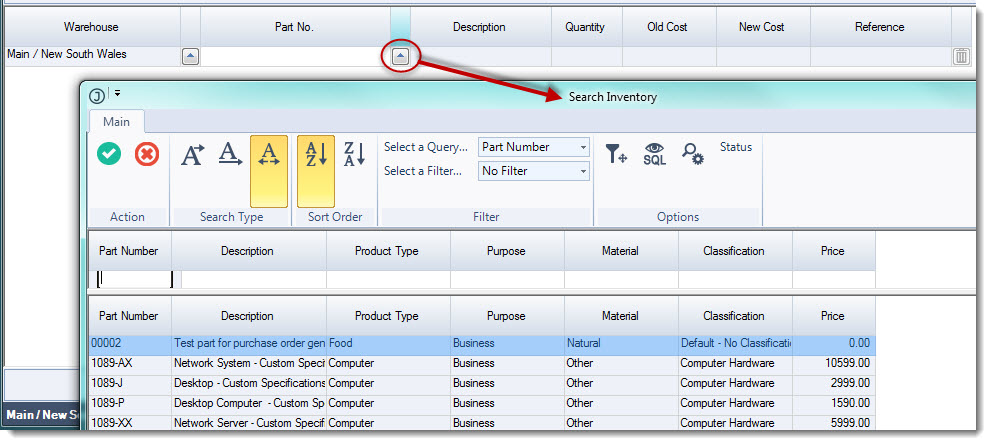
Enter in your part number in the Part No. field or use the lookup icon next to the Part No. field to activate the inventory search form.
Once you have selected your item the Cost Change search form will activate.
The grid displays the cost price/(s) of all remaining stock in Jiwa for that item for the location selected.
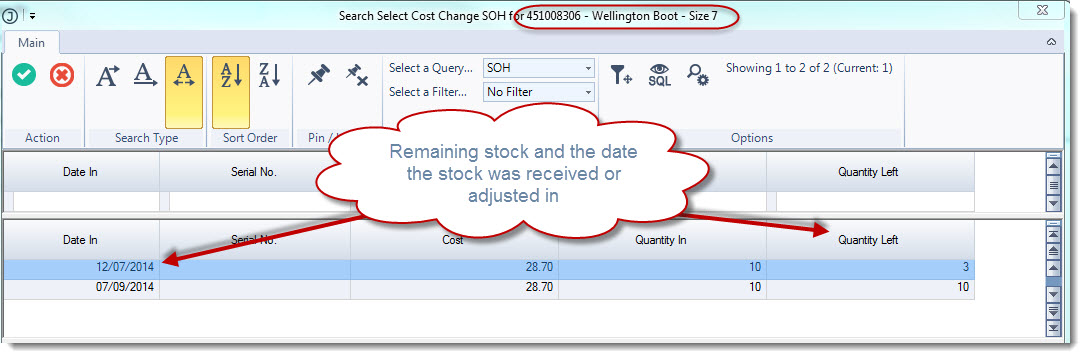
If you are correcting the value of stock that was brought in on a specific purchase receipt then select that receipt.
If you are devaluing your entire remaining stock then bring in all remaining stock into the stock adjustment screen.
In this example the line is discontinued so all stock is being devalued
Double click on each line to load them into the selection panel
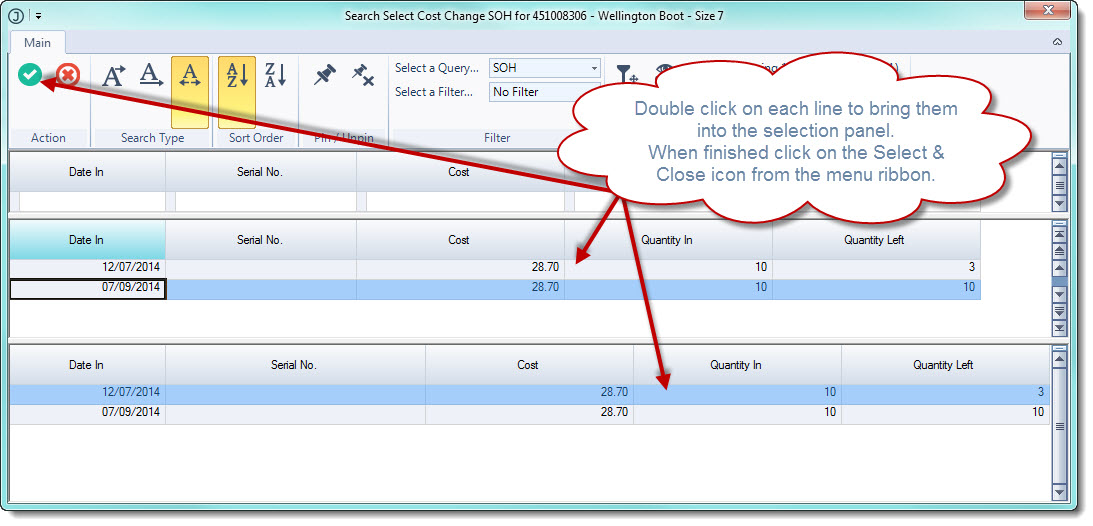
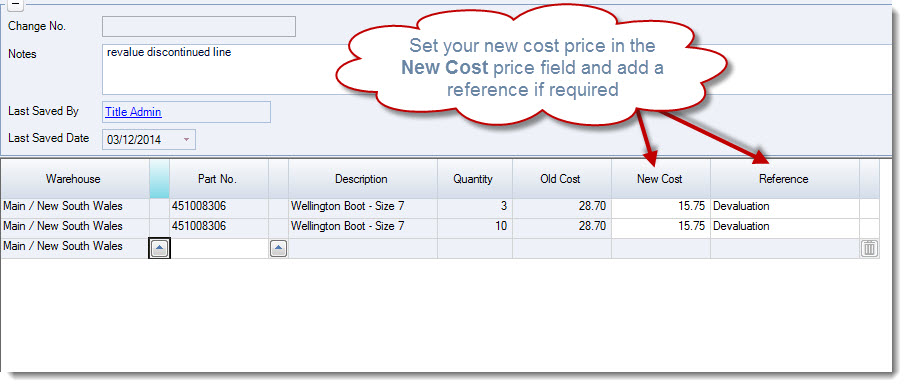
When you have made your selections click on the Select & Close icon from the menu ribbon, this will populate the grid on the Cost Price Update form.
Enter in your new cost price in the New Cost field and a reference if required.
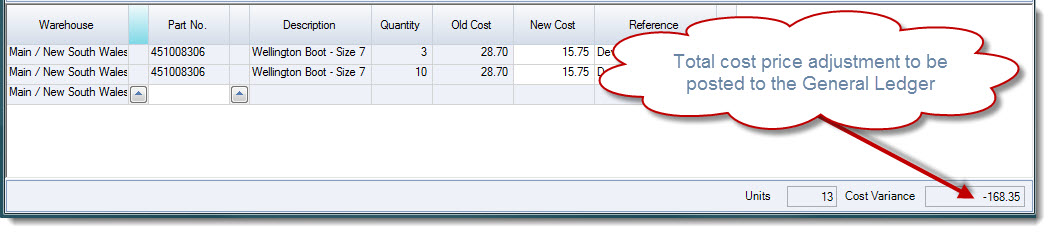
The bottom of the form will display the number of units that will be impacted and the total cost variance that will be posted to the General Ledger.
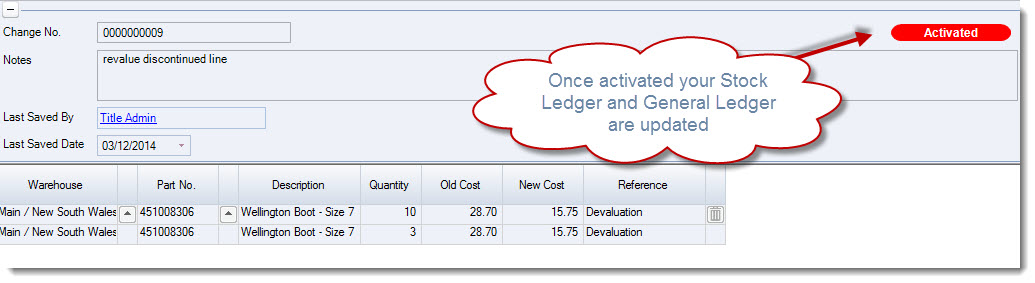
When finished Save and Activate your update batch, the batch status will be set to Activated
The Cost Price Adjustments report can be produced by selecting the printer icon from the menu ribbon.