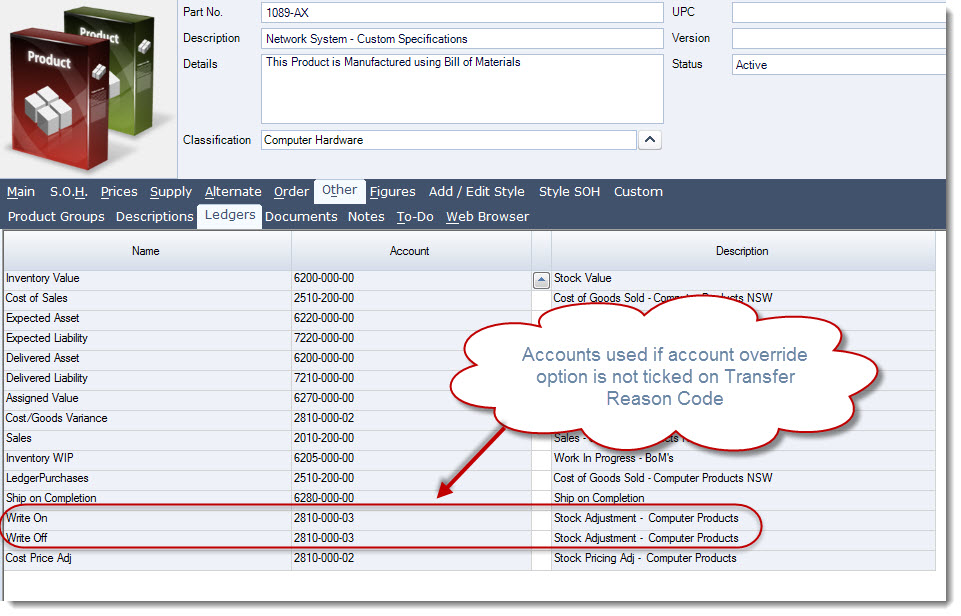
Stock transfer reason codes are used to identify the reason for a stock transfer or stock adjustment in Jiwa.
This article explains how to create and maintain stock transfer reason codes.
These reason codes are important because they determine the expense account that is impacted when a stock transfer or adjustment is processed, helping ensure inventory transactions are posted correctly to the General Ledger.
Creating reason codes
To create or review a reason code
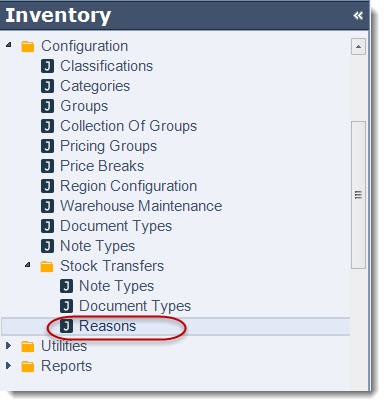
From the main menu select Inventory | Configuration | Stock Transfers | Reasons
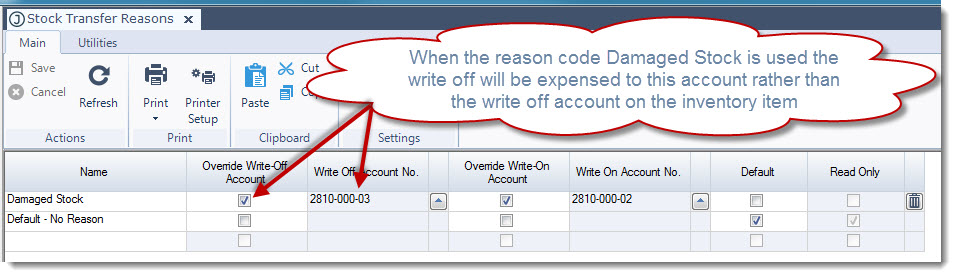
To create a new code enter your description in the Name field
If you do not want to use the Write-Off account linked to the inventory item then tick the Override Write-off Account check box and enter in the account you want to use when items are being written off as for example Damaged Stock
If you do not want to use the Write-On account linked to the inventory item then tick the Override Write-on Account check box and enter in the account you want to use when items are being written on as for example Found Stock
Once you have made you changes click on the Save icon
When the Override account option is not selected then Jiwa will look at the Write On/Off accounts linked to the inventory item.