Inventory categories are used to provide additional ways to group and analyse inventory items in Jiwa.
This article explains how to create inventory categories and how they can be used for reporting, searching, and analysis.
Jiwa provides five inventory category fields, allowing inventory items to be grouped in different ways depending on the needs of the business.
Inventory categories are independent of inventory classifications and independent of each other. This provides greater flexibility when filtering, grouping, and analysing inventory information across reports and enquiries.
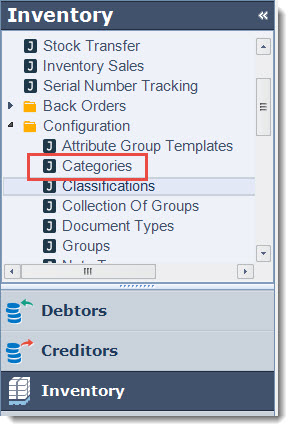
From the menu select Inventory | Configuration | Categories
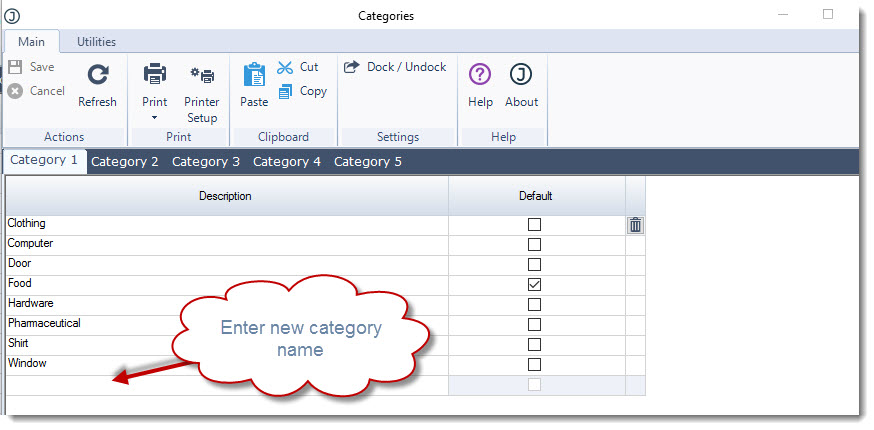
Starting with the first category enter your category description in the Description field.
The default flag is used to indicate the default category that is applied when new items are created through inventory maintenance.
Save your updates.
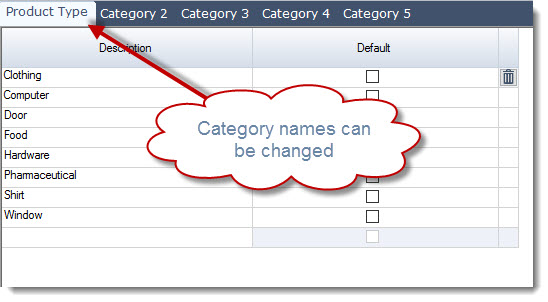
Category names can be changed, contact your Jiwa Consultant to discuss your requirements