
In this article we look at creating Document, Note and To-Do types in Jiwa 7.
Document, Note and To-Do's in Jiwa can be categorised by type which can be useful for sorting and reporting purposes.
Document, Note and To-Do types are unique to each module which means that you only need to create the types the are applicable to each module.
All Jiwa databases have at least 1 default Document, Note and To-Do type.
Document Types
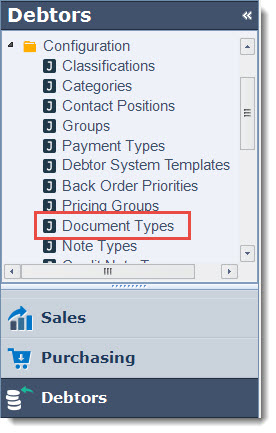
Document types are maintained in the Configuration section of each module.
In this example we look at maintaining our Debtor Document Types
From menu select Debtors | Configuration | Document Types
Add your new Document Type description to the new available line
Use the Default flag to set your default document type
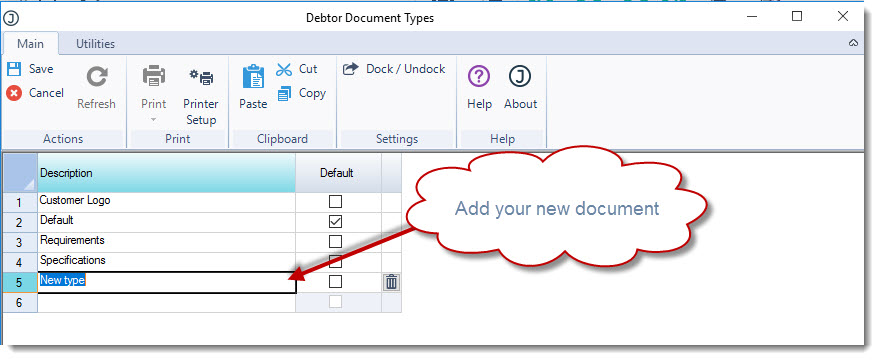
From the menu ribbon select Save. Continue adding required types.
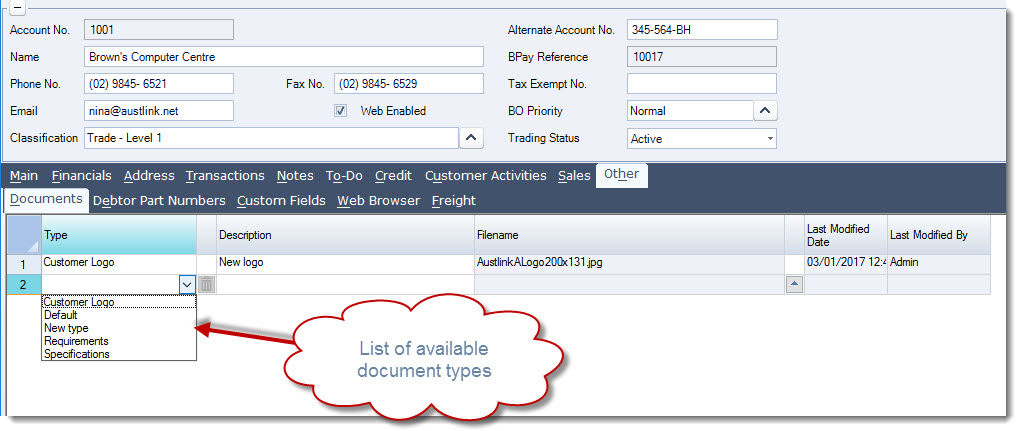
In Debtor Maintenance the new document type is available for selection.
Note: If you are in the Debtor Maintenance form you will need to close and re-open the form for the change to take effect.
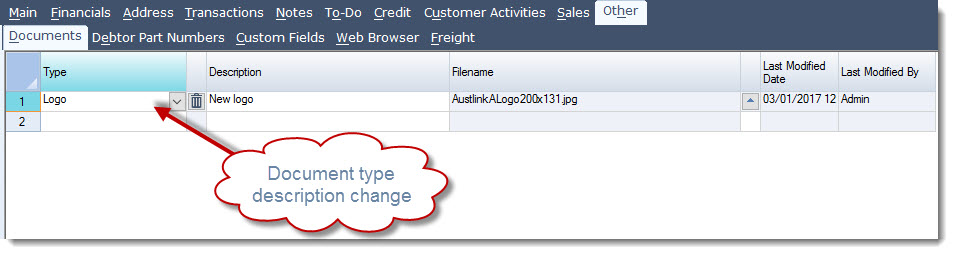
Document types can be renamed in this form, any name change will flow through to all documents linked to the type.
Note Types
Note types are also maintained in the Configuration section of each module.
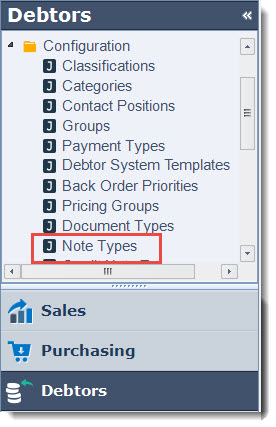
In this example we look at maintaining our Debtor Note Types
From menu select Debtors | Configuration | Document Types
Add your new Note Type description to the new available line
Use the Default flag to set your default Note type
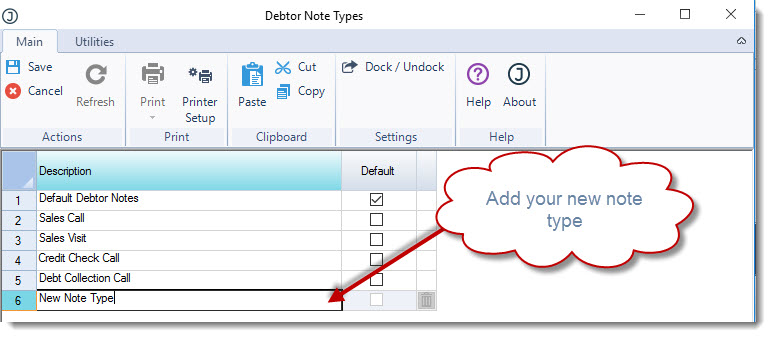
From the menu ribbon select Save. Continue adding your required types.
In Debtor Maintenance the new document type is available for selection.
Note: If you are in the Debtor Maintenance form you will need to close and re-open the form for the change to take effect.
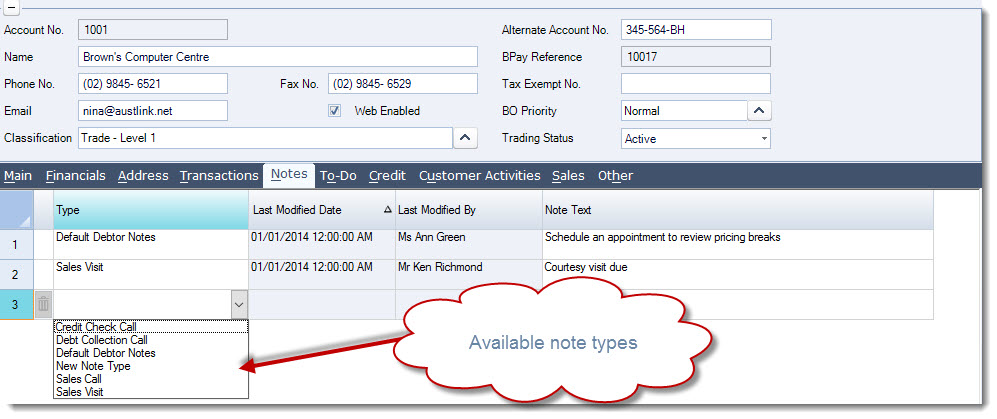
Note types can be renamed in this form, any name change will flow through to all notes linked to the type.
To-Do Types
To-Do types are unique to each function however unlike Document and Note types they are maintained in System Settings.
From menu select System Settings | To-Do's | Configuration | To-Do Types
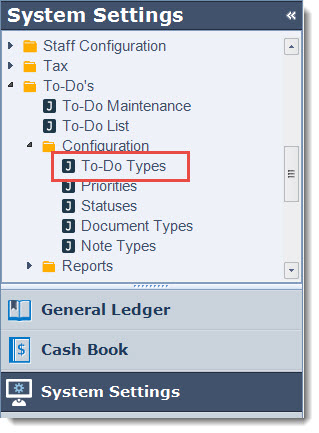
Select the function or module that your To-Do type is applicable to
Add your new To-Do description to the next available line
Use the Default flag to set your default To-Do type
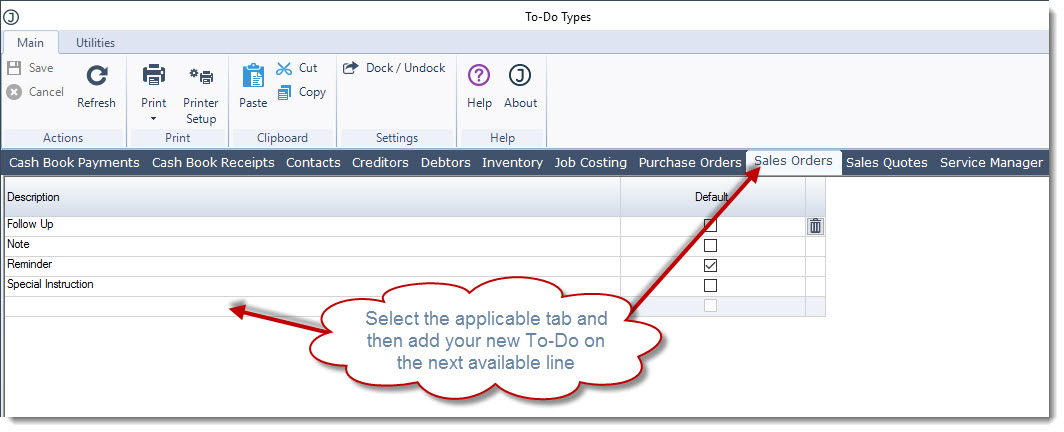
From the menu ribbon select Save. Continue adding your required types.
When creating a new To-Do your new types are available.
Note: If you are in the To-Do Maintenance form you will need to close the form and re-open for the change to take effect.
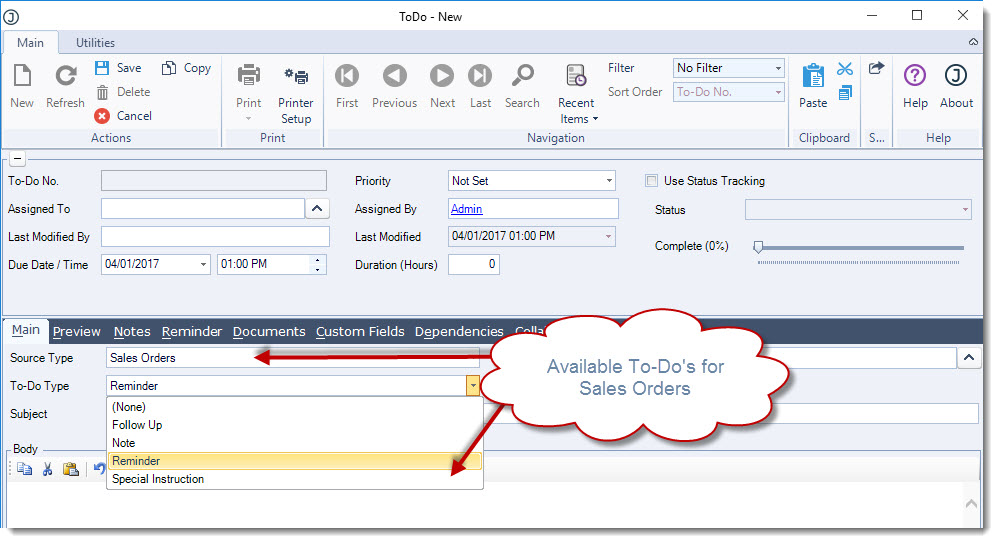
To-Do types can be renamed in this form, any name change will flow through to all To-Do's linked to the type.