
Price Scheme Maintenance is used to create, test, update, and retire price schemes in Jiwa.
This article explains how to set up a price scheme, select the applicable pricing elements, control whether the cheapest price is used, and test the result before applying the price scheme to Debtor accounts.
We also cover how to update existing price schemes and how to retire price schemes that are no longer required.
Setting Up Price Schemes
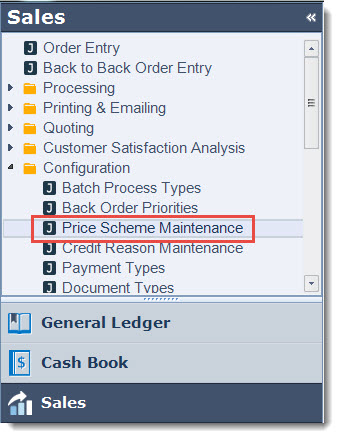
From the Sales module select Configuration | Price Scheme Maintenance
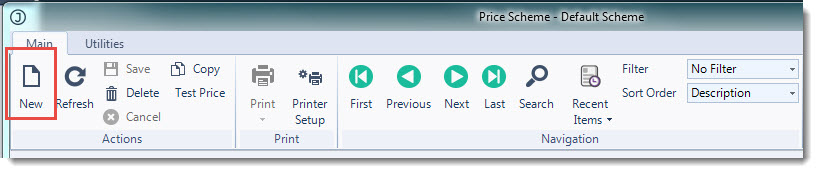
From the menu ribbon select New
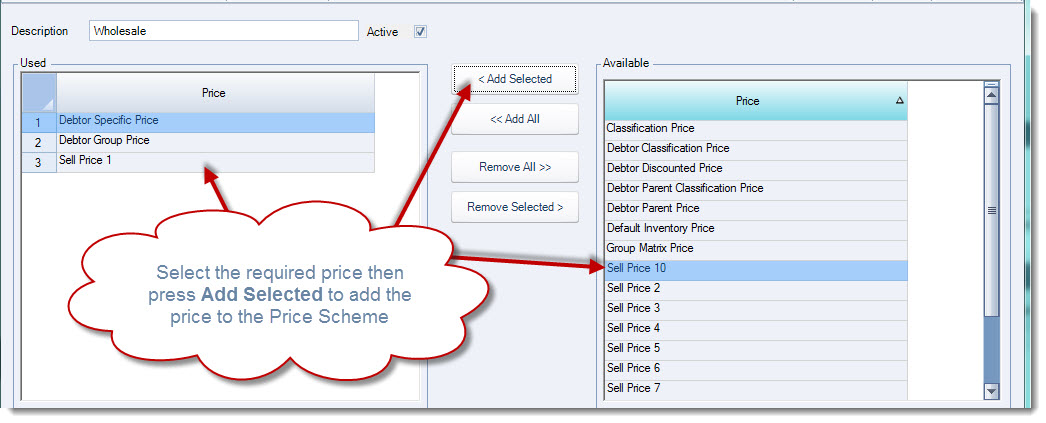
In the Description field enter in your price scheme name
From the Available Price grid select the prices that are applicable to the price scheme.
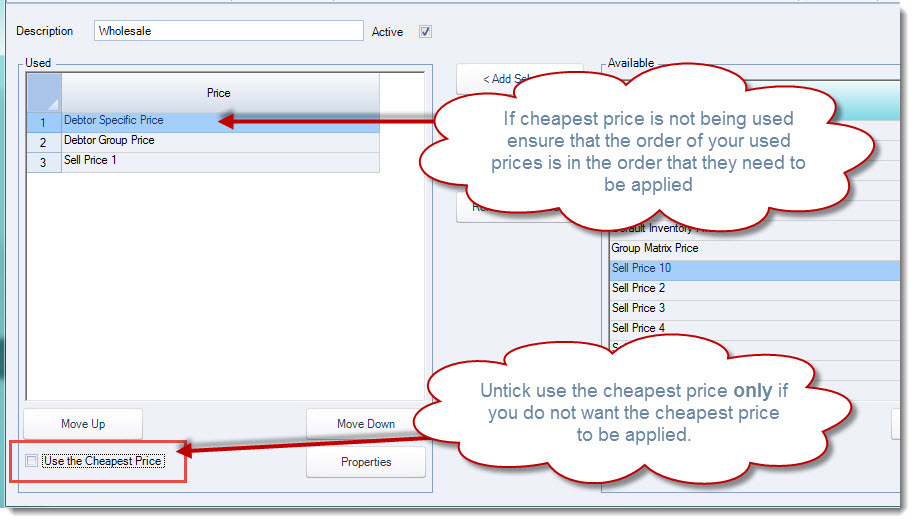
The option Use the Cheapest Price is ticked by default, if the cheapest price is not to be used in this price scheme un-tick this option and ensure that the prices to be applied are in the correct order.
Use the Move Up and Move Down buttons to change the order of the prices listed.
From the menu ribbon select Save to save your price scheme.
Testing Price Schemes
To test the new or updated price scheme from the menu ribbon select Test Price

In the Test Price popup set the;
-
Inventory item to test,
-
Debtor (the Debtor does not need to be linked to the price scheme to test),
-
Test Date,
-
Quantity, and
-
Origin
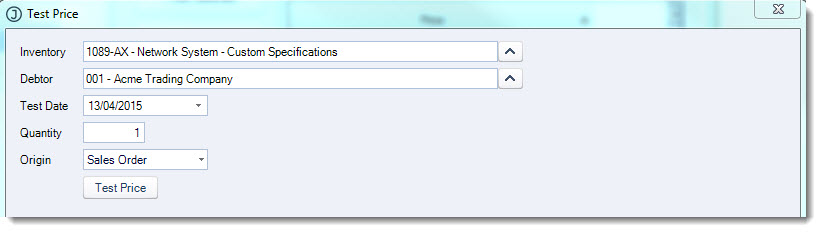
When you have entered in the required details click on Test Price
The results grid displays all available prices
The price that will be applied is displayed in red
In this example the Debtor Specific price is applied because;
-
The cheapest price is not applied, and
-
It is the first available price that is applicable
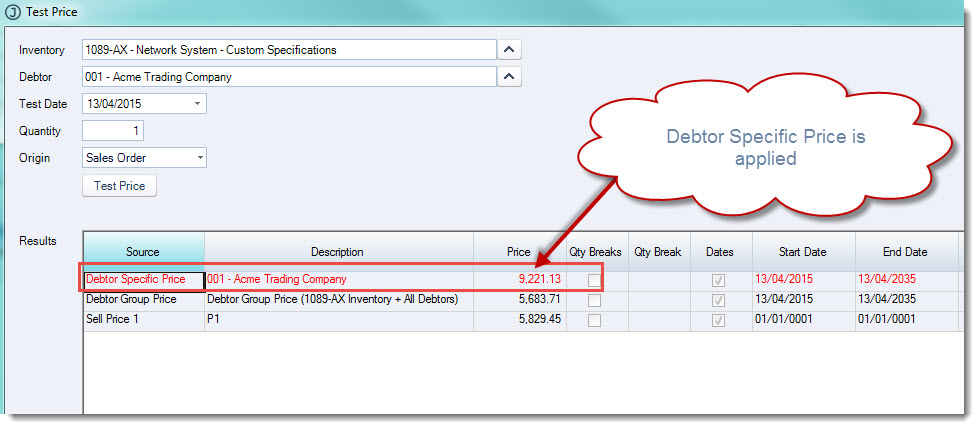
If required amend the price scheme and retest.
Once the price scheme has been set up as required it can be applied to the applicable Debtor accounts.
Updating Price Schemes
Price schemes may need to be updated at times to reflect updates and/or changes to your business, for example you may need to
-
Add additional price elements,
-
Remove existing price elements, or
-
Retiring a price scheme
To update your price scheme:
-
Load the price scheme into the Price Scheme Maintenance form
-
Make your required changes
-
Test the updates to the price scheme
-
Save your changes
Retiring a Price Scheme
A price scheme cannot be deleted if it has been used on a sales order or quote.
To retire a price scheme it is made inactive
Load the price scheme to retire into the Price Scheme Maintenance form and untick the Active checkbox and then Save.
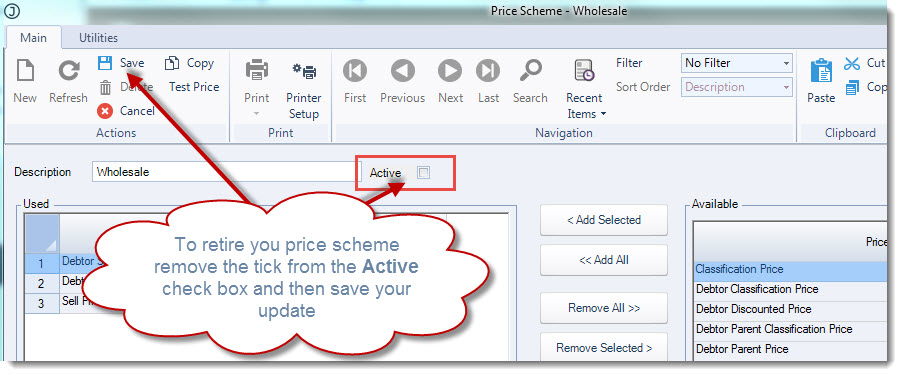
NOTE: Before retiring a price scheme ensure that any Debtors that are linked to the price scheme are moved to another price scheme.