Activity codes can be assigned to transactions in different areas of Jiwa so that income, costs, and other activity-related values can be tracked and reported in Activity Tracker.
This article explains where activity codes can be assigned and how they flow through different transaction processes, including sales, purchasing, supplier returns, creditors, inventory, and cash book transactions.
Activity codes may be entered at both the transaction header and transaction line level. The header activity code is generally used as a default for the transaction lines. The line activity code is the code that is applied to the activity for reporting purposes, so it is important to check that the correct activity code is assigned at line level before the transaction is activated or processed.
|
Module |
Forms |
When the activity is recorded |
|---|---|---|
|
Sales |
Sales Order Entry |
When the sales order is processed to an invoice. |
|
Purchasing |
Purchase Order Entry, GRN, Purchase Invoice |
The activity code can flow from the purchase order through to the GRN and purchase invoice. The activity transaction is recorded when the purchase invoice is activated. |
|
Supplier Returns |
Supplier Return Request, Supplier Return Shipping, Supplier Return Credit |
The activity code can flow from the return request through to shipping and the return credit. The activity transaction is recorded when the supplier return credit is activated. |
|
Creditors |
Creditor Purchases, Creditor Debit Adjustments, Creditor Credit Adjustments |
The activity transaction is recorded when the creditor transaction is activated. |
|
Inventory |
Stock Transfers |
The activity transaction is recorded when the stock transfer is activated. |
|
Cash Book |
Cash Book Receipts, Cash Book Payments |
Activity codes apply to miscellaneous receipts, miscellaneous payments, debtor discounts, and creditor discounts. The activity transaction is recorded when the cash book batch is activated. |
Adding Activity Codes to Sales
When a new sales order is created the activity code on the header section of the form and the Main tab are left blank.
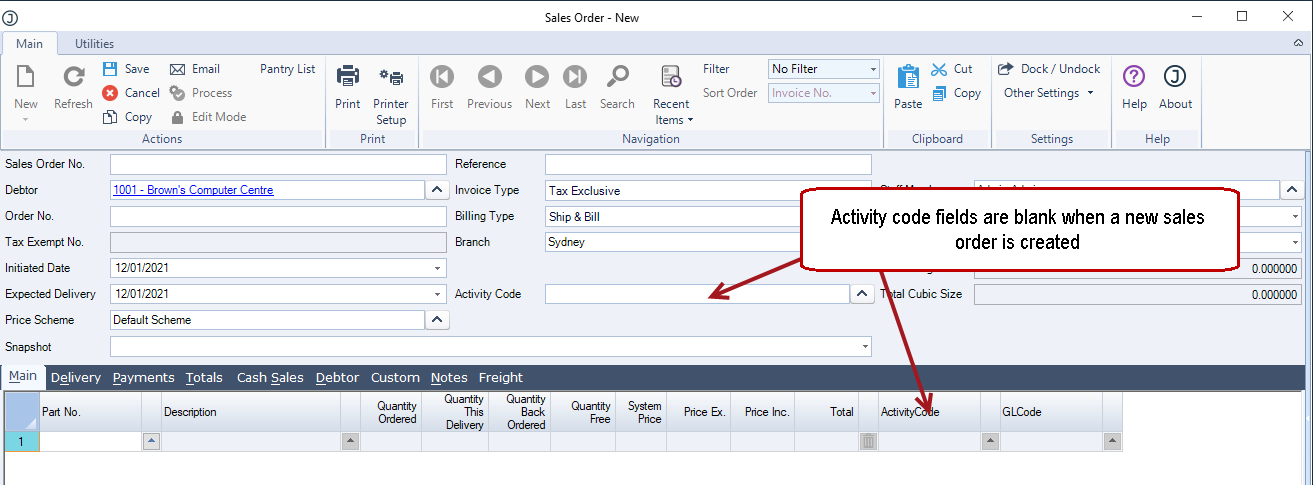
To apply an activity code to the sales order click on the lookup button next to the field to bring up the Activity Search popup.
Select your required activity.

Select Yes at the prompt to apply the code to all lines.
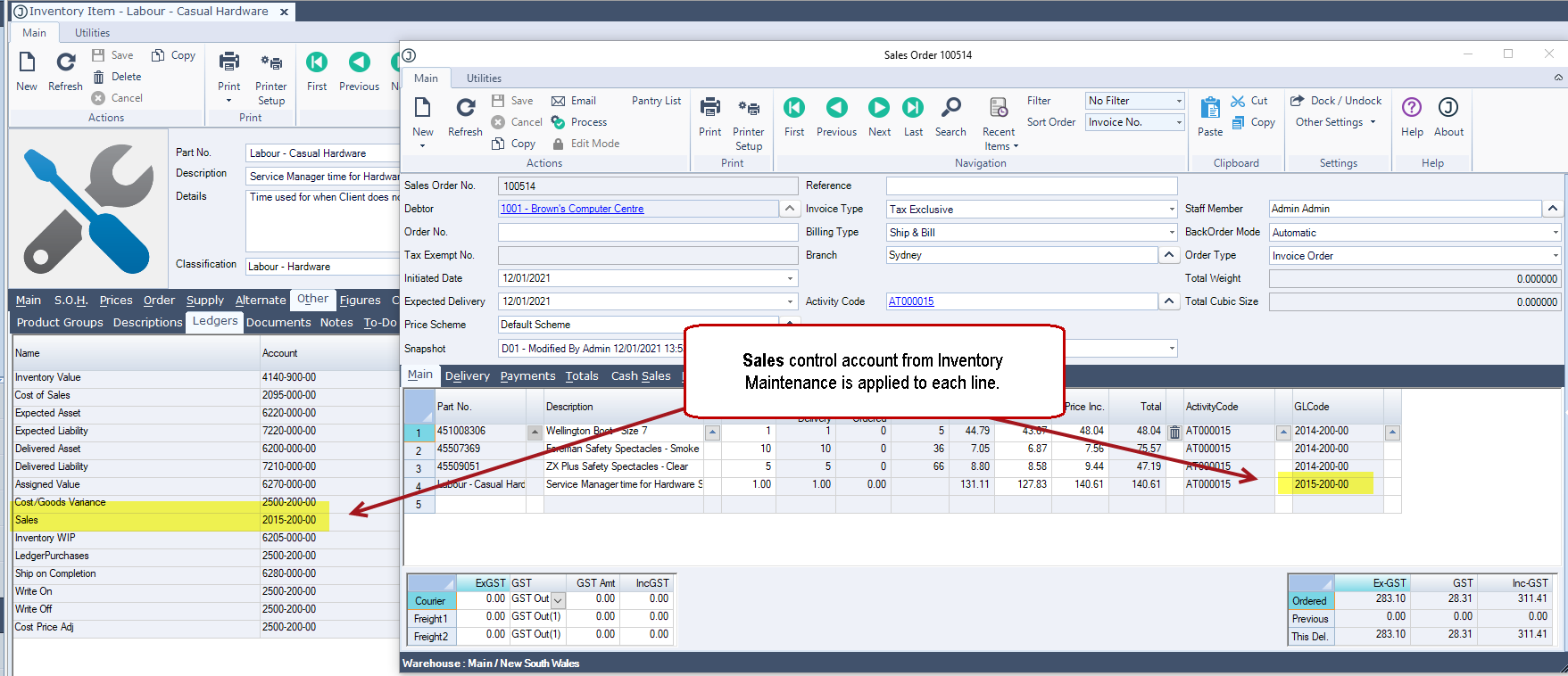
As lines are added to the sales order the activity code from the header is applied to each line.
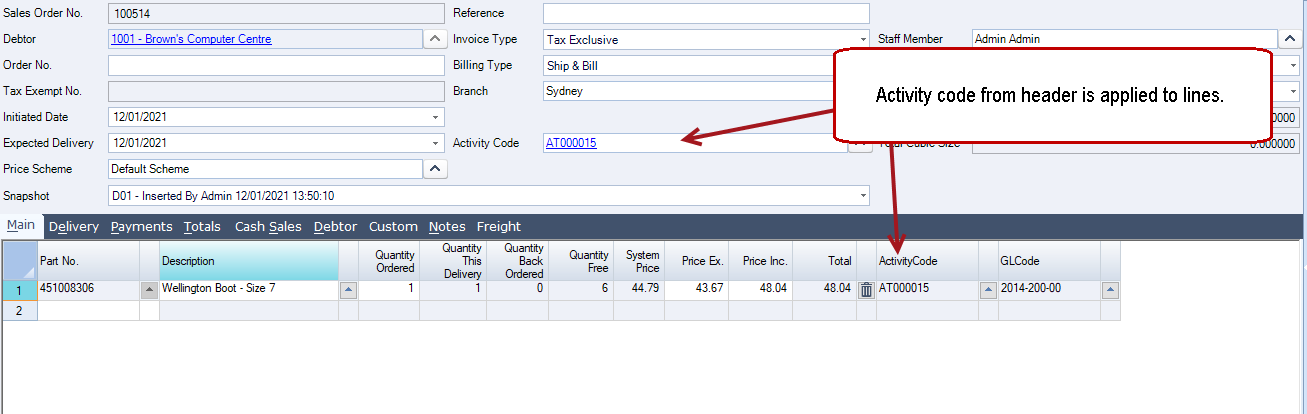
The GL code assigned to each line is taken from the Sales control account against each inventory item.
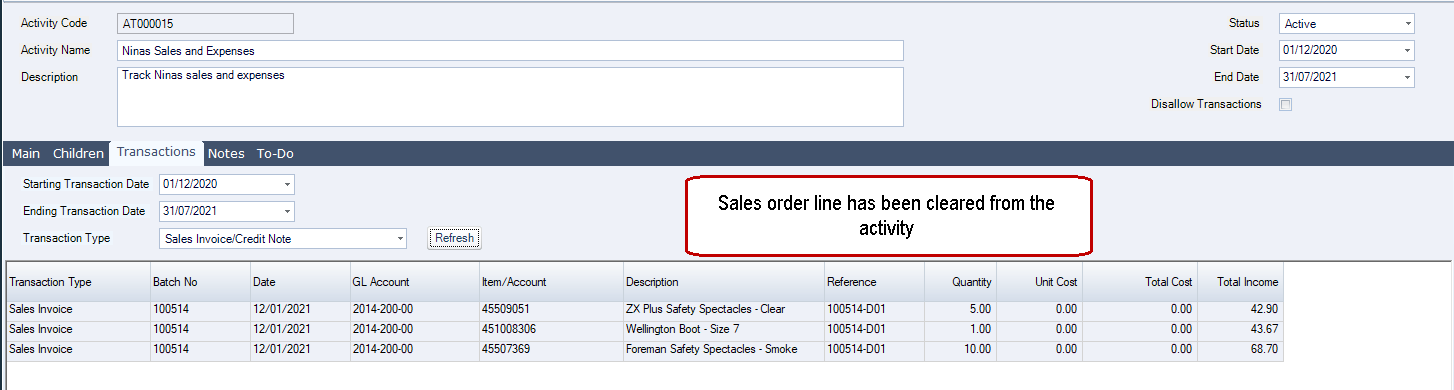
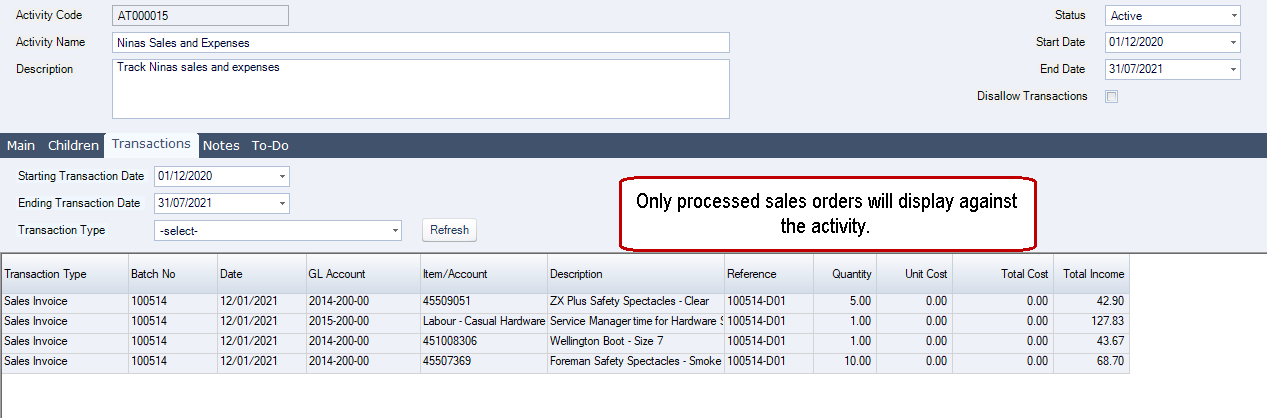
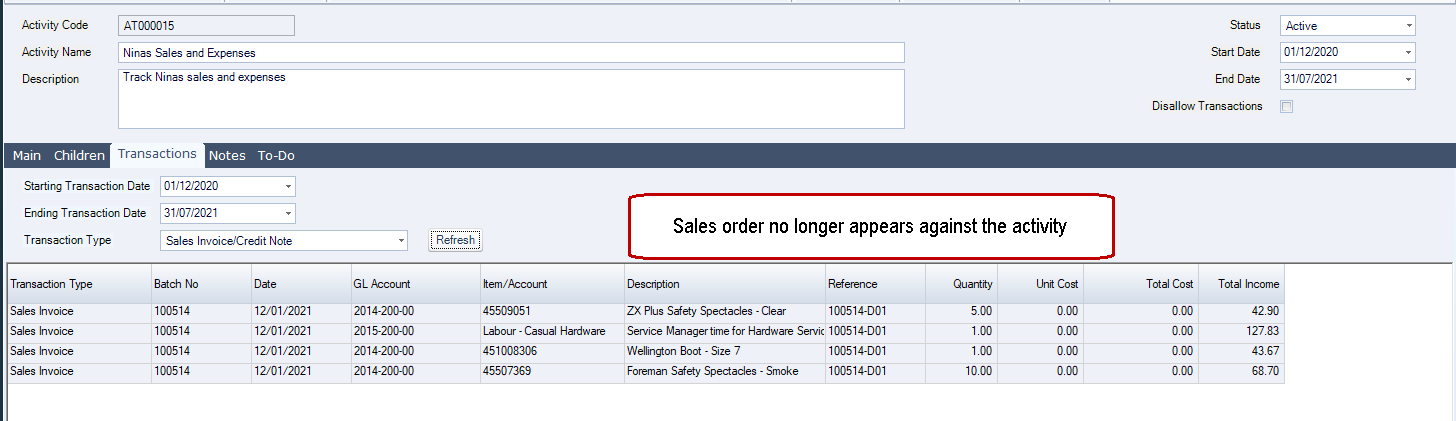
Once the sales order is processed it will appear against the activity.
Adding Activity Codes to Purchases
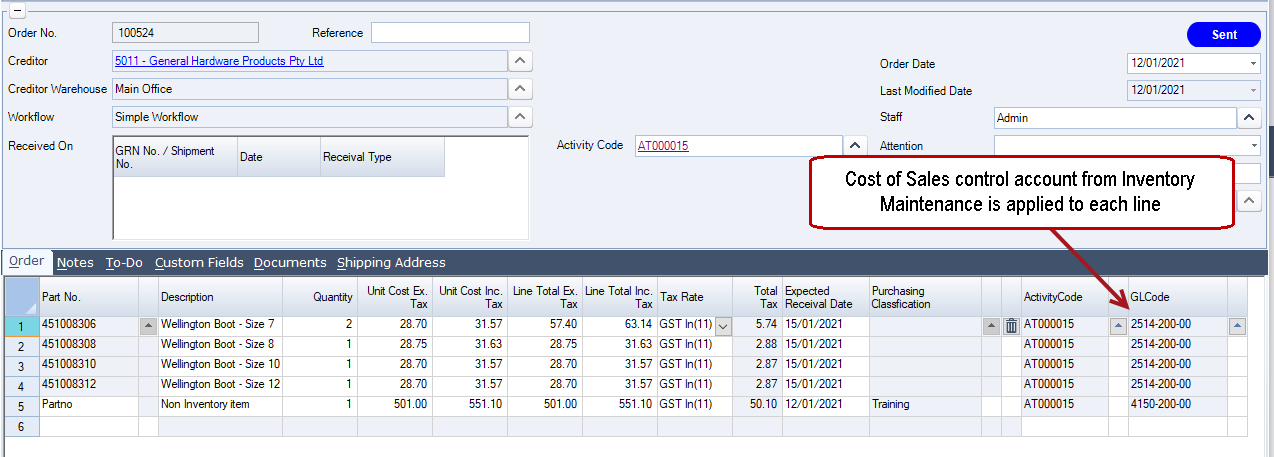
Activity codes are added to a purchase order in the same way as adding activity codes to sales orders however, the costs are not recorded against the activity at this stage.
The GL code assigned to each line is taken from the Cost of Sales control account against each inventory item.
For non-inventory lines the GL code against the purchasing classification is used.
Goods Received Note (GRN)
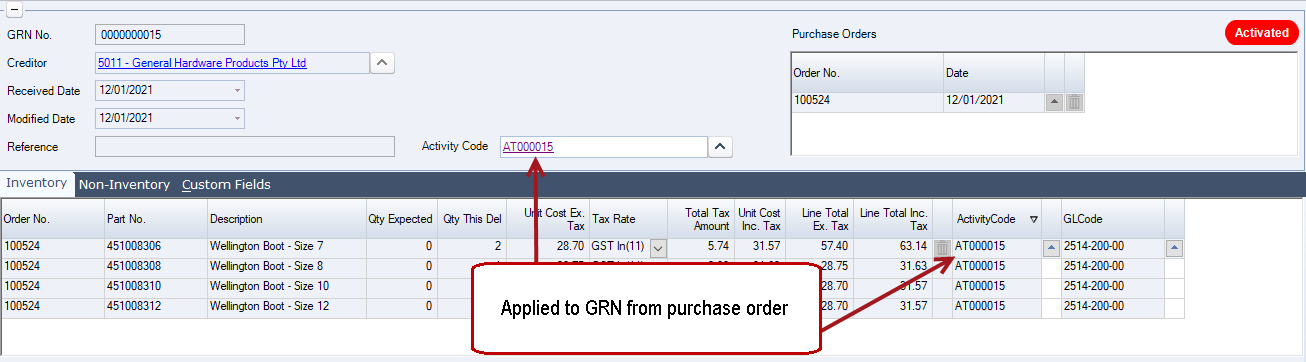
When a GRN is created from a purchase order with activity codes assigned the activity codes from the purchase order are applied to the GRN automatically on save, however costs are not recorded against the activity code at this stage.
If activity codes have not been applied to the purchase order they can be added to the GRN itself. Adding the activity code on the GRN will not update the purchase order.
Purchase Invoice
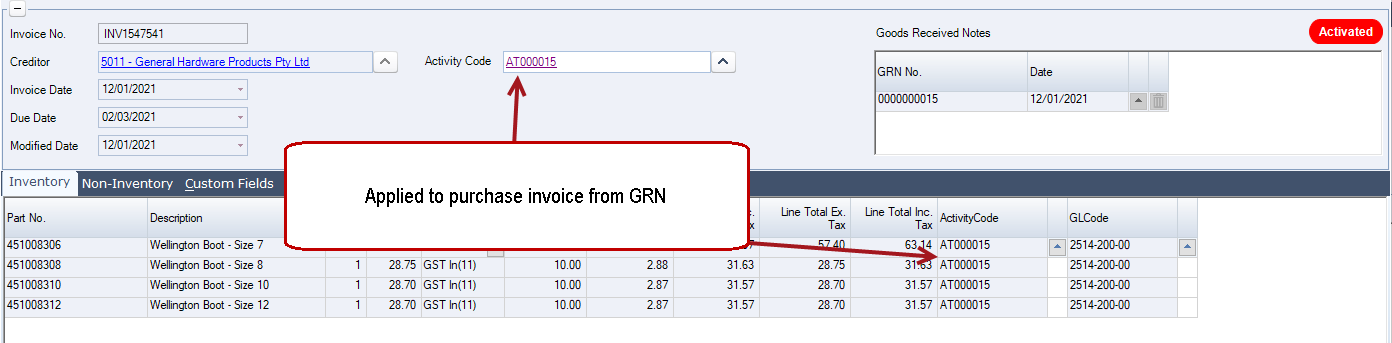
When a purchase invoice is created from a GRN the activity codes from the GRN are applied to the purchase invoice automatically on save.
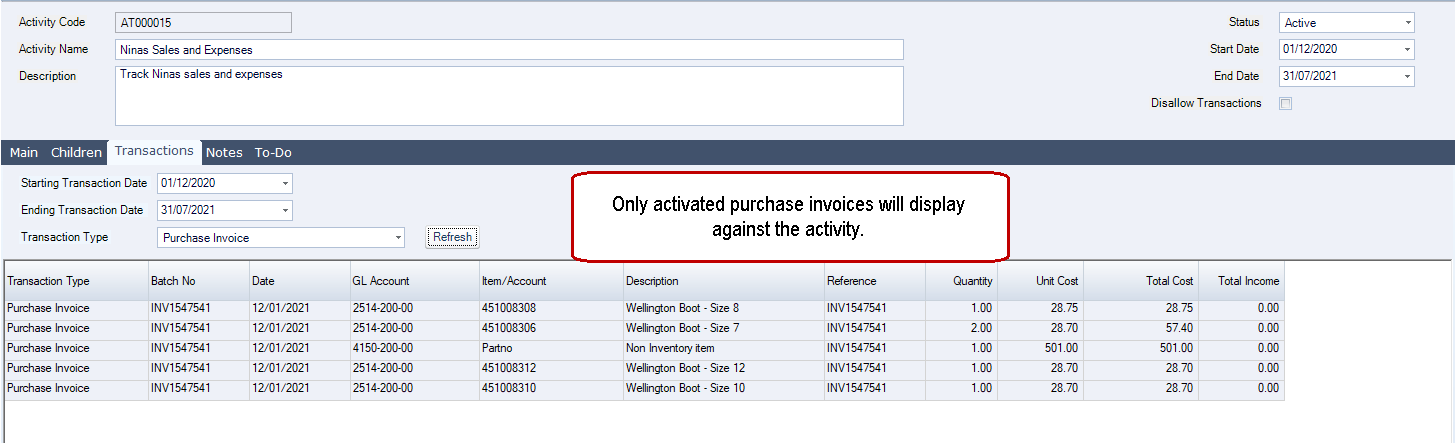
On activation of the purchase invoice costs are displayed against the activity code.
If activity codes have not been applied to the GRN they can be added to the purchase invoice itself. Adding the activity code on the purchase invoice will not update the purchase order and GRN.
Adding Activity Codes to Supplier Returns
Activity codes on supplier returns work in the same way as activity codes against purchase orders. The activity is only updated on activation of the supplier return credit.
Adding Activity Codes to Non Stock Creditor Transactions
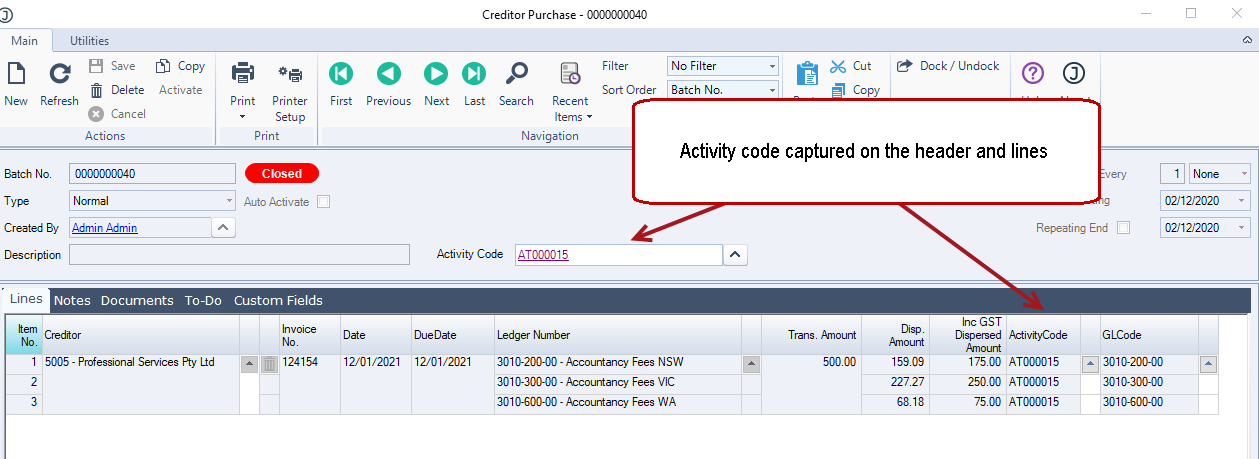
Activity codes on non-stock related creditor transactions are also captured on the batch header and lines.
The activity GL code in the case of these transactions is taken from the lines selected ledger number.
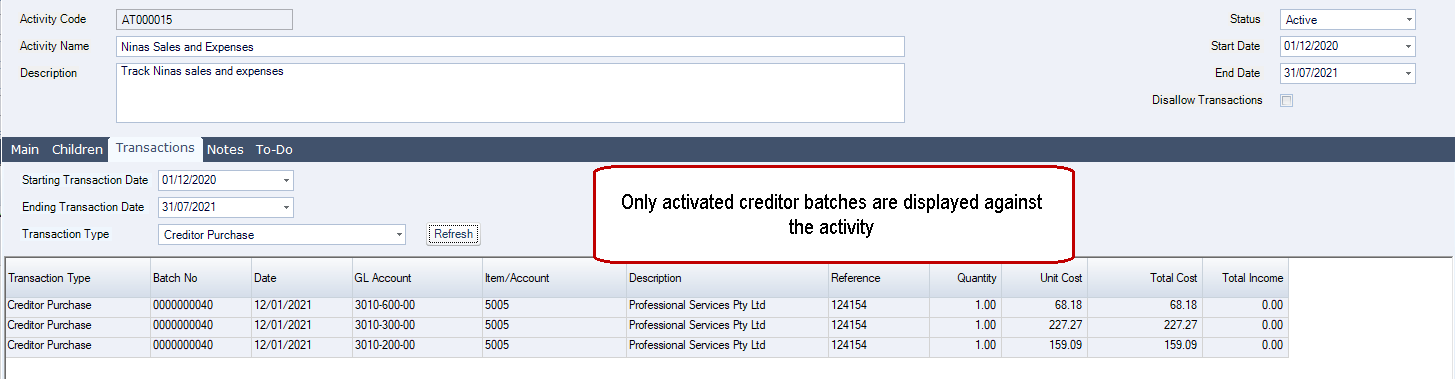
Only when the batch is activated will the transactions appear against the activity.
Adding Activity Codes to Cash Book Batches
As with other forms the activity code on cashbook receipt and payment batches are also captured at the header and line levels.
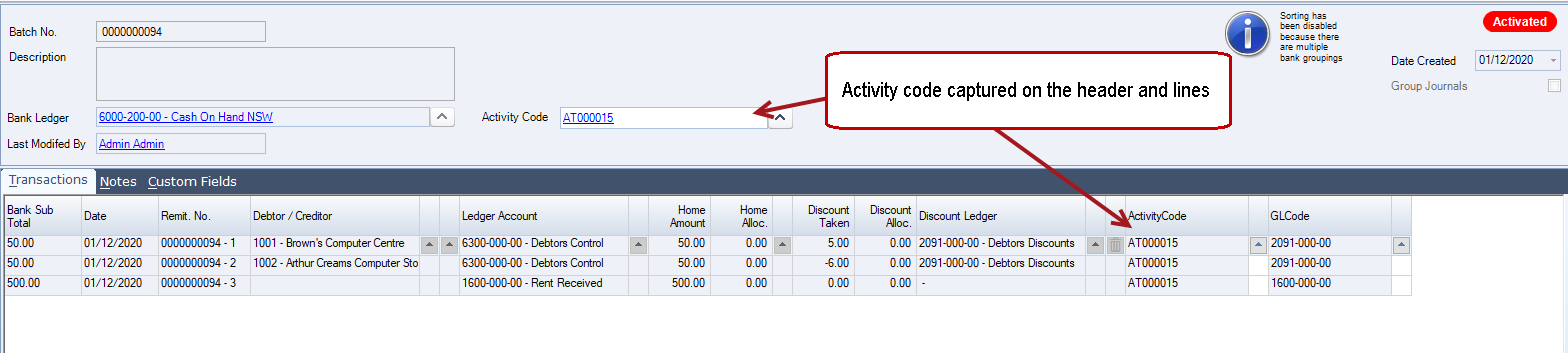
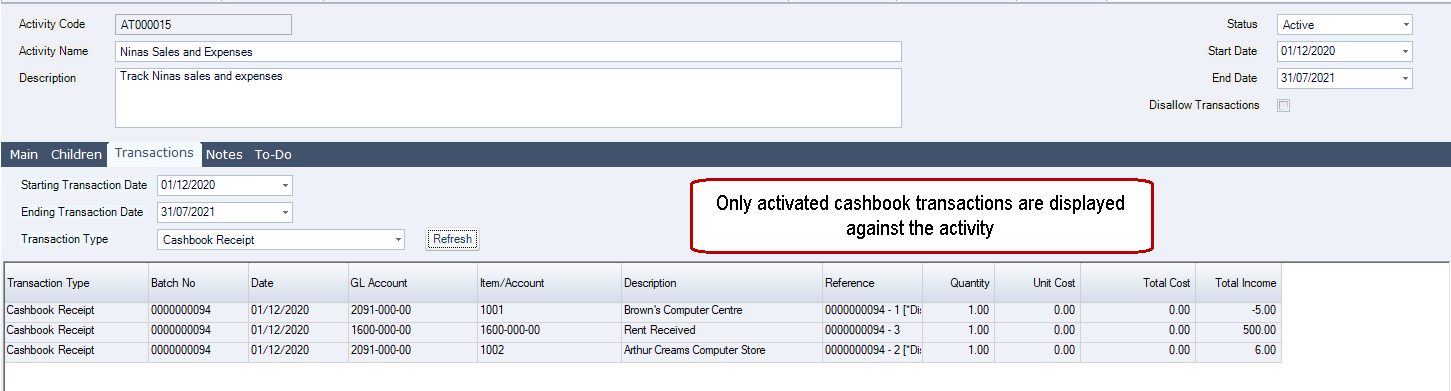
The activity GL code in the case of these transactions is taken from the lines selected ledger account however, Debtor and Creditor payments do not appear against the activity. Only discounts and miscellaneous receipts and payments are displayed.
Only when the batch is activated will the transactions appear against the activity.
Changing/Removing Activity Codes from Transactions
Activity codes can be updated and/or removed from all transactions including closed/activated transactions/batches. For example the wrong activity code has been applied and needs to be updated or removed.
Changing Activity Codes on the Header
In this example we will look at how to change an activity code from a closed sales order.
Click on the Activity Code lookup button next to the field to bring up the activity search popup.
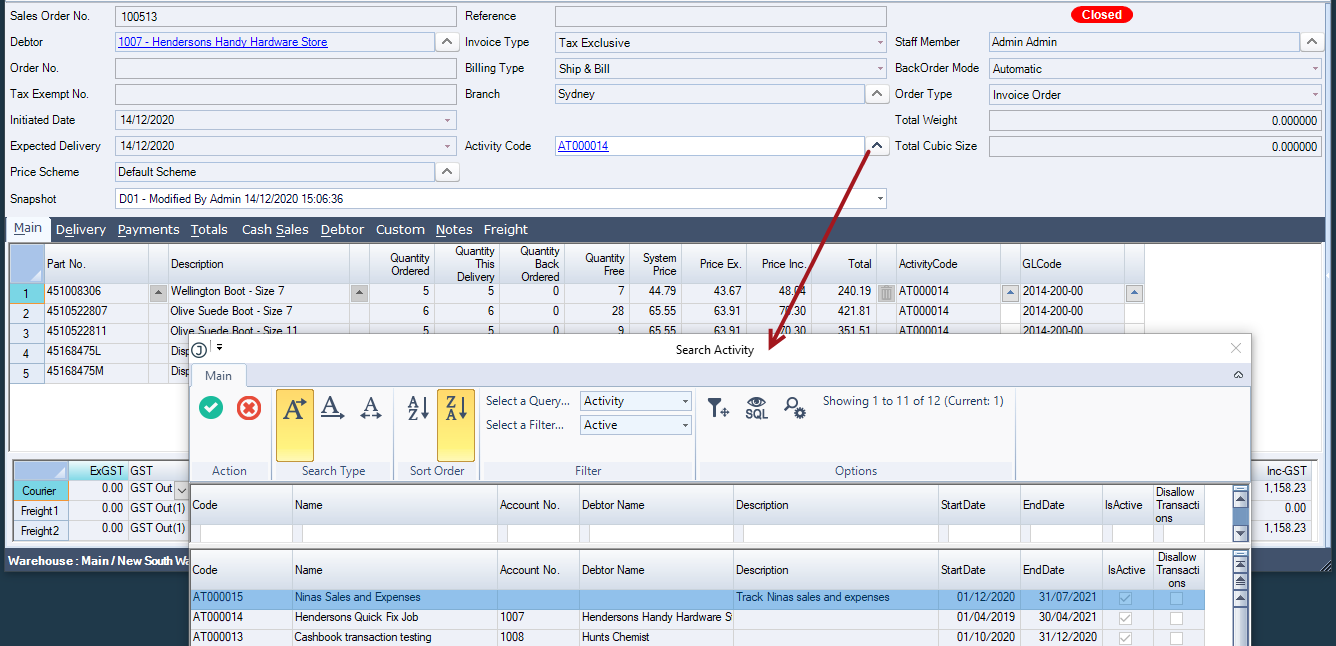
Select the required activity this will display the following popup.
Select Yes to apply the update to all lines.
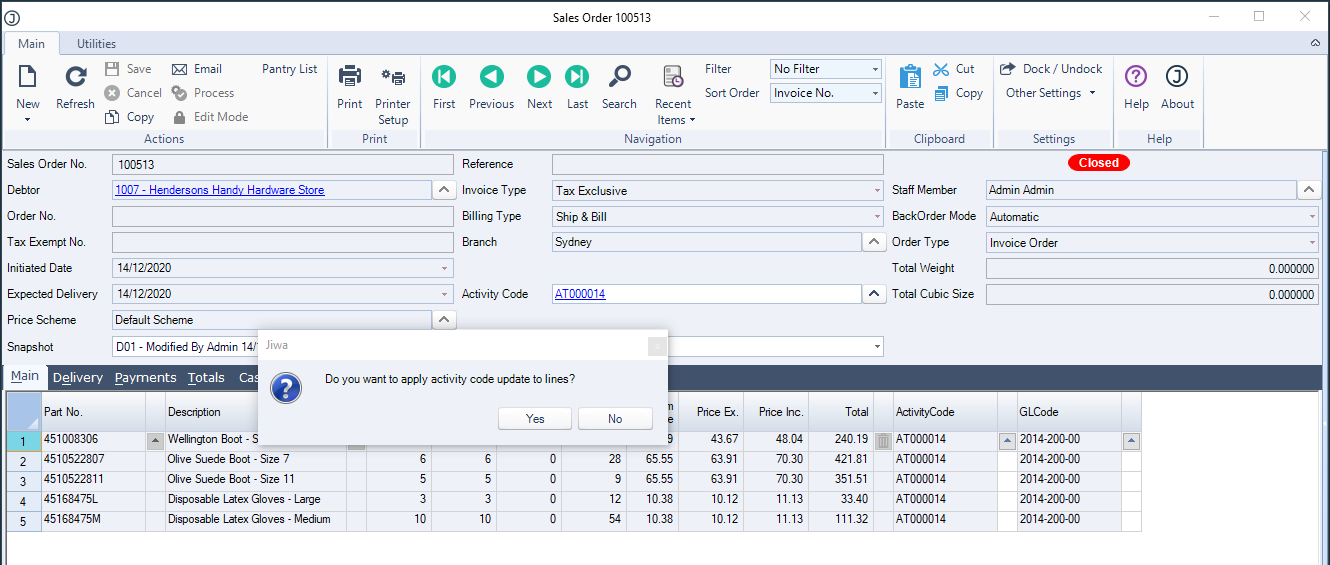
Press the Save button on the menu ribbon to save the changes and update the activity.
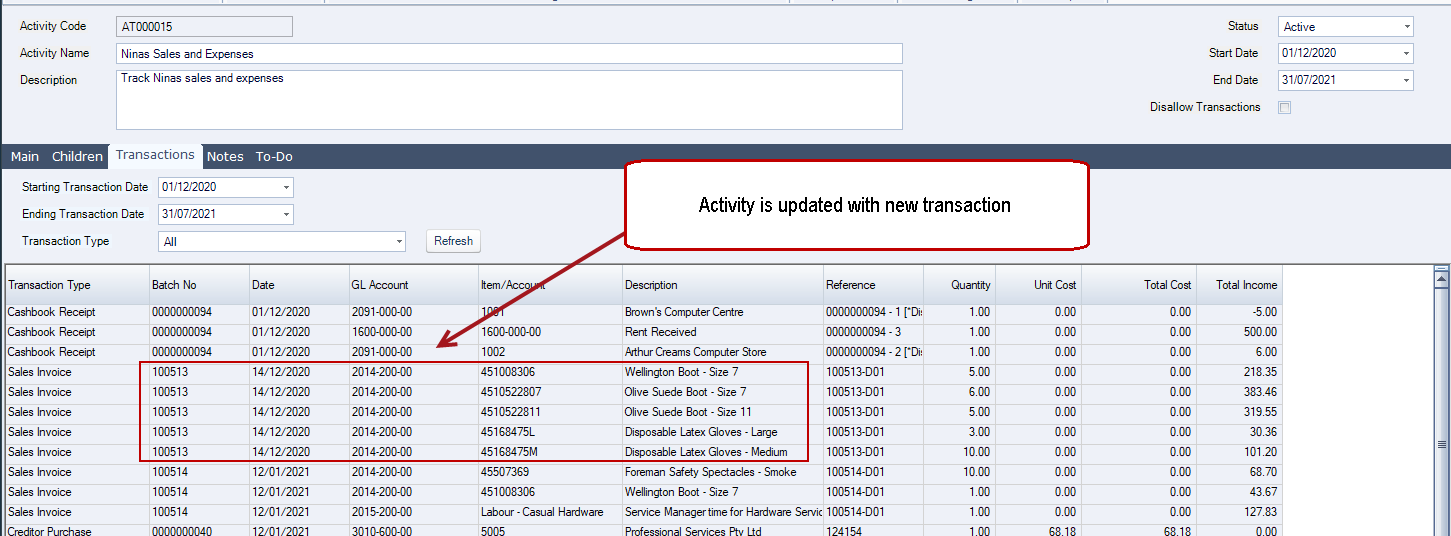
Changing Activity Codes on Lines
Changing an activity code at the line level is handy if you have a transaction or batch that apply to multiple activities.
In this example we will use the same sales order but change one of the lines as it relates to another activity.
Click on the Activity Code lookup button next to the field on the line to bring up the activity search popup.

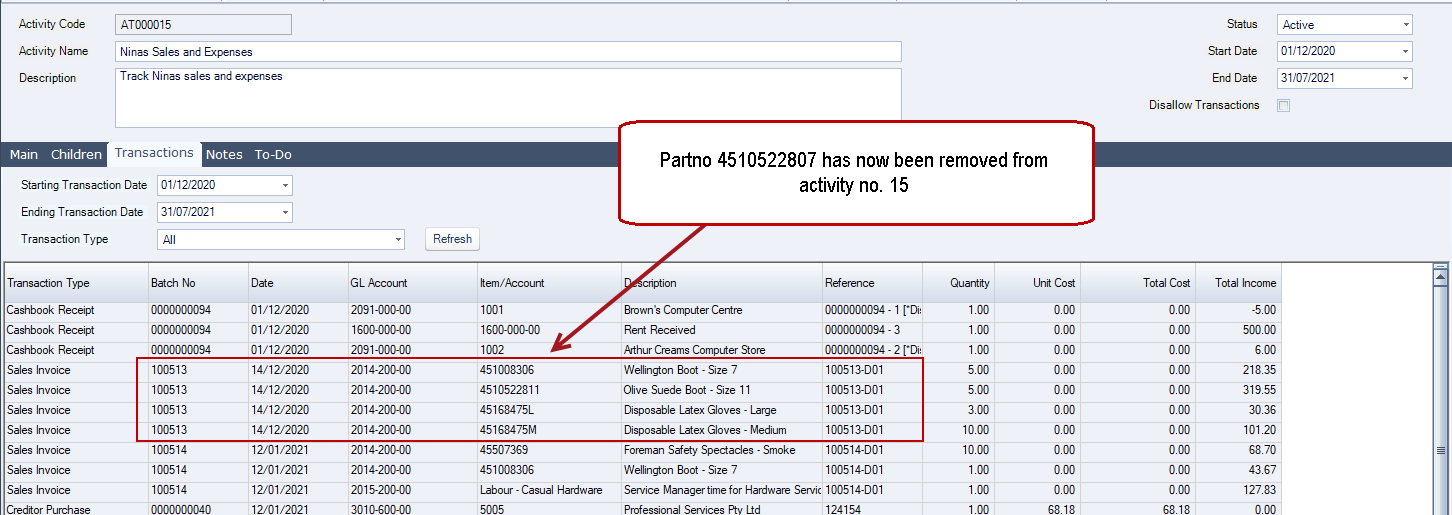
Select your required activity and then from the menu ribbon press Save to save the change and update the activity.
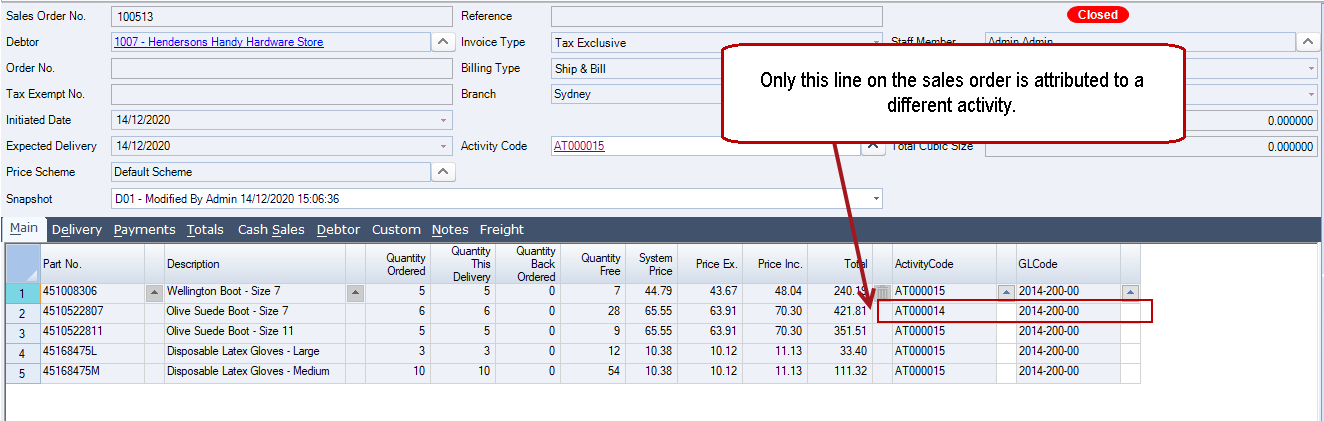
The part has now been removed from activity 15 and applied to activity 14.
Removing Activity Codes on the Header
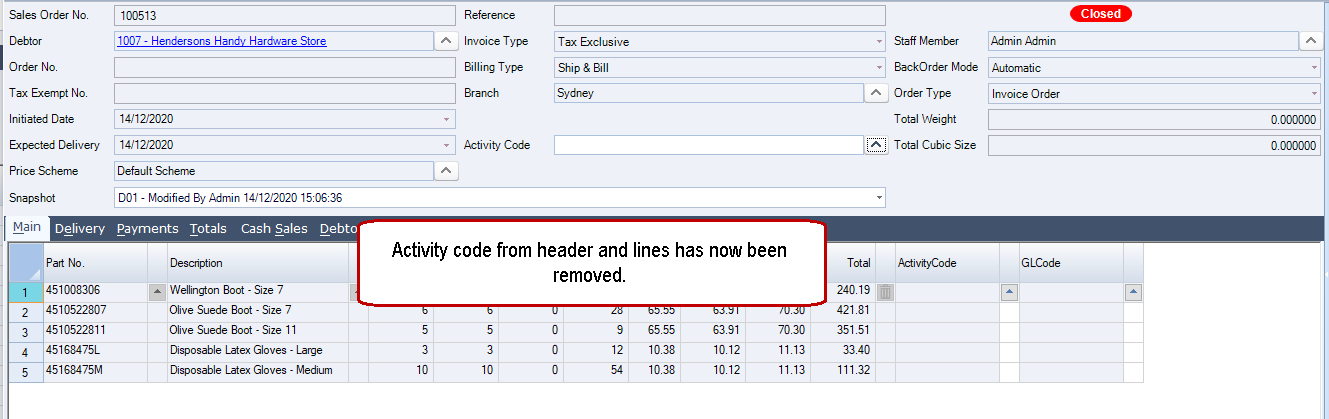
In instances where an activity code has been applied to a transaction or batch in error the code can be removed from the header and all lines cleared.
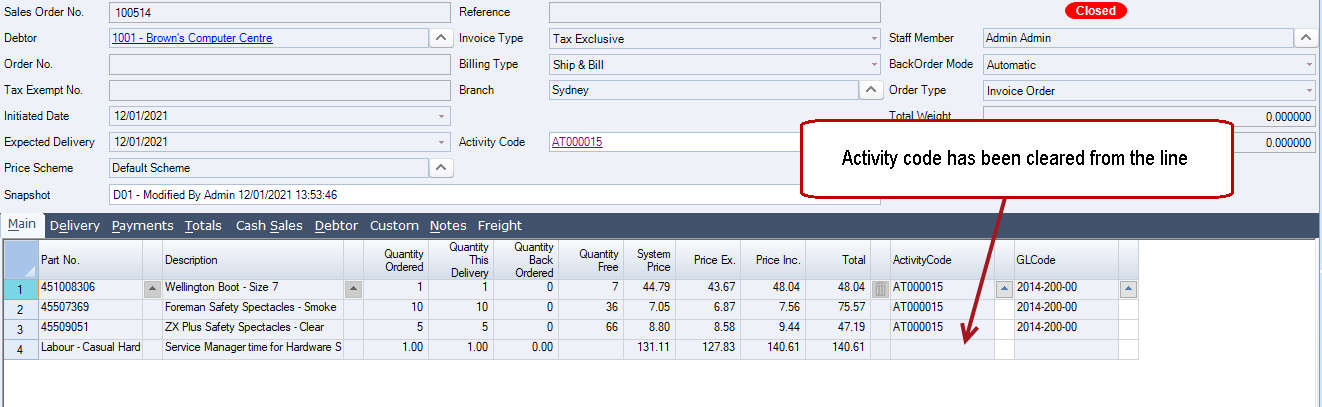
In this example we will look at how to clear an activity code from a closed sales order both at the header and line level.
Move your mouse over the activity code field and right mouse click, this will display a Clear popup.
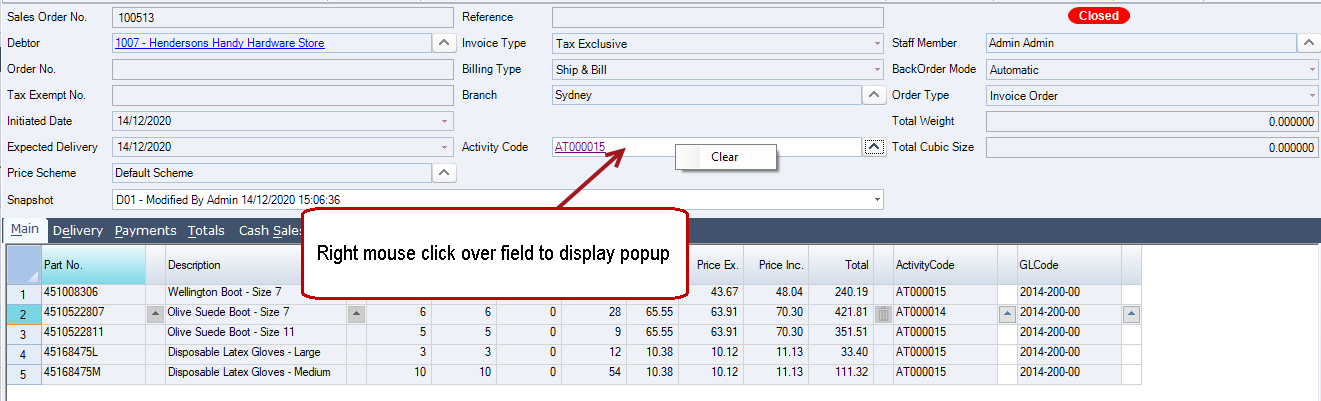
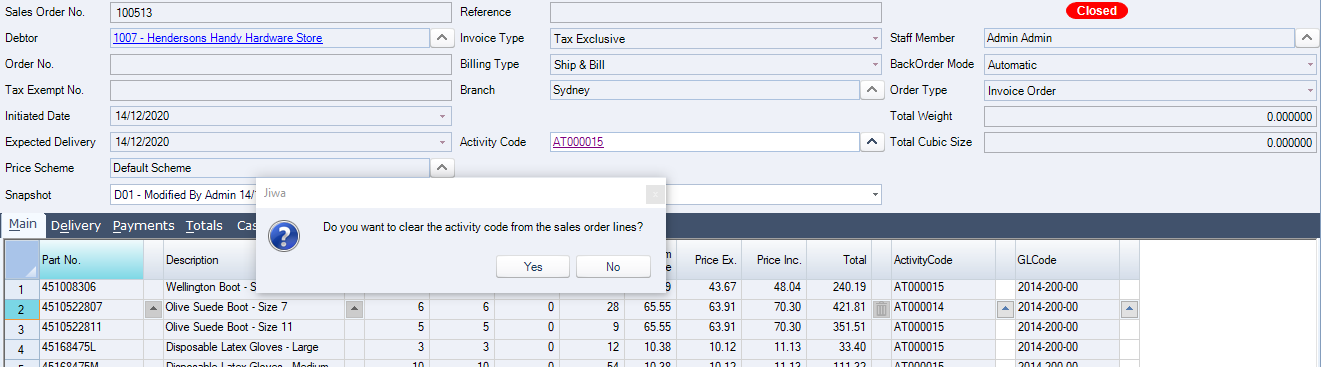
When you click on Clear the following popup is displayed.
Select Yes to clear the activity code from all lines.
Press Save on the menu ribbon to save the changes on the sales order and update the activity code.
Removing Activity Codes from Lines
In instances where an activity code has been applied to a line on a transaction or batch that should not have an activity code, the code can be cleared from the line.
To clear an activity code from a line click on the lookup button next to the field to bring up the activity search popup.
Instead of selecting a new activity close the search popup.

Press Save on the menu ribbon to save the change and update your activity.