We’re currently updating our website to a new platform. We’re still operating as usual, but some pages may be under construction. Thank you for your patience.
Jiwa Training Centre

Activity Tracker Reporting


Activity Tracker reports are used to review income, costs, transactions, and profitability for activity codes in Jiwa.

This article explains the main reporting options available in Activity Tracker, including reports used to review transaction detail and activity-based profit and loss information. These reports can help users monitor activity performance, check transactions assigned to activity codes, and review profitability across activities or groups of activities.

This article currently covers multiple Activity Tracker reports. These reports may be separated into individual articles in a future update.

Activity Transactions List Report

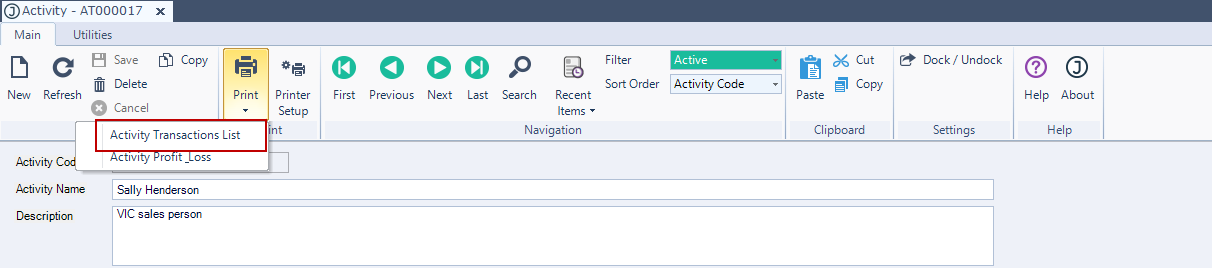
The activity transaction list report is available from the Activity Maintenance form menu ribbon.

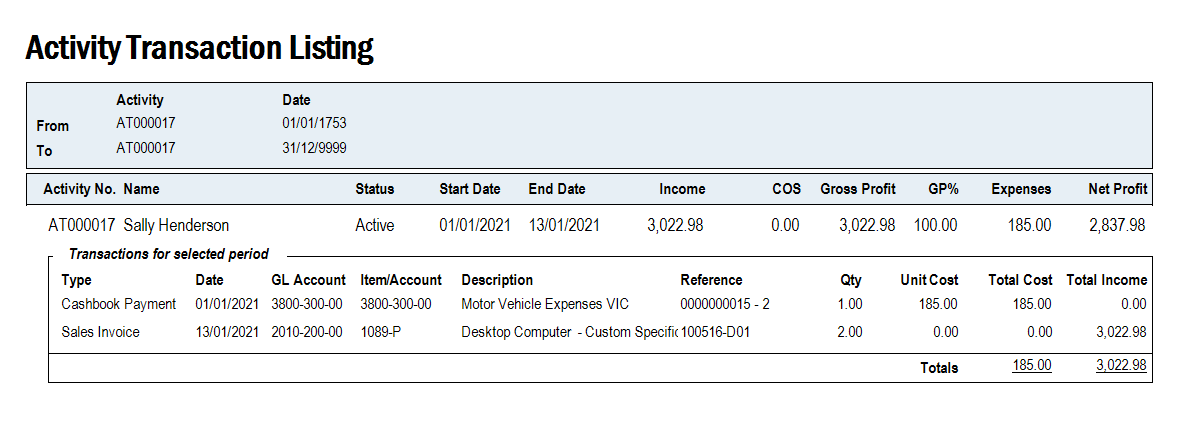
When this report is run against a parent activity it will only display transactions that are associated with the parent activity.

From the menu ribbon select Print and then Activity Transactions List
https://austlinkwebresources.s3.amazonaws.com/www.jiwatraining.com.au/articles/Jiwa-Activity-Tracker-Reporting/13-01-2021%2011-02-51%20AM.png


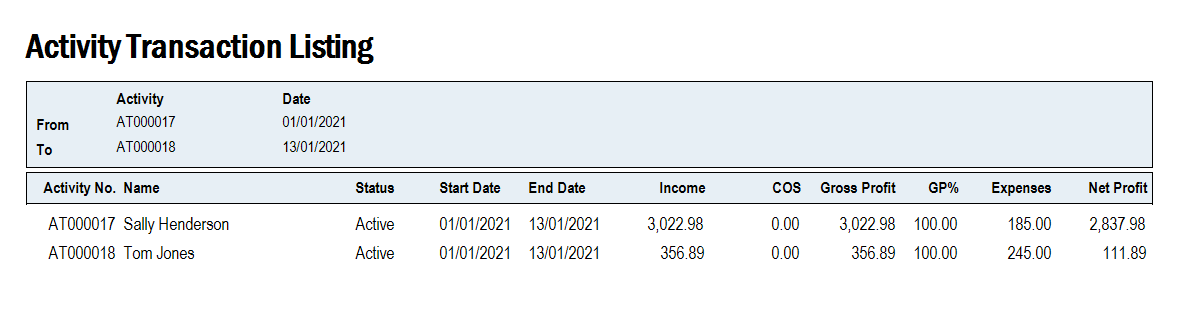
The report will display all transactions against the selected activity.
https://austlinkwebresources.s3.amazonaws.com/www.jiwatraining.com.au/articles/Jiwa-Activity-Tracker-Reporting/13-01-2021%2011-39-40%20AM.png

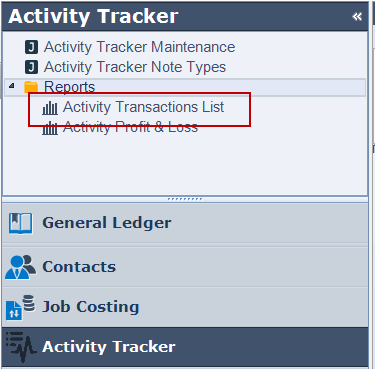
The report is also available from the main menu under Activity Tracker | Reports.  
https://austlinkwebresources.s3.amazonaws.com/www.jiwatraining.com.au/articles/Jiwa-Activity-Tracker-Reporting/13-01-2021%2011-41-29%20AM.png


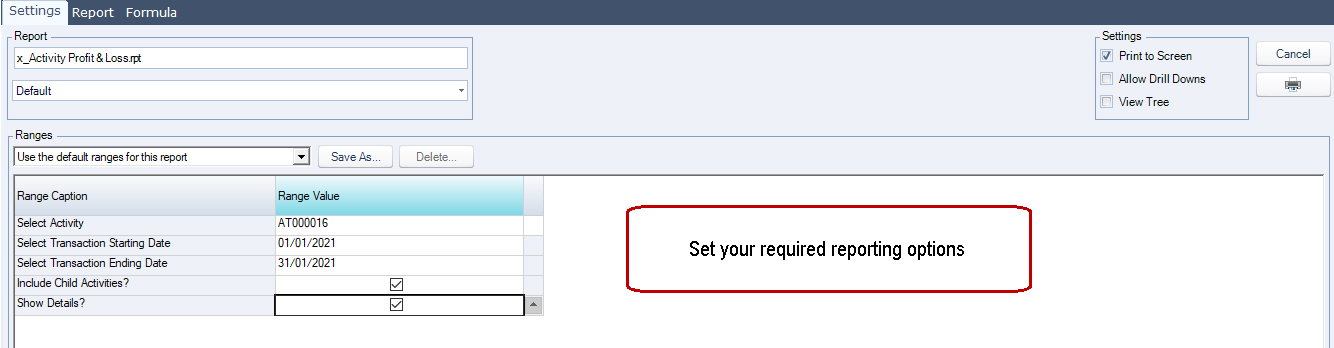
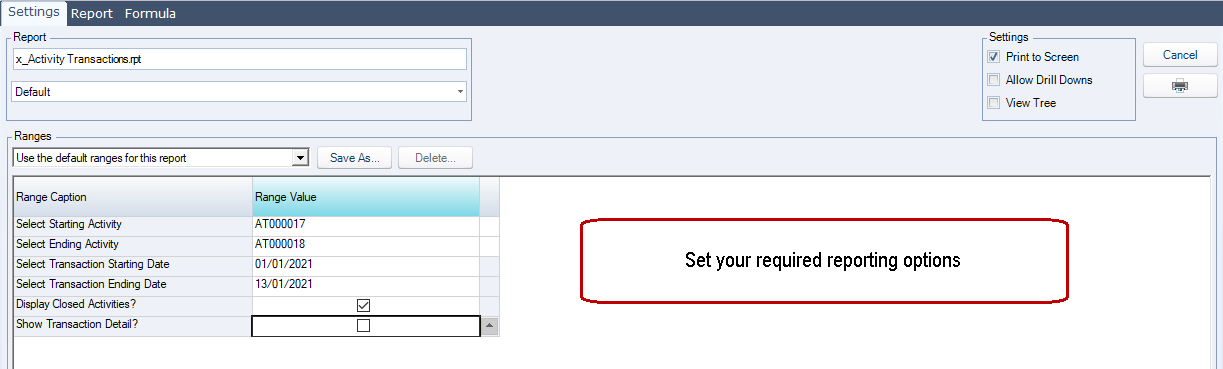
When the report is run from the Activity Tracker reports menu users can set the required reporting period and other range options.
https://austlinkwebresources.s3.amazonaws.com/www.jiwatraining.com.au/articles/Jiwa-Activity-Tracker-Reporting/13-01-2021%2011-46-23%20AM.png


https://austlinkwebresources.s3.amazonaws.com/www.jiwatraining.com.au/articles/Jiwa-Activity-Tracker-Reporting/13-01-2021%2011-48-08%20AM.png


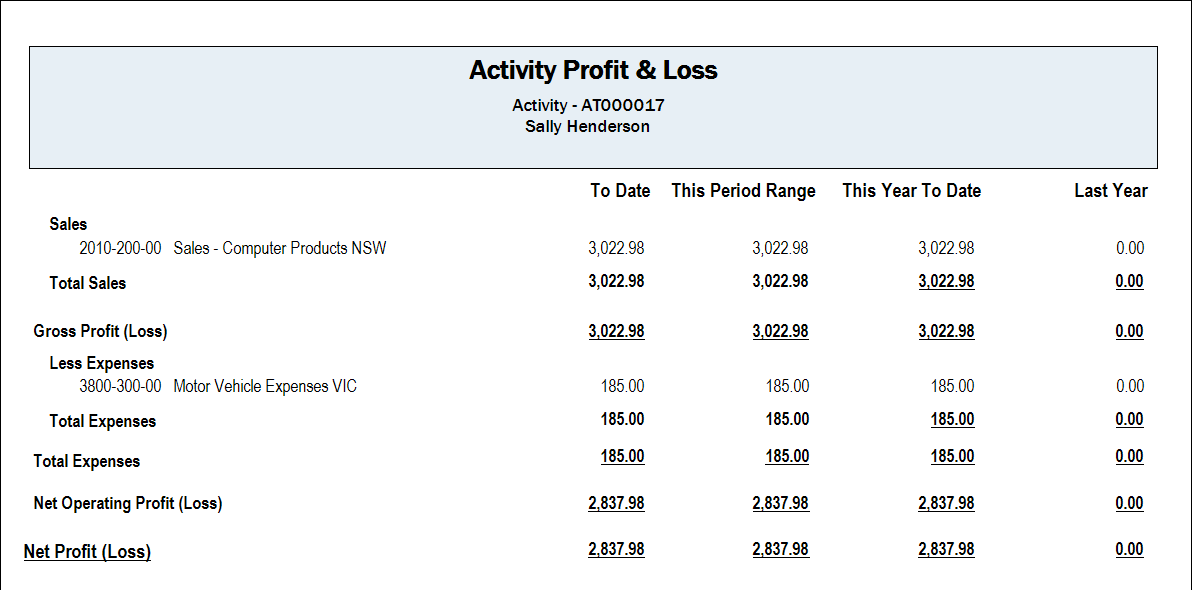
Activity Profit & Loss Report

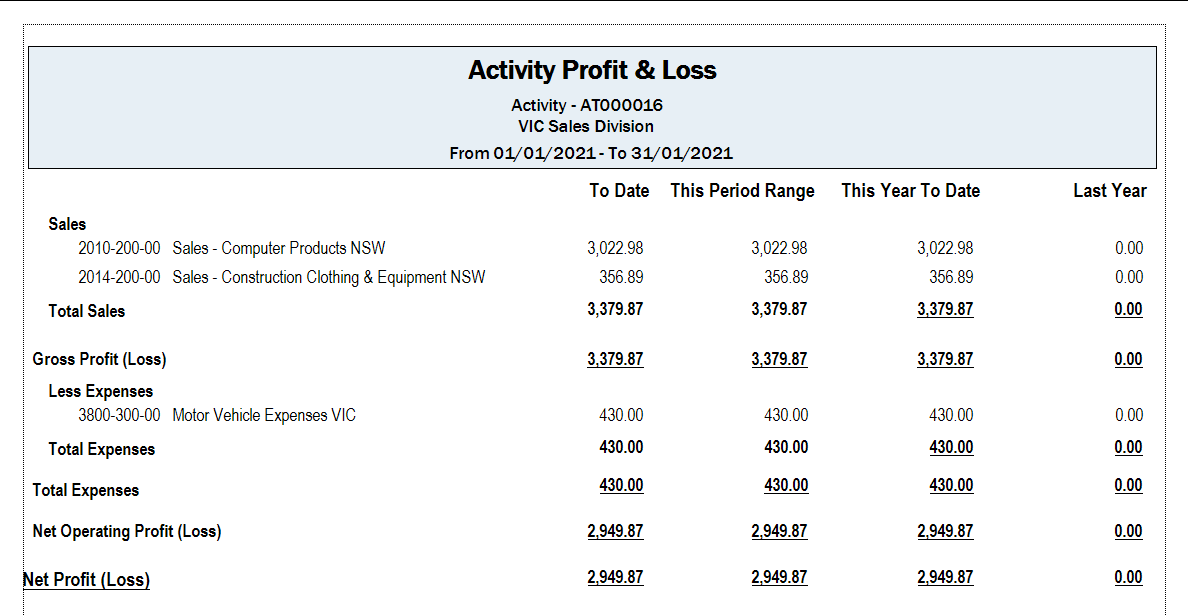
The activity Profit & Loss report is available from the Activity Maintenance form menu ribbon. 

When this report is run for a parent activity it will display values including child activities.

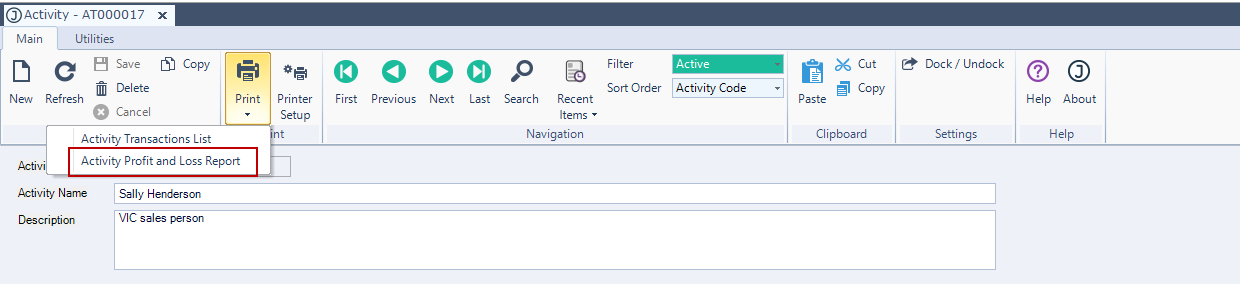
From the menu ribbon select Print and then Activity Profit & Loss Report
https://austlinkwebresources.s3.amazonaws.com/www.jiwatraining.com.au/articles/Jiwa-Activity-Tracker-Reporting/13-01-2021%2012-00-13%20PM.png


https://austlinkwebresources.s3.amazonaws.com/www.jiwatraining.com.au/articles/Jiwa-Activity-Tracker-Reporting/13-01-2021%2012-03-06%20PM.png


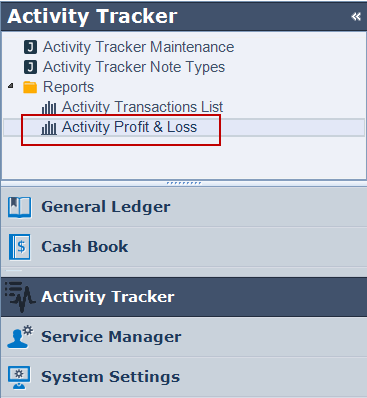
The report is also available from the main menu under Activity Tracker | Reports.  
https://austlinkwebresources.s3.amazonaws.com/www.jiwatraining.com.au/articles/Jiwa-Activity-Tracker-Reporting/13-01-2021%2012-09-49%20PM.png

Select your reporting range options.
https://austlinkwebresources.s3.amazonaws.com/www.jiwatraining.com.au/articles/Jiwa-Activity-Tracker-Reporting/13-01-2021%2012-12-44%20PM.png


https://austlinkwebresources.s3.amazonaws.com/www.jiwatraining.com.au/articles/Jiwa-Activity-Tracker-Reporting/13-01-2021%2012-13-57%20PM.png