
Backorders can be filled in Jiwa using different processes, depending on the backorder mode and how the business manages order fulfilment. These processes include;
-
Process Backorders,
-
Manual Backorder Mode using a new snapshot, and
-
Manual Backorder Release
This article explains how to fill backorders using a new sales order snapshot when the backorder mode is set to Manual.
Using a new snapshot allows users to control the quantities being released from backorder and continue the order fulfilment process when stock becomes available.
Backorder Mode
In order to fill backorders via a new snap shot the Backorder Mode on your sales order must be set to Manual.
Your sales order must also have a status of Processed this applicable to both Invoice and Active orders.

Once stock has been received return to your sales order form and load the sales order you wish to supply.
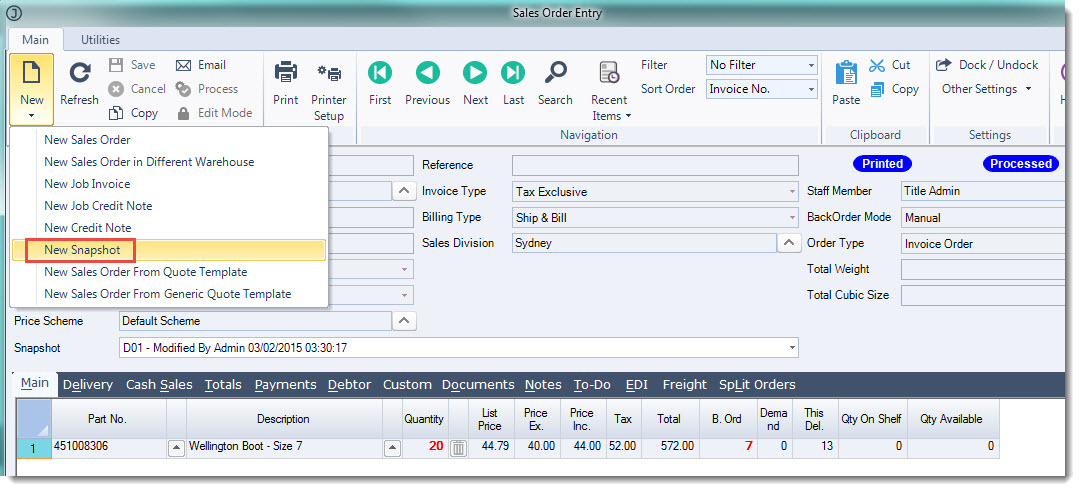
From the menu ribbon select New | New Snapshot
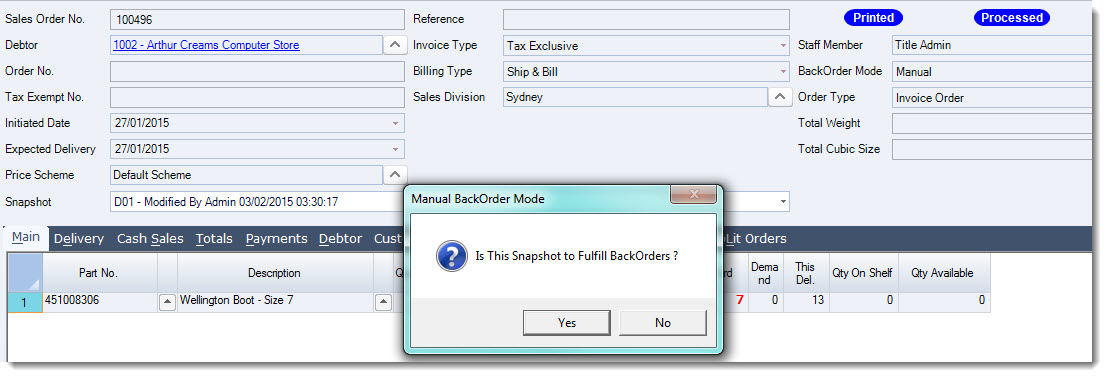
At the Manual Backorder Mode prompt select Yes
A new snapshot is created and the This Del. field is enabled for you to enter the quantity you want to supply.
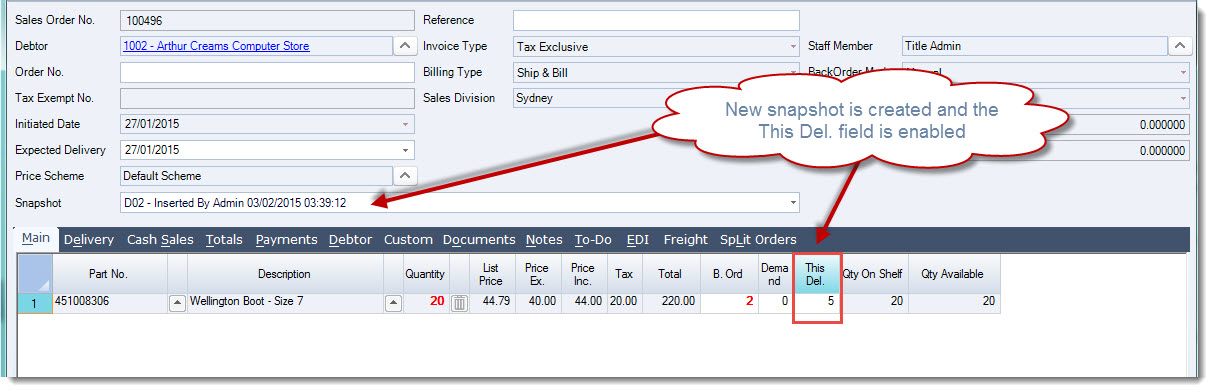
Enter in the quantity to be delivered Save and Process your delivery.