
Shipment invoices are used in Jiwa Landed Cost to record supplier invoices that relate to a shipment. These invoices may include the supplier’s stock invoice as well as additional charges such as freight, duty, customs, insurance, handling, or other landed cost expenses.
This article explains how to allocate multiple supplier invoices to a single shipment so that the related costs can be captured and included when calculating the final landed cost of the purchased inventory.
Shipment Invoices
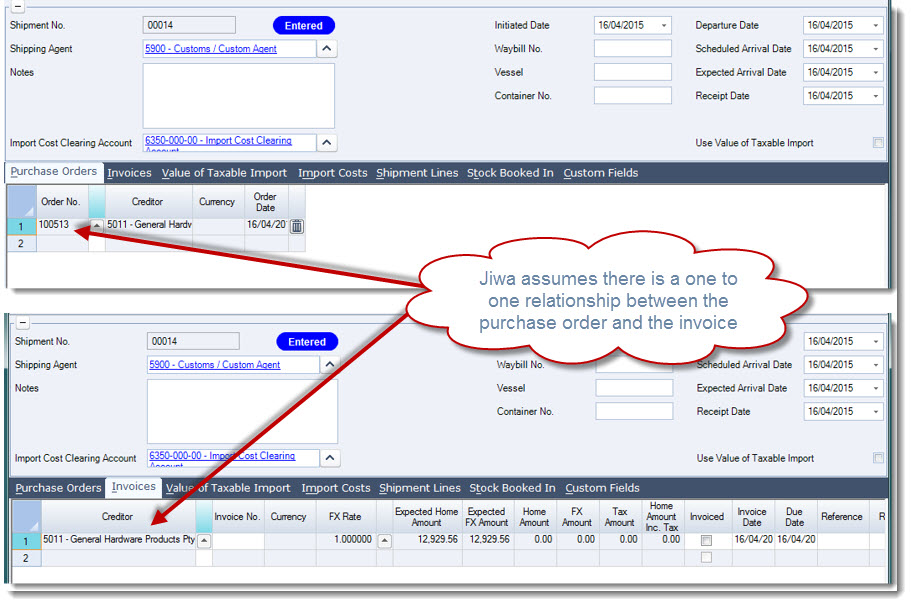
When creating a new shipment you will notice that when a purchase order is added to the shipment a corresponding single invoice entry is added to the Invoices tab on the shipment. Jiwa assumes that there is a one to one relationship between the purchase order and the invoice which is the case in many instances and is very handy.
However, there are times when the overseas supplier decides to send you two (2) or more invoices for the single purchase order even though you may have received the full order in a single shipment.
In these circumstances we want add another invoice to the Invoices tab however when you do this the Expected and Amount fields are all greyed out so they cannot be edited.
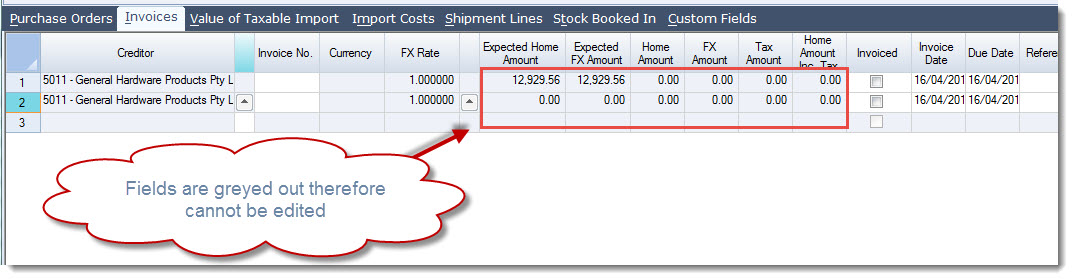
This is because the Expected amount fields are calculated based on the Shipment Lines and the Home Amount and FX Amount fields are based on the actual stock booked in.
To link the shipment lines to an invoice we need to add the invoice number to the Invoice No. field as soon as you do this you will notice that the Shipment Lines are automatically linked to the first invoice.
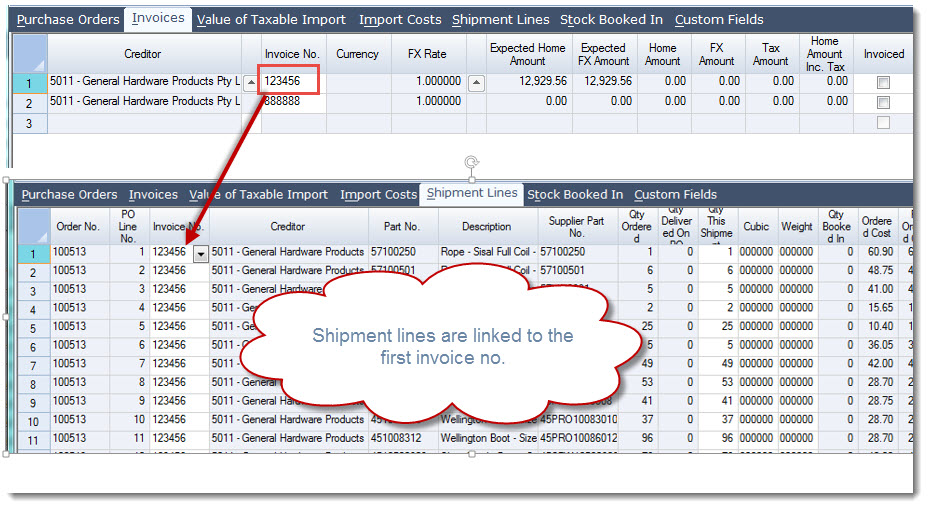
To apportion our costs across the two (2) invoices we need to link the shipment line/(s) to the appropriate invoice.
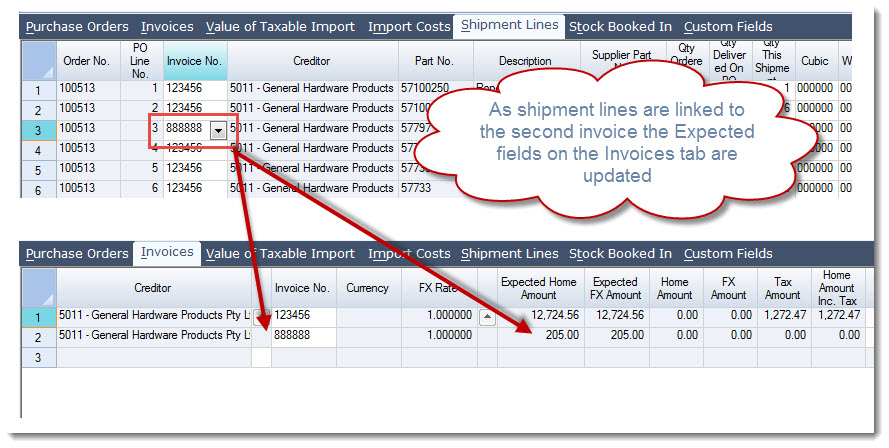
To do this we click on the arrow next to the Invoice No. field on the required shipment line and select the invoice that the line needs to be linked to.
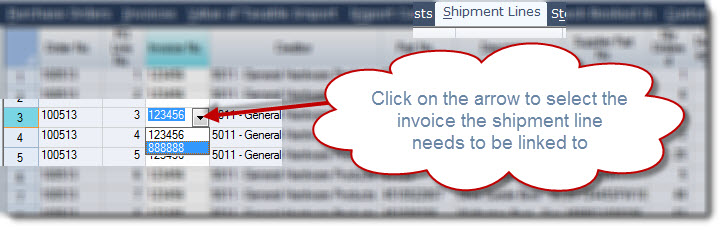
When the shipment line is linked to the second invoice you will notice back on the Invoices tab the Expected fields are updated automatically.
Repeat this process until the invoice values on the Invoices tab match the physical invoices you have received.