This article will take you through the process of entering in a Freight Forwarder invoice for GST where the stock has been received in Jiwa and the shipment was activated before the GST invoice was added. Or in cases where stock was not received via a shipment but the GST component needs to be recorded.
In the following example a shipment is used in order to bring the GST invoice into Jiwa.
Important
This process is used where stock has already been received in Jiwa, the shipment has been closed, and the freight forwarder invoice relates to GST only. It is not intended to replace the standard landed cost shipment process where freight, duty, or other costs need to be apportioned into the inventory value.
Creating A Shipment for GST Invoices
Select Purchasing | Landed Cost | Shipments

Select New to create a new shipment

Select your shipping agent and any notes that may relate to the shipment.

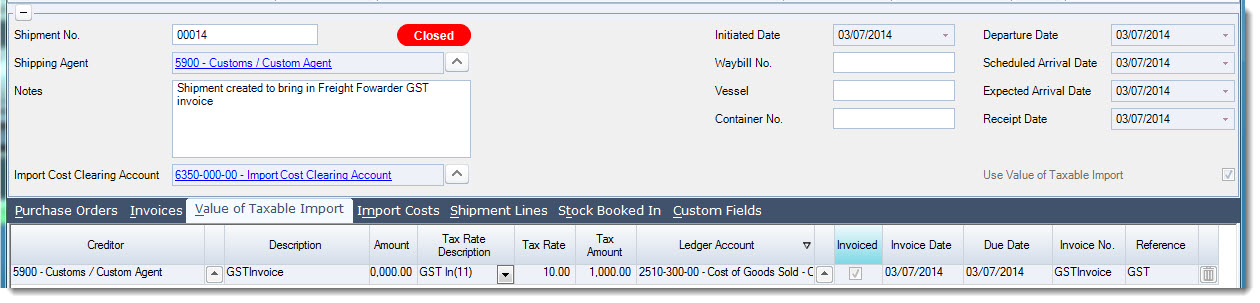
Select the Value of Taxable Import tab and check the box Use Value of Taxable Import
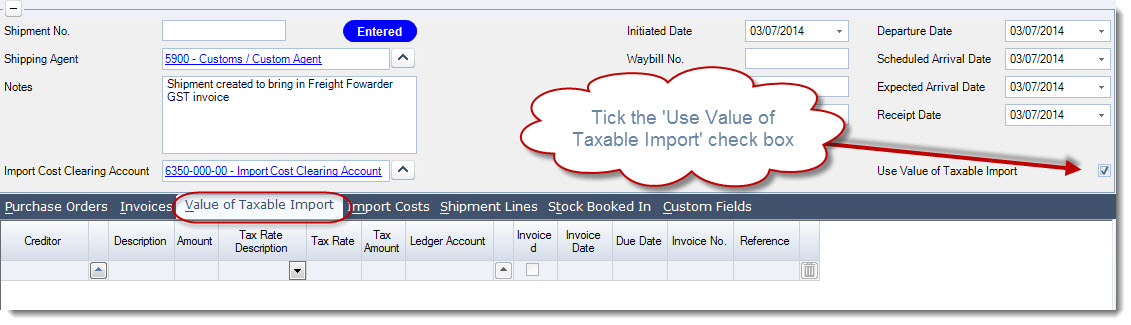
Complete the following fields
-
Select your freight forwarder creditor
-
Enter a description if applicable
-
Enter the GST value in the Tax Amount column
-
Confirm the invoice date
-
Enter the Invoice number in the invoice number field
Once you have entered in your details tick the check box 'Invoiced' on the invoice line

Press Save to save your shipment, at this point your shipment will be given a shipment number.
Press Commit for Booking In
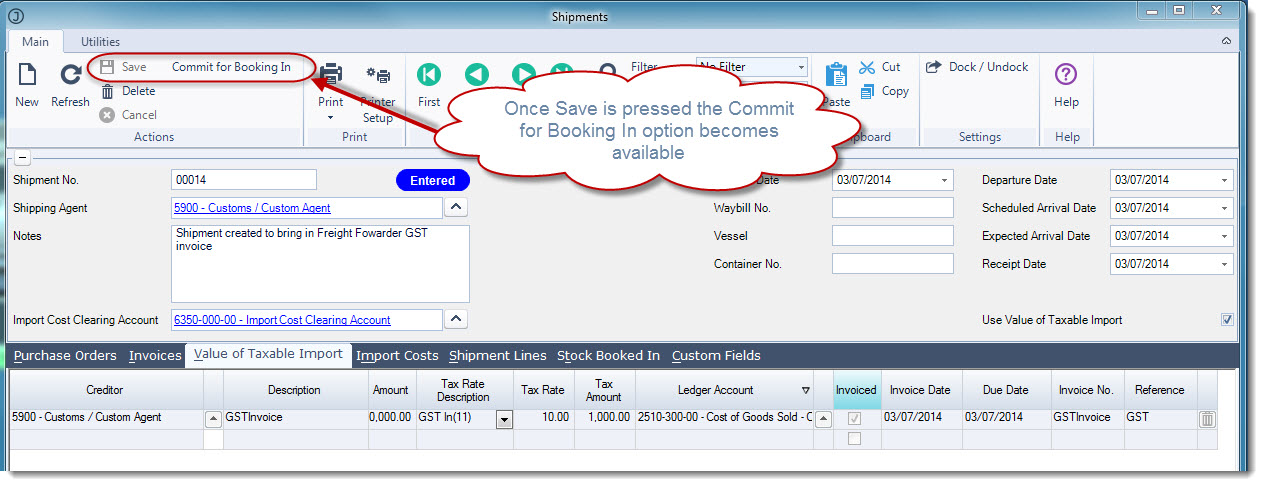
Once you have committed your shipment for booking you can finalise the shipment by select Finalise Shipment
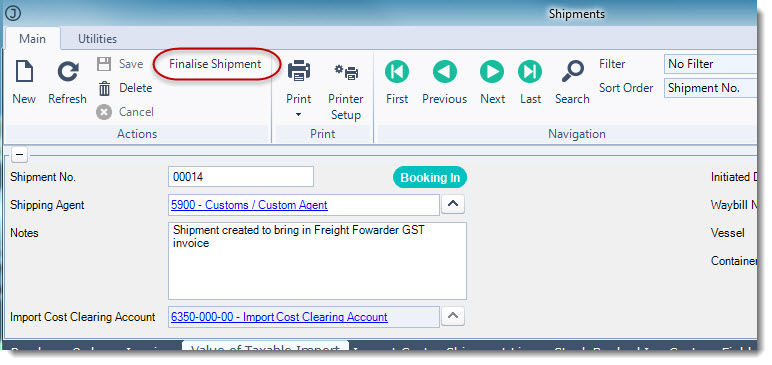
The shipment is then flagged as closed.
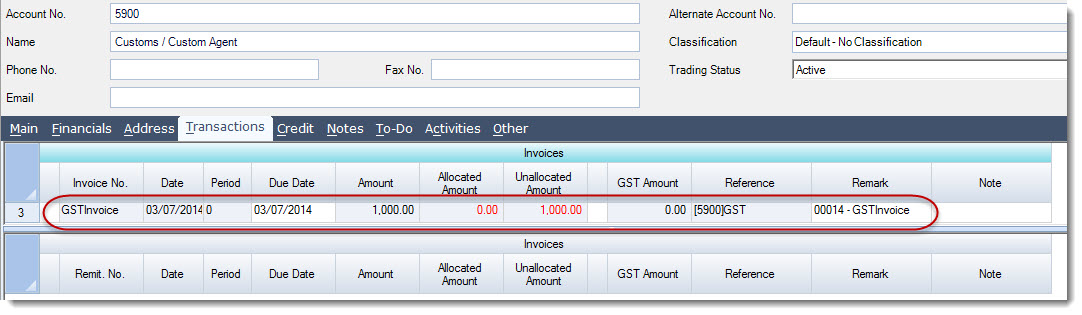
Creditors Account
The GST invoice is now in the Creditors account.
Journal Entry Created
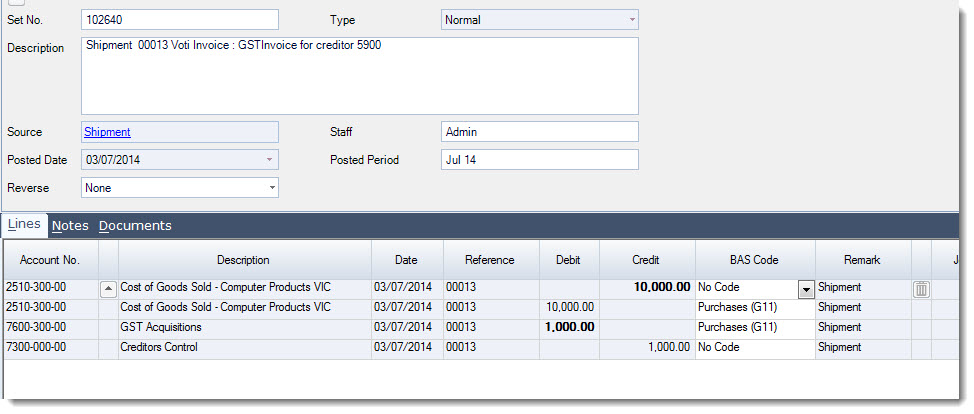
The following journal entry is created to take up the GST in the General Ledger and to ensure the entry appears in the BAS statement as required