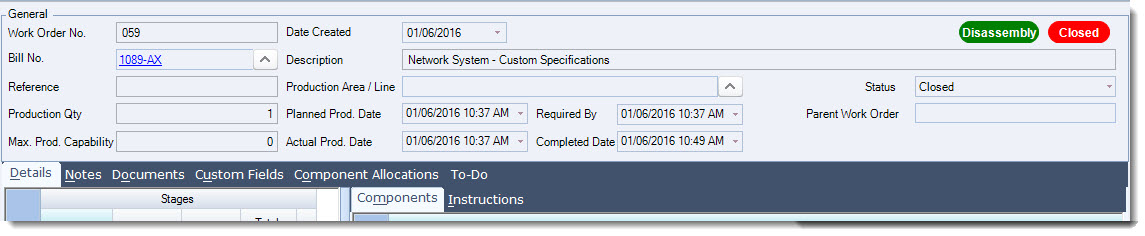
Disassembly Work Orders are used in Jiwa when a manufactured item needs to be broken down into its component parts.
This article explains how Disassembly Work Orders are used and when this process may be required. A disassembly may be used where a finished item has been damaged but some components can be salvaged, where spare parts are required, or where a manufactured item needs to be reversed back into its original components.
In Jiwa, disassembly can be managed in two main ways. The method used will depend on your business process and what is being disassembled.
|
Method |
When to use |
|---|---|
|
Disassembly Work Order |
Used to break a manufactured item back into its component parts. This method uses the original Bill of Materials and reverses the input and output items. |
|
Bill of Materials with a standard Work Order |
Used where a product is purchased as a complete item and then disassembled into separate components for resale or reuse. In this scenario, a separate Bill of Materials is created for the disassembly process and processed using a standard Work Order. |
Disassembly Work Orders should be used carefully, as they affect inventory quantities, component availability, manufacturing costs, and related financial postings.
Disassembly Work Orders
From the menu select Manufacturing | Work Order

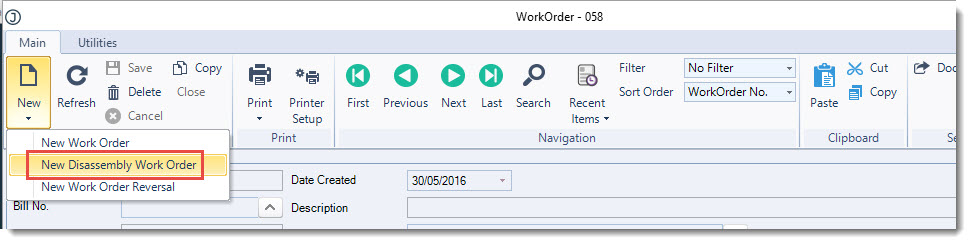
From the menu ribbon select New | New Disassembly Work Order
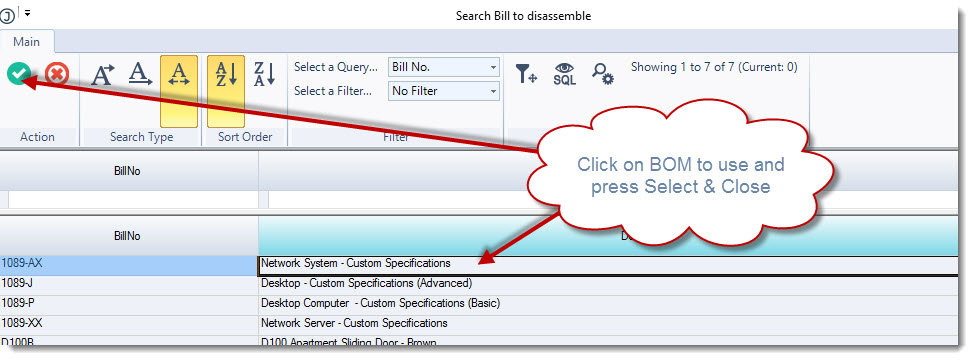
This will bring up the Search Bill to disassemble popup, select the BOM you want to use then press Select & Close from the menu ribbon
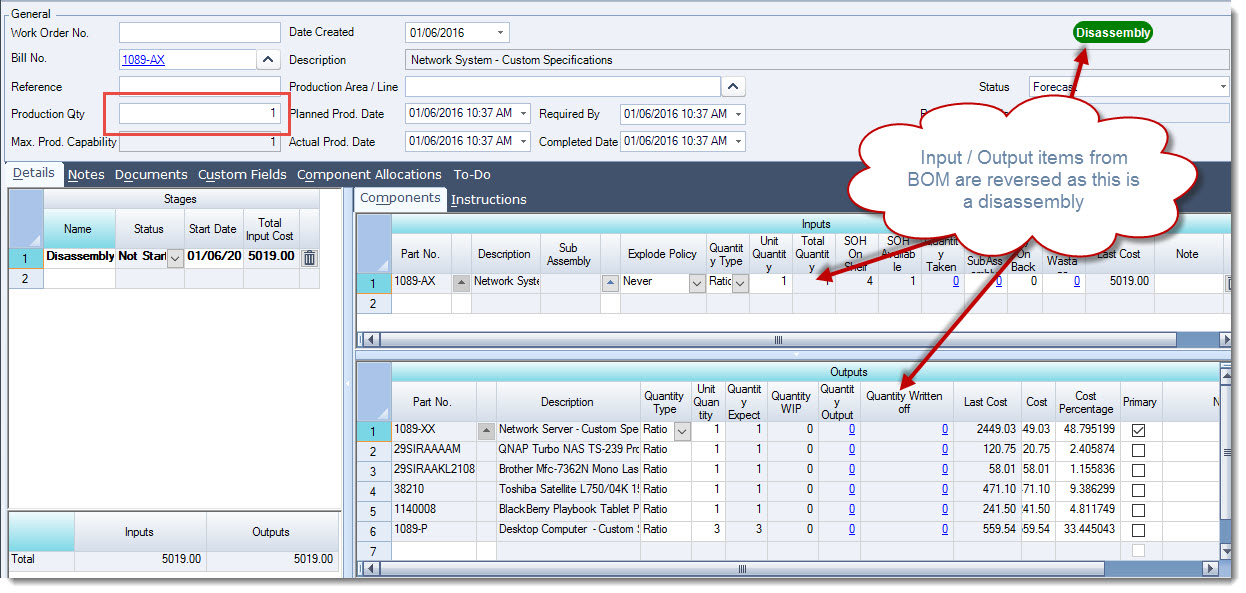
In the Production Qty field enter in the number of units you want to disassemble
You will notice that the BOM's ouput item is now the component input and the inputs are now outputs.
From the menu ribbon select Save to save your disassembly work order
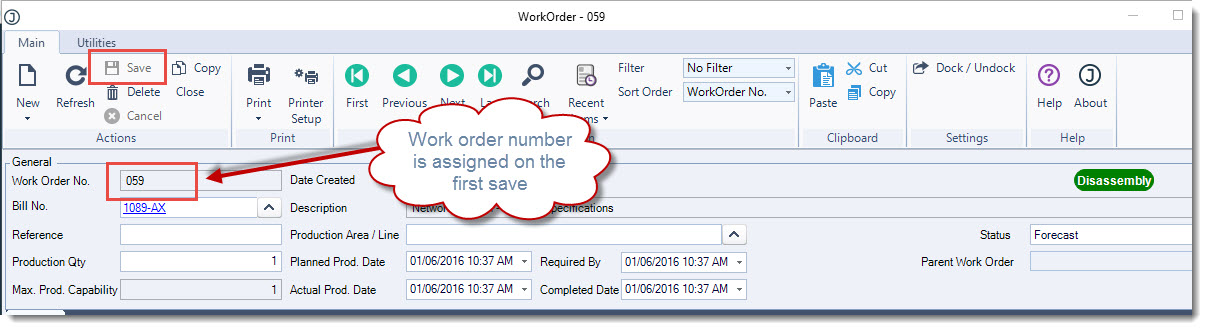
When you are ready select Close from the menu ribbon to process your disassembly or change the status to Closed.
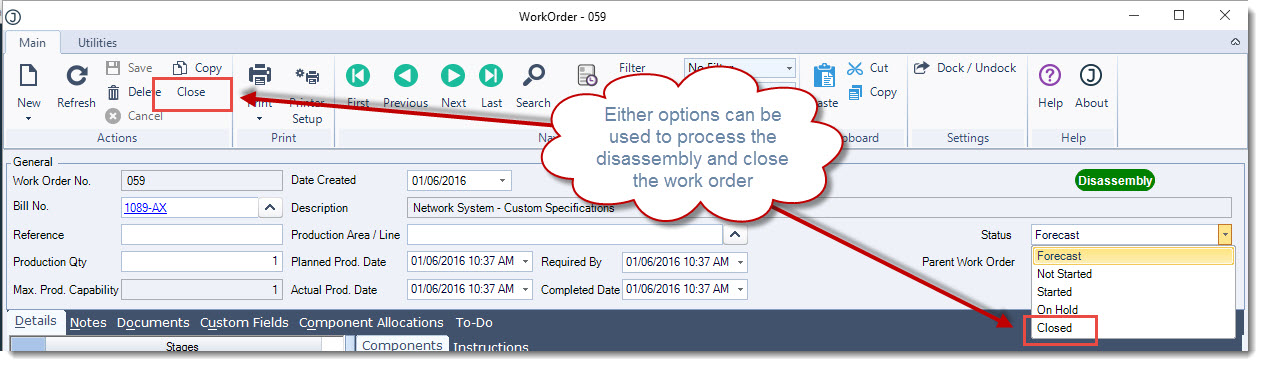
The disassembly work order is now closed from further editing and the stock ledger has been updated.