Stock on Hand reports are used to review inventory quantities and values in Jiwa. There are different Stock on Hand reports available, and it is important to understand how each report treats stock that has been committed to unprocessed sales orders.
Before reviewing these reports, there are two key points to understand.
-
Stock Valuation reports cannot currently be run retrospectively. This means you cannot run a valuation report as at a specific past date.
-
Stock committed to unprocessed sales orders may be included or excluded depending on the report being used. This can affect the total quantity and stock value displayed on the report.
Stock Committed to Sales Orders
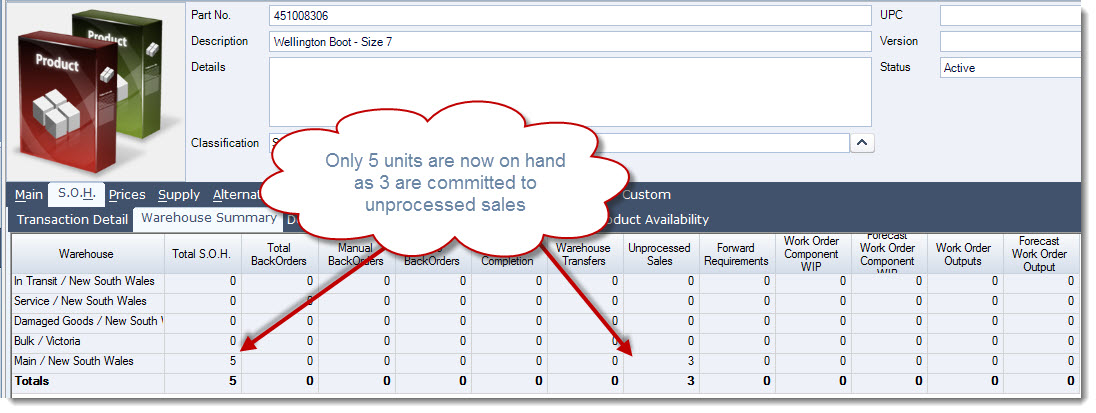
When a sales order is saved and stock is available, Jiwa commits the required quantity to that sales order. This reduces the available stock quantity for the warehouse, even though the sales order has not yet been processed.
For example, if there are 8 units of an item available in the main warehouse and a sales order is created for 3 units
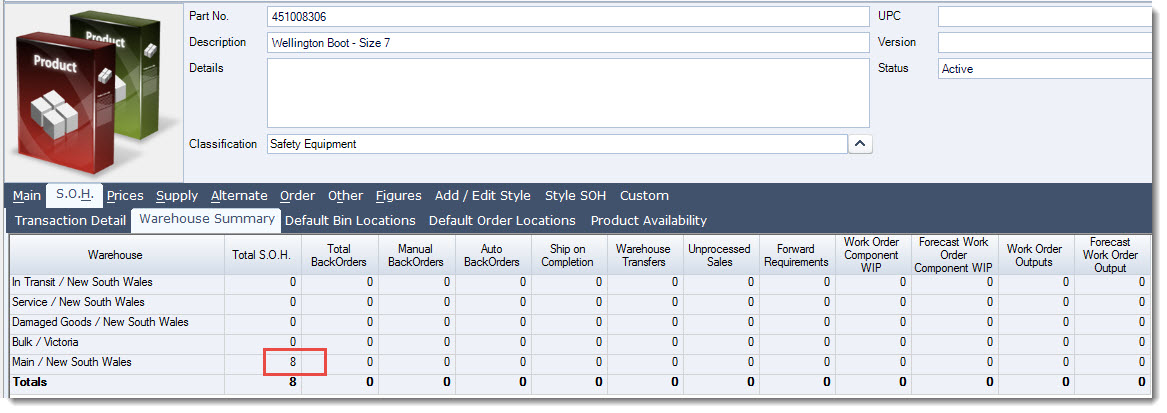
Jiwa commits those 3 units to the order. The quantity on shelf and quantity available are updated to show the remaining available or free stock.

The inventory item record is also updated to reflect the remaining uncommitted stock on hand for the warehouse.