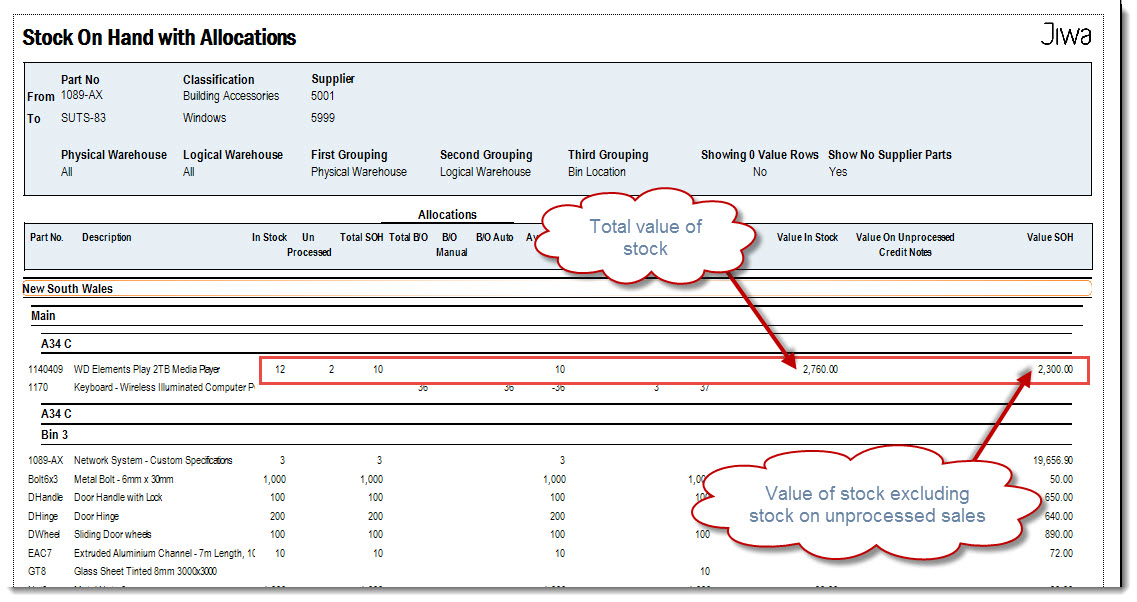
The Stock on Hand with Allocations report is the report recommended for use when substantiating the control account in the General Ledger as it shows both the
-
Total value of stock (including stock committed to unprocessed sales orders), and
-
Total value of stock on hand (excluding stock committed to unprocessed sales orders)
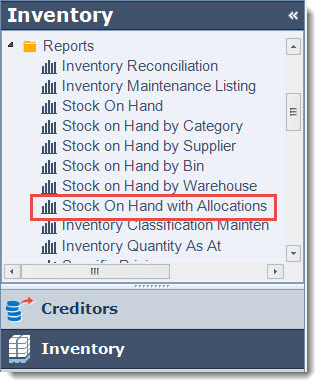
To run the report select Inventory | Reports | Stock on Hand with Allocations
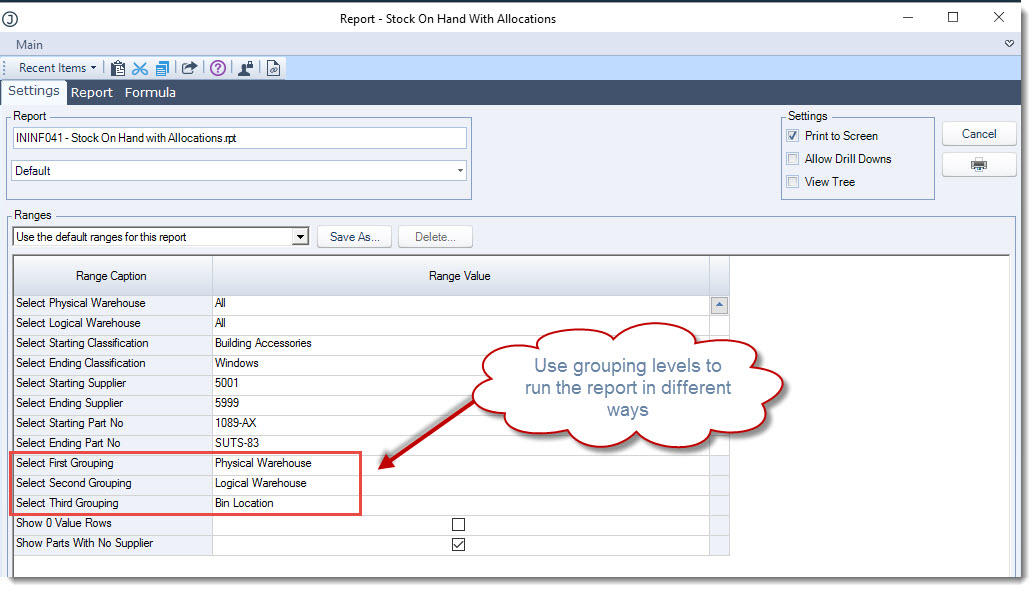
Set your report ranges.
Using the grouping levels provides flexibility in how the stock report is produced.
Select the Print icon to run your report.
The report ranges can be saved if required, this is useful if you run this report or any other report in a number of different ways for example the Stock on Hand with Allocations report maybe run with in the following groupings;
-
By Warehouse location,
-
By Inventory Classification
-
By Warehouse location, by bin or
-
By Supplier
Rather then entering your ranges each time these can be saved and used as required.
Set your report ranges.
In the following example the report is grouped by Supplier and then by Inventory classification.
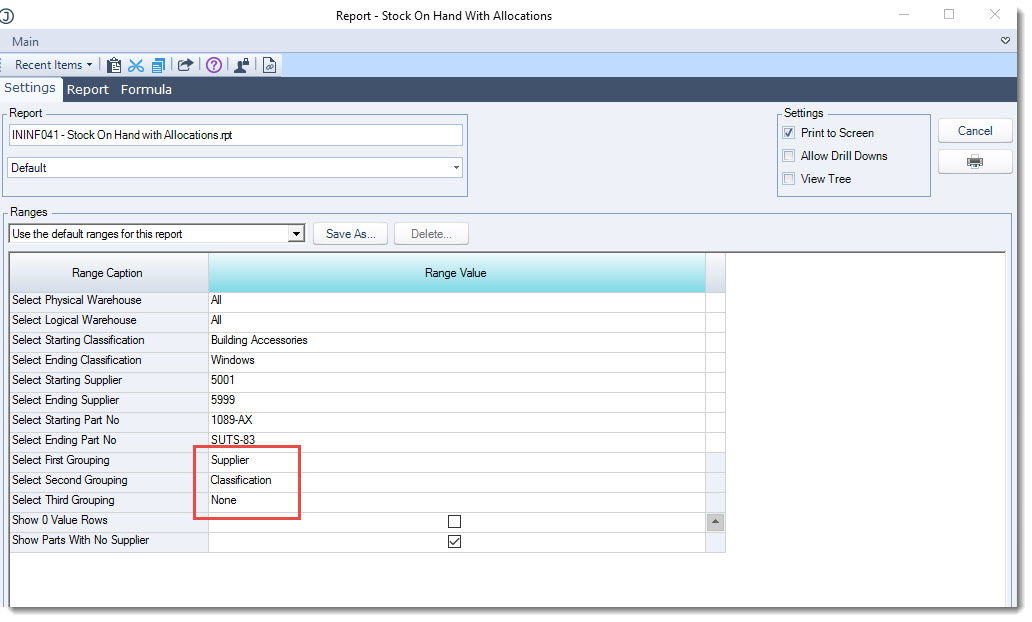
Run the report to make sure it displays as required
Return to the Settings tab and then select Save As
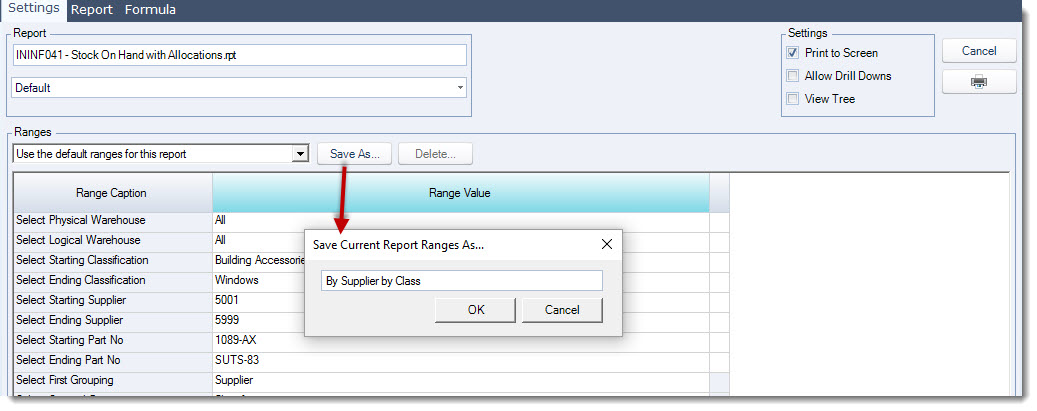
Enter in a name for your report range and select OK
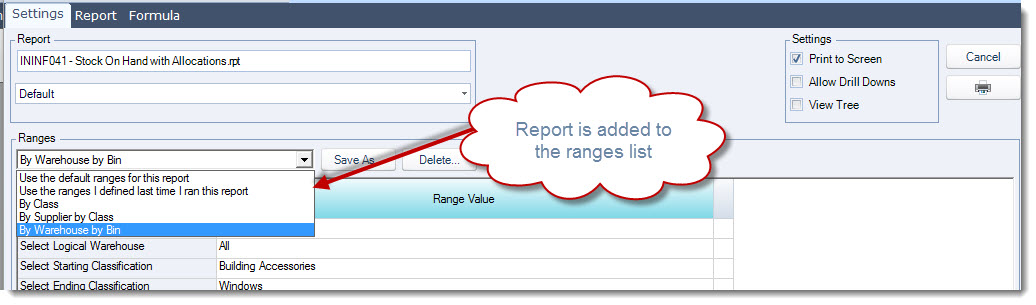
Your report range is now available from the Ranges list