In this article we will be looking at journal sets in Jiwa and how to;
-
Use the search function on the menu ribbon to search for journal sets, and
-
Copy General Ledger journal sets
Before proceeding it is recommend that you have read our article Journal Sets
Searching for Journal Sets
All journal sets can be reviewed from the Journal Set form using the search and filter options.
From the menu ribbon click on the Search icon

This will bring up the Search Journal Sets form
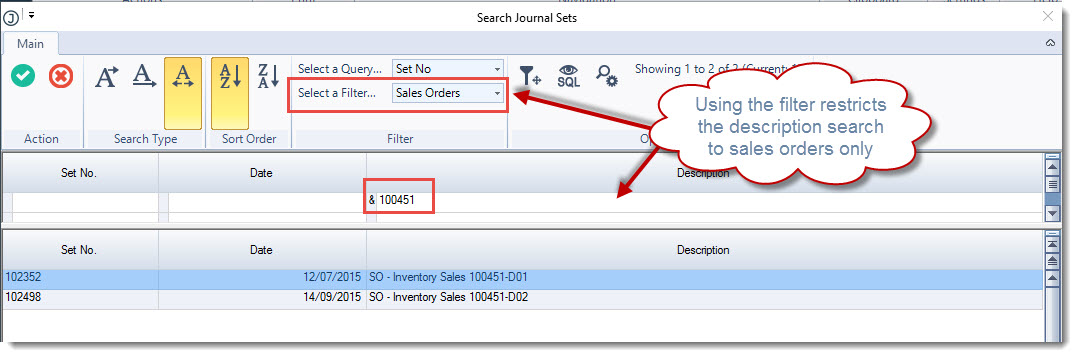
The Select a Filter option on the menu ribbon can be used to restrict your search to a transaction source type

Using the description search field enter in a description for the transaction you are searching for.
In the following example we are looking for all journal sets created that relate to sales order 100451.
By setting the filter option to Sales Orders we have restricted our description search to sales orders only.
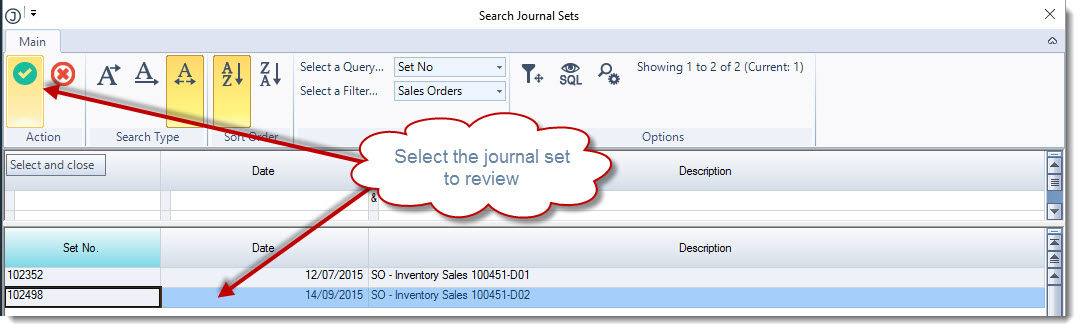
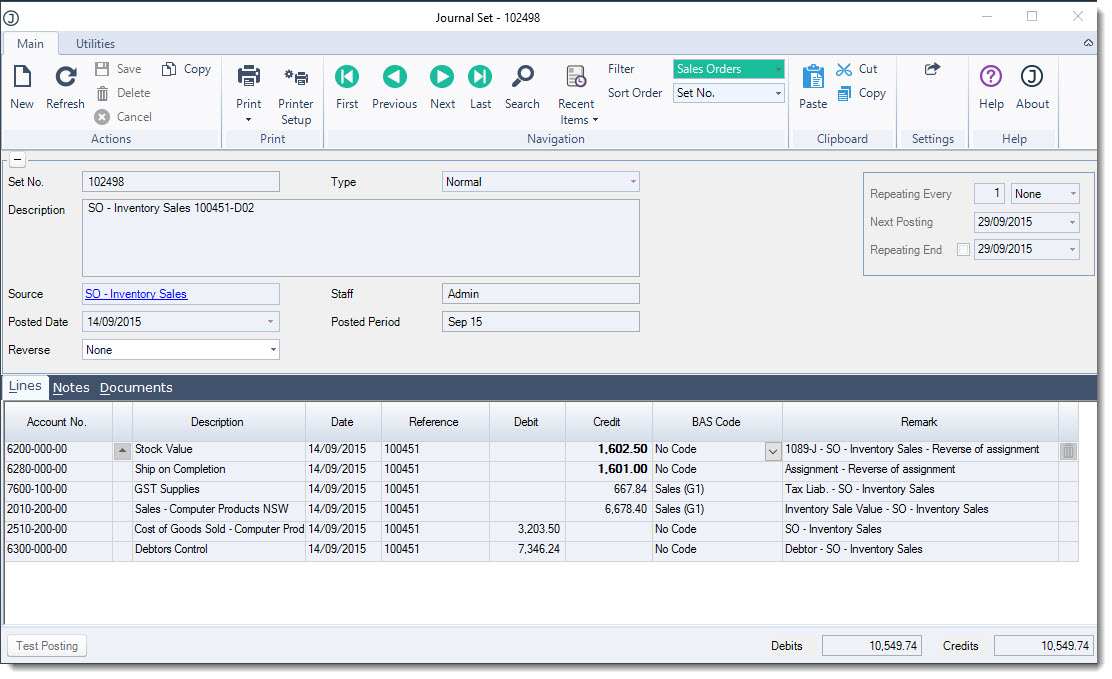
Click on the journal set to be reviewed and then press Select & Close from the menu ribbon to load the journal into the Journal Set form
Copying Journal Sets
Copying journal sets can be useful for transactions that need to be processed on an irregular basis or where the amounts change from period to period.
These can include transactions such as;
-
Wages
-
Depreciation
-
Accruals
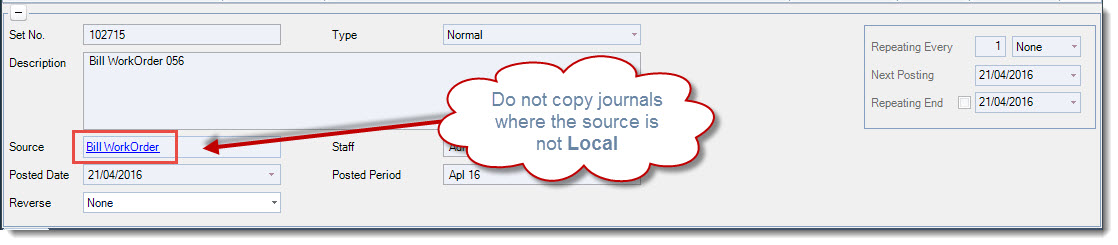
NOTE: Only journal sets with a source type of LOCAL should be copied.
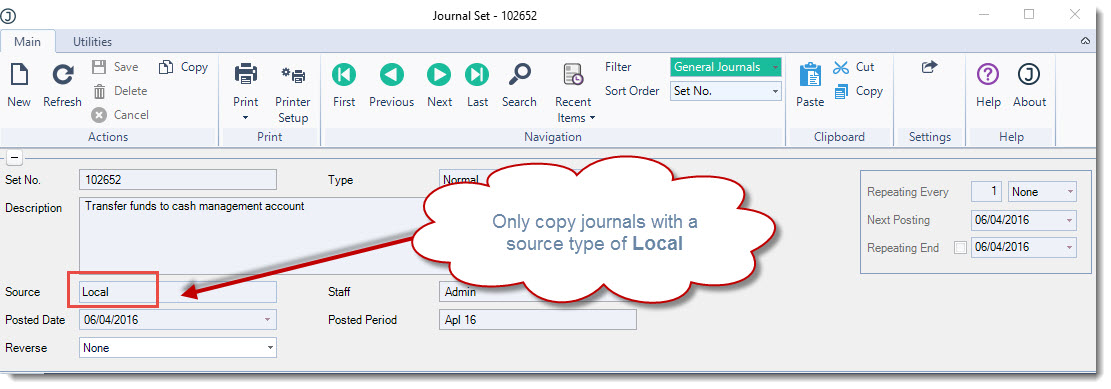
Attempting to copy a journal set where the source is not local will not update the source ledger and will result in reconciliation issues between the sub ledger and related control accounts.
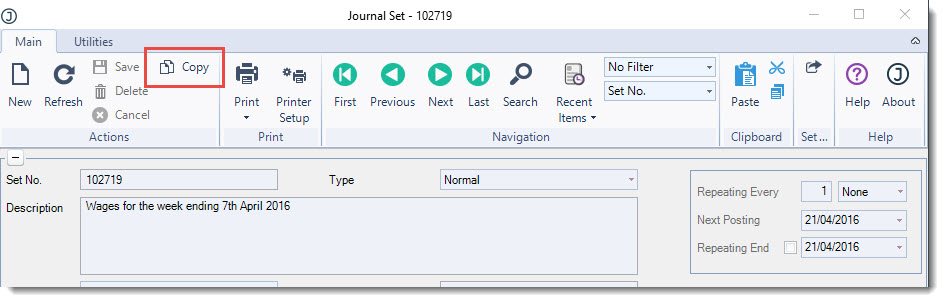
Load the journal you want to copy into the Journal Set form From the menu ribbon select Copy
Update the description on the journal set
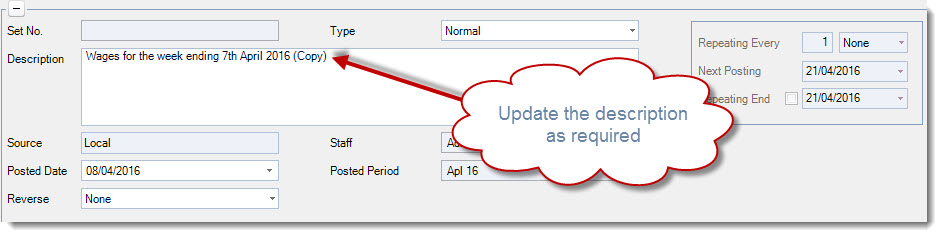
Set the required posting date and make any required changes to the journal set lines
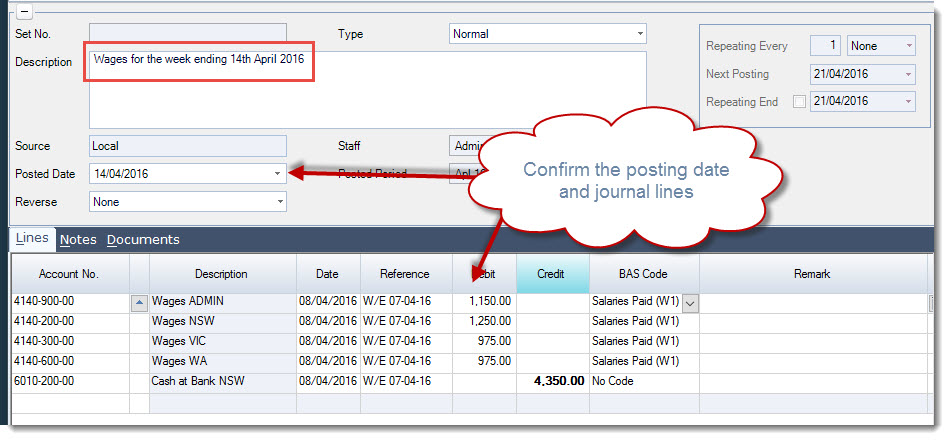
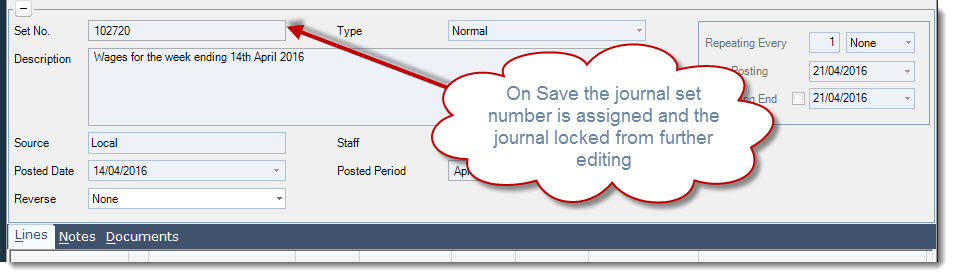
When you are ready to post your journal set select Save from the menu ribbon