In this article we look at how to create General Ledger journal entries referred to as journal sets in Jiwa.
Overview
There are 2 key types of journal sets in Jiwa
-
Local(Internal) - these are journal entries created from within the General Ledger itself, and
-
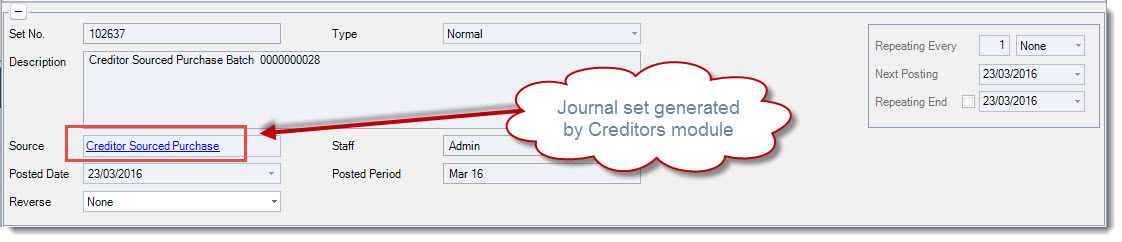
External - these are journal entries that have been generated from the sub ledgers ie. Debtors, Creditors, Purchasing etc
The source of the journal entry is contained within the header information of the journal.

Normal Journal Sets
A journal set with the type of Normal is one that will update the General Ledger on the first save.
Once the General Ledger is updated the journal set is locked from further editing.
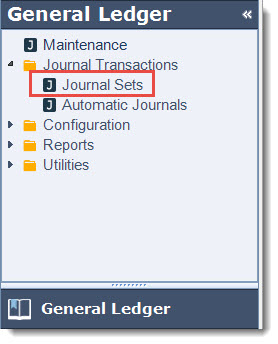
From the menu select General Ledger | Journal Transactions | Journal Sets
From the menu ribbon select New

Confirm your journal Type
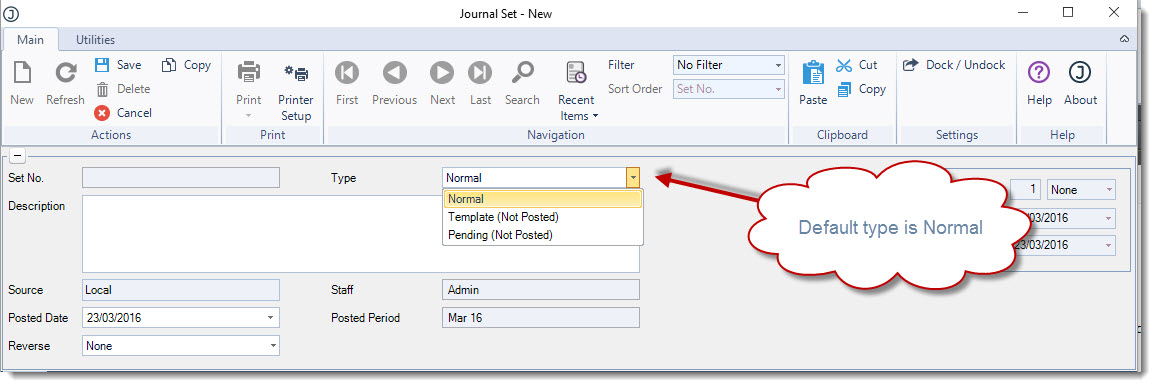
|
Type |
Description |
|
Normal |
On save the General Ledger is updated and the journal set is locked from further editing |
|
Template (Not Posted) |
Recurring journal set. For further details on recurring journal sets refer to our article Jiwa GL - Automatic Journals |
|
Pending (Not Posted) |
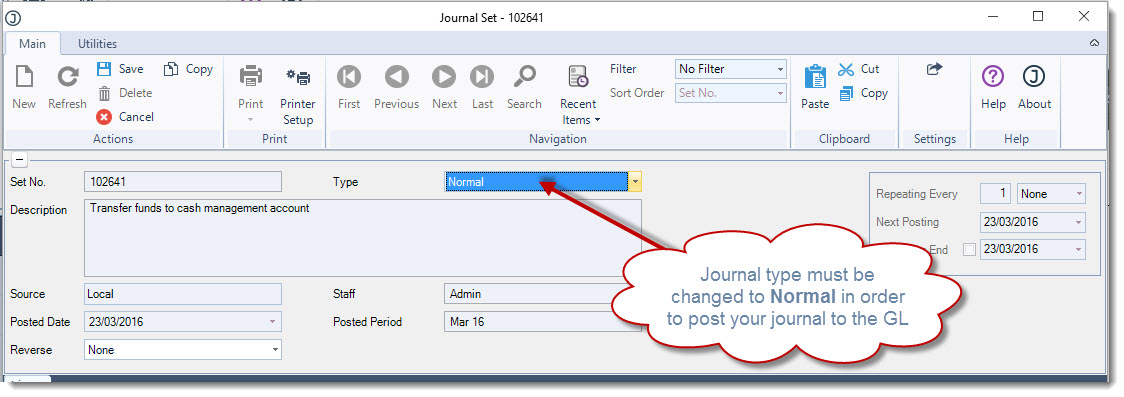
On save the General Ledger is not updated the journal is still open for further editing. When the journal is ready to post to the General Ledger the type is changed to Normal. |
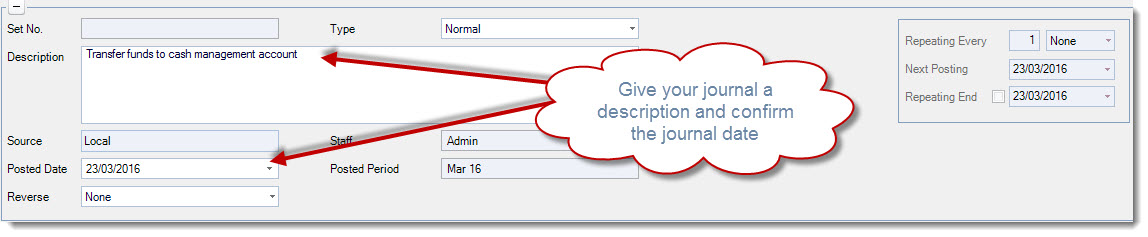
In the Description field enter in details as to the purpose of your journal entry Confirm your journal Posting Date
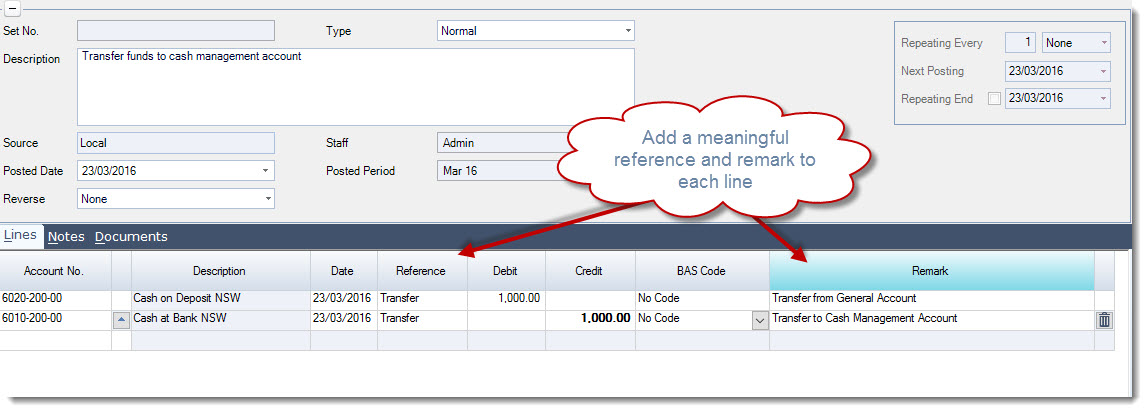
In the Lines tab start entering in your journal details Use the line Reference and Remark fields to add extra details about the entry, this information will appear in the Transaction tab on the General Ledger Account Maintenance form.
Confirm that your journal details are correct.
Check to ensure that the journals total Debits and Credits are equal, the journal cannot update the General Ledger if it does not balance.
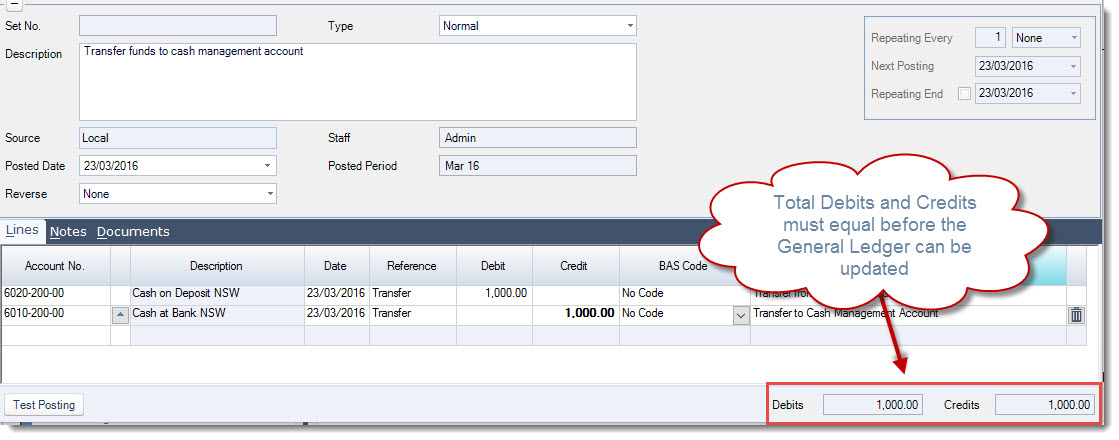
From the menu ribbon select Save this will update the General Ledger and the journal set is locked from further edits.
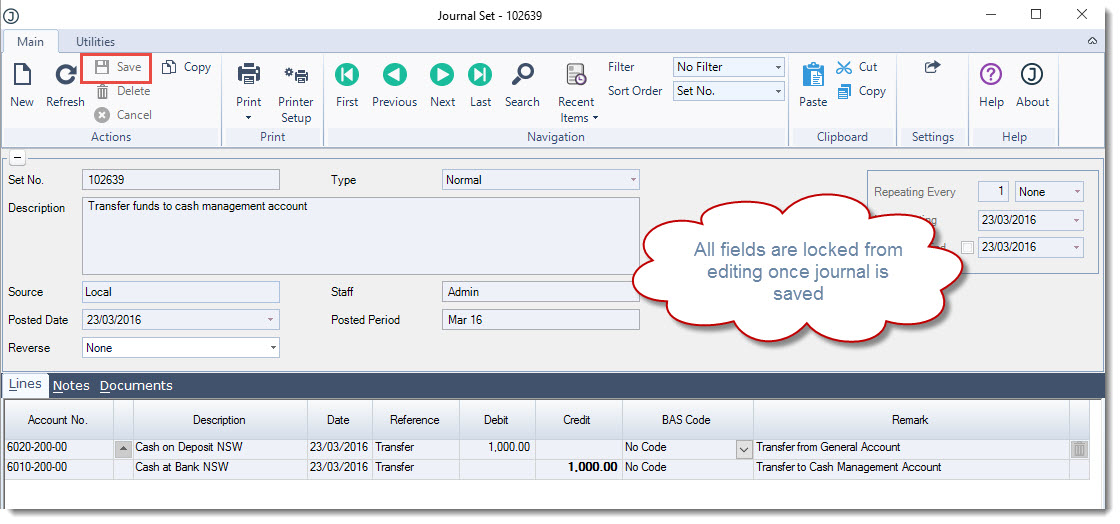
Pending Journal Sets
A pending journal set is one that is on hold and has not updated the General Ledger. This means that you can save the journal set and continue to work on it until you are ready to update the General Ledger.
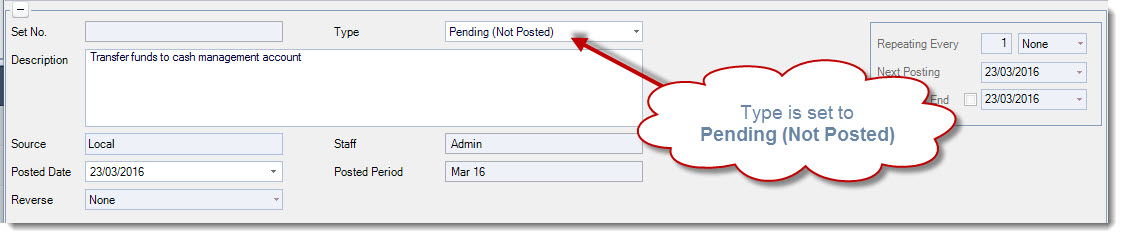
When creating your journal set ensure that the Type is set to Pending (Not Posted)
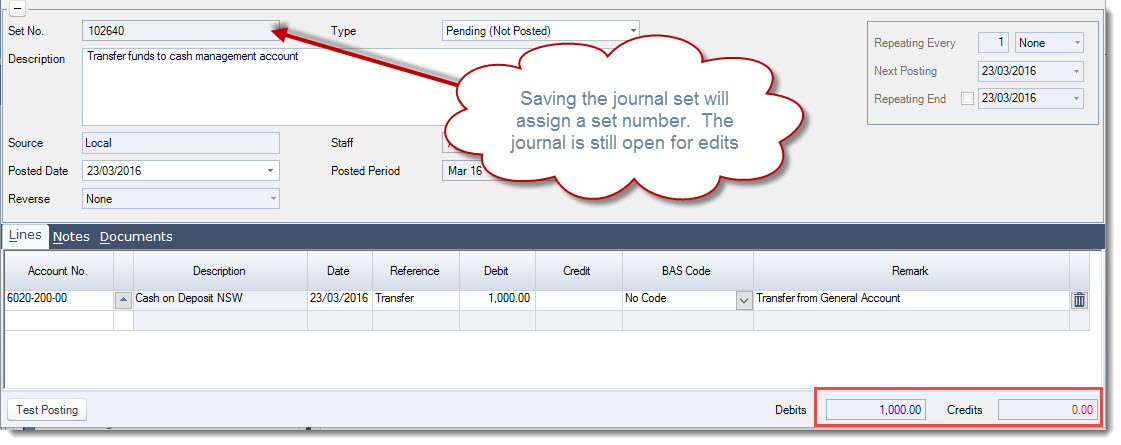
Saving the journal will assign the journal set number however the journal is still open for editing. You will notice that you can save a pending journal that is still out of balance, this is because the General Ledger has not been updated.
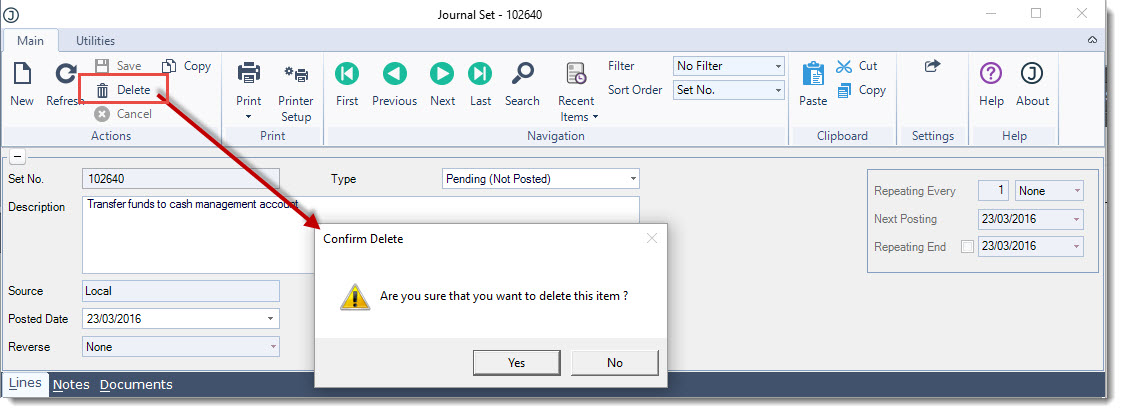
A pending journal set can be deleted if required by clicking on the Delete icon from the menu ribbon
When you are ready to post your journal set to the General Ledger change the Type to Normal and then save.
Journal Sets with GST
In Jiwa the collation of data for GST reporting purposes is controlled through the General Ledger.
When reviewing journal sets you will notice that each line is assigned with an applicable BAS code.
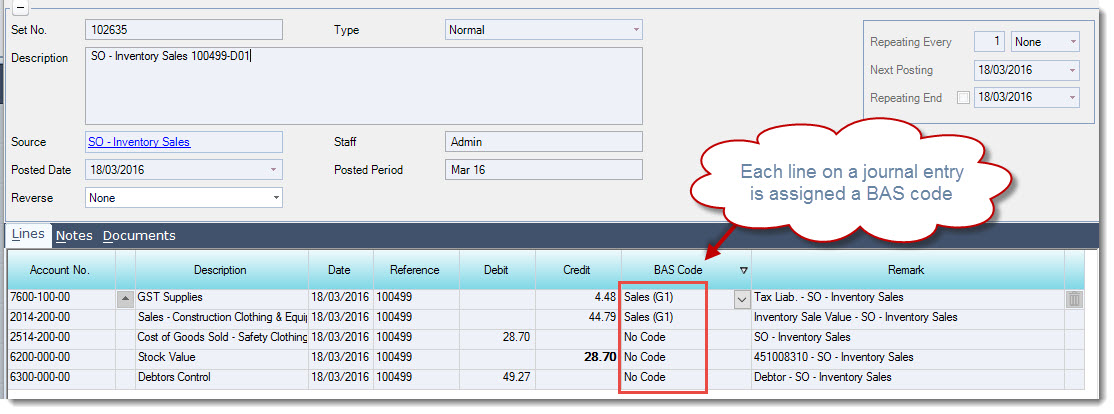
When creating a General Journal the default BAS code is No Code however this can be changed if required by selecting the lookup icon next to the BAS Code field.
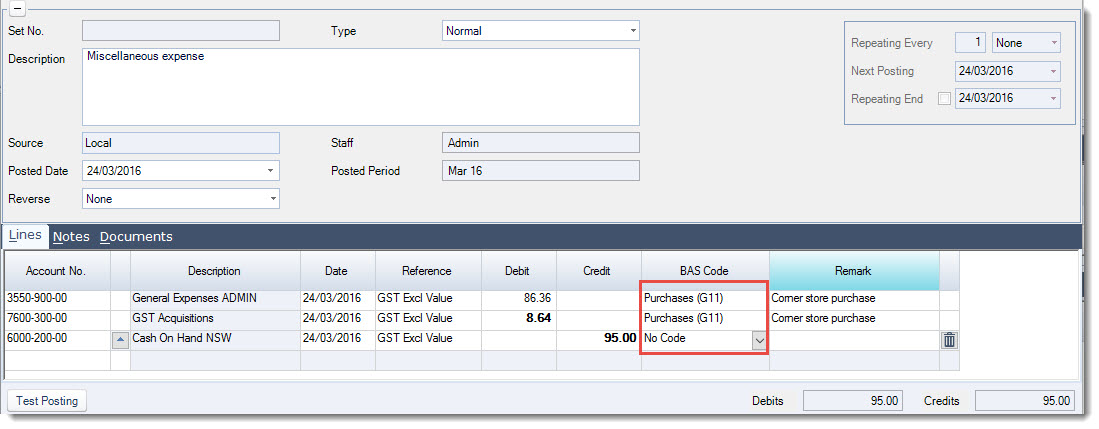
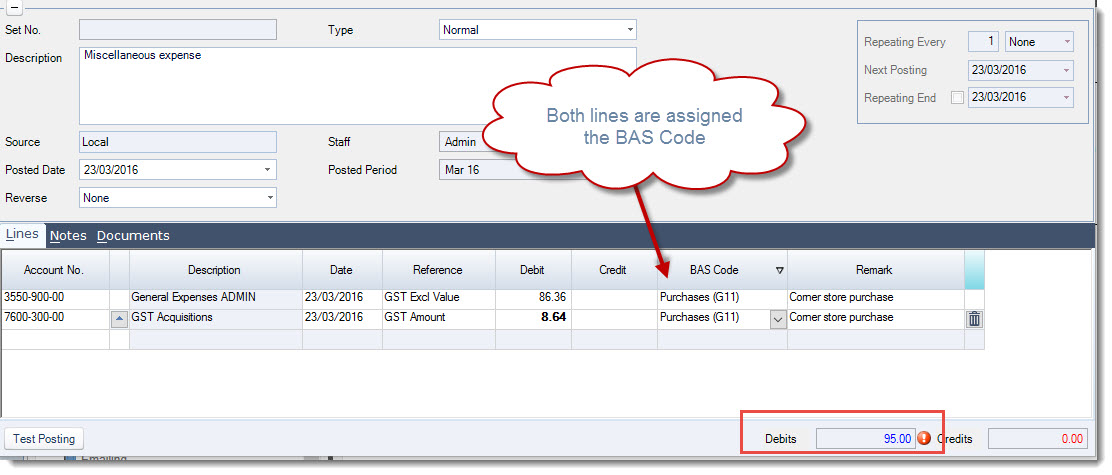
When entering a transaction into a journal set that has GST applicable it is important that the transaction is entered as 2 separate lines split between the GST exclusive amount and GST amount, each line is then assigned with the applicable BAS Code.
To demonstrate how the transaction should be entered into the journal set in the following example we have a miscellaneous expense of $95 GST Inclusive.
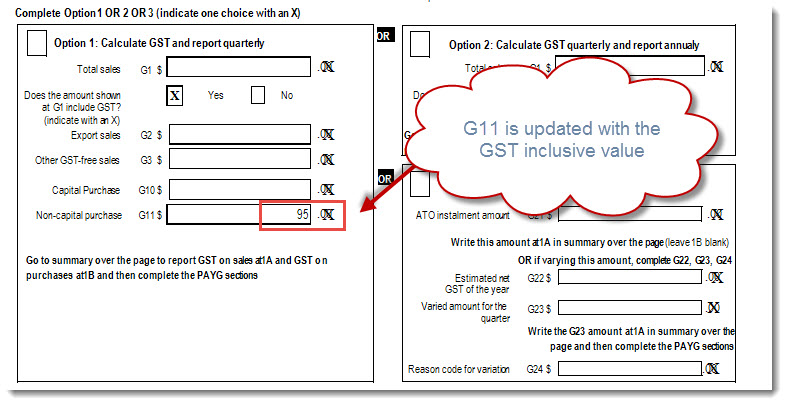
Notice that both lines are assigned the same BAS Code, this ensures that the expense is reported correctly in G11 on the BAS Return.
No Code is used for lines that do not appear on the BAS return.