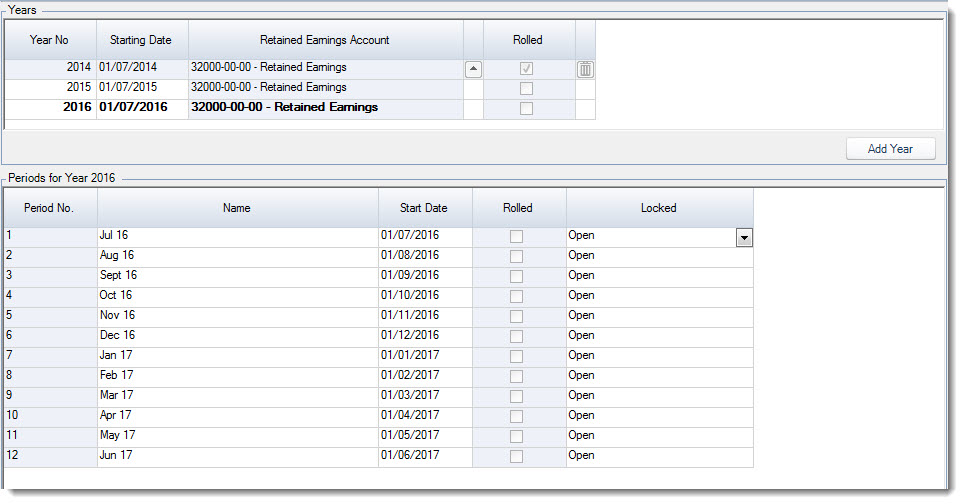
Financial Year Rollover is used in Jiwa when the current financial year has been completed and the business is ready to move into the next financial year.
This article explains the General Ledger Financial Year Rollover process in Jiwa.
In Jiwa, two financial years can be open and posted to at the same time. These are typically referred to as the Current Year and the Next Year.
The Financial Year Rollover should only be completed once the current financial year has been finalised and all relevant journals, adjustments, reconciliations, and reports have been reviewed. Once a financial year has been rolled, transactions can no longer be posted to that year.
Before completing a Financial Year Rollover, ensure that:
|
Check |
Why it matters |
|---|---|
|
All relevant journals have been posted |
Ensures the financial year is complete before it is closed. |
|
Financial reports have been reviewed |
Allows balances and results to be checked before the year is rolled. |
|
Required reconciliations have been completed |
Helps confirm that sub-ledgers and control accounts agree before rollover. |
|
Your business is ready to close the year |
Once rolled, transactions can no longer be posted to the closed financial year. |
Rolling over a financial year
The Yearly Roll Over option from the default Jiwa menu is available from System Settings | Roll-Over | Yearly Roll-Over.

The Roll-Over General Ledger process completes the following;
-
Moves Current Year transactions and budgets into Last Year,
-
Moves Next Year transactions and budgets into Current Year,
-
Posts Profit/(Loss) into Retained Earnings account assigned to the year,
-
Closes Last Year from further postings, and
-
Next Year is created in the General Ledger Setup form
Remember once the year has been rolled it cannot be posted to
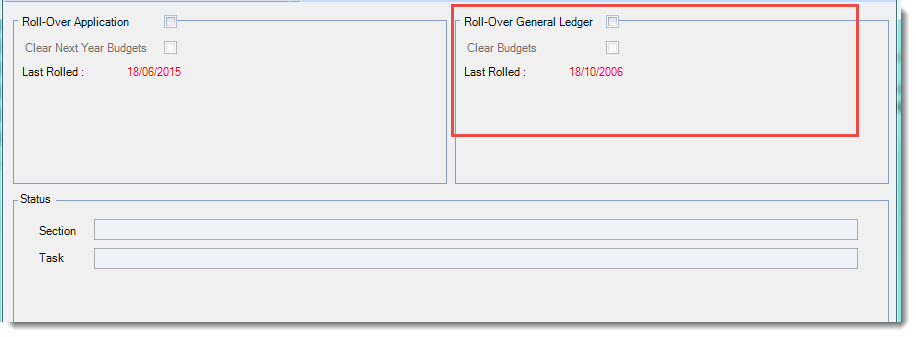
Before completing your General Ledger roll over ensure that;
-
All end of year reconciliation's have been completed,
-
All end of year journals have been posted

The Clear Budgets option allows you to clear out next year budgets, if the option is not ticked then budgets are rolled over into the next year.
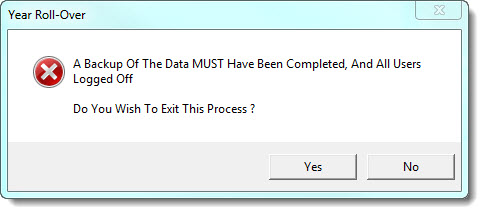
When you are ready select Process this will bring up the following prompt.
If your database has been backed up and all users are logged off press No to proceed.
The roll over completed pop up will appear when the process has been completed.
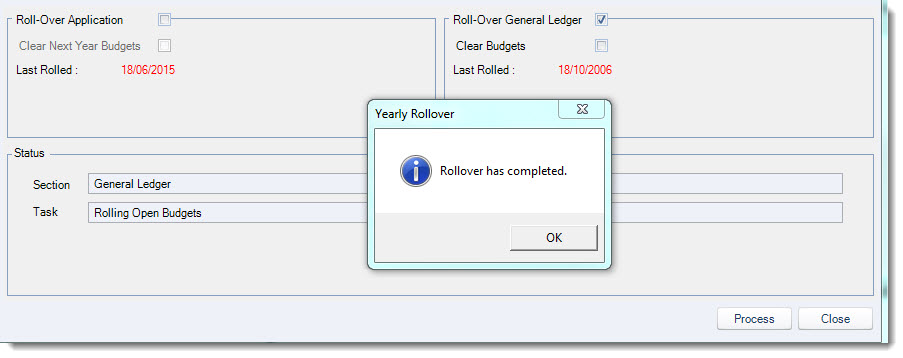
Select OK to clear the popup, when the popup is cleared you will notice that the Last Rolled date is updated.

Close out of the form.
Updating General Ledger Setup
Once the year has been rolled we need to review/update the settings for Next Year
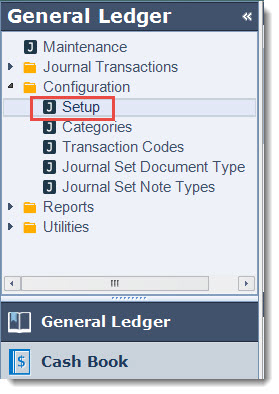
From the menu select General Ledger | Configuration | Setup
Jiwa allows you to have different Retained Earnings accounts for each financial year.
The active year will appear in bold select the newly created year.
Update the account if required by clicking on the look up icon next field to bring up the General Ledger search form.

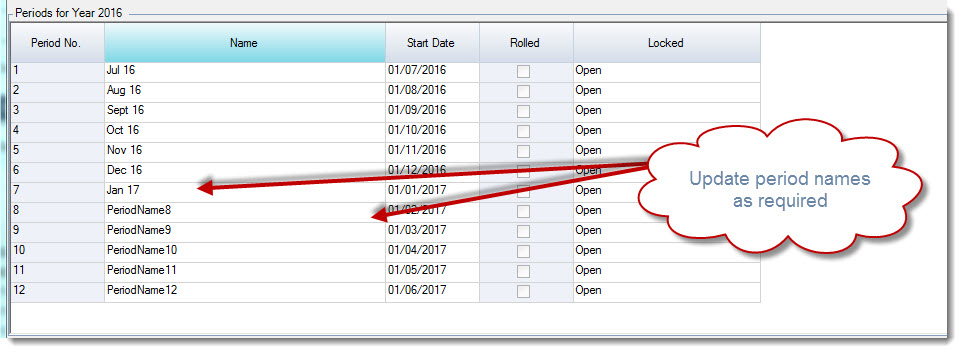
In the Periods grid update the period names by clicking in to the field
Once you have completed your updates from the menu ribbon select Save