In this article we will look at how to check if the Creditors Ledger reconciles to the control account in the General Ledger and how to identify any variances.
There are two (2) types of reconciliation reports that are available in Jiwa, this article will look at both reports and their uses.
Creditors Reconciliation Report
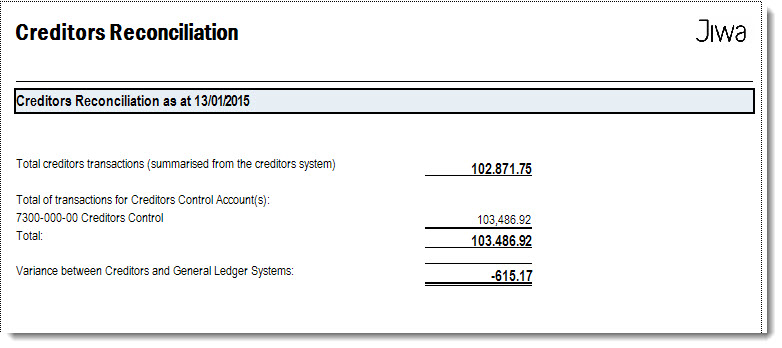
The Creditors Reconciliation report is a summary report that can be used to check that your Creditors Ledger reconciles to the control account in the General Ledger.
This report is a useful end of month check and can also be run for a specific date.
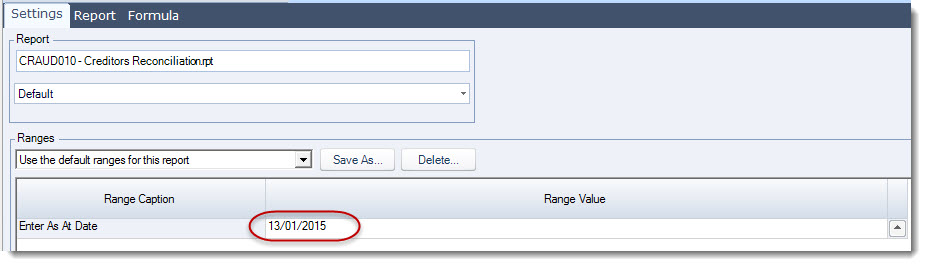
Select Creditors | Reports | Creditors Reconciliation

Set your required date
Creditors GL Reconciliation Report
The Creditors GL Reconciliation report is a more detailed report and can be used to;
-
Reconciliation the movement in the ledgers for the selected period/(s), and
-
Assist in identifying transaction types that are causing variances
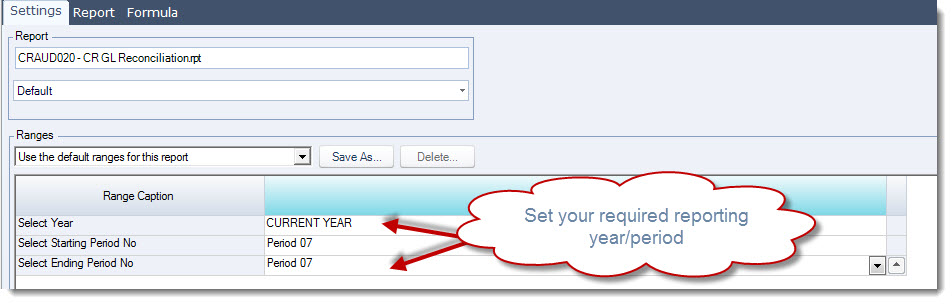
Select Creditors | Reports | CR GL Reconciliation
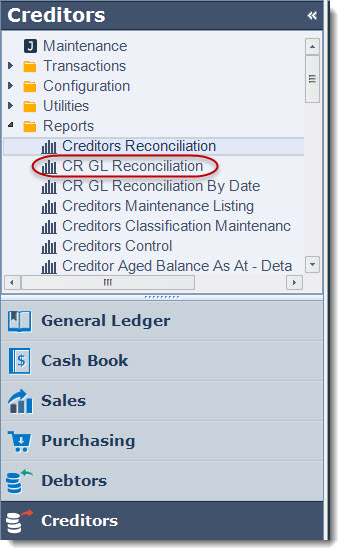
Select the year and period the report is to be run for
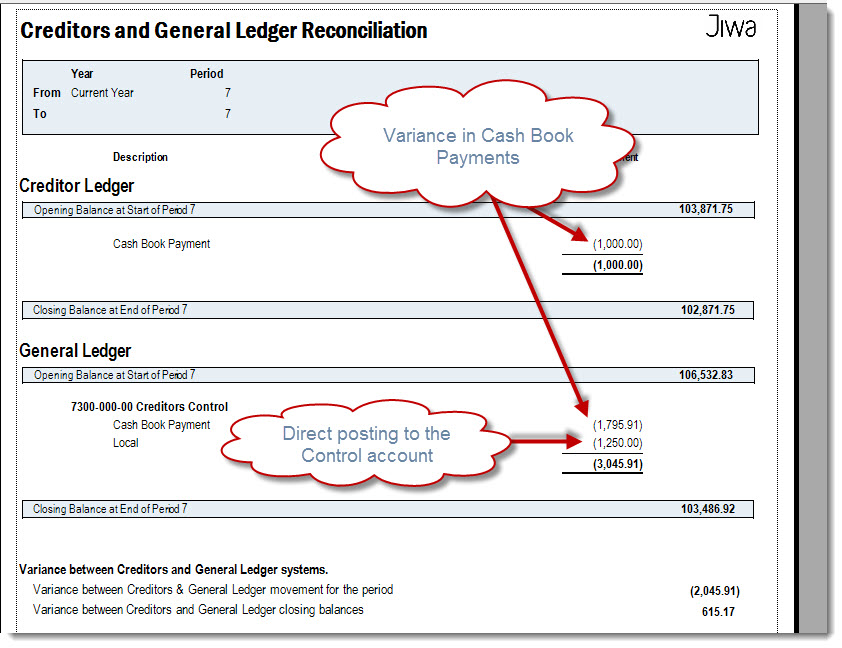
In the example below we can see that the variance between our Creditors Ledger and the General Ledger is made up of the following.
-
Variances in Cash Book payments
-
Direct posting to the Creditors Control account in the GL
Identifying the Transactions
To help us identify the transactions that are causing the variance we are going to compare the following two (2) reports
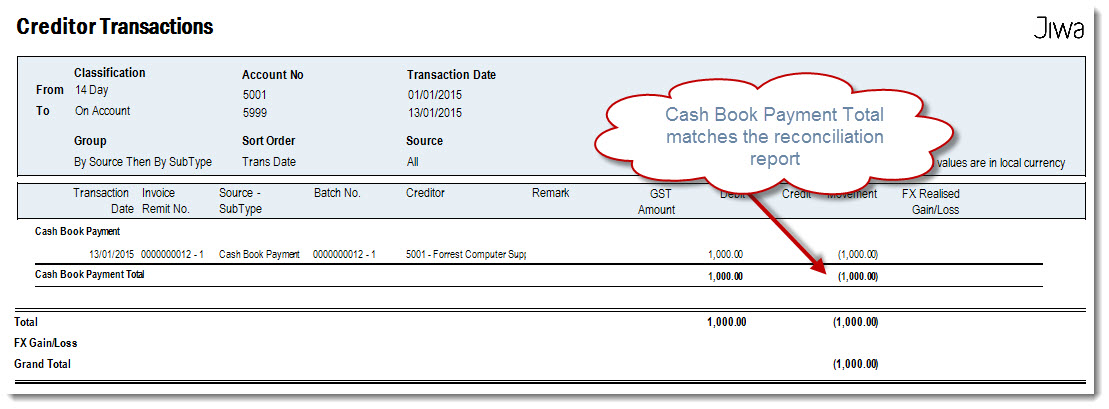
Creditor Transactions
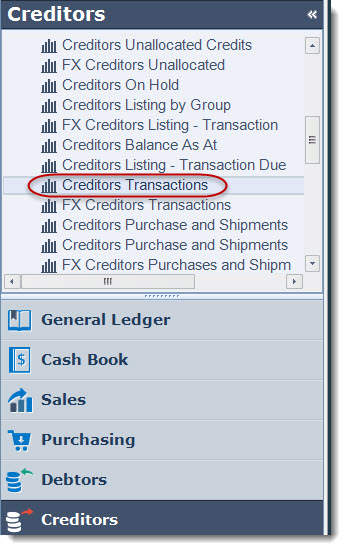
Select Creditors | Reports | Creditors Transactions
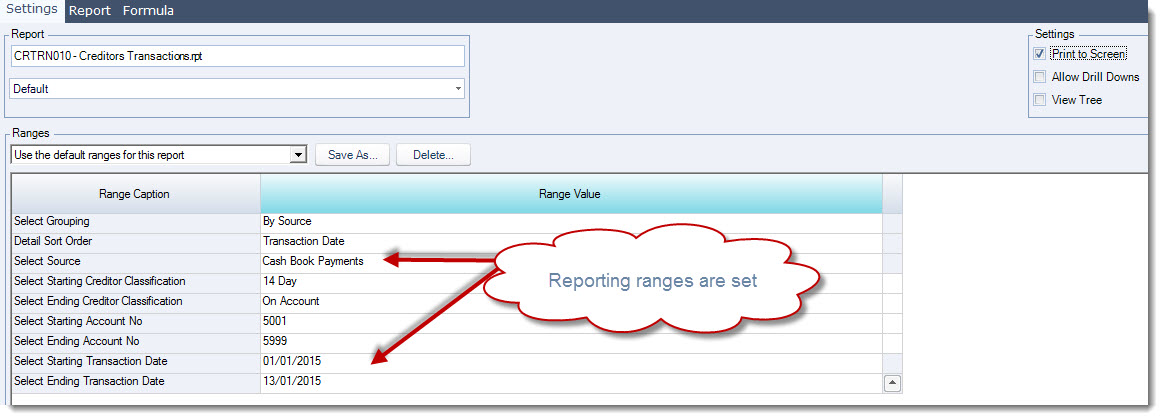
Set our report ranges. In this example our variance is in the Cash Book so the Source Type is set to Cash Book Payments.
Set your report Start and End dates.
Print or export your report to Excel.
Your reports Total should match the Cash Book Payments total on your Creditors and General Ledger Reconciliation report.
General Ledger Listing with Source Report
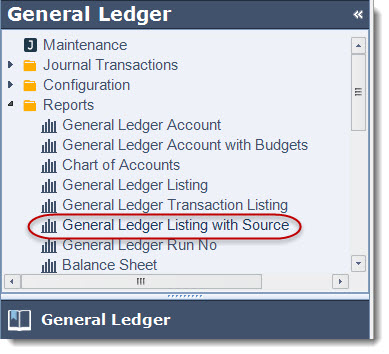
Select General Ledger | Reports | General Ledger Listing with Source
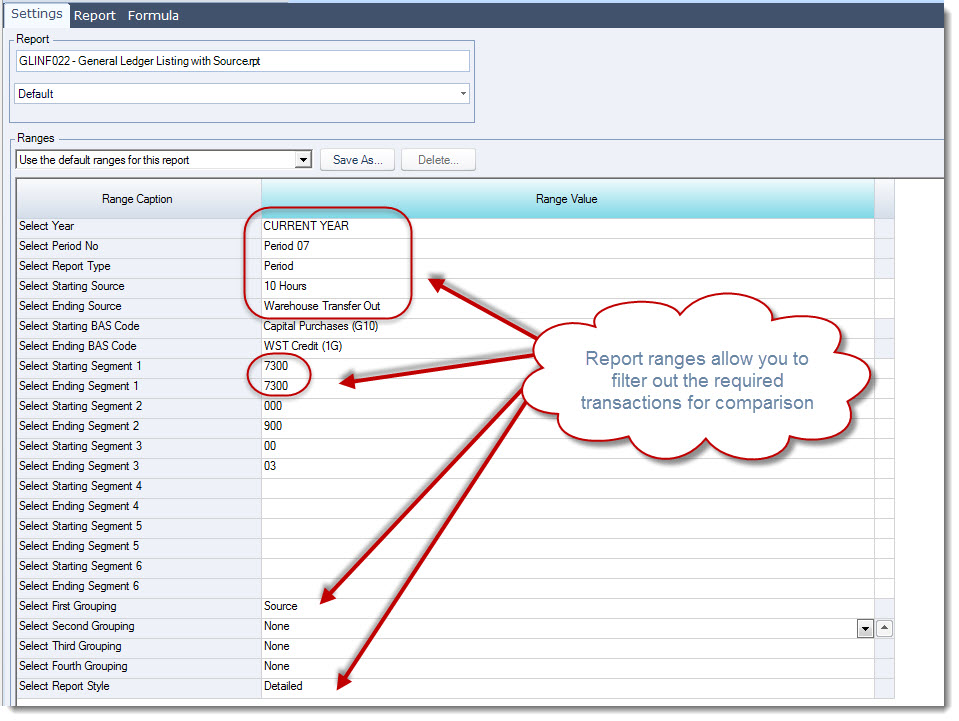
Set your report ranges based on the variances you have identified.
|
Range Option |
Description |
|
Year / Period No |
Set your year and period |
|
Starting Source |
Set your starting source type |
|
Ending Source |
Set your ending source type |
|
Starting / Ending Segment 1 |
The starting and ending segments are set to the Credtors Control account and segment 1 range is used because segment 1 represents the GL account number |
|
First Grouping |
This is handy if you are looking at a large number of transactions |
|
Report Style |
This is set to Detailed to display individual transactions. |
Print or export your report to Excel.
Your reports Total Movement should match the total for the Creditors Control account on your Creditors and General Ledger Reconciliation report.
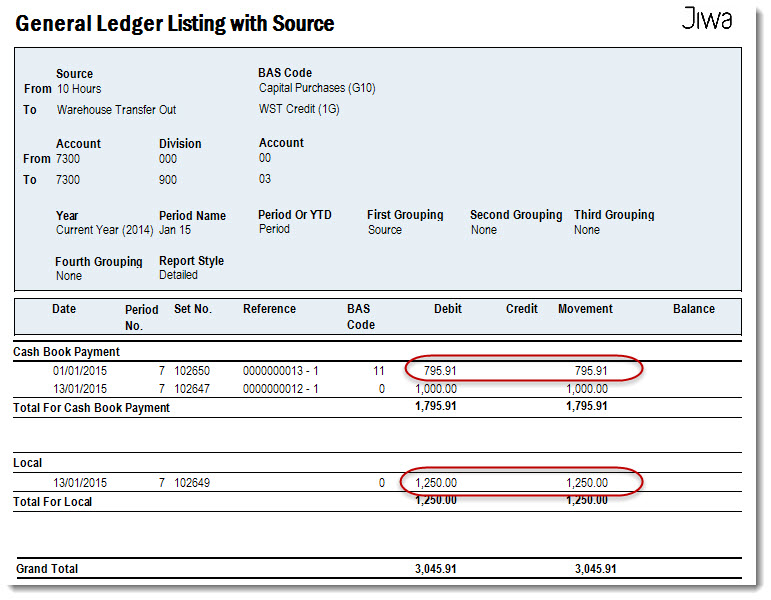
Comparing the two (2) reports we can very quickly identify the transactions that require further investigation.
Investigating the Problem Transactions
Having identified the problem transaction/(s) we can now look at why these transactions are causing a variance.
Open your Journal Set form and load the required journal set.
From the journal set you can drill down into the source document by clicking on the hyper link in the Source field.
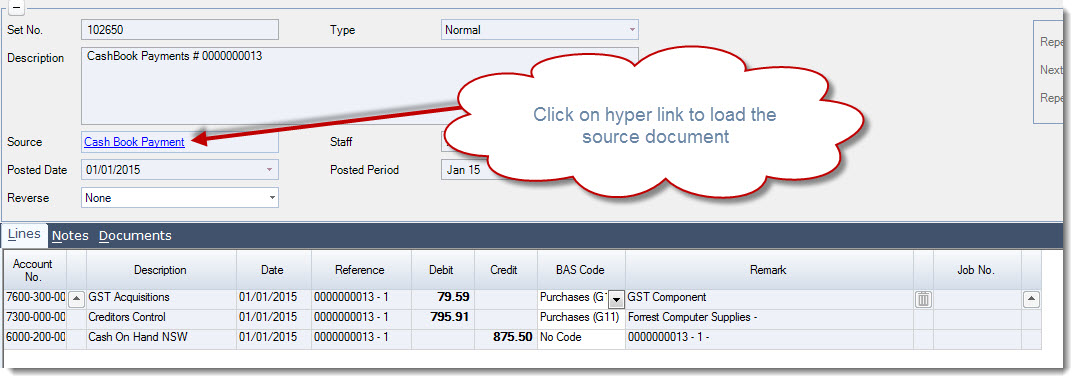
We can see from the Cash Book entry that the payment was not linked to a Creditor account but it was posted to the Creditors control account.
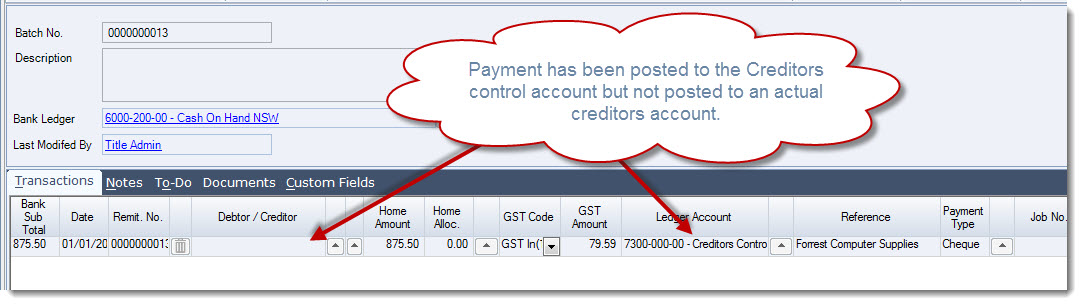
The transactions will need to be reversed and entered correctly.
Repeat this process of each variance identified.
This video is best seen on the full screen. Just click on the icon at the bottom right of the video (see image below). To exit full screen just press escape