In this article we will be looking at the Cash Book Payments function in Jiwa.
Cash Book Payments
The Cash Book Payments function in Jiwa is used to process the following types of transactions;
-
Creditor payments (including allocation of payments against transactions), and
-
Miscellaneous payments that can be posted directly to a General Ledger account e.g. Petty cash, bank fees and charges
From the menu select Cash Book | Payments
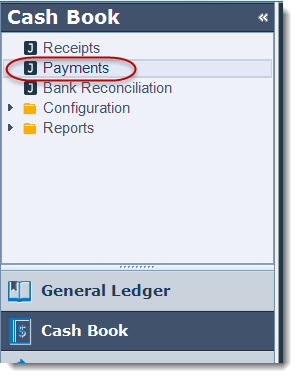
From the menu ribbon select New to create a new batch

Enter in a description that describes the purpose of your batch and select your bank account.

Set your batch options;
|
Options |
Description |
|
Auto Sub Total The Bank |
Automatically subtotals the bank totals based on the Remit No. field which then controls the journal posting to the bank account |
|
Inherit Ref/Remark |
Automatically inherits the reference / remark from the line above |
|
Suggest Remit No. |
The remittances number is automatically inserted when the batch is saved |
|
Inherit Payment Type |
Automatically inherits the payment type from the line above |
In the example below Suggest Remit No has been un-ticked as payments were made via manual cheques so the manual cheque number will be entered into the Remit No. field

Recording & Allocating Creditor Payments
To record your Creditor payment
-
Enter your cheque number in the Remit.No. field
-
In the Debtor/Creditor field enter in your Creditor account number or press the second search button to bring up the Creditors search screen. The first search button brings up the Debtors Search screen.

Once you have selected your Creditor, enter in the cheque/payment value in the Home Amount field

To allocate the payment to existing invoices press the search button next to the Home Alloc. field to activate the Cash Book Allocations screen
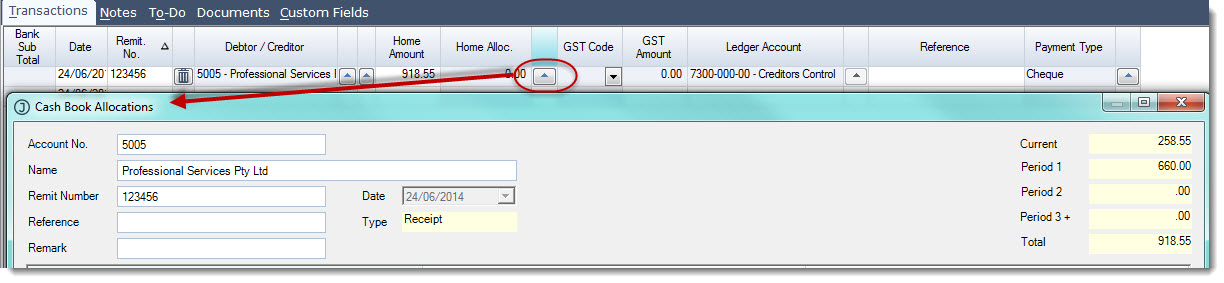
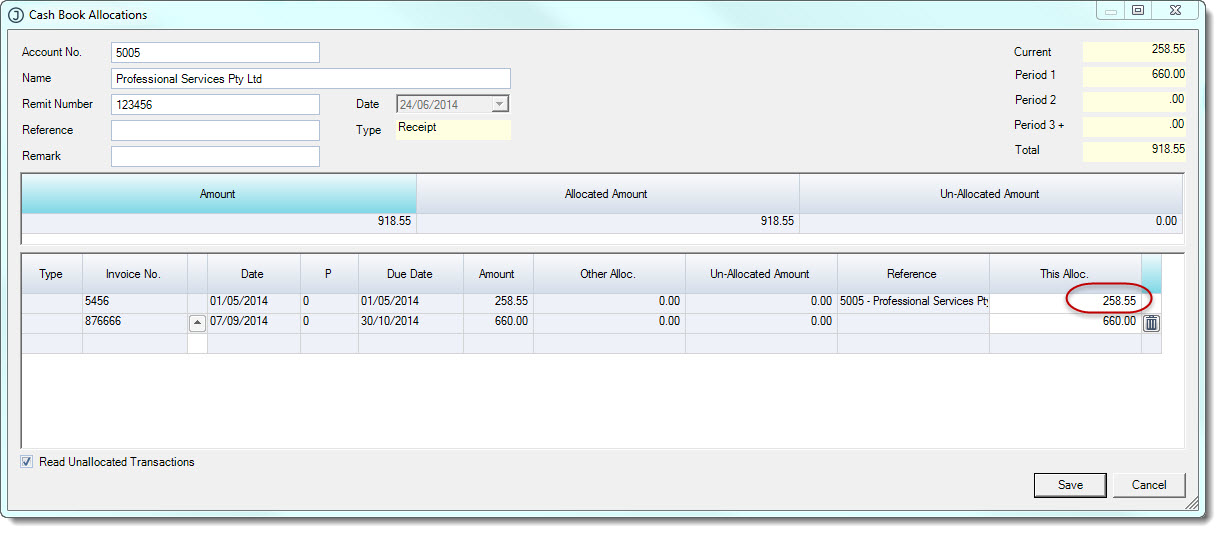
Allocate your payment to the applicable invoices by entering in the payment value in the This Alloc. field against each invoice Press the Save button to save your allocation.
When you have saved your allocation the Home Alloc. field on the cash book entry will display the amount of the payment that has been allocated. Confirm the payment type and add a reference if required.

Recording Miscellaneous Payments
To record miscellaneous receipts such as petty cash or bank fees and charges;
-
In the Remit No. field enter in the cheque number or payment reference (only applicable if the Suggest Remit No. check box is un-ticked)
-
Enter in the payment amount in the Home Amount column.
-
If the payment is to be allocated to a single ledger account then the full payment amount is entered in the Home Amount column
-
If the payment is to be split across multiple ledger account then the amount applicable to the ledger account is entered in the Home Amount column
-
-
Confirm the GST rate to be applied to the transaction if applicable
-
Update the LedgerAccount that the income is to be posted to as required
-
Confirm the payment type
-
Use the Reference field to add details about the miscellaneous payment
Finalising your Cash Book Payments Batch
Once you have entered in all of your payments for this batch press the Save button If you have selected to Suggest Remit No. it is at this point that the Remit.No. field is populated and the batch assigned a Batch No.
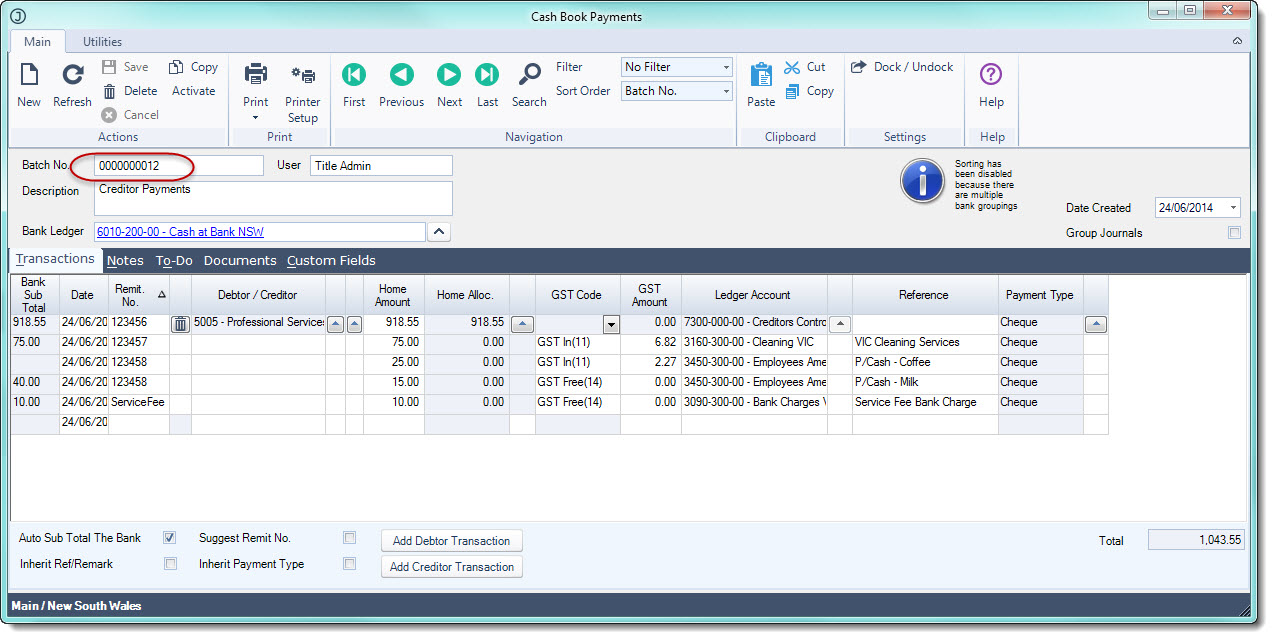
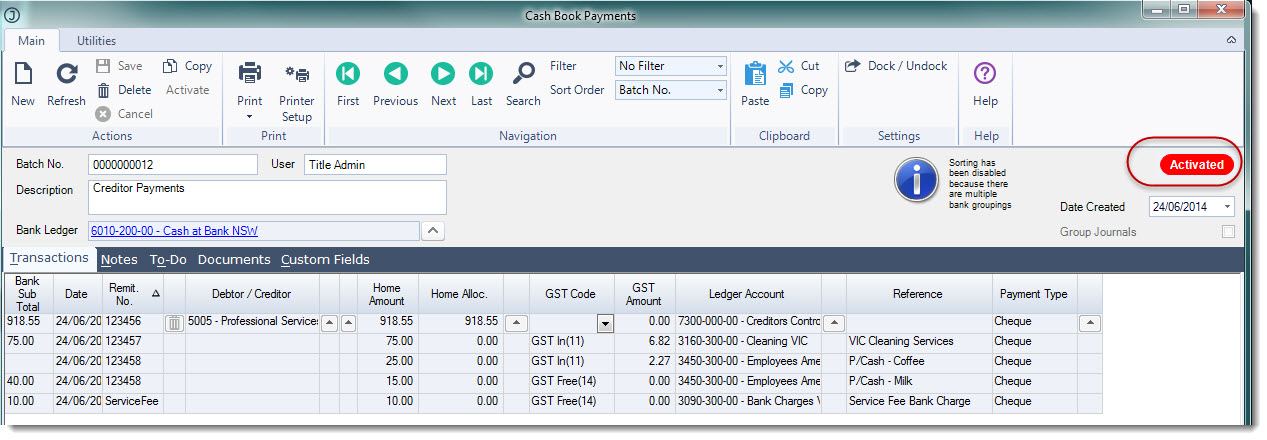
If you have completed your batch and no further changes are to be made select the Activate button to close the batch and update the General Ledger No further changes can be made to the batch
The following video will take you through the whole process step by step.
This video is best seen on the full screen. Just click on the icon at the bottom right of the video (see image below). To exit full screen just press escape