
If your system has been set to more than 2 decimal places there will come a time when you have inadvertently entered a payment or receipt with a figure in the third or fourth decimal place.
This will most likely leave you with an inability to finalise your bank reconciliation as in the following example:
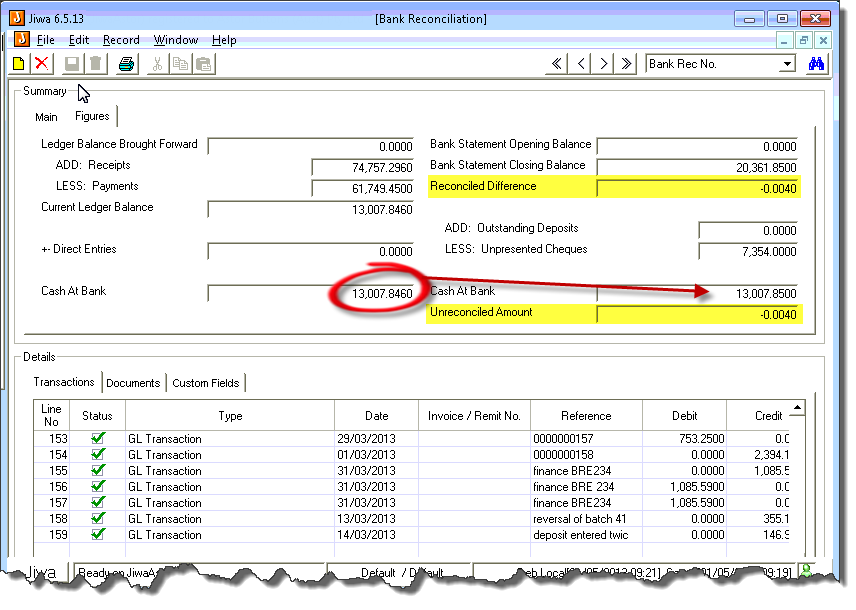
To fix it you will need to enter in a new transaction with the amount that you are out (0.0040 in this example)

In the Details / transactions table at the bottom of the page select a new line and on the "Type" field select the drop down box.
Choose the "Direct G.L. Transaction", Select an appropriate General Ledger account (e.g. an expense account).
Note the other side of the entry will always be the bank account that your are reconciling. Enter in the amount (0.0040 in this case) and the transaction type (debit in this case)
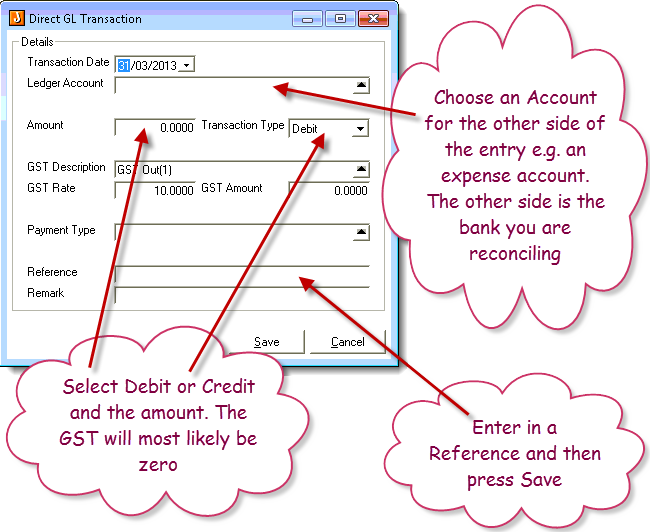
You should also enter in a descriptive Reference and then press "Save"
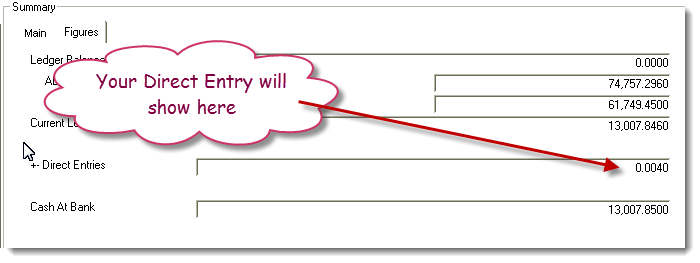
Your direct entry will then show on the top left of the screen.
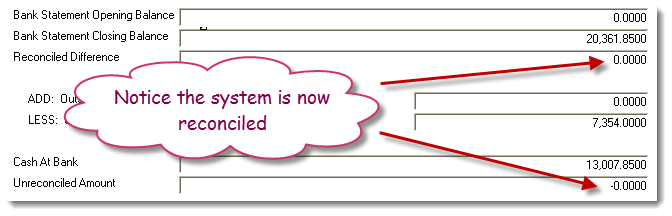
And with any luck your bank reconciliation will now be balanced.
NOTE: If you get the Debit / Credit around the wrong way just delete the transaction (there is a little trash can on the right of the transaction) and just do it again.
When you are happy and finished with your bank rec, just save it and activate it as normal.