
SMS Alerts for Jiwa is an Opal Logic module developed for Jiwa Financials that adds SMS messaging functionality to selected Jiwa forms and workflows.
SMS messages can be sent automatically based on configured triggers, such as sales order activity, overdue invoices, or account conditions. Messages can also be sent on an ad hoc basis by staff from supported Jiwa forms.
The SMS Alerts module helps businesses improve customer communication by sending timely updates, reminders, and notifications directly from Jiwa.
How SMS Alerts works
SMS Alerts uses templates and triggers to control when messages are sent and what information is included in the message.
A template defines the message wording and repeat settings. A trigger controls when the SMS should be sent, such as when a sales order is processed, a consignment note is entered, or a customer account has overdue invoices.
SMS messages can be configured for standard Jiwa events, recurring reminder cycles, or custom SQL-based triggers where a more specific business rule is required.
Standard triggers
The following standard triggers are available for SMS Alerts.
|
Form |
Available triggers |
|---|---|
|
Debtor Maintenance |
Credit limit exceeded, overdue invoices, Period 2 balance, Period 3 balance |
|
Sales Order Entry |
On save, entry of consignment note number, sales order processing, ad hoc |
|
Sales Quote Entry |
Ad hoc |
SMS templates
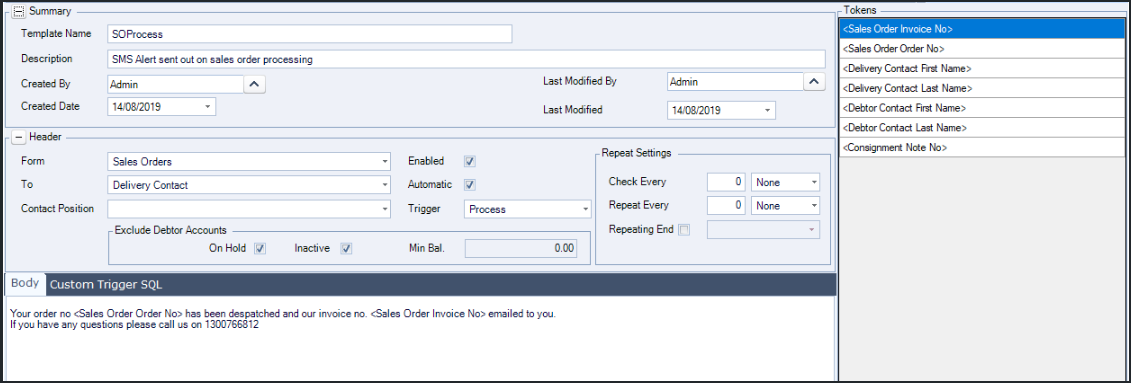
SMS templates are used to create and maintain the message text used by SMS Alerts. Templates allow users to define standard wording so that consistent messages can be sent to customers or contacts.
Recurring messages
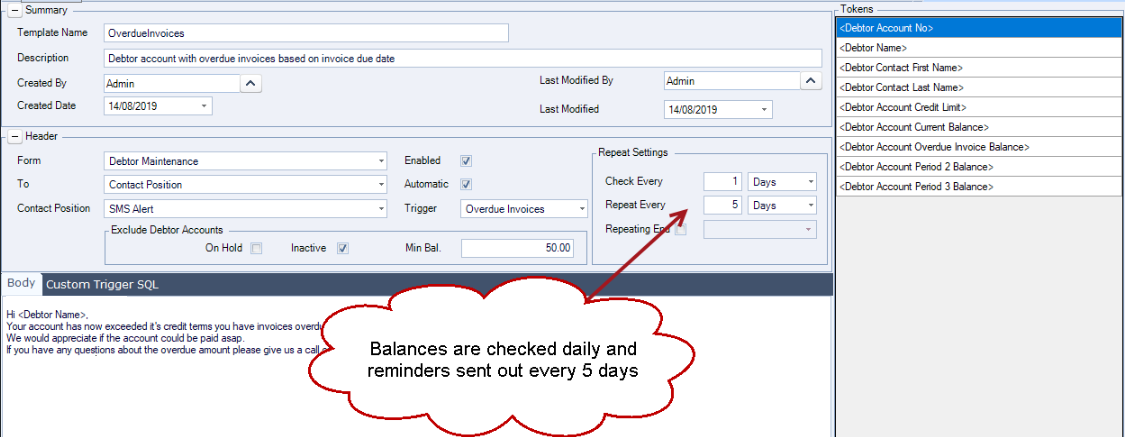
Recurring messages can be configured using the repeat settings on an SMS template. This is useful where reminder messages need to continue until a condition has been resolved.
For example, an overdue account reminder can be sent when invoices become overdue and then continue to be sent on a recurring cycle until the invoices have been settled.
Custom triggers
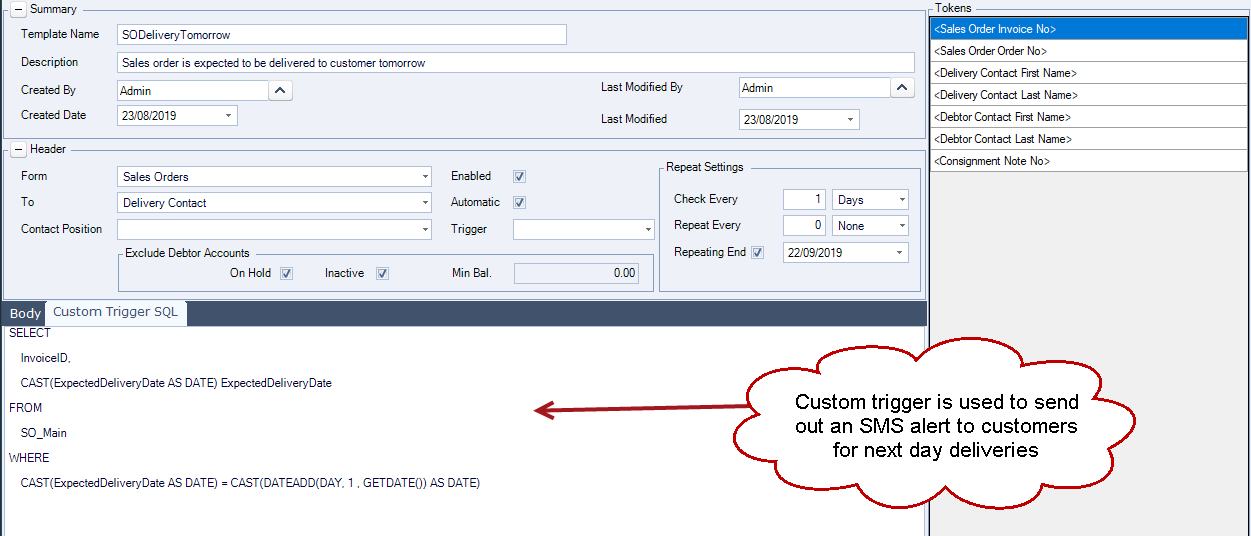
Custom triggers can be created where the standard triggers do not meet a specific business requirement.
Custom SQL triggers can be used to send SMS messages based on more specific rules or events, such as notifying customers before a scheduled delivery, sending a welcome message to new customers, or communicating an upcoming event.
Ad hoc messages
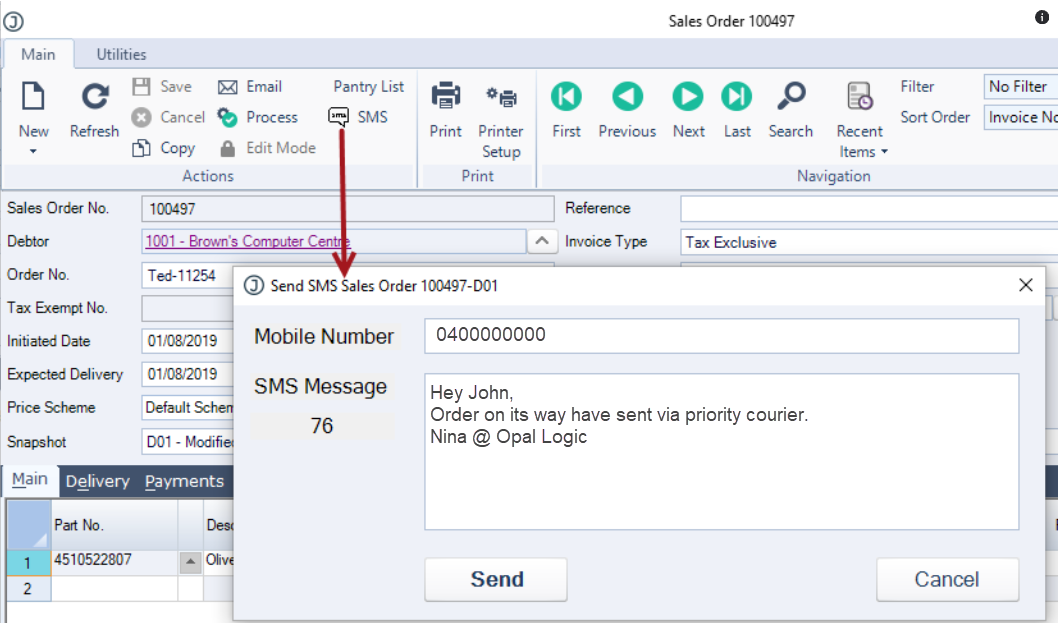
Ad hoc SMS messages can be sent manually from supported Jiwa forms, including Sales Order Entry and Sales Quote Entry.
This allows users to send a one-off SMS message where required. The mobile number and message text can be reviewed or updated before the message is sent.
Messages Captured
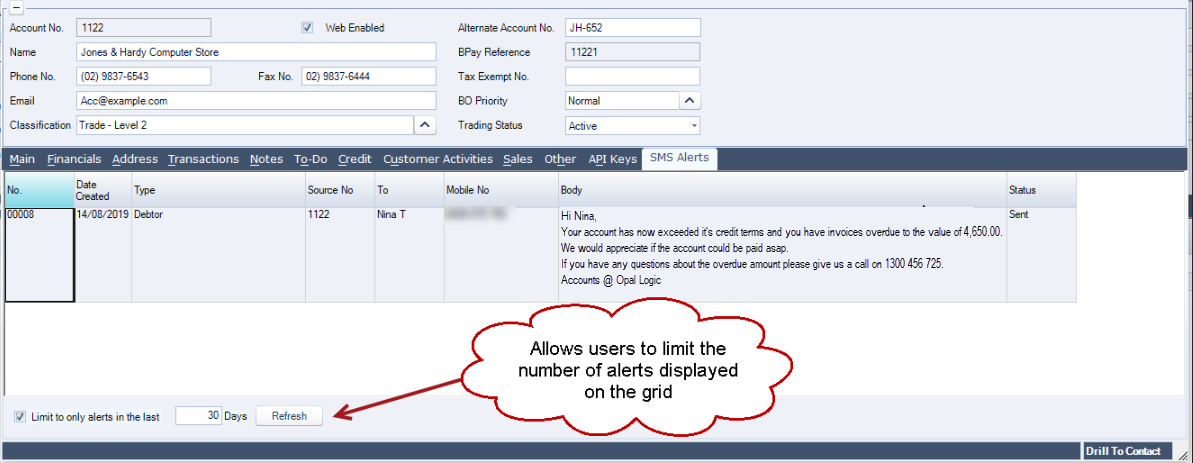
SMS messages sent from Jiwa are recorded so that users can review previous messages.
Messages can be viewed from the SMS badge on supported forms such as Sales Order Entry and Sales Quote Entry. SMS history can also be reviewed from the SMS Alerts tab on Debtor Maintenance, allowing users to see messages sent to a specific customer.
Need a tailored SMS workflow?
If your business has SMS notification requirements that are not covered by the standard SMS Alerts module, Opal Logic can discuss whether a custom trigger or enhancement can be created to support your workflow.
Please contact Opal Logic on 1300 456 725 or email support@opallogic.com.au to discuss your requirements.