In this article we will look at how to convert a Quote to a Sales Order in Jiwa using the following available methods.
-
From the Sales Quote Entry form
-
From the Sales Order Entry form
-
Using Recurring Orders Processing
Before proceeding please ensure that you have read the article Jiwa Sales Orders - Creating Quotes
Creating Sales Order from the Sales Quote Entry Form
Load your required quote into the Sales Quote Entry form From the menu ribbon select Make Sales Order

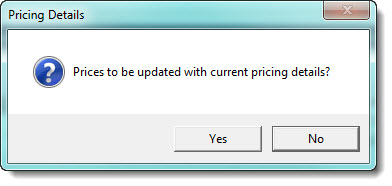
The Pricing Details popup will appear, select;
|
Option |
Description |
|
Yes |
Select YES if you want to apply the current pricing details applicable to the customer to the sales order |
|
No |
Select NO if you want the quoted prices to be applied to the sales order |
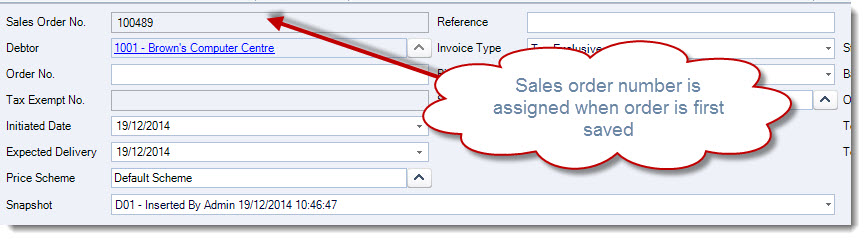
Make any changes to the sales order that are required and then select Save from the menu ribbon to save your sales order.
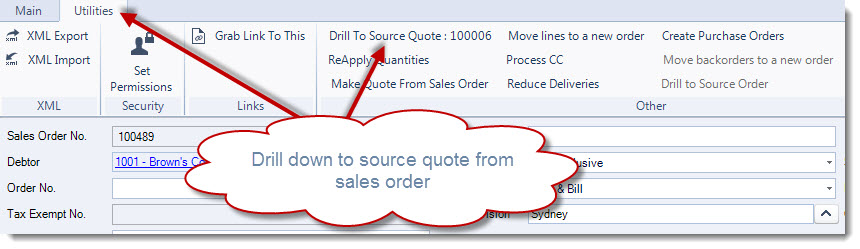
To view the originating quote that this sales order was generated from select the Utilities tab and then click on Drill to Source Quote
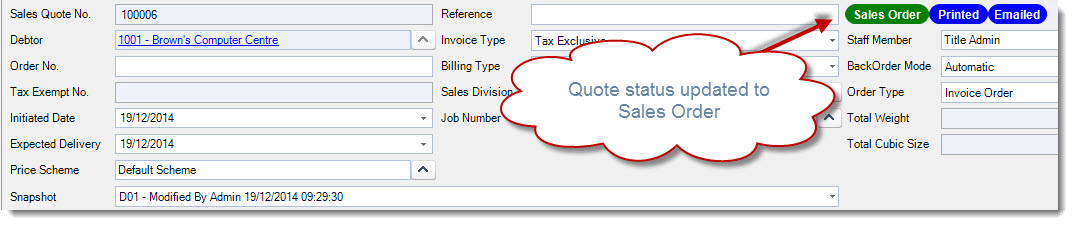
Once the sales order is saved the quote status is updated to Sales Order
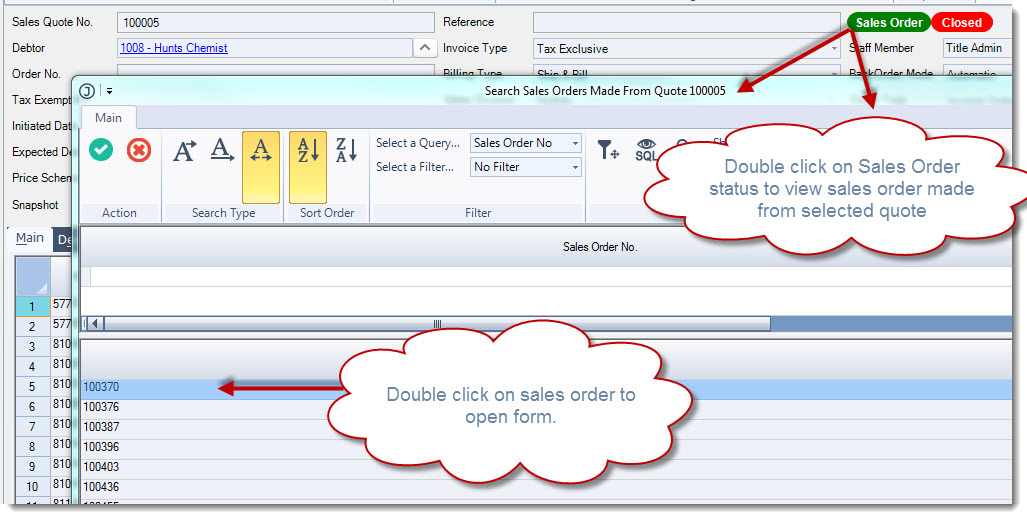
You can view the sales orders that were created from the select quote by double left or right clicking on the Sales Order status which will activate the Sales Orders Made From Quote xxx search form.
Converting Quote to Order using the Sales Order Entry Form
Here we are going to have a look at converting our quote to a sales order from the actual Sales Order Entry form.
From your menu select Sales | Order Entry
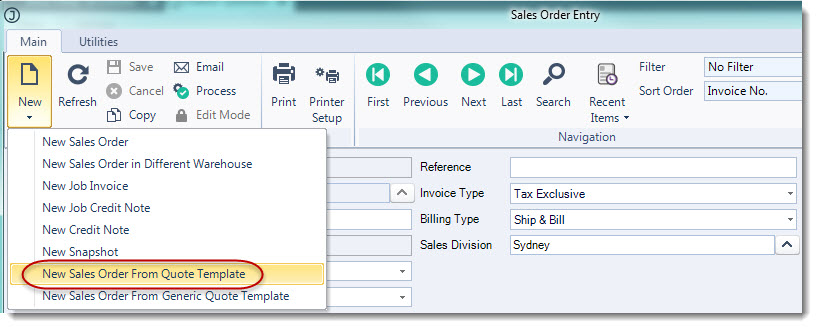
From the menu ribbon select New | New Sales Order from Quote Template
From the Debtors search form select your Debtor
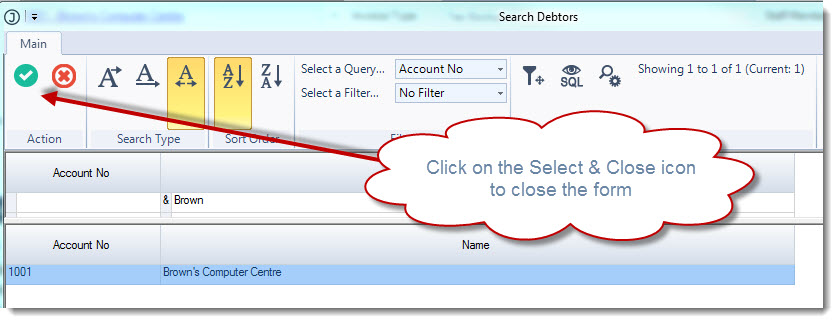
Click on the Select & Close icon to close the Debtors search form, this will then load the Quotes search form for the selected Debtor.
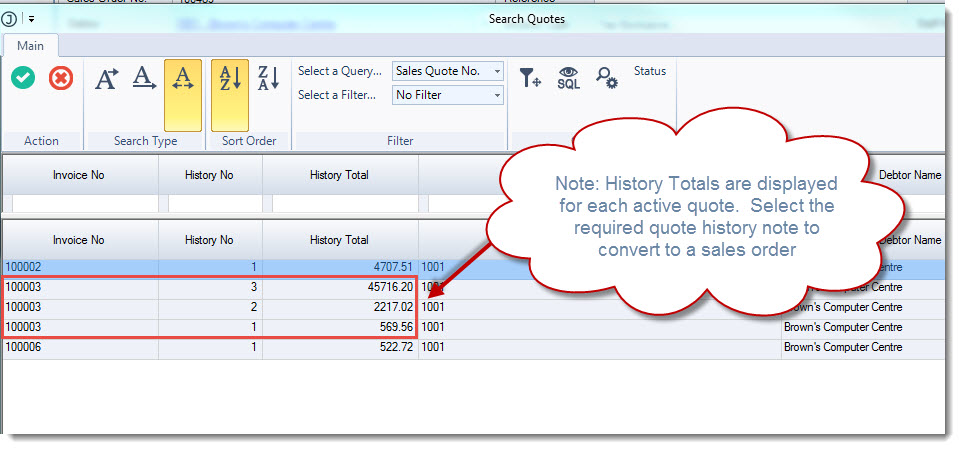
Select the quote you want to convert to a sales order and click on the Select & Close icon from the menu ribbon.
The Pricing Details popup will appear, select;
|
Option |
Description |
|
Yes |
Select YES if you want to apply the current pricing details applicable to the customer to the sales order |
|
No |
Select NO if you want the quoted prices to be applied to the sales order |
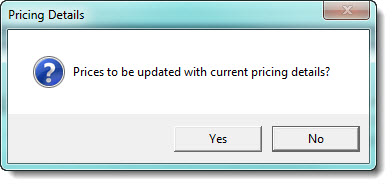
Make any changes to the sales order that are required and then select Save from the menu ribbon to save your sales order.
Converting Quote to Order using Recurring Orders Processing
Recurring quotes are useful in situations where customers have regular standing orders.
The quote is used as the order template and is set-up with a recurring cycle.
If you intend on using recurring quotes and the Recurring Orders Processing function your quotes must be set-up with a recurring cycle, this is achieved by setting the recurring cycle up in the Recurring tab on the quote.
Note: Recurring cycles are History Total specific so ensure you select the right History Total (Reference) for your cycle.
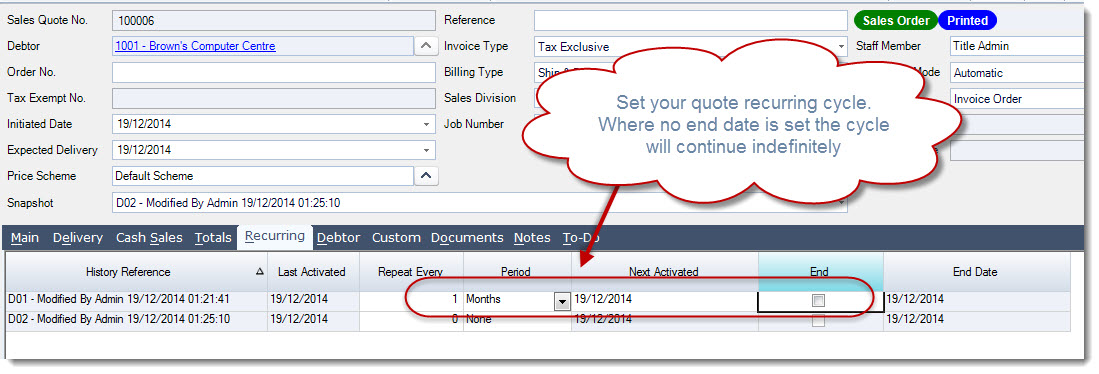
From your menu select Sales | Quoting | Recurring Orders Processing
From the menu ribbon select New
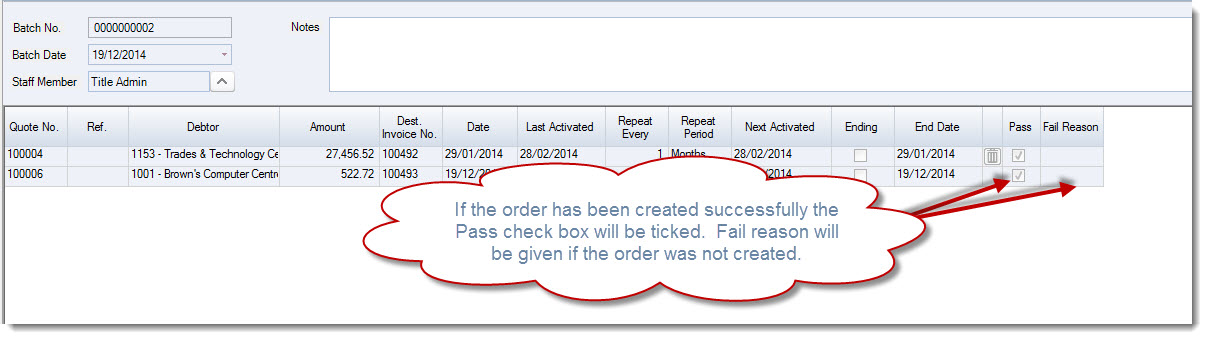
Your grid will be loaded with the quotes that have a Next Activated date equal to or less than the Batch Date
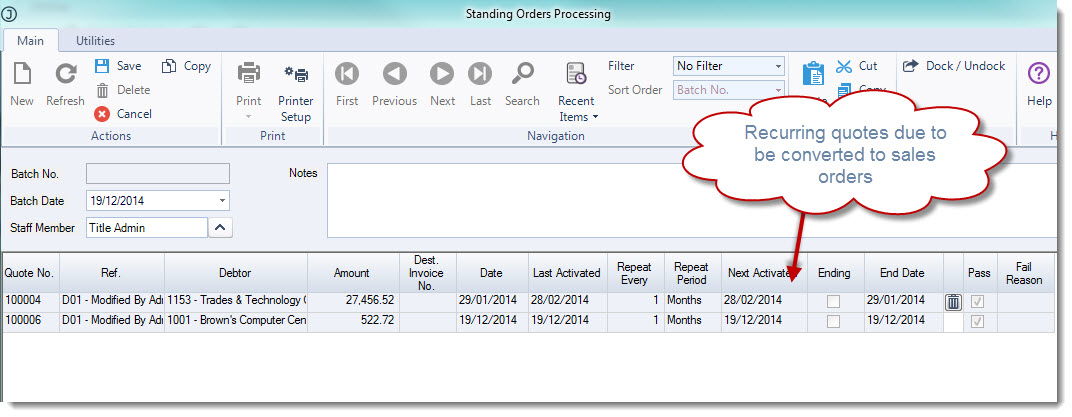
Quotes can be removed from the processing batch by clicking on the rubbish bin icon next to the quote.
When you are satisfied with the quotes that will be converted to orders select Save from the menu ribbon.
The sales orders will be created and the processing batch locked for further editing.