The Rebates module is a custom module that has been developed by Opal Logic for Jiwa Financials.
This article provides an overview of the module, refer to our other articles for full details on the Rebates Module.
If you have any questions or a specific requirement that is currently not met by this module please give us a call on 1300 456 725 to discuss your needs.
Rebate Maintenance Form
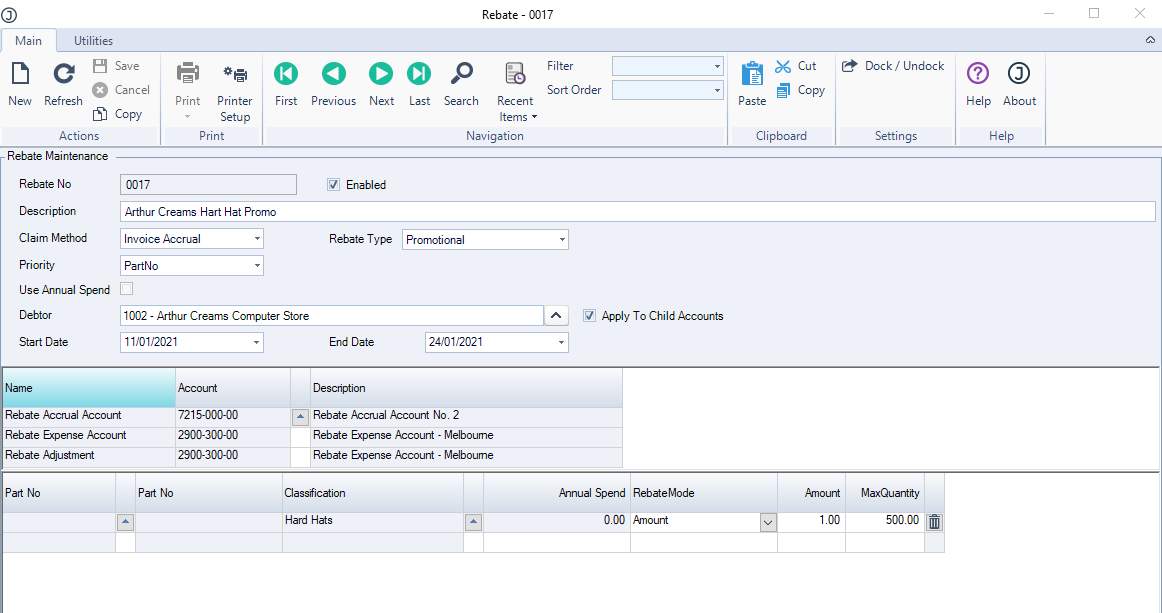
The Rebate Maintenance form is used to create and maintain your customer rebates.
Each rebate is customer specific. In cases where you have customer head office branch relationships the rebate can be created against the head office account and flagged to apply to the child accounts, thus eliminating the need to create the rebate against each individual account.
Rebates can be setup to be product specific or applicable to a group (classification) of products or a combination of both.
Rebates can also be setup that are based on a customers annual spend amount.
Rebate Accrual on Sales
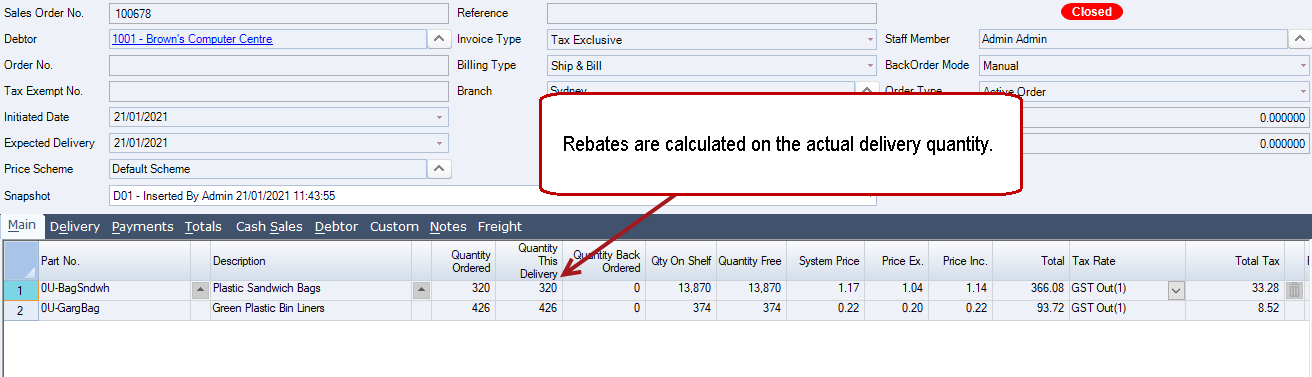
Rebates are accrued based on the actual delivery quantity.
Credit notes for the return of stock or damaged stock will reverse any applicable rebate accrual.
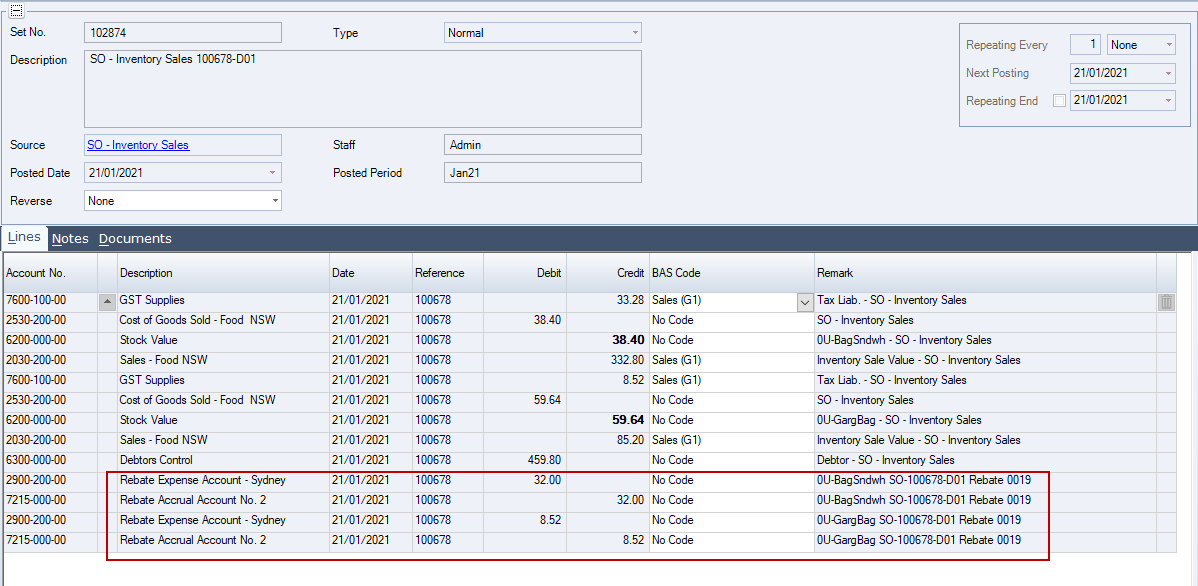
The rebate accrual is only posted to the General Ledger when the sales order snapshot is processed.
Rebate Claims
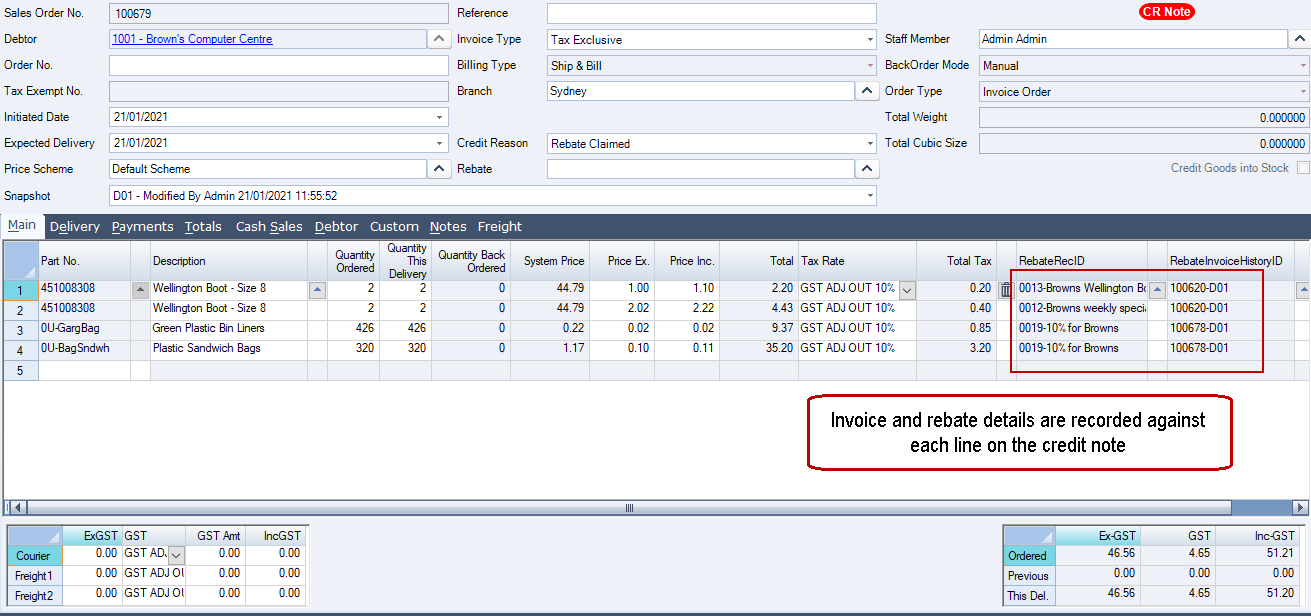
Credit notes can be easily created to record customer rebate claims using the Rebate Claim form that is accessible from the sales order entry form.

When creating your rebate claim credit note from the Rebate Claim form the rebate and related invoice are recorded against each credit note line.
Rebate Reporting
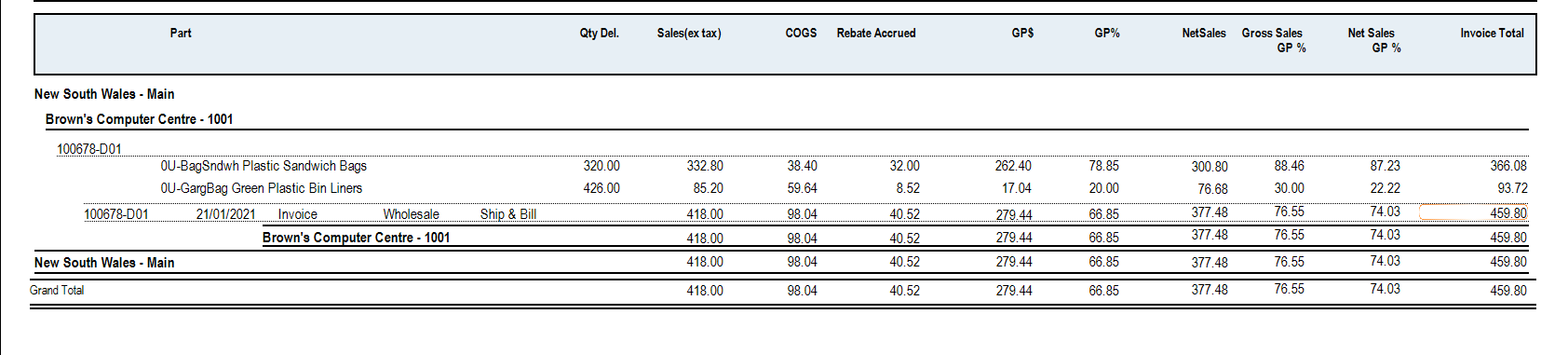
Standard reports are available that displays rebate accruals by invoice by product.