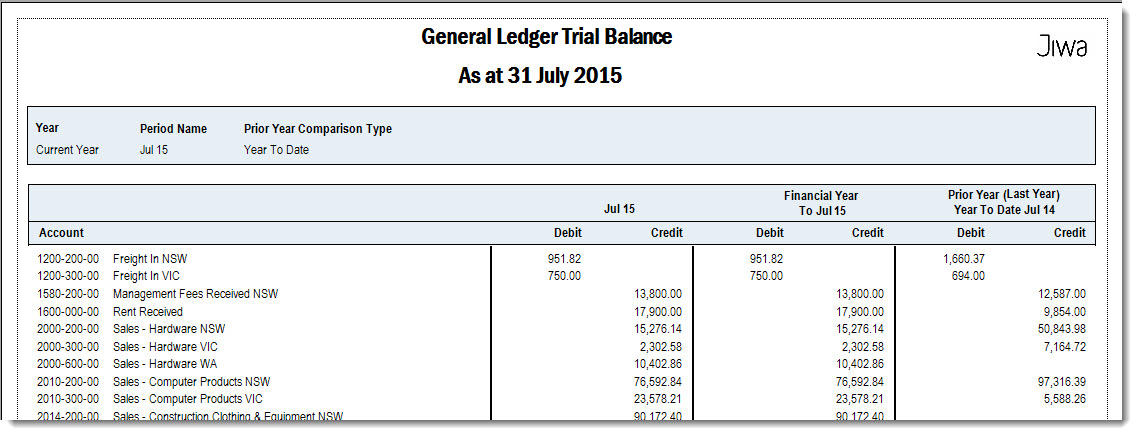
Trial Balance reports are used in Jiwa to review General Ledger account balances for a selected period. These reports show debit and credit balances across the chart of accounts and help confirm that the ledger remains in balance.
This article explains how to run and review Trial Balance reports in Jiwa. Trial Balance reports can be used to support month-end review, identify account balance issues, check posting activity, and assist with reconciliation and financial reporting.
Trial Balance
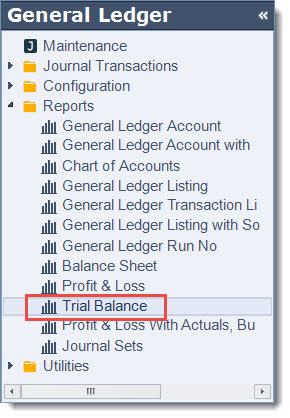
To run the Profit & Loss report from the menu select General Ledger | Reports | Trial Balance
|
Range Option |
Description |
|
Select Year |
Select the financial year you want to report on. Available options are:
|
|
Select Period No |
Select the period that you want to run the report for. Period 1 represents the first month of the financial year for example;
|
|
Select Prior Year Comparative |
Select how you want your last years comparative figures to display, options include
|