Creditor payments may need to be reversed when a supplier payment has been entered incorrectly, allocated to the wrong creditor account, or needs to be removed so the supplier balance can be corrected.
This article explains how to reverse a Creditor payment in Jiwa and how the reversal affects the supplier account balance and payment history.
Before reversing a payment, check that the correct transaction has been selected and that any related allocations, bank processing, or reconciliation activity has been considered.
Reversing payments
In the following example we will be reversing the $500 that has been allocated to invoices
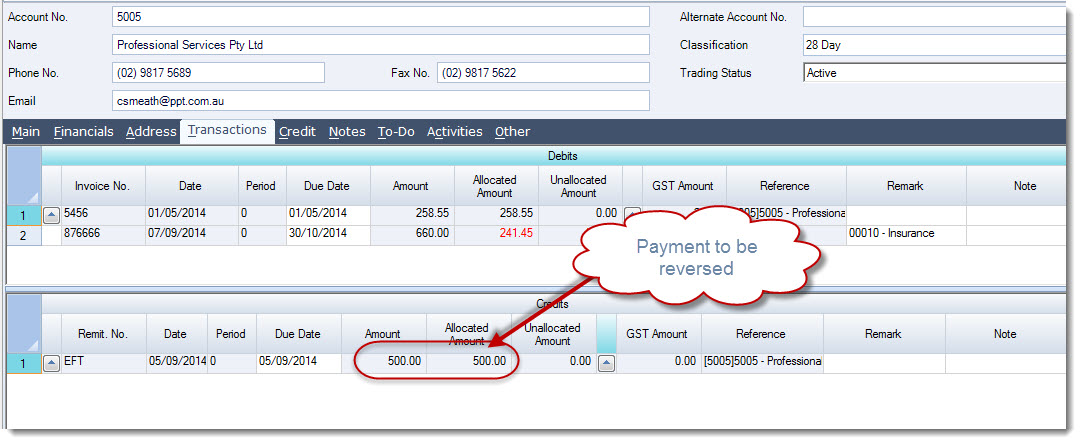
Step 1: Un-allocate Your Payment
To begin lets un-allocate the payment from the invoice/(s) it has been applied to.
This step is not required if the payment has not been allocated.
Next to the payment click on the lookup icon to activate the Creditor Payments & Allocations form

In the Creditor Payments & Allocations form you can see the payment has been allocated to 2 invoices.
To unallocate the payment simply enter in zero in the This Allocation Amount field against the relevant invoices, or single left click on the Un-Allocated Amount against each transaction
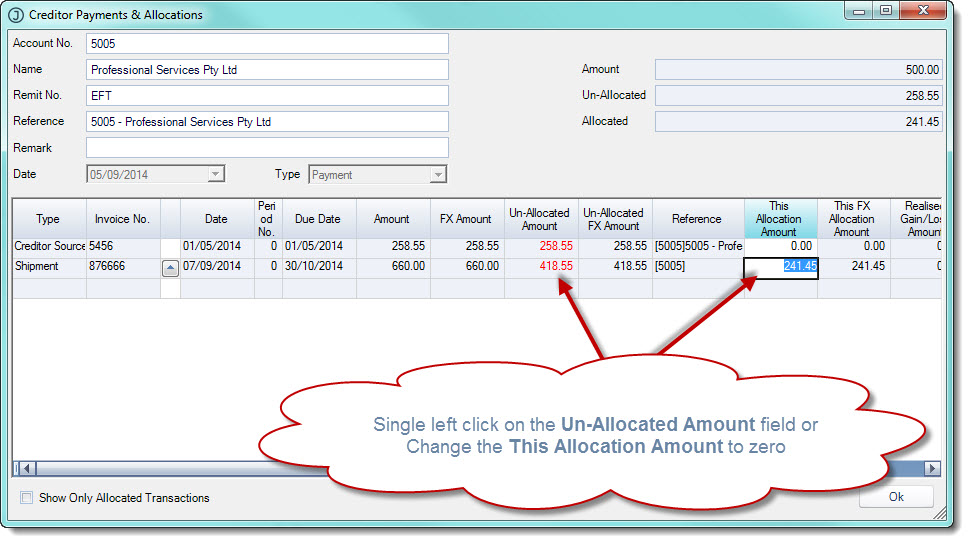
Once you have unallocated the payment select OK to exit from the screen. Your payment is now unallocated
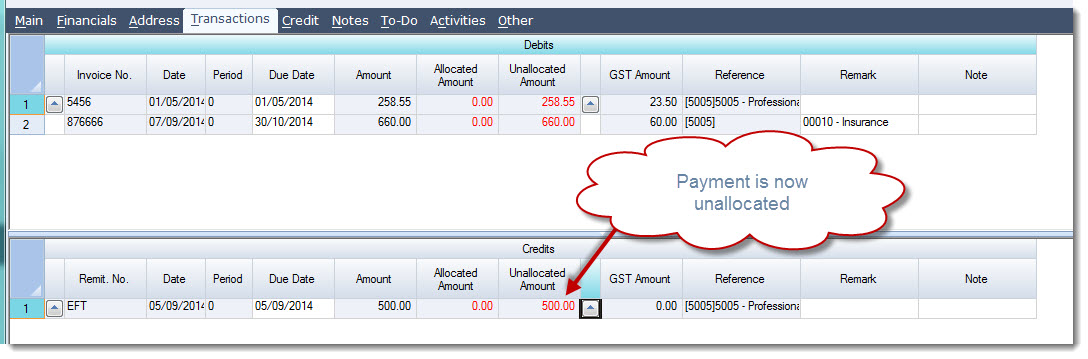
Save your update
Step 2: Reverse Your Payment
The Creditor Payment form does not allow you to enter in a negative payment so we will reverse our payment via the Cashbook.
Your payment can be reversed using either the Cash Book Receipts or Payments form, in this example we will use the Cash Book Receipts form to reverse our payment.
If you use the Payments form make sure you enter a negative value in the Home Amount field.
From the menu select CashBook | Receipts
Create a new Cash Book Receipt batch
Search for your Creditor by clicking on the second lookup icon next to the Debtor/Creditor field
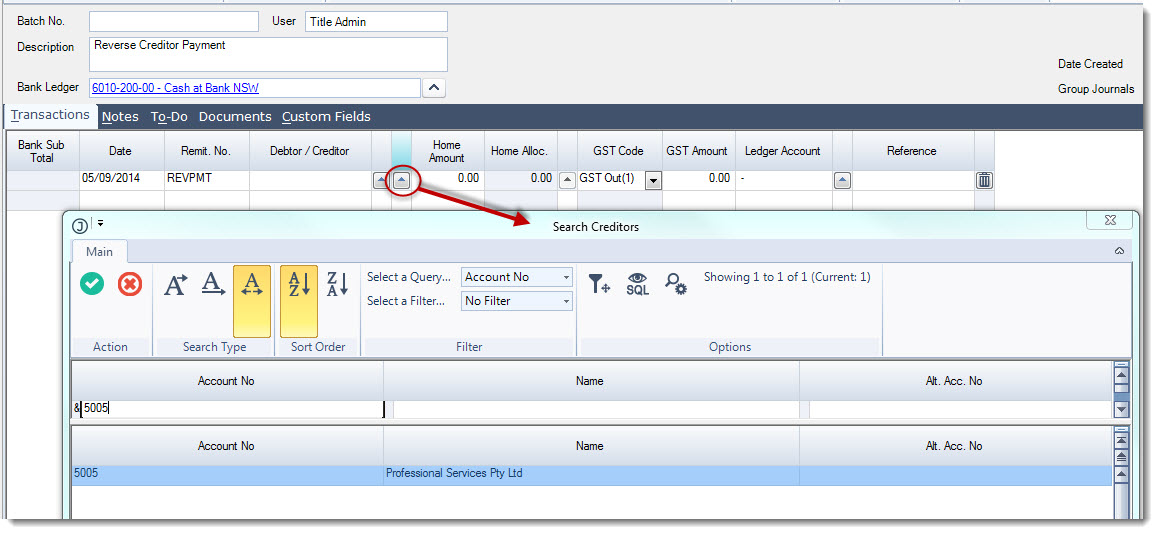
Complete the transaction details then allocate your reversal to the original payment
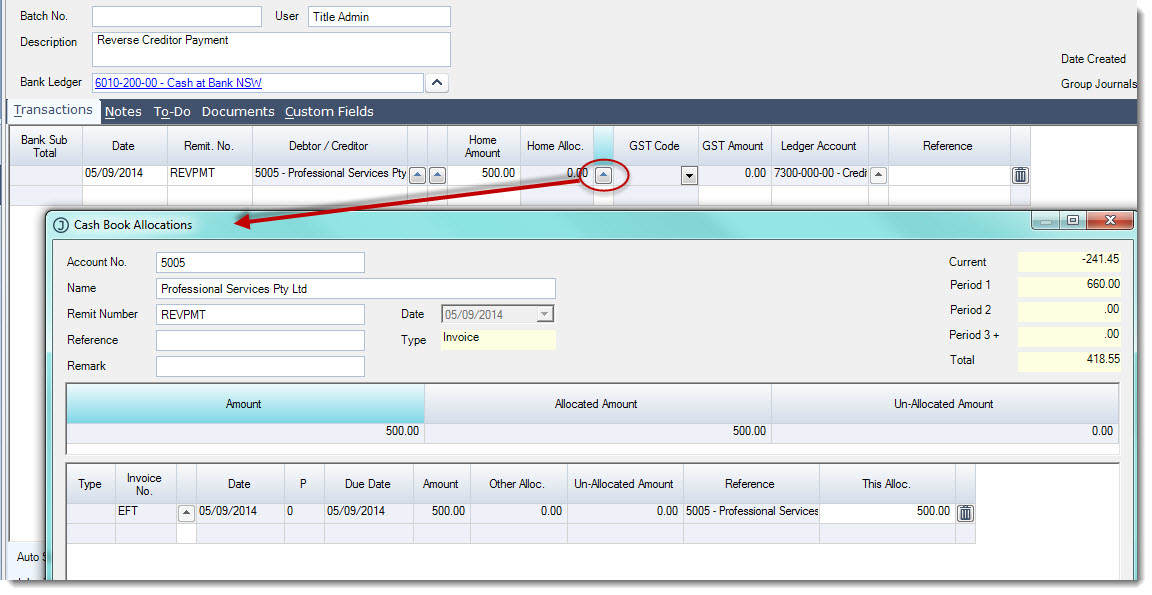
Save your allocation
Save and Activate your cash book receipt batch
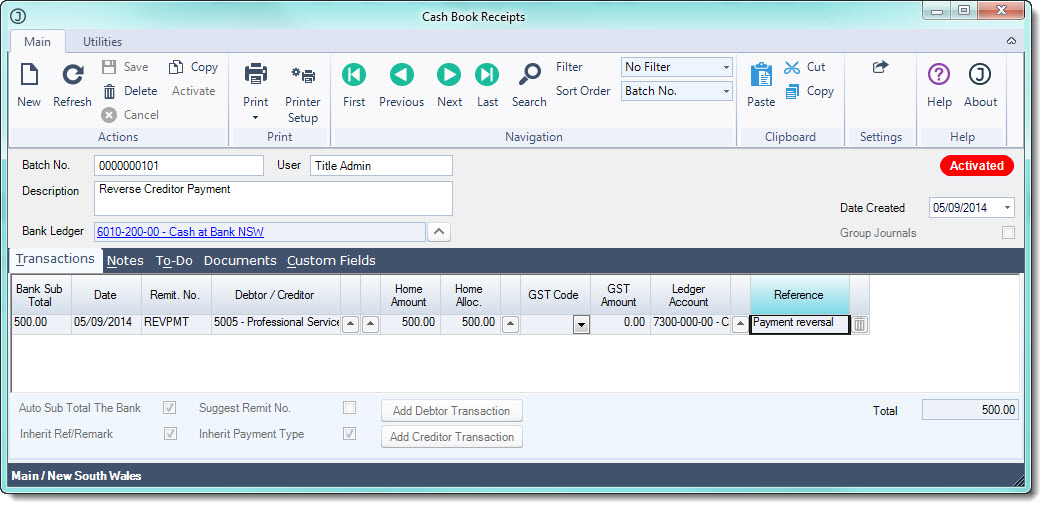
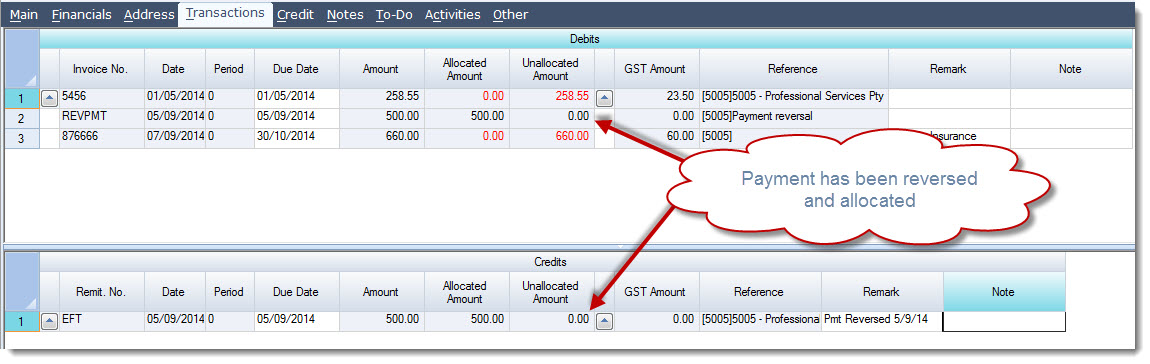
The payment has now been reversed and the reversal allocated to the original payment.