Creditor cheques can be printed from Jiwa when supplier payments need to be made by cheque.
This article explains how to print creditor cheques using the EFT / Cheque Payments form in Jiwa. This process allows users to select the required cheque payments, review the payment details, and produce printed cheques for supplier payment.
Cheque Payments
The process of preparing a cheque payment batch is the same as preparing an EFT payment batch with a couple of exceptions.
When creating your batch set the pay type to Cheque this will ensure that only those Creditors with a payment type of Cheque are returned to the payment grid.

Select the Cheque option this will activate the Starting Cheque Number field

Confirm your starting cheque number.
The One Cheque option is used when you want to pay a number of creditor accounts with a single cheque for example when paying Creditor Head Office and Branch accounts.
When you then press Select to load your grid you will notice that the Cheque Number field is automatically populated.

Complete your cheque payment batch and when ready select Activate to update your creditor account with the payment details.
Cheque Remittance Advice
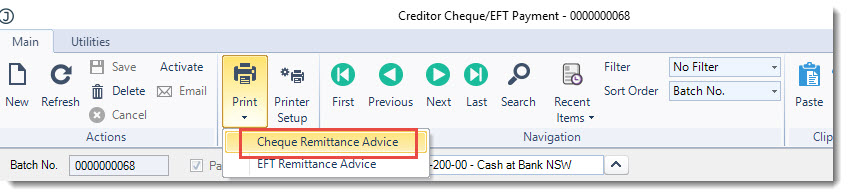
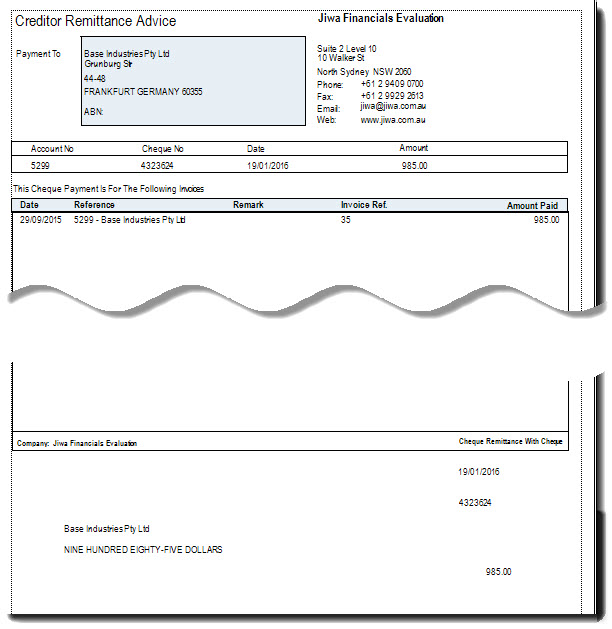
To print out the Creditors Cheque Remittance Advice from the menu ribbon select Print | Cheque Remittance Advice