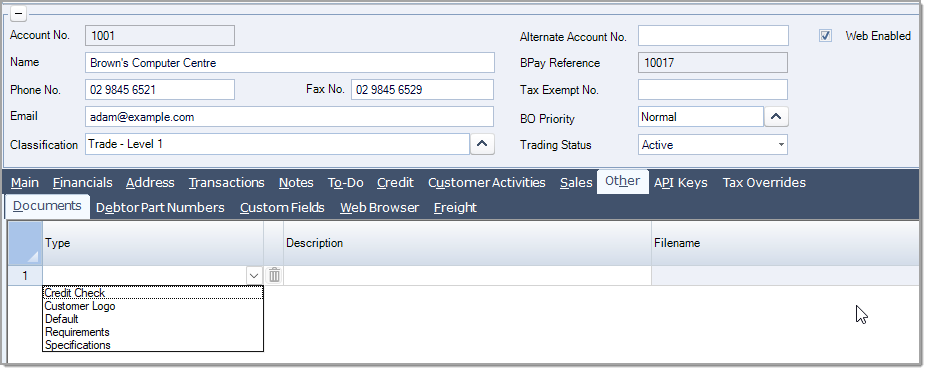
Document types are used in Jiwa to categorise documents and attachments recorded against supported forms and records.
This article explains how to create and maintain document types in Jiwa. Document types can help users organise attachments, identify the purpose of a document, and sort or report on document information more consistently.
Document types are maintained separately for each Jiwa module, so only the types relevant to that module need to be created. Each Jiwa database includes at least one default document type.
Document Types
Document types are maintained in the Configuration section of each module.
In this example we look at maintaining our Debtor Document Types
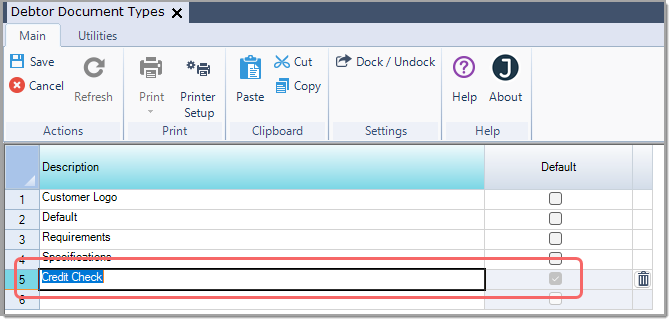
From menu select Debtors < Configuration < Document Types
Add your new Document Type description to the new available line
Use the Default flag to set your default document type.
From the menu ribbon select Save. Continue adding required types.
Document types can be renamed in this form, any name change will flow through to all documents linked to the type.
In Debtor Maintenance the new document type is available for selection.