
In this article we will look at the journal entries that are created during the purchase order process when the system setting Use Cost of Goods Ledger is enable.
When a new Jiwa database is set-up this setting is typically enabled.
We recommend that the article Jiwa Inventory Physical Item vs Non-Physical Item is read in conjunction with this article.
Physical Items
The following journal entries are created by the purchasing process for physical items.
Local Purchases
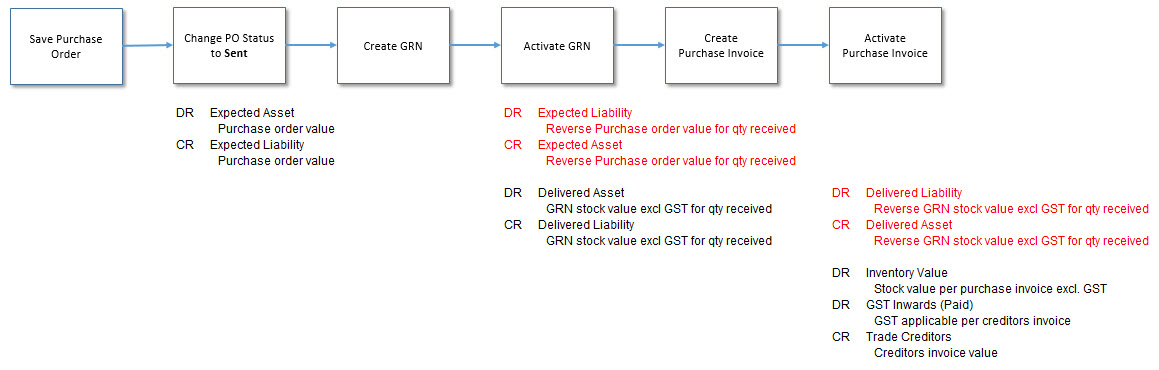
Lets have a look at this in our Balance Sheet as each journal is created for the following purchase order.
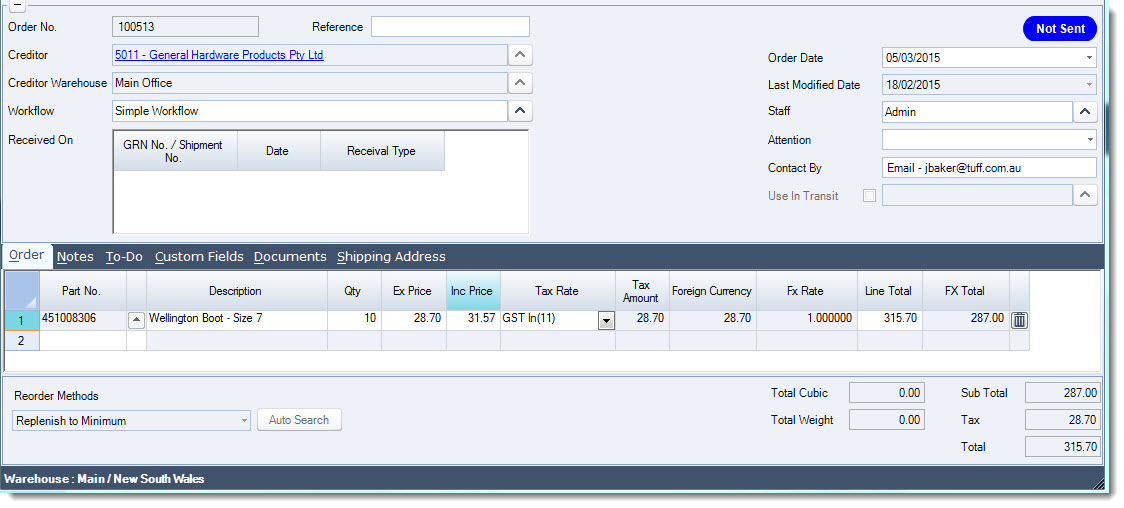
When the purchase order status is changed to Sent the following journal set is created
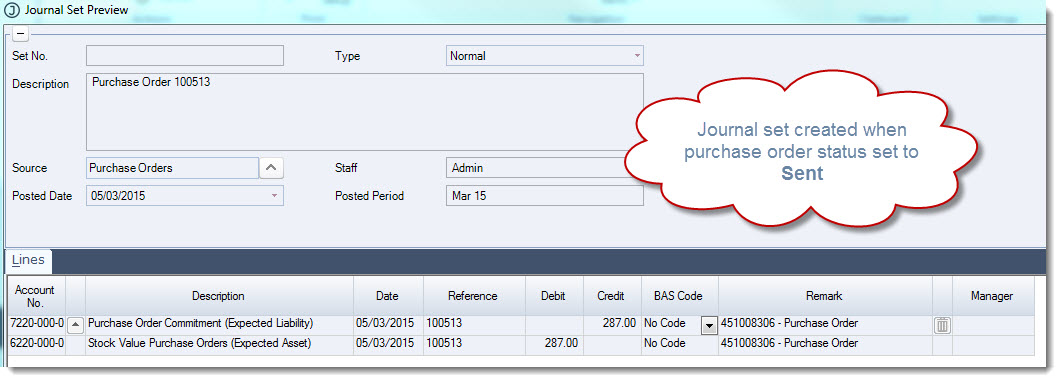
The entries as they appear in the Trial Balance report for the month.
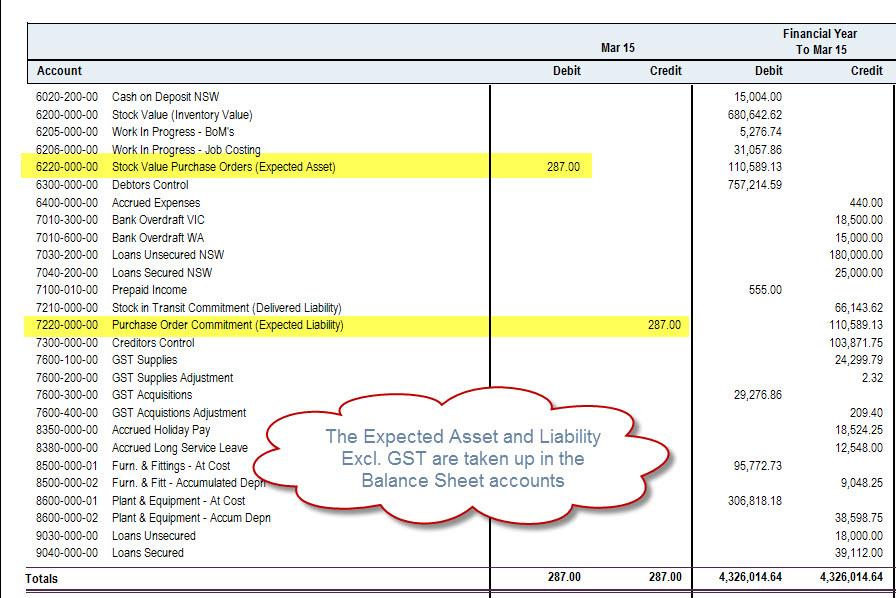
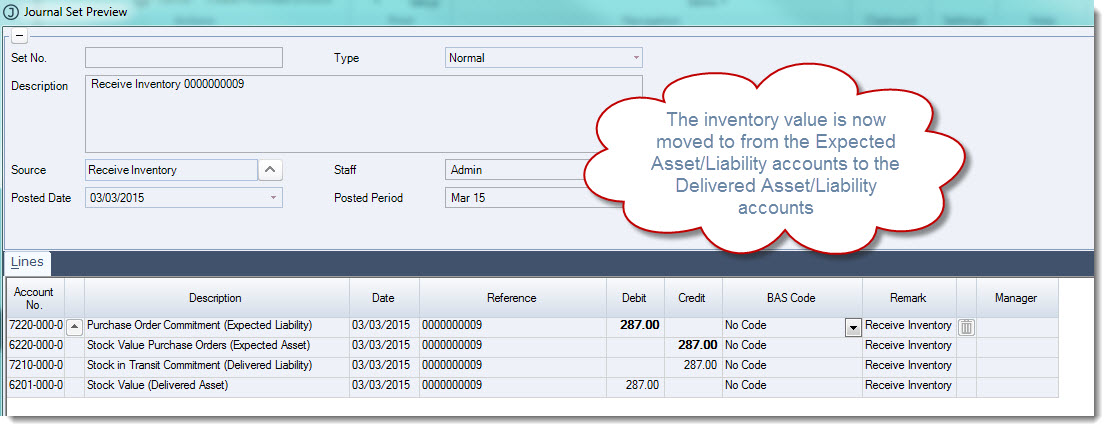
The order is received in full and a GRN (Goods Receipt Note) is created for the full order quantity, when the GRN is Activated the following journal entries are created.
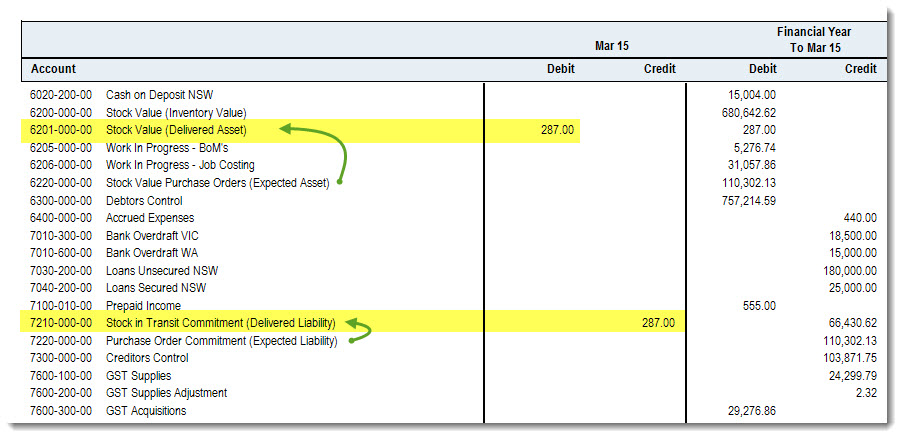
As you can see the expected Asset and Liability journal is reversed and the Delivered Asset and Liability account are updated.
We can see this movement in our Trial Balance report
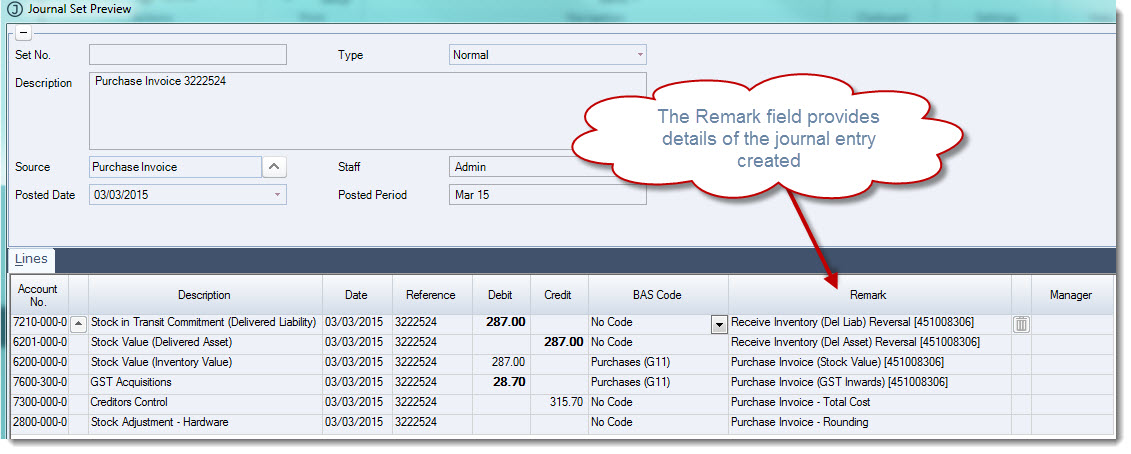
The creditors invoice is received and the purchase invoice is created, when the purchase invoice is Activated the following journal entries are created.
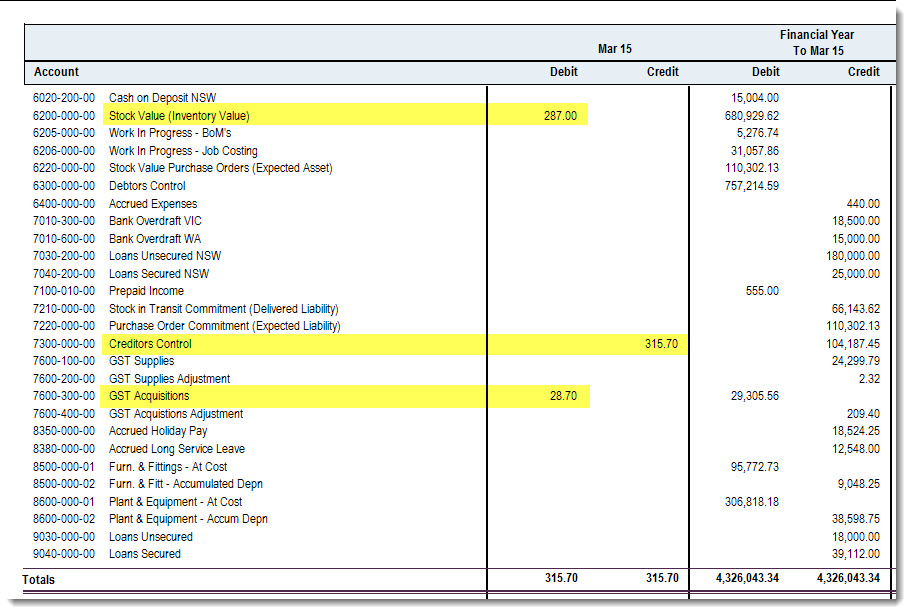
As you can see the Delivered Asset and Liability journal is reversed and the Inventory value and Trade Creditors taken up.
We can see the movement in our Trial Balance.
Shipments
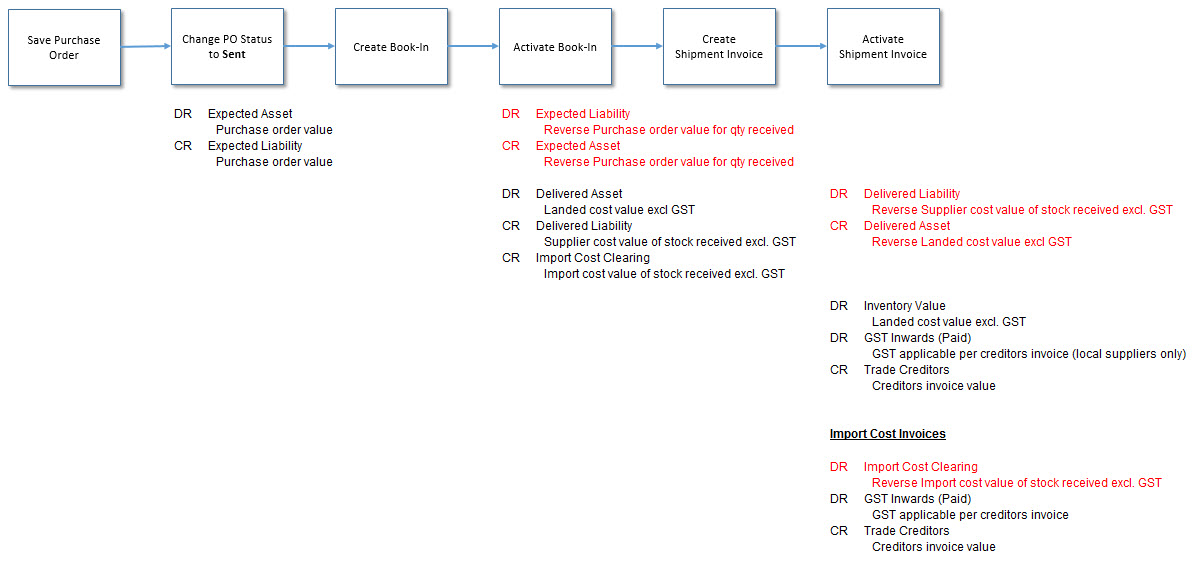
The key difference in the journal sets created between local purchases and shipments is that import costs added to a shipment are accrued in the Import Cost Clearing account.
When the creditors invoice is then created the costs is transferred from the Import Cost Clearing account to Trade Creditors and GST taken up if applicable.
Non Physical Items
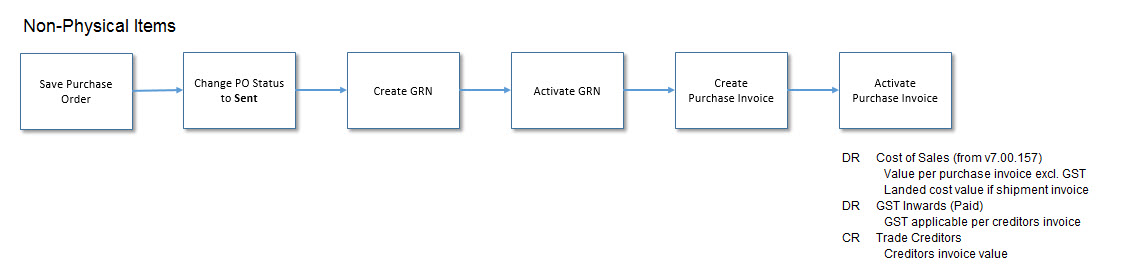
Non Physical Items do not impact any stock (inventory) value accounts because there is no stock movement.
The cost is therefore only taken up when the purchase invoice is Activated.